

Most YouTube summarizers can give you a paragraph or a handful of bullet points.
That is no longer the interesting part.
The real differences in 2026 are what happens around the summary:
- Do you get the full transcript?
- Can you jump through timestamps?
- Can you summarize several videos?
- Can you highlight and keep notes?
- Can you ask questions?
- Does the tool understand anything beyond the transcript?
- Can the video become part of a research or study library?
So instead of pretending there is one universally “best” YouTube summarizer, this list asks a more useful question:
Which tool is actually worth using for the way you use YouTube?
The Quick Answer
| Tool | Worth using if... | Main reason |
|---|---|---|
| NoteAi | YouTube is part of study, research or a visual knowledge workflow | Transcript + Visual Notes + editable Mind Map + Smart Sync + AI Q&A |
| NoteGPT | You summarize lots of videos or playlists | Batch YouTube processing and structured study outputs |
| Eightify | You want the fastest in-YouTube skim | Key insights + timestamped navigation |
| Glasp | You highlight, save and export what you learn | Transcript highlighting + notes + PKM integrations |
| Gemini Notebook | You compare YouTube with PDFs/web/docs | Source-grounded multi-source research |
| ScreenApp | You want YouTube plus uploaded/recorded video analysis | URL/upload → transcript → summary → Q&A |
The right pick depends less on the headline summary and more on what you want to do five minutes after you read it.
1. NoteAi — Worth Using for Visual Learning and Reusable Notes
If YouTube is mainly entertainment, NoteAi is probably more workflow than you need.
If YouTube is where you learn, research or collect reference material, that extra workflow is the point.
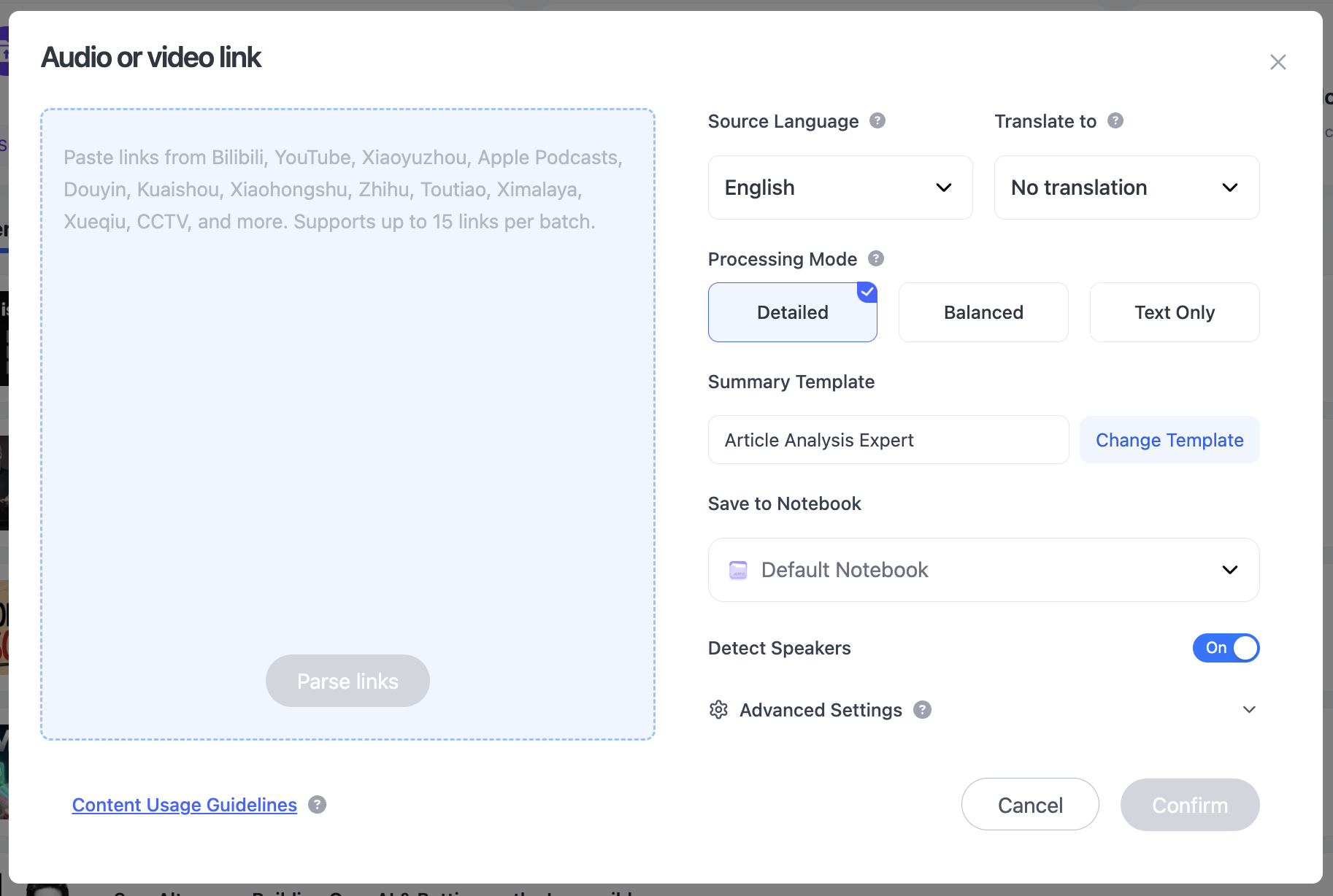
Paste a YouTube link and NoteAi can turn the source into a structured note rather than stopping at a short recap.
What You Get
The original transcript keeps timestamps and speaker-aware text. The AI-polished transcript removes filler and repeated spoken phrasing for easier reading while the original remains available.
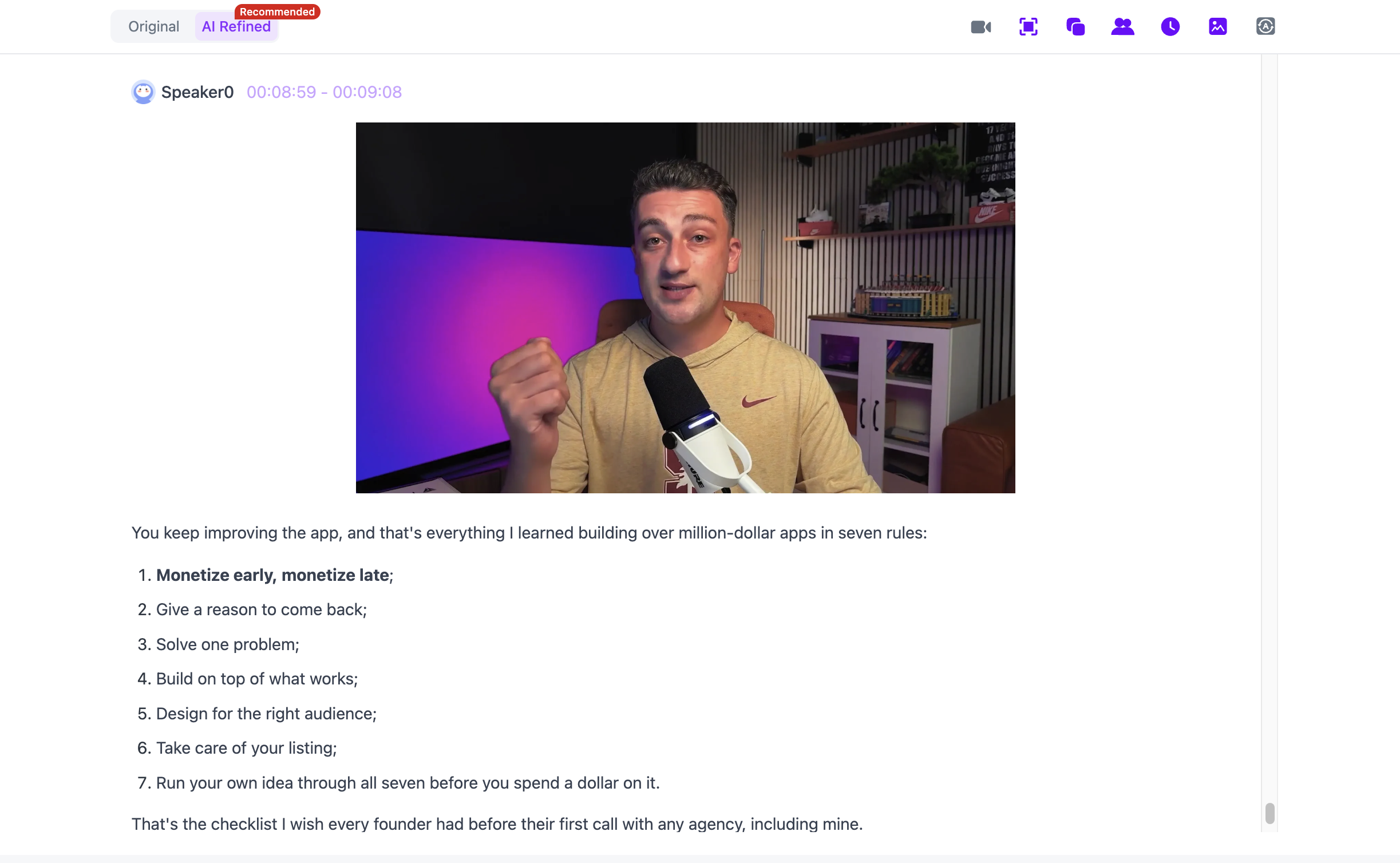
For videos that rely on the screen, NoteAi can capture useful PPT slides, diagrams, formulas, code, software interfaces and key frames and keep them beside the related text.
That is a meaningful difference for lectures and tutorials. Google's current Gemini Notebook documentation, for example, says its YouTube URL import brings in only the text transcript; NoteAi's Visual Notes workflow is designed to keep visual context alongside the transcript.
Why It Is Worth Using
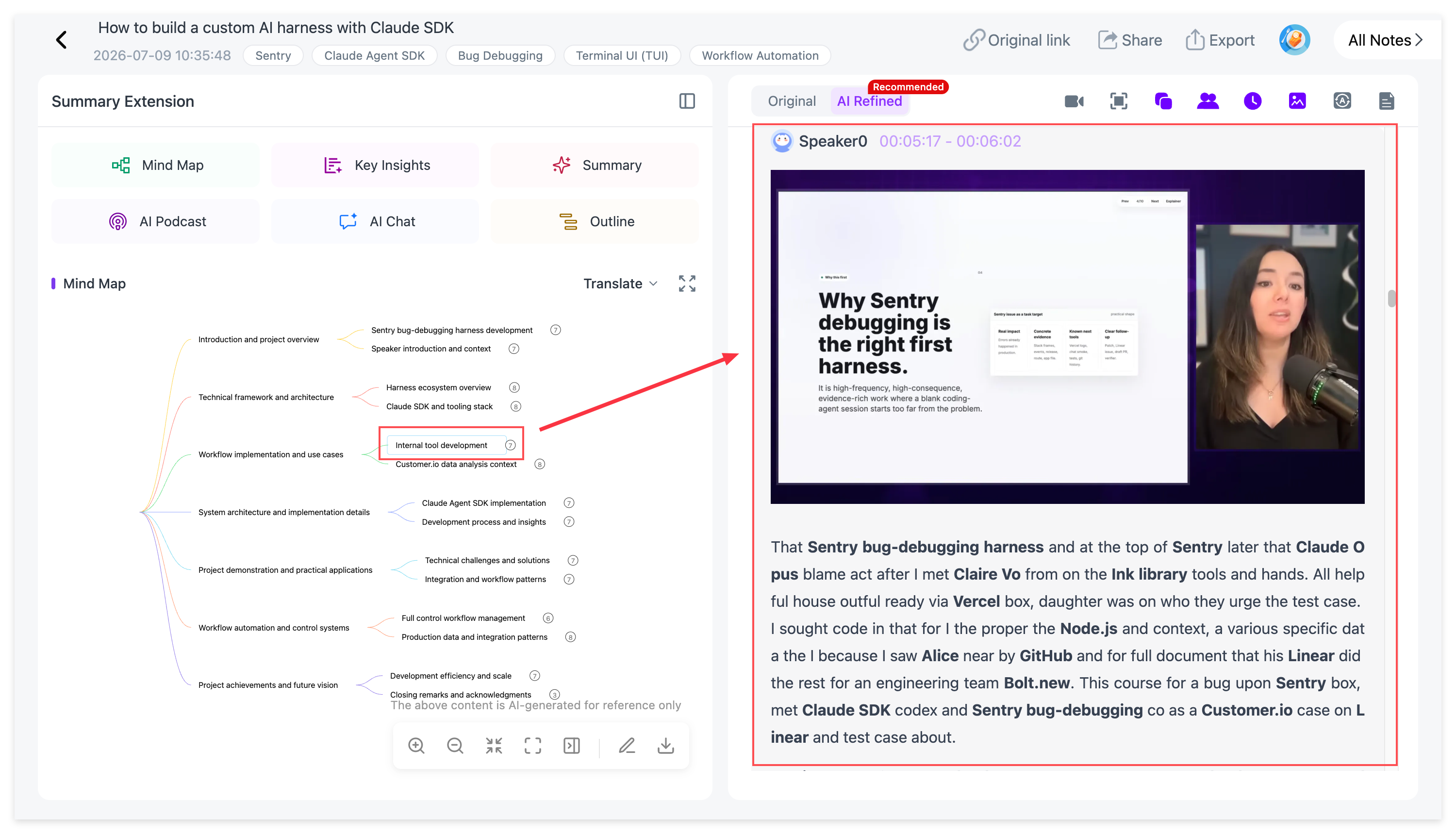
The editable Mind Map and Smart Sync let you move from a topic back to the exact source moment instead of treating the summary as a dead end.
AI Chat / Personal AI Tutor can then explain a section, compare ideas or generate review questions from the processed video.
Worth using if: YouTube is a serious learning/research source and you care about visuals, source return and later reuse.
Probably overkill if: all you want is a five-line TL;DR before deciding whether to watch.
2. NoteGPT — Worth Using for Batch YouTube and Playlists
NoteGPT is one of the easiest recommendations for people with a YouTube backlog.
Its current YouTube summarizer supports individual videos, playlists and multiple links. The product page also describes summarization for long videos, support for videos without subtitles within stated limits, subtitle translation and batch processing.
Beyond the recap, NoteGPT offers transcripts and more structured outputs such as Mind Maps.
Worth using if: you regularly summarize many YouTube videos, playlists or course collections.
Less compelling if: your main need is preserving the visual information shown inside each frame.
3. Eightify — Worth Using for Fast YouTube Skimming
Eightify has one of the clearest jobs on this list:
Open YouTube, get the main ideas, jump to the part that matters.
Its current site emphasizes:
- key insights;
- timestamped summaries;
- transcript access;
- top-comment overview;
- 40+ languages;
- browser and mobile access.
That makes Eightify especially good for answering:
“Is this video worth 45 minutes of my time?”
It does not need to become a full note-taking environment to be useful. Its strength is that it stays close to the viewing experience.
Worth using if: your YouTube workflow is mostly deciding what to watch and jumping to useful sections quickly.
Less compelling if: you need a long-term research library, visual frame extraction or deep post-video editing.
Official page: Eightify.
4. Glasp — Worth Using for Highlights, Notes and PKM
Glasp is a better fit for people who do not just summarize — they highlight.
Its YouTube workflow includes full transcripts, timestamped summaries, transcript highlighting, notes and exports. Glasp also connects the material to a wider reading/highlighting system across web pages, PDFs and Kindle.
The current official feature pages describe exports to tools such as Notion and Obsidian, plus Markdown and other formats.
This changes the use case.
Instead of:
“Summarize this video.”
the workflow becomes:
“Summarize it, mark the parts I care about, and keep those parts with the rest of my reading.”
Worth using if: highlighting and personal knowledge management are already how you learn from the web.
Less compelling if: you want the AI to automatically preserve slide-heavy visual context from the video itself.
Official pages: YouTube Summary and AI Summary.
5. Gemini Notebook — Worth Using When YouTube Is Only One Source
Gemini Notebook is the best fit on this list when the video is not the whole project.
You can put a YouTube source beside PDFs, webpages, Google Docs, Slides and other supported material, then ask grounded questions across the notebook.
Its chat uses citations back to source material, which is useful for research and study.
There is one important YouTube-specific limitation: Google says the YouTube URL must be a public video with captions, and only the text transcript is imported as a source.
So Gemini Notebook is excellent for:
“Compare this YouTube lecture with these three papers.”
It is less suited for:
“Keep the slide that was on screen when the lecturer explained this.”
Worth using if: YouTube is one source inside a bigger research notebook.
Less compelling if: you need frame-level visual notes from the YouTube video itself.
Official help: Add sources and Use chat.
6. ScreenApp — Worth Using if You Also Work With Recordings
ScreenApp is useful when the YouTube link is only one of the video sources you deal with.
Its current AI summarizer supports direct uploads plus supported URLs and centers the workflow on transcription, structured summaries and chat Q&A. The broader ScreenApp product also includes screen recording and meeting analysis.
That makes it practical for people whose week contains:
- YouTube videos;
- internal recordings;
- presentations;
- screen demos;
- meetings.
Worth using if: you want one analysis workflow for public video links and your own recordings.
Less compelling if: your entire workflow lives inside YouTube and you want the lightest possible experience.
Which One Should You Actually Pick?
Pick Eightify if you mostly skim
You want the gist, timestamps and a quick decision about whether to watch.
Pick NoteGPT if your queue is the problem
You have playlists, batches or lots of videos to process.
Pick Glasp if you highlight everything
You want YouTube to sit beside web reading, PDFs and your PKM workflow.
Pick Gemini Notebook if the video is evidence
You need to compare it with documents and ask grounded questions across multiple sources.
Pick ScreenApp if YouTube is only one kind of recording
You also analyze meetings, demos and uploaded files.
Pick NoteAi if the video itself is knowledge you want to keep
You care about the transcript and the slides/key frames, want an editable Mind Map, need to return to the source and expect to ask questions or reuse the material later.
What About Free YouTube Summarizers?
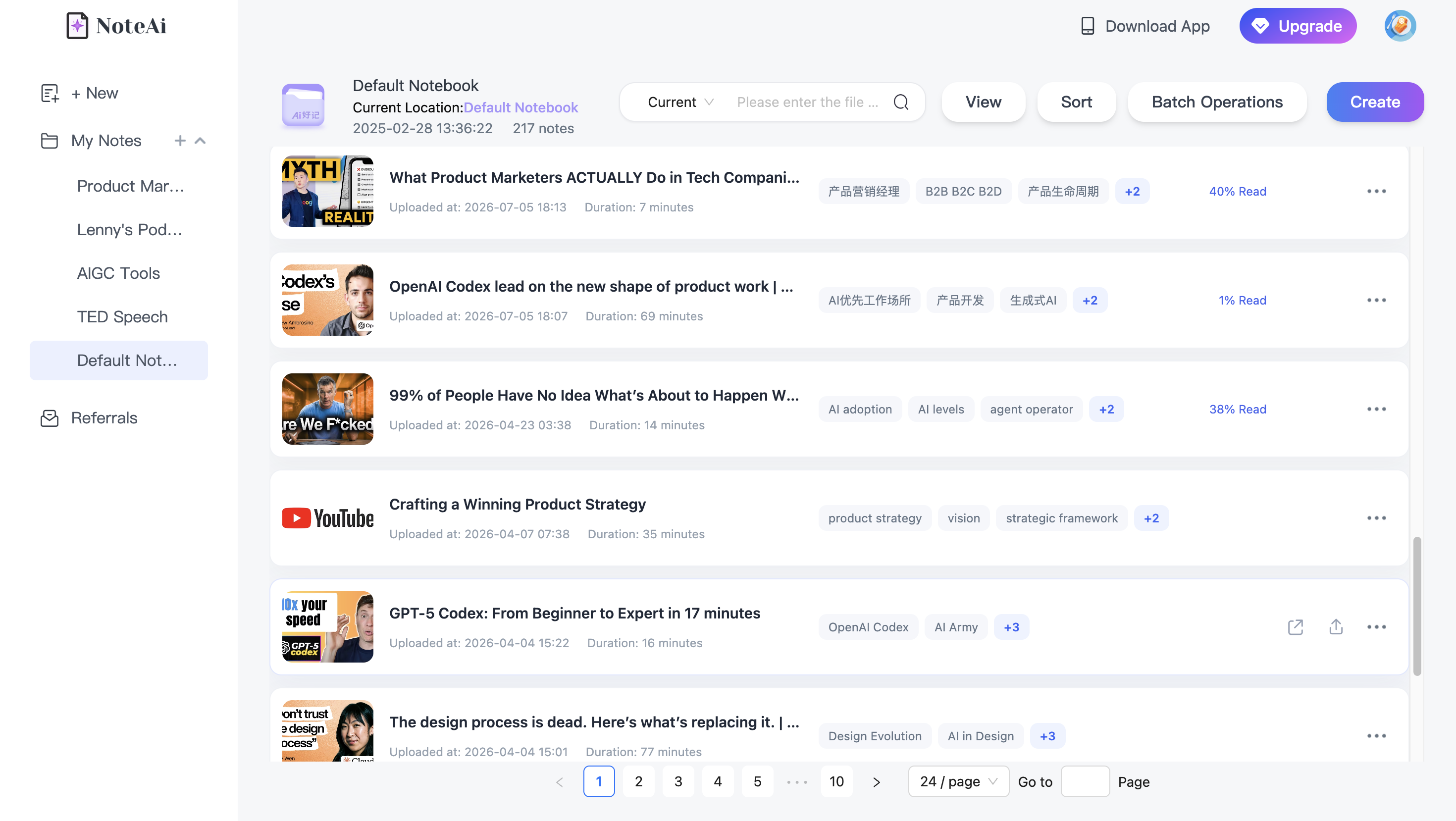
Free access changes frequently, and “free” can mean anything from a handful of summaries to a browser extension with a daily quota.
More importantly, there is already a separate search intent behind “free YouTube summarizer.” If cost is the main criterion, compare current plan limits directly rather than assuming the free tier described in a 2026 roundup will remain unchanged.
For this page, the more useful question is whether the workflow is worth keeping once the novelty of the first summary wears off.
What Makes a YouTube Summarizer Worth Using Long Term?
After trying several tools, I would judge them on four things.
It saves time before you watch
A good summary should help you decide whether the source deserves attention.
It keeps enough context after you read
Timestamps, full transcript and source return matter when you need to verify something.
It matches the kind of video you watch
Talking-head podcasts and slide-heavy lectures are not the same summarization problem.
It has a useful second step
That second step might be highlighting, AI chat, Mind Map editing, research across sources, exporting or turning the material into a long-term knowledge base.
If there is no useful second step, the summary is disposable.
For a broader selection framework beyond YouTube, see How to Choose the Right AI Video Summarizer for Your Workflow in 2026.
For long videos specifically, see How to Summarize a Long YouTube Video Without Losing Slides or Context.
FAQ
What is the best YouTube summarizer in 2026?
It depends on what you do after reading the summary. Eightify is a strong quick-skimming option, NoteGPT is well suited to batches/playlists, Glasp to highlights/PKM, Gemini Notebook to mixed-source research, ScreenApp to mixed recording workflows, and NoteAi to visual, source-linked study and reusable knowledge.
Which YouTube summarizer is best for students?
Students should look beyond a short recap. Useful features include a full transcript, timestamps, structured notes, Mind Maps, review questions and source return. The right choice also depends on whether the course is mostly spoken or slide-heavy.
Which YouTube summarizer has the best timestamps?
Several tools in this list provide timestamped navigation, including Eightify, Glasp and NoteAi. The more important distinction is what the timestamp connects to: a summary paragraph, transcript highlight, Mind Map node or another part of the note.
Can Gemini Notebook summarize YouTube videos?
Yes, for supported public YouTube videos with captions. Google's current help documentation says only the text transcript of the video is imported as the source.
Which YouTube summarizer can keep slides and screenshots?
NoteAi's Visual Notes workflow can automatically capture useful PPT slides, charts, diagrams, formulas, code, software screens and other key frames and keep them with the related text.