

An MP4-to-text converter can be as simple as “upload file, get transcript.”
That is enough for some jobs. But a lecture, an interview and a screen recording do not really need the same output. The useful differences are usually in the details: file limits, speakers, transcript cleanup, visual context and what you can do after transcription.
How this comparison was prepared: We reviewed each tool's current official product or help pages for the workflow described here. We do not publish controlled accuracy rankings unless the products have been tested under the same conditions.
What matters before you upload an MP4?
For a real recording rather than a 30-second clip, I would check:
- how large and how long the file can be;
- whether speakers and timestamps are preserved;
- whether the raw transcript can be cleaned up for reading;
- whether slides or screen content are kept;
- whether several files can be handled together;
- which export formats are available;
- whether the result stays searchable later.
5 AI Transcription Tools for MP4 Files
| Tool | Input / transcription workflow | What happens after the transcript | Export / next step | Best fit |
|---|---|---|---|---|
| NoteAi | Local MP4/video/audio; timestamps and speaker-aware transcript; original + AI-polished views | Visual Notes, editable Mind Map, Smart Sync, AI Q&A, templates, translation | DOCX, PDF, HTML, Markdown; Mind Map to XMind/PDF/SVG/MD/JSON/TXT; Notion/Obsidian | Long lectures, interviews and screen recordings that need visual context and later reuse |
| TurboScribe | Audio/video upload including MP4; speaker recognition available | Transcription-first workflow with language and audio-restoration options | PDF, DOCX, TXT and subtitle exports | Fast standalone transcription |
| Descript | MP4 and other video formats; speaker labels and timecodes | Edit the transcript and media together in the same project | DOCX, HTML, Markdown, TXT, RTF and media export | Creators who want transcription inside an editing workflow |
| VEED | MP4 and other major video formats; editable transcript and auto-subtitles | Captioning, translation and video editing / repurposing | TXT, SRT, VTT and edited video | Caption, subtitle and social-video workflows |
| Notta | Video upload or supported links; editable/searchable transcript; multiple uploads supported | AI summary, translation and searchable transcript workspace | TXT, SRT, PDF, DOCX | Video transcription that also sits close to meeting and note workflows |
Comparison note: Feature descriptions above are based on the current official product pages for each tool. This is a workflow comparison, not a controlled transcription-accuracy ranking.
How NoteAi Handles Long MP4 Files
NoteAi supports local video/audio up to 7 hours and 4GB and can process up to 15 links or files in one batch.
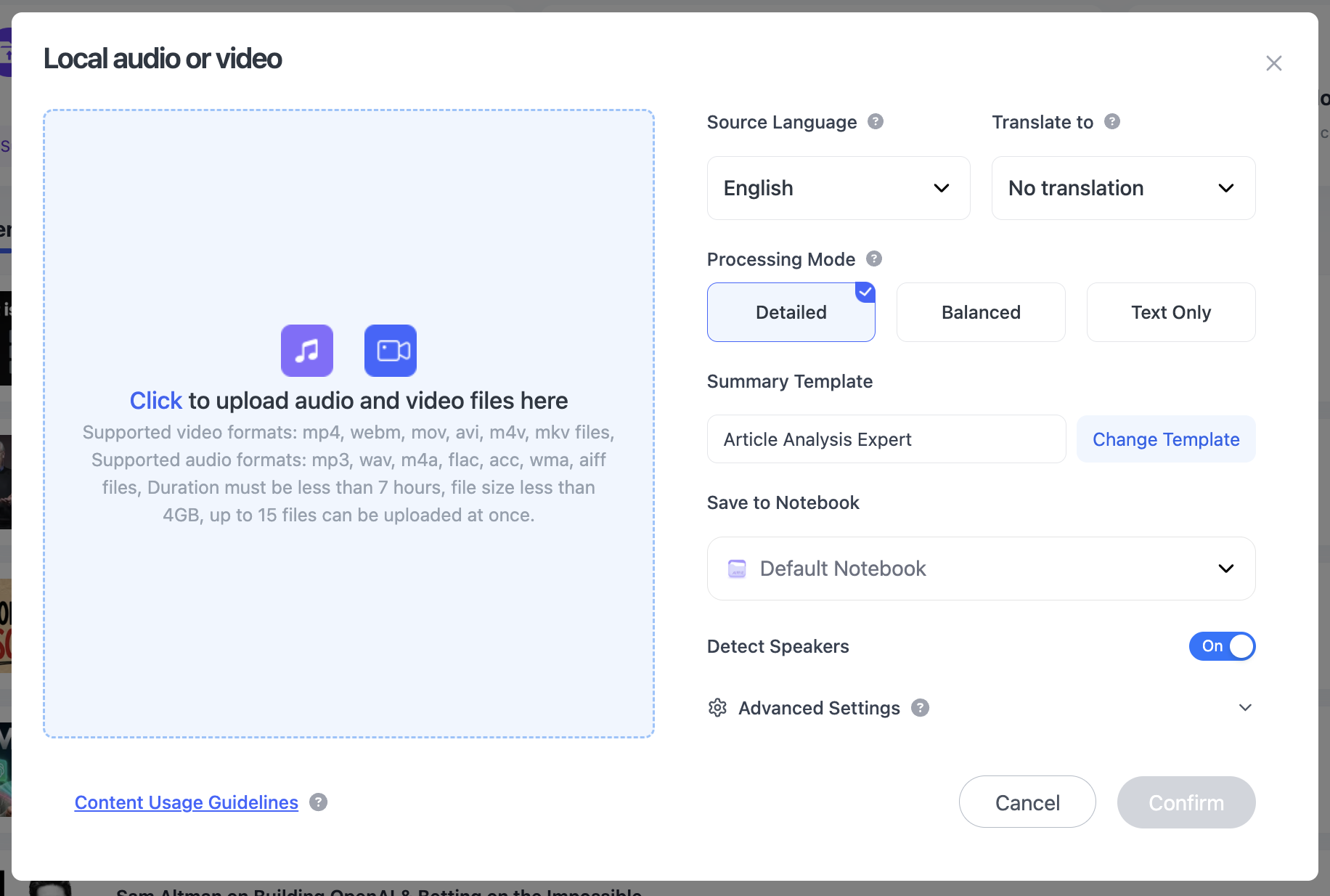
Keep a Long Recording in One File
That is useful for a full lecture, a set of interviews or several training recordings that you do not want to split into smaller clips first.
Keep an Exact Transcript and a Cleaner Reading Version
Interviews are a good example of why both transcript views help. The original transcript keeps timestamps, speakers and exact wording; the AI-polished transcript removes enough filler and repetition to read more like a document.
Use the original for quotes and verification, and the polished version for reading. You do not have to choose between a raw transcript and an over-compressed summary.

Keep Slides and Screen Content With the Transcript
For a software demo, technical lesson or presentation, transcription alone often misses the thing being demonstrated.
NoteAi can capture PPT slides, charts, diagrams, formulas, code, software interfaces and key frames, then keep those visuals next to the related transcript or summary content.
That is useful when an MP4 is really a visual lesson rather than just audio with a picture.
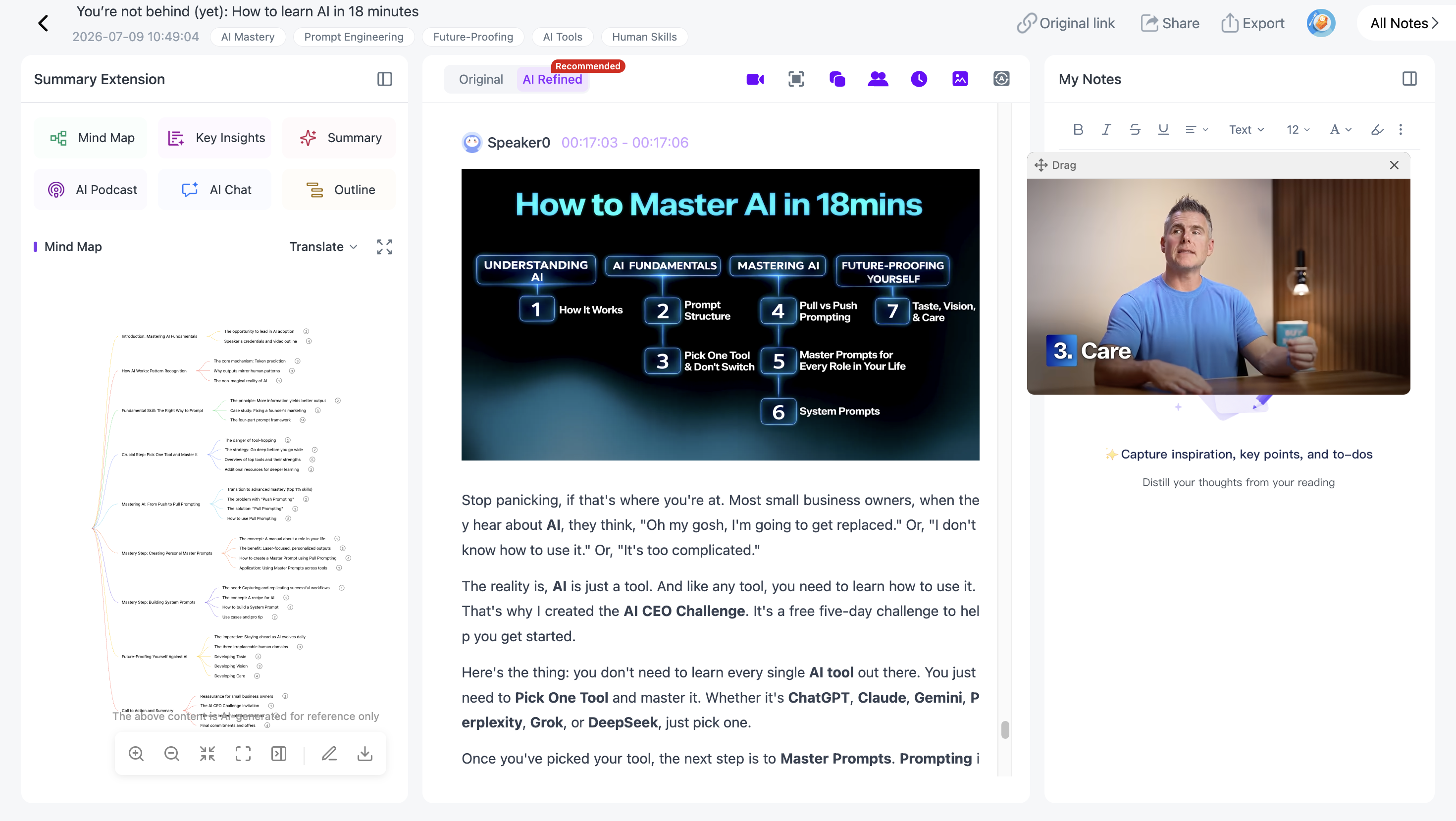
Generate a Mind Map for Faster Navigation
The editable Mind Map turns the recording into topics and branches.
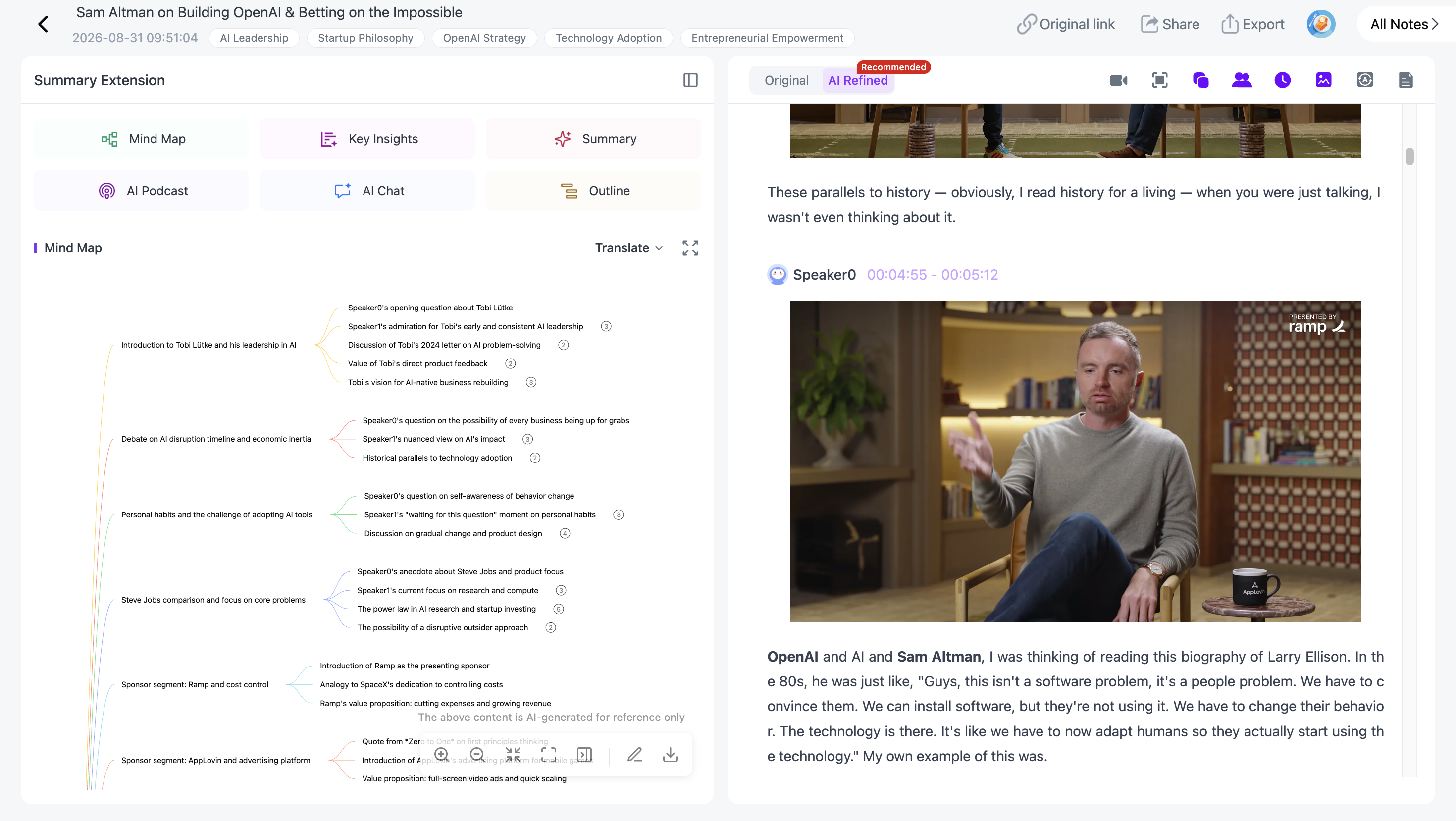
You can rename, remove or reorganize sections. Each Mind Map node stays linked to the recording through Smart Sync, so you can move from a topic straight back to the moment where it was discussed.
Export the map as XMind, PDF, SVG, Markdown, JSON or TXT.
Reuse the Recording With Templates or a Custom Prompt
Once NoteAi has processed the media, use Summary Templates or a custom prompt to shape the result for a specific task:
- interview claims and evidence;
- lecture notes;
- a training checklist;
- a course outline;
- creator reference notes;
- a glossary or research brief.
AI Chat / Personal AI Tutor can then answer questions about the same recording instead of forcing you to move the transcript into a separate AI conversation.
Export the Notes or Keep the Project Searchable
If the recording is in another language, NoteAi can translate the transcript across 22+ languages while keeping the source text available for comparison.

General notes export as DOCX, PDF, HTML or Markdown, and can continue in Notion / Obsidian.
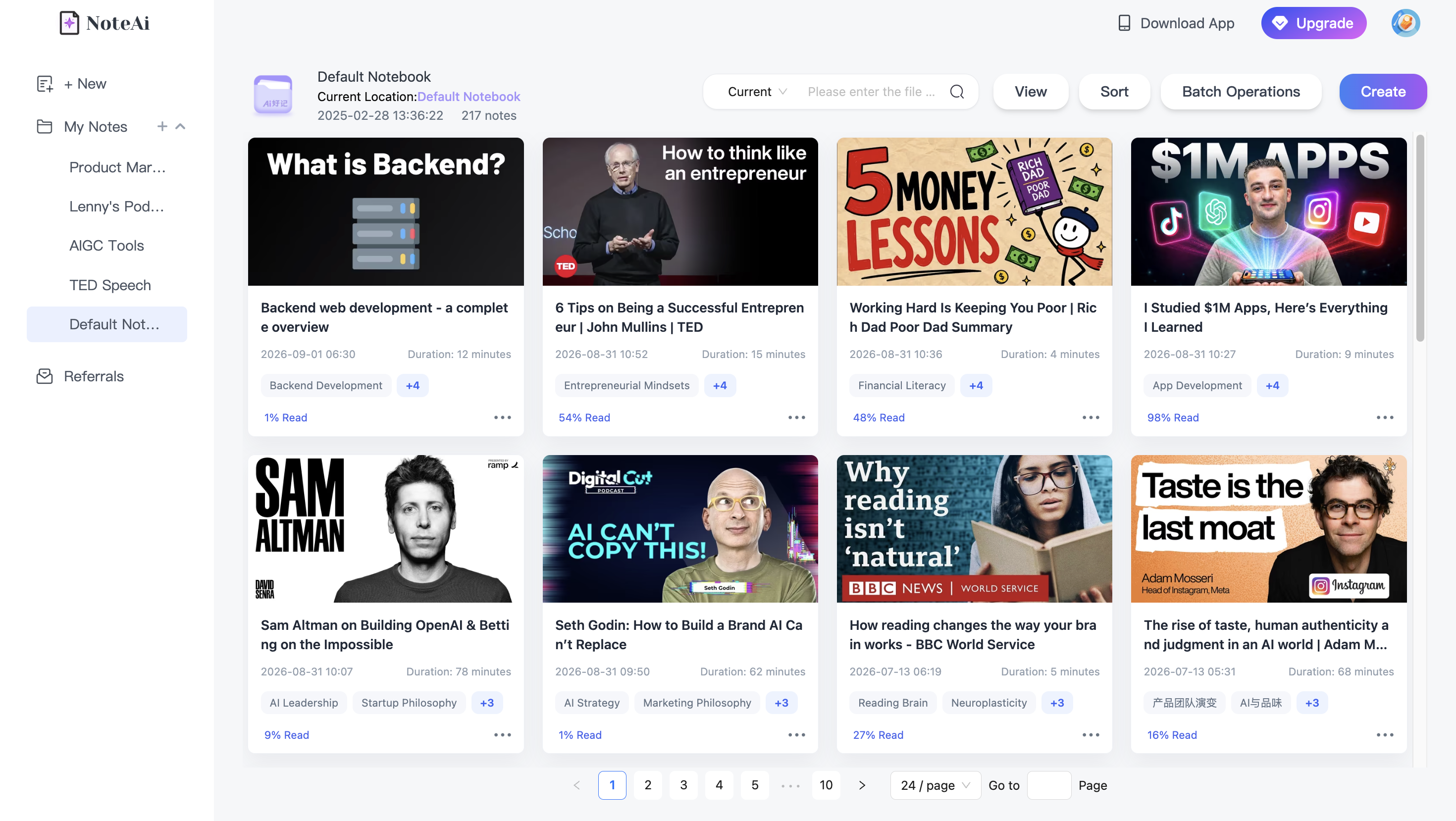
If the files belong to an ongoing project, keep them inside NoteAi. Three-level organization, global search and batch note management make more sense as the number of recordings grows.
Which workflow fits your MP4?
For an interview, prioritize speakers, timestamps and readable text.
For a lecture, keep the transcript, slides, Mind Map and source return together.
For a screen recording, visual context matters more than a perfect text-only export.
For a course library, file limits, batch import, global search and organization become important after the first transcript is done.
FAQ
Can NoteAi transcribe a multi-hour MP4?
Yes. Local media can be up to 7 hours and 4GB.
Can NoteAi handle several files together?
Yes. Up to 15 links or files can be added in one batch.
Can NoteAi export a Mind Map from a video?
Yes. Mind Map formats include XMind, PDF, SVG, Markdown, JSON and TXT.