

A long YouTube video should not become five vague bullets just because you asked AI to summarize it.
For a disposable video, that may be fine. For a lecture, interview, technical tutorial or anything tied to a real project, the useful details are often the examples, caveats and things shown on screen.
A better goal is not “make it as short as possible.” It is understand it quickly without losing your way back to the source.
Why long-video summaries often feel too thin
Long-form video has a few predictable problems:
- the transcript can be dozens of pages;
- spoken explanations repeat themselves;
- important examples get buried;
- slides and screen demos may never appear in the transcript;
- a short summary removes context;
- finding the exact moment later can be annoying.
A better approach is to keep the summary, transcript, visuals and source links together.
A long-video workflow that keeps the source intact
Start With the Overview
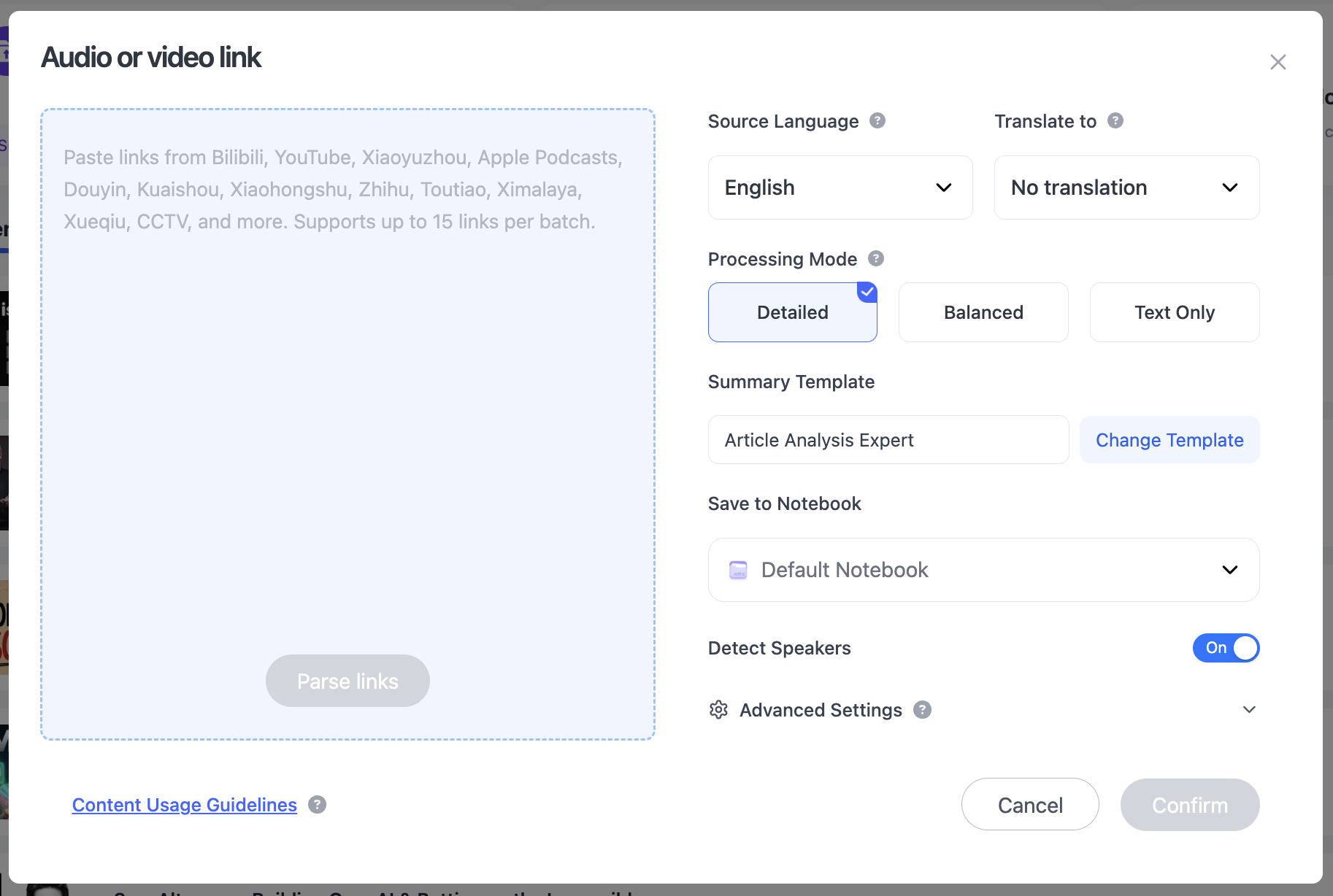
Paste the YouTube link into NoteAi. If the topic spans several videos, add up to 15 links or files in one batch.
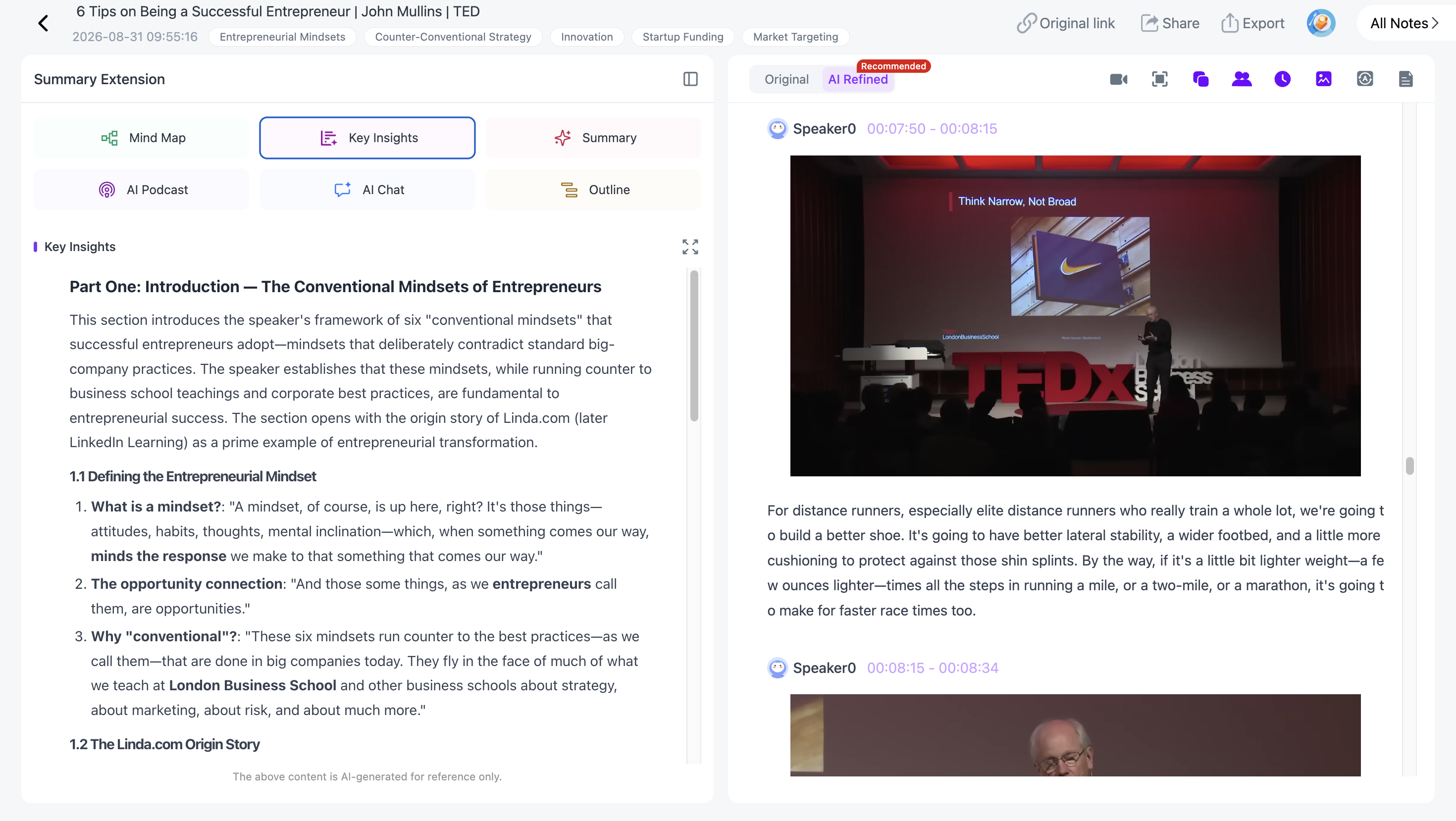
AI Summary / YouTube Insights gives you the shape of the source first: the main sections, key ideas and where you may want to go deeper.

Use this as the quick overview, then open the parts that deserve more attention.
Keep the Full Transcript for Details
The original transcript keeps timestamps and speaker-aware text.
Use it when you need a definition, name, formula, quote or technical detail that a compressed summary should not be trusted to preserve word for word.
Read the Polished Transcript for Faster Review
A raw two-hour transcript is comprehensive but often tiring.
NoteAi can provide an AI-polished transcript that removes filler words and repeated spoken phrasing while keeping the original version available.
That gives you a useful middle layer: far more complete than a summary, far easier to read than raw speech.
Keep Slides, Code and Diagrams With the Explanation
If the speaker says, “this chart explains the whole thing,” the chart is part of the content.
NoteAi can capture useful PPT slides, charts, formulas, code, software screens and key frames and place them beside the matching text.
That is especially important in long lectures because the visual explanation may be the part you need later.

Generate a Mind Map
The Mind Map turns a long timeline into topics you can scan.
It is editable: rename branches, remove what does not matter and reorganize the structure around your own understanding.
Smart Sync keeps the structure tied to the source: select a node and NoteAi opens the corresponding moment in the original video or recording.
Export options include XMind, PDF, SVG, Markdown, JSON and TXT.

Ask Questions About the Parts You Still Need
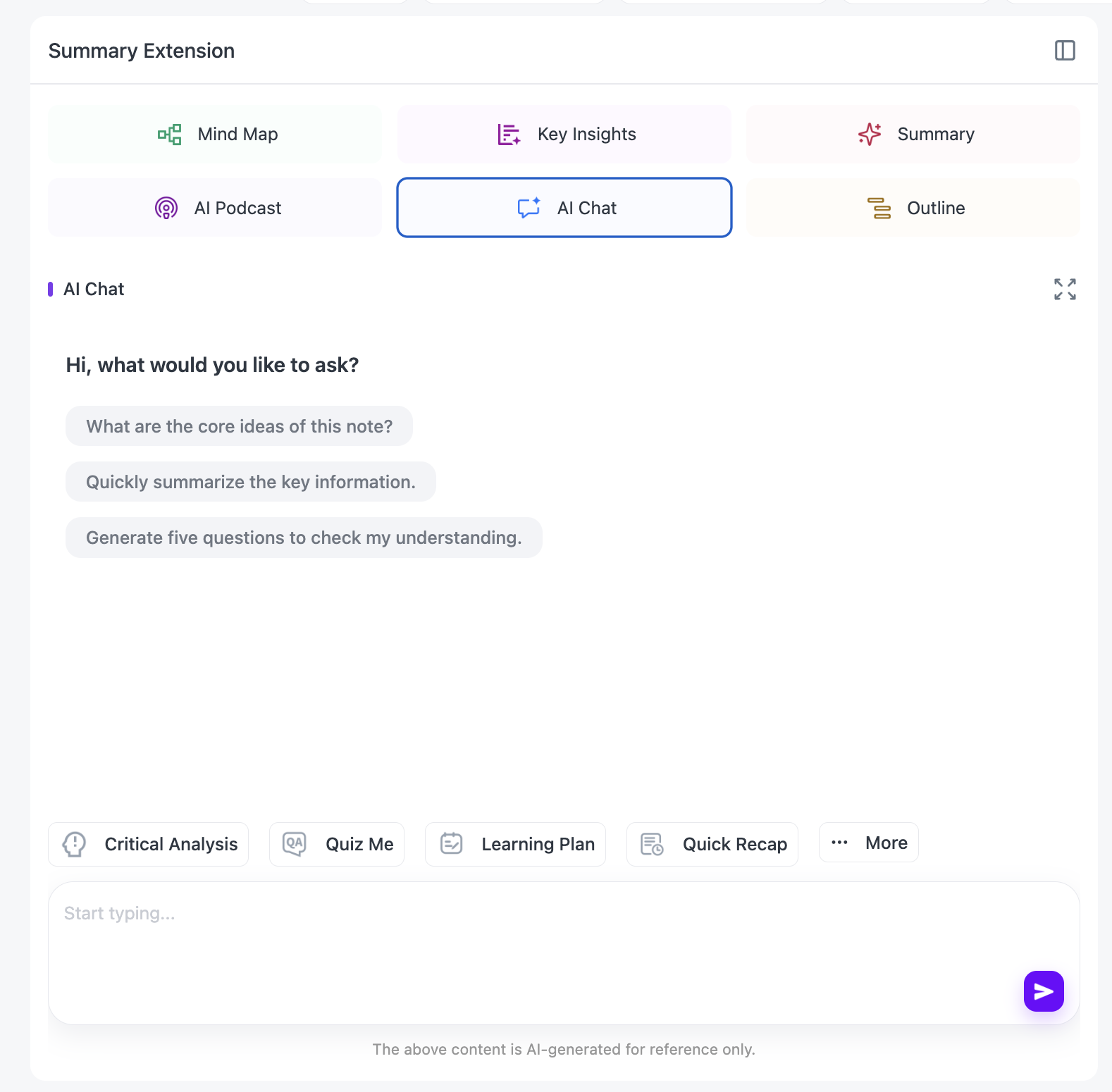
AI Chat / Personal AI Tutor lets you work with the source more selectively.
Try questions such as:
- “Explain this part more simply.”
- “Where does the speaker support this claim?”
- “Compare the two methods in chapters 3 and 6.”
- “Quiz me on the part about pricing.”
- “Which section should I rewatch?”
This is where a video starts behaving more like a reference you can query than something you have to watch linearly.
Change the Output When Your Goal Changes
A lecture might need a quick recap today and exam notes a month from now.
Use reusable Summary Templates or a custom prompt to create Cornell notes, a glossary, arguments and evidence, chapter questions, a research brief or creator notes from the same processed source.

If the video is in another language, NoteAi can translate the transcript across 22+ languages while keeping the original text available for reference.
The Same Workflow Also Works With Local Files and Other Platforms
The same workflow works with supported links from TikTok, Bilibili and other online platforms, local video/audio and recorded or screen-captured content.
Local media in NoteAi can be up to 7 hours and 4GB.
For a local-file-specific workflow, see MP4 to Text. For lecture review, see the AI lecture summarizer guide.
Keep Long-Video Notes Searchable for Later
General notes can be exported as DOCX, PDF, HTML or Markdown, or continued in Notion / Obsidian.
If you keep them inside NoteAi, the knowledge base supports three-level organization, global search and batch note management.
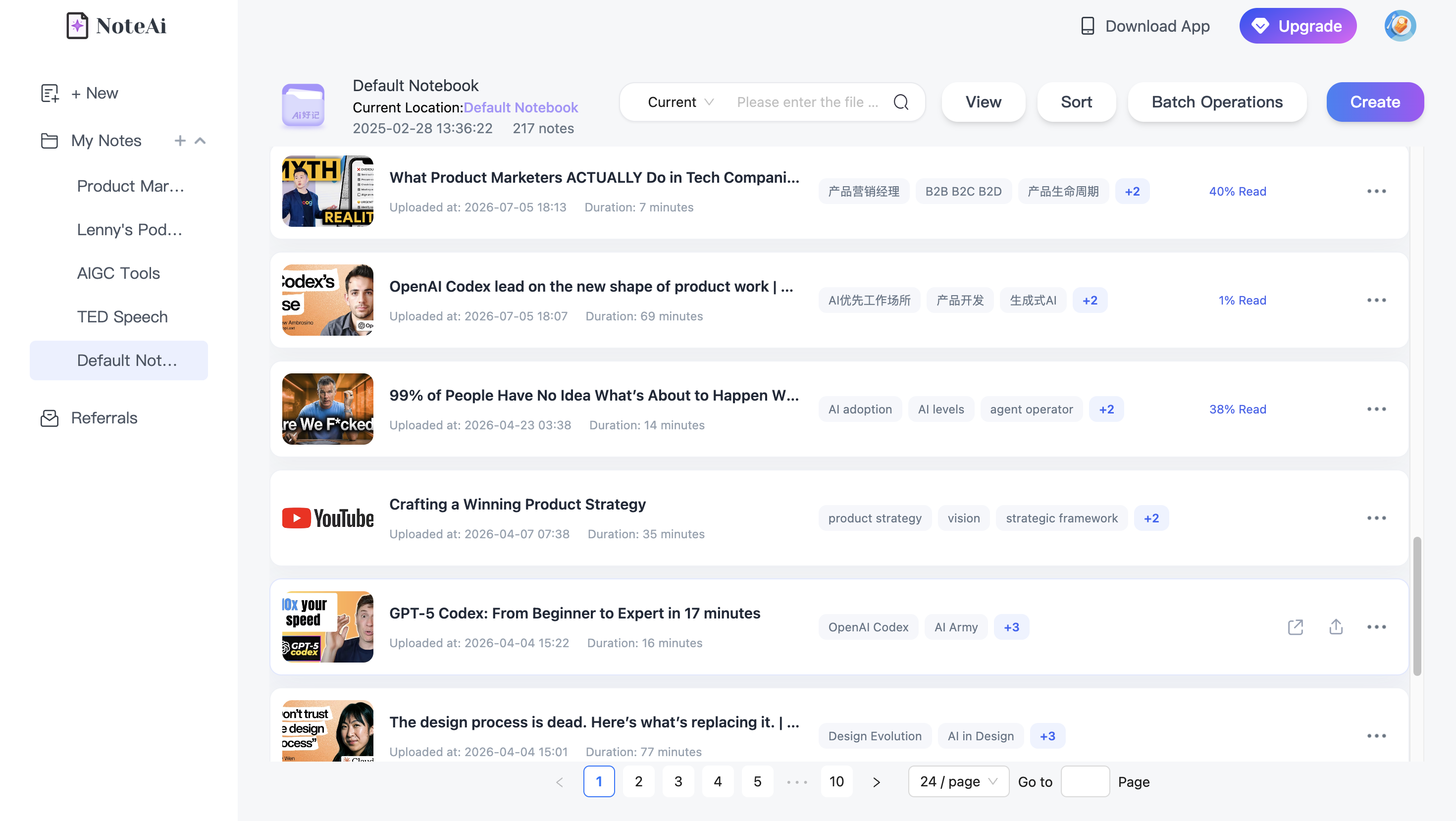
The next time the same topic comes up, you can start from material you have already processed instead of beginning again.
When is a short summary enough?
Use the short summary when you are deciding whether a video is relevant.
Keep the deeper layers when the source affects an exam or project, exact wording matters, the video carries important visuals, or you expect to search and reuse it later.
FAQ
Can NoteAi handle a 2-hour or 3-hour video?
Yes. Long-form sources can be processed with a summary, full transcript, visual notes and source-linked navigation.
Can I jump from the Mind Map back to the source?
Yes. Smart Sync connects Mind Map or outline nodes to the corresponding source moment.
What if the video is a local file?
NoteAi supports local media up to 7 hours and 4GB.