

Whether you are grinding through a dense Coursera module, catching up on recorded Zoom lectures, or watching educational YouTube videos, the struggle is universal.
You pause the video every two minutes to take a screenshot of a presentation slide, frantically type out what the professor is saying, and still end up with a messy wall of text that is impossible to review before midterms.
In the era of information overload, a basic "video-to-text" transcription tool is no longer enough. To truly study smarter, students need a comprehensive solution that actually curates and organizes information.
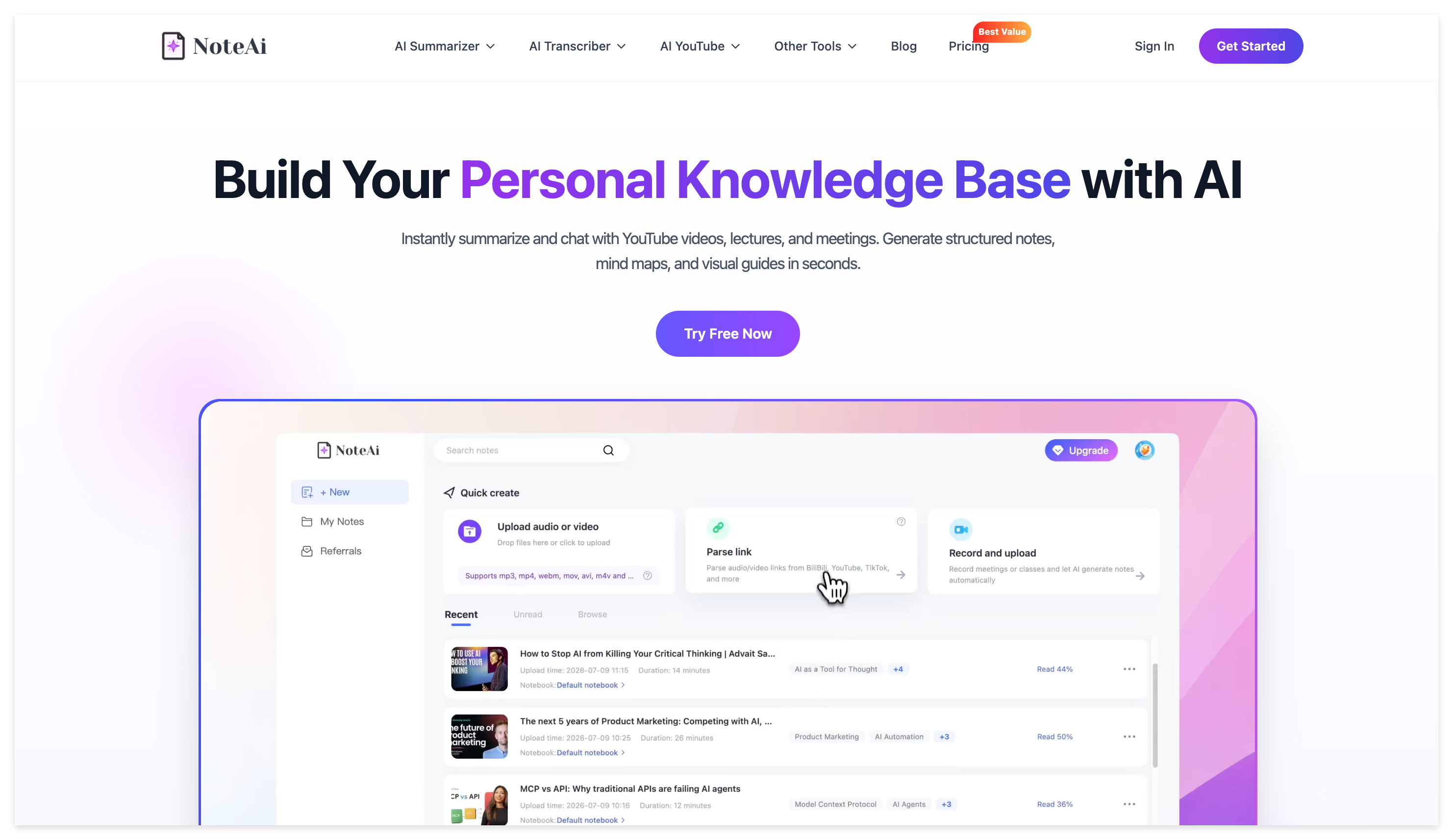
Enter NoteAi—an advanced AI video summary tool, AI note tool, and AI audio-video knowledge base tool designed specifically to transform how you learn.
Why Traditional Online Learning is Failing Students
Before we look at the solution, let's break down the three biggest pain points of digital learning (and why thousands of students search for "how to study online courses effectively" every day):
- Losing the Visual Context: Professors use graphs, formulas, and slides. Standard transcription tools only capture the audio, completely ignoring the crucial visual data on the screen.
- Zero Structure: Reading a 15,000-word unformatted transcript is overwhelming. Without structural hierarchy, finding key concepts for exam prep takes hours.
- The Language Barrier: Some of the best academic resources and tutorials are in foreign languages, making it exhausting to keep up with the pace of the speaker.
NoteAi Core Features: The Ultimate AI Note Taker for Students
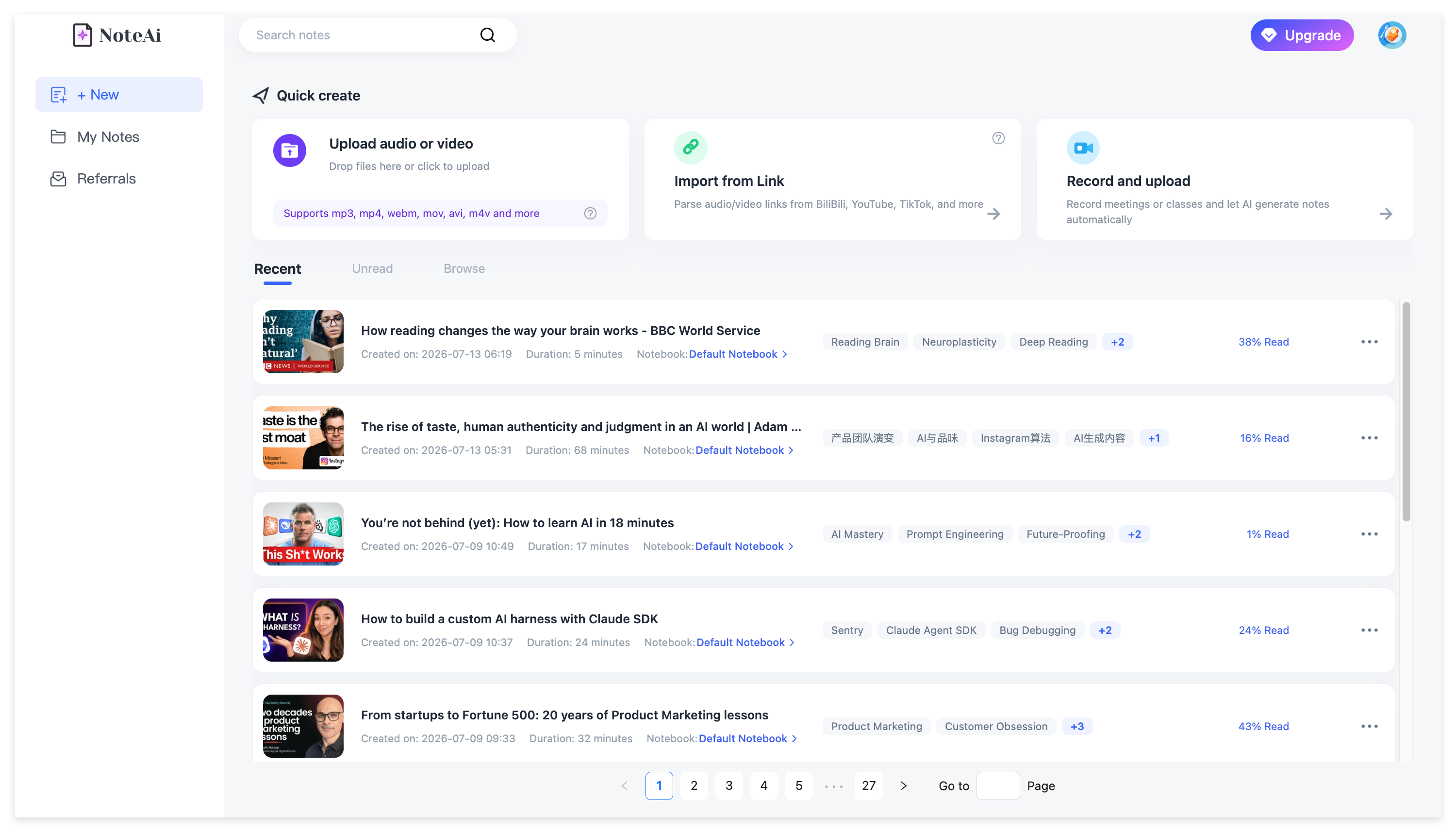
NoteAi is not just a transcription app; it is a multimodal workspace built to process heavy academic content. Here is how its specialized features help you build a structured, easily searchable personal knowledge base.
1. Multi-modal Video to Text (Auto-Captures PPT Slides)
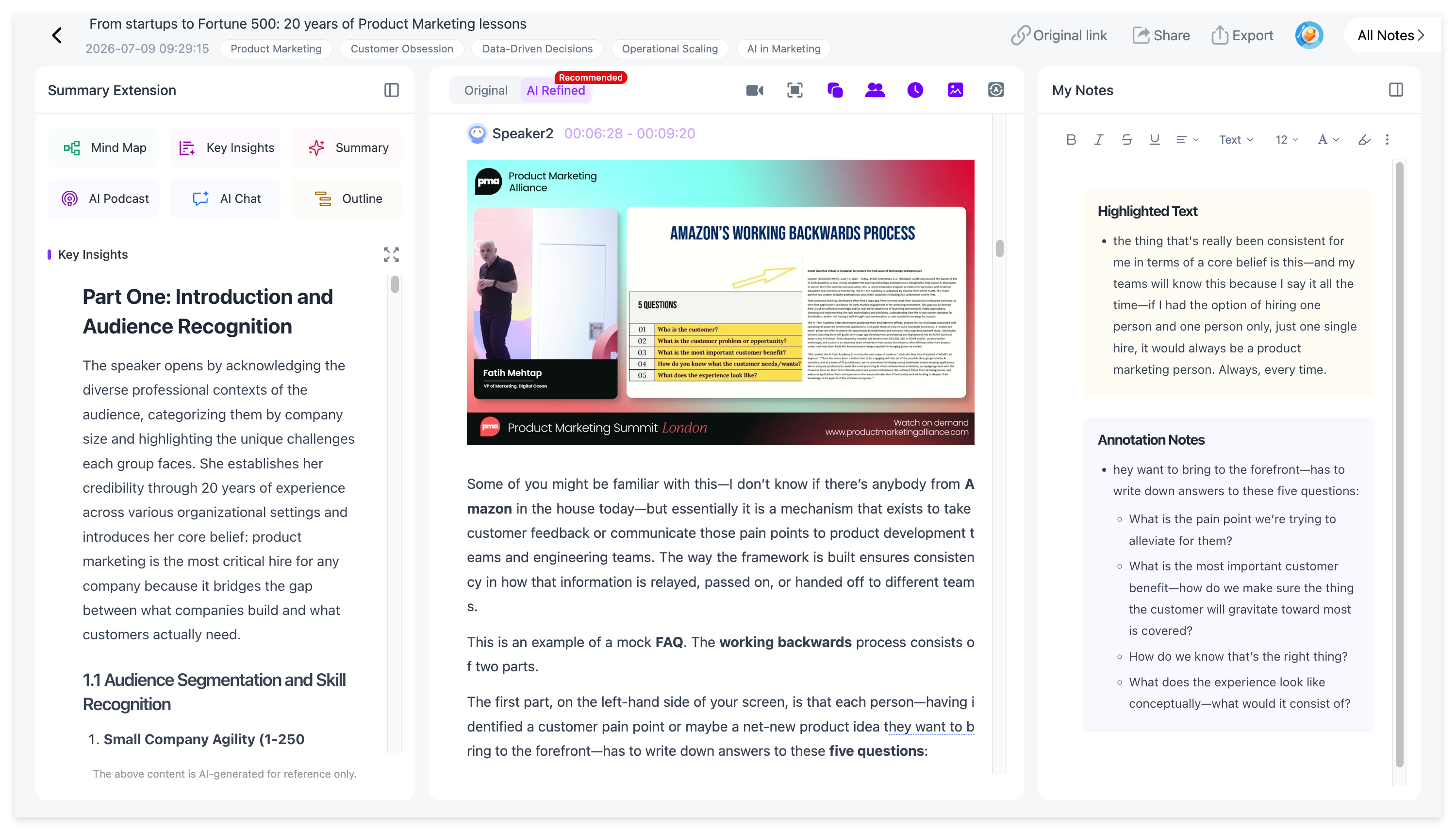
Stop taking manual screenshots.
NoteAi uses advanced multi-modal parsing to automatically identify and capture key presentation slides, whiteboards, and visual frames directly from the video. It then seamlessly integrates these images alongside the text transcript, giving you a complete, context-rich visual study guide.
2. Interactive Mind Maps for Visual Learners
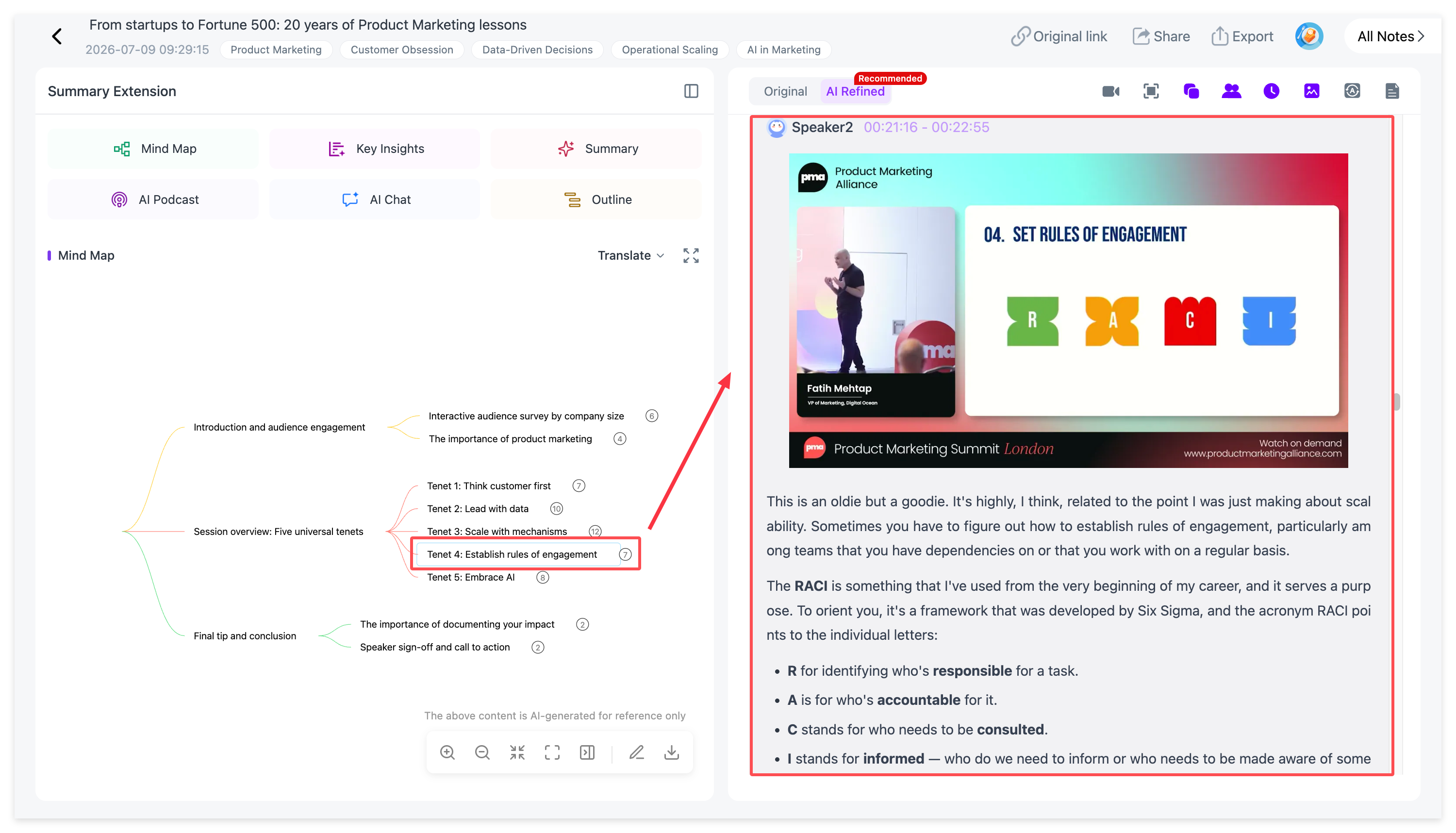
Complex academic concepts require clear structures.
In seconds, NoteAi analyzes the lecture and generates a structured, interactive mind map. Simply click on any node within the mind map, and the video will instantly jump to the exact timestamp where that topic was discussed.
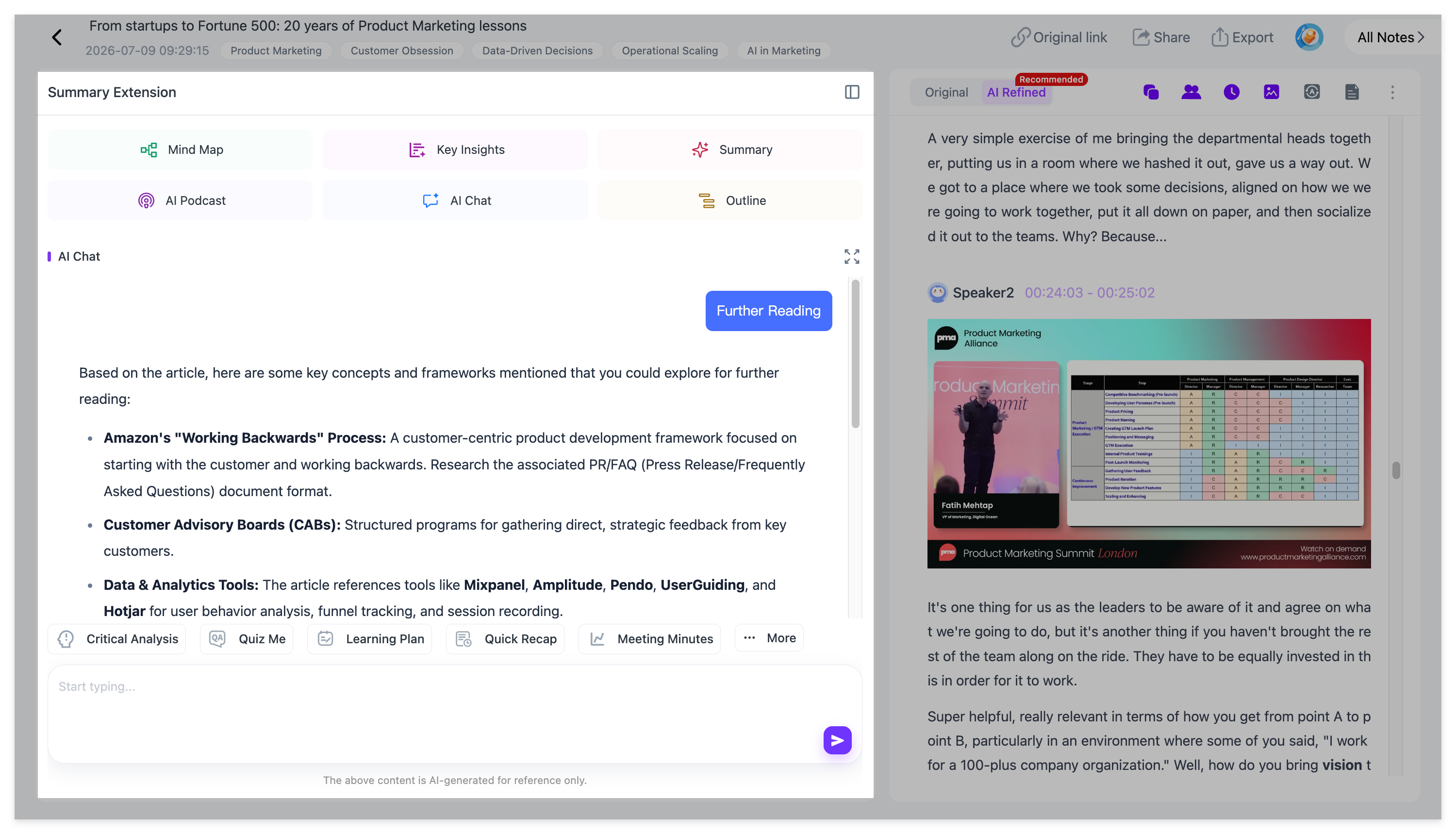
3. Real-Time AI Chat & Follow Reading
Didn't understand a complex theory? Stop rewinding the video.
With NoteAi's built-in conversational AI Chat, you can ask direct questions about the media file you are watching. The AI will explain the concept based on the video context. You can also use pre-set study modes, like "Follow Reading," to have a virtual teaching assistant guide you through the material step-by-step.
4. Smart Summarization & Custom Templates
When you are short on time, the "Key Insights" feature extracts the absolute core takeaways from an hour-long video in seconds.
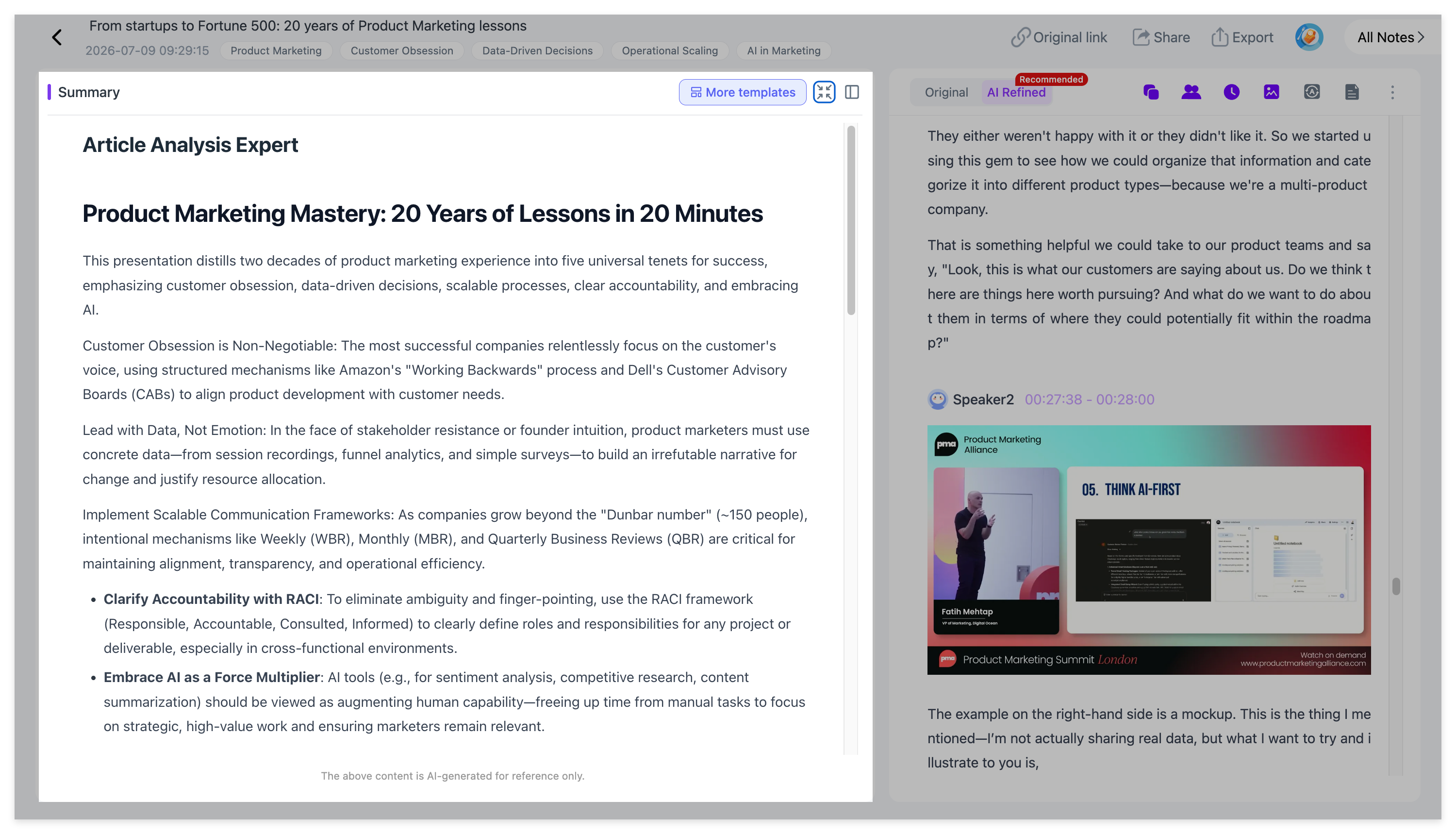
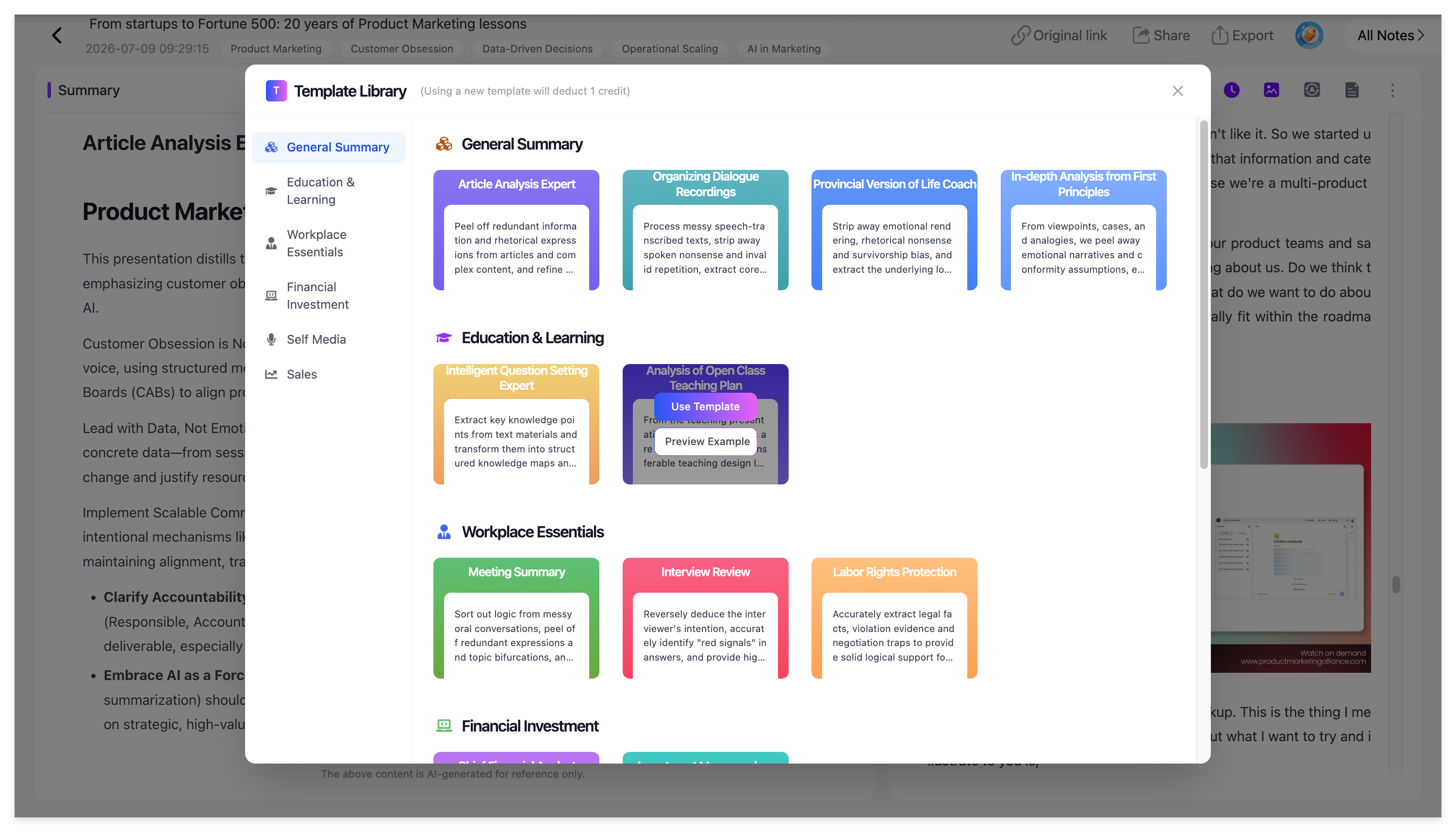
NoteAi also provides a massive library of summary templates. Whether you prefer the Cornell Note-taking system, the Feynman Technique, or simple action items, you can generate perfectly formatted notes instantly.
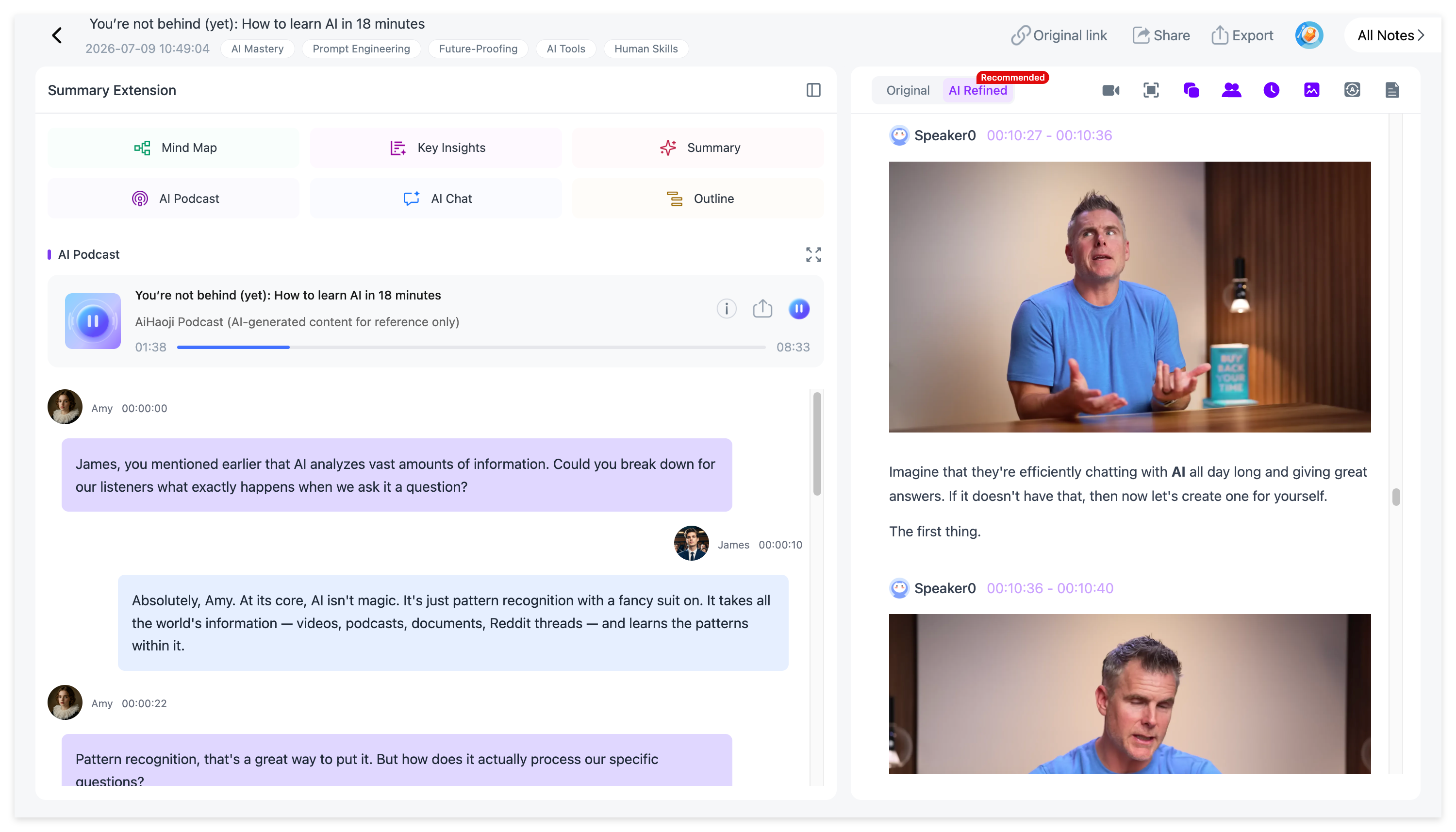
5. Turn Lectures into an AI Podcast
Want to review your course material while commuting or hitting the gym?
NoteAi’s AI Podcast Generator transforms dry academic transcripts or PDFs into engaging, two-person conversational audio podcasts. You can even customize the host voices for a more personalized listening experience.
6. 22-Language Translation with Dual-Track Viewing
Studying international materials is no longer a barrier.
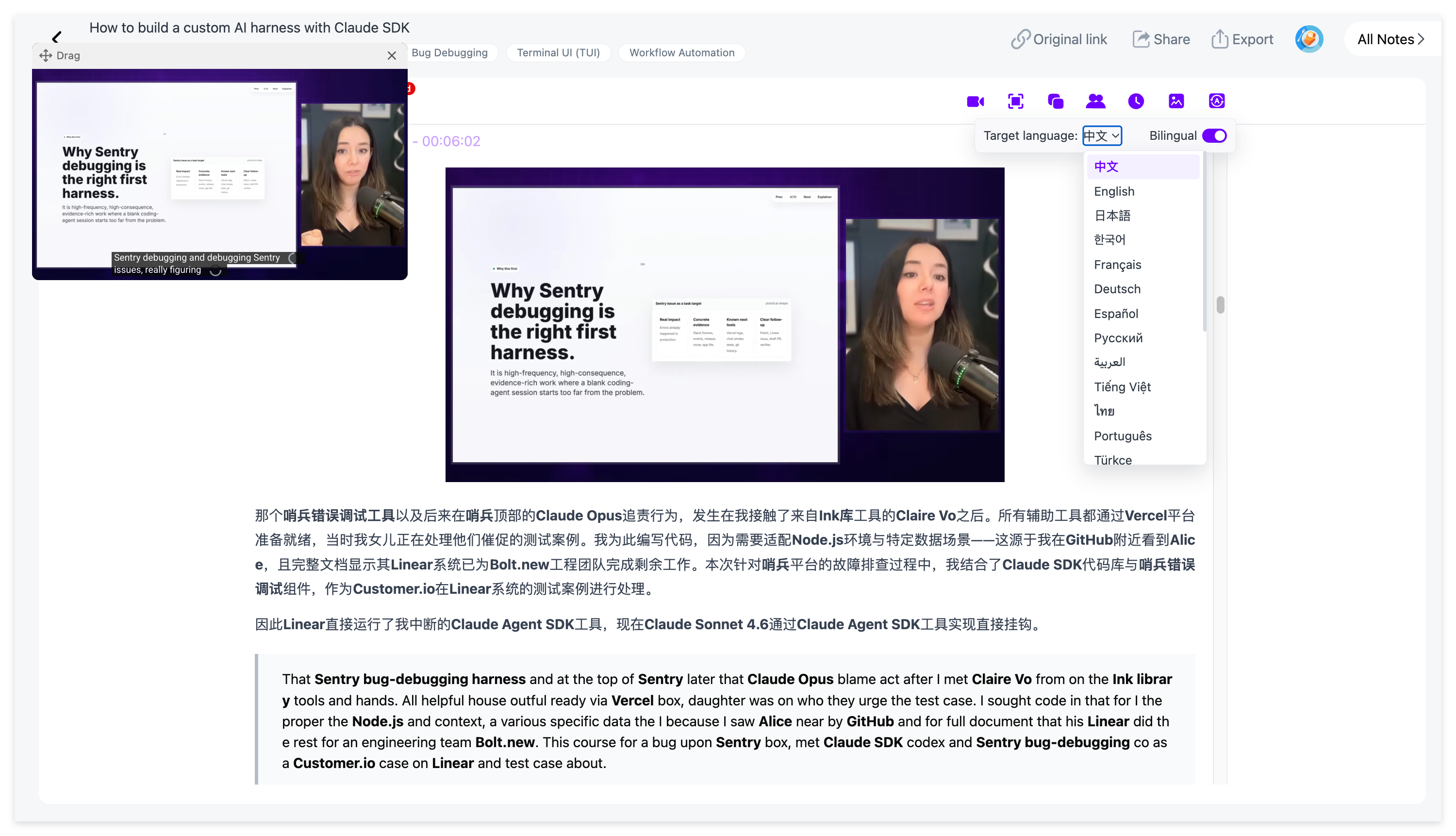
NoteAi supports high-accuracy translation across 22 different languages. It provides dual-track bilingual viewing for both subtitles and your written notes, ensuring you never miss a nuance.
7. Seamless Export to Obsidian and Notion
Effective learning requires centralized knowledge management.
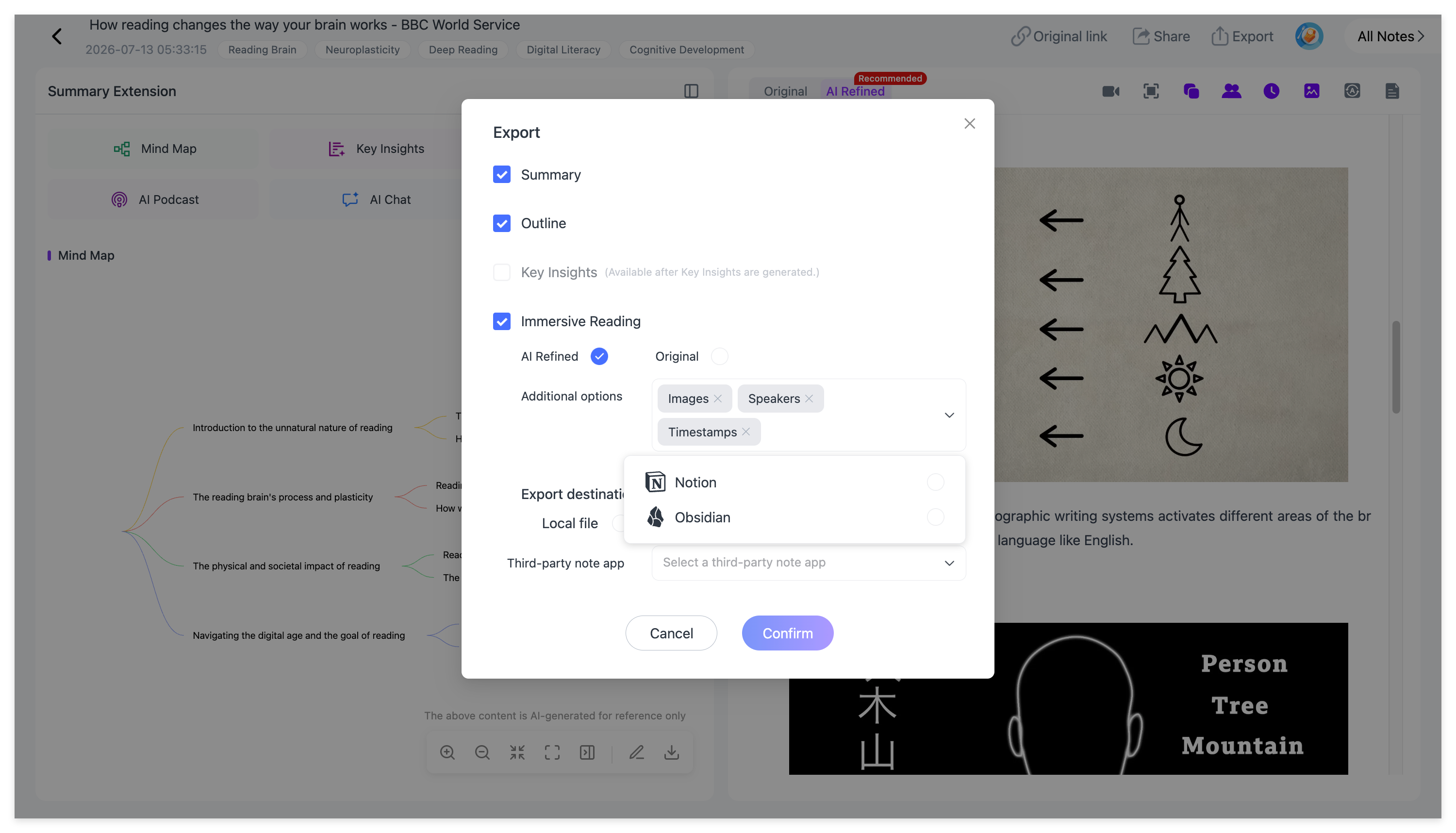
NoteAi allows you to highlight and annotate text while watching, automatically syncing your marks to the "My Notes" dashboard. Once you are done, you can export your structured, Markdown-formatted notes directly into third-party apps like Obsidian or Notion, effortlessly building your Second Brain.
Frequently Asked Questions (FAQ)
To help you optimize your study workflow, here are the most common questions students ask about using AI for taking notes:
Q: How is NoteAi different from standard transcription tools? A: Unlike basic transcription software that only provides plain text, NoteAi is a complete AI audio-video knowledge base tool. It is multi-modal, meaning it automatically captures visual presentation slides, generates interactive mind maps, and allows you to chat directly with your video lectures for instant Q&A.
Q: What types of videos or files can I import into NoteAi? A: NoteAi supports a highly flexible workflow. You can paste links directly from platforms like YouTube, upload local audio and video files from your hard drive, or record directly within the platform.
Q: Can NoteAi accurately capture slides if the video moves quickly? A: Yes. NoteAi’s advanced multi-modal algorithm automatically detects significant visual changes on the screen—such as a slide transition or a new formula on a whiteboard—and extracts those keyframes to insert them precisely into your notes.
Q: How do I export my video notes to Obsidian? A: NoteAi is built for seamless knowledge management. You can export your highly structured notes—complete with headers, bullet points, and annotations—directly into standard Markdown format, making it incredibly easy to paste or sync right into Obsidian, Notion, or other PKM (Personal Knowledge Management) tools.
Q: How can I find a specific topic in a 2-hour lecture quickly? A: You can use NoteAi's Interactive Mind Map or Text Outline to navigate visually—clicking any section instantly jumps the video to that exact moment. Alternatively, you can type your query into the AI Chat, and it will give you the answer along with the corresponding timestamp.
Stop Typing, Start Learning
Studying shouldn't be a mechanical process of pausing and typing. By offloading the tedious work of transcribing and organizing to NoteAi, you free up your mental energy to actually understand and retain the knowledge.
Ready to build your ultimate study workspace? 👉 Click here to try NoteAi for free and transform your video lectures today!