

Are you tired of spending hours watching long YouTube lectures, webinars, or online courses just to take a few pages of notes? The rise of AI video summarizers has completely transformed how we learn, allowing us to extract key information in seconds.
But with so many tools on the market, which one is actually worth your time?
In this comprehensive review, we evaluate four of the most popular AI transcription and summary tools: NoteAi, NotebookLM, NoteGPT, and BibiGPT.
We will compare them based on input flexibility, note-generation capabilities, visual features, audio generation, and export options to help you find the ultimate tool for your workflow.
Quick Summary: Top Pick at a Glance
- 1. NoteAi (Best Overall & Top Pick): A complete AI video summarizer, AI note-taking application, and AI audio-visual knowledge base. Unmatched multi-modal slide capture, interactive mind maps, 22-language translation, highly customizable AI podcasts, and seamless Obsidian/Notion exports.
- 2. NotebookLM: Excellent for synthesizing text documents and PDFs into standard English audio overviews, but lacks direct YouTube video parsing and podcast customization.
- 3. NoteGPT: A fast solution for text-based YouTube summaries, but missing multi-modal visual slide capture and audio podcast generation.
- 4. BibiGPT: Quick one-click audio/video summaries for casual viewing, but limited in deep knowledge management and third-party exports.
1. NoteAi: The Ultimate AI Audio-Visual Knowledge Base 🏆
(Editor’s Choice for Students, Researchers, and Professionals)
If you need more than just a wall of plain text, NoteAi is in a league of its own. It doesn't just transcribe audio; it visually curates your learning process from input to final export with exceptionally high accuracy.
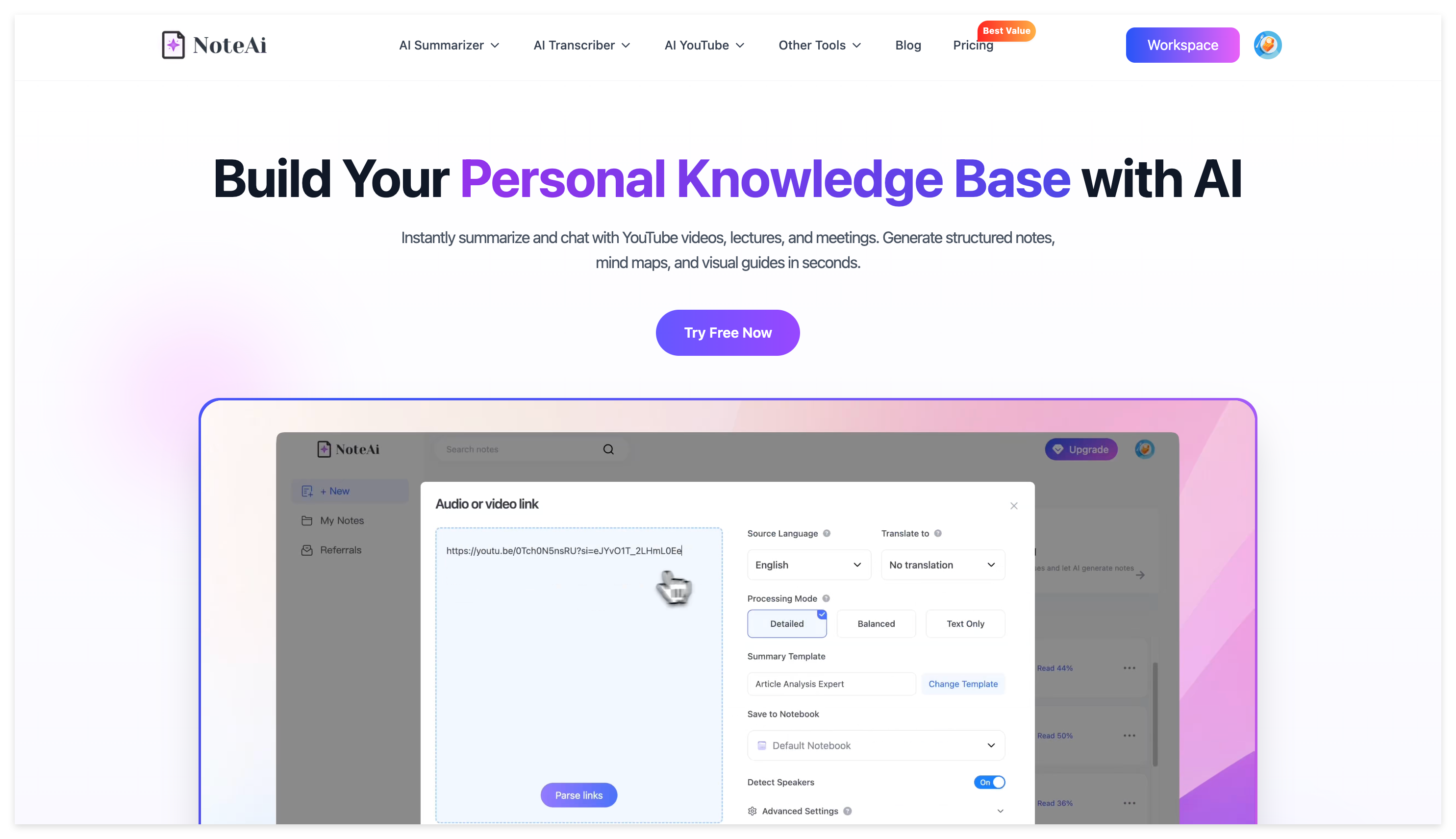
Step 1: Unmatched Input Flexibility
While other tools restrict you to just YouTube links or just local files, NoteAi accepts virtually every media source:
- Paste Online Links: Instantly parse videos from YouTube and other web platforms.
- Upload Local Files: Full support for a wide variety of local video and audio formats.
- Record Directly: Capture live lectures, webinars, or Zoom meetings on the fly using built-in screen and in-app recording.
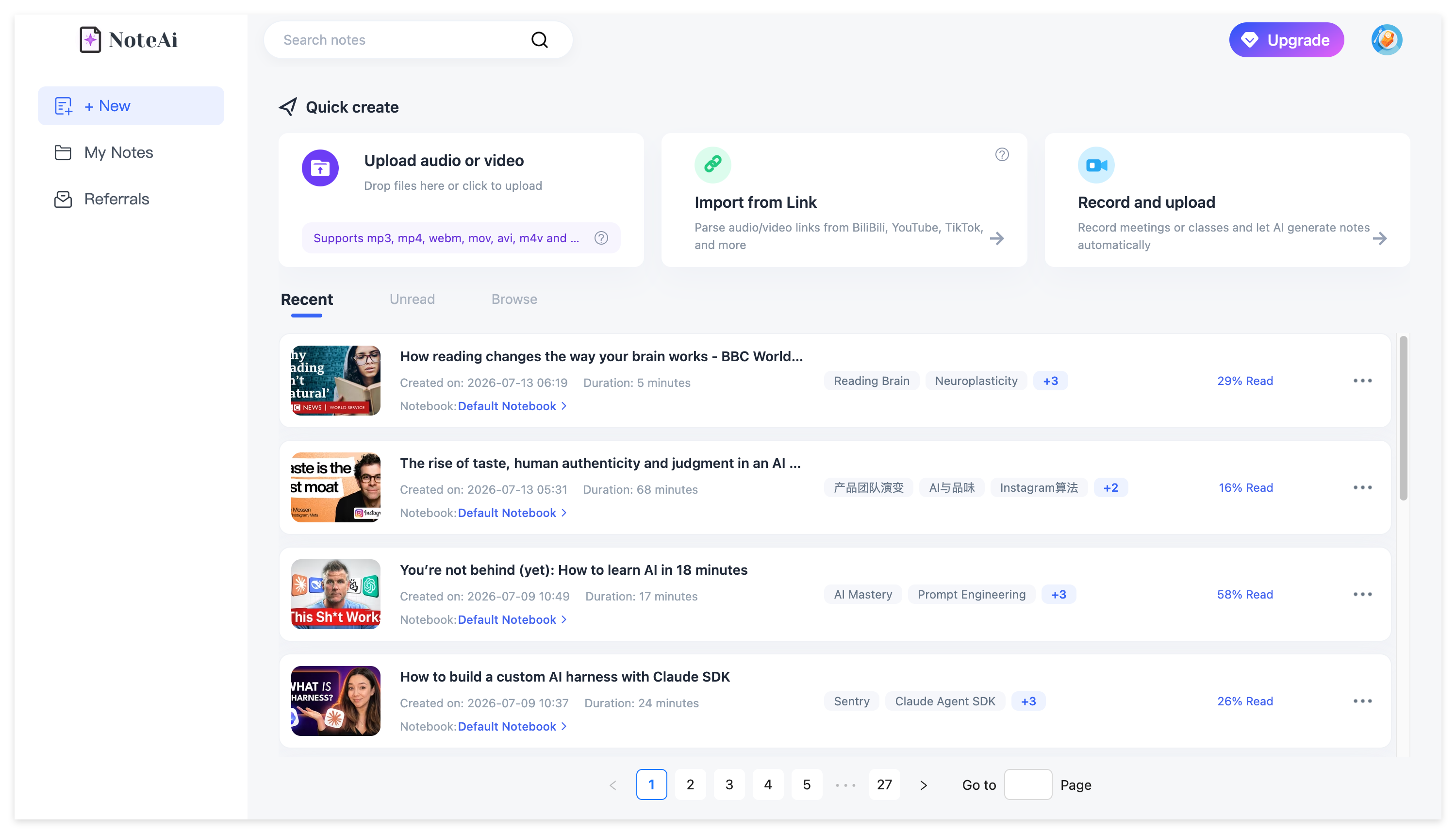
Step 2: Multi-Modal Note Generation & High Accuracy
NoteAi's industry-leading accuracy ensures your notes are reliable. Unlike text-only tools, NoteAi sees the video:
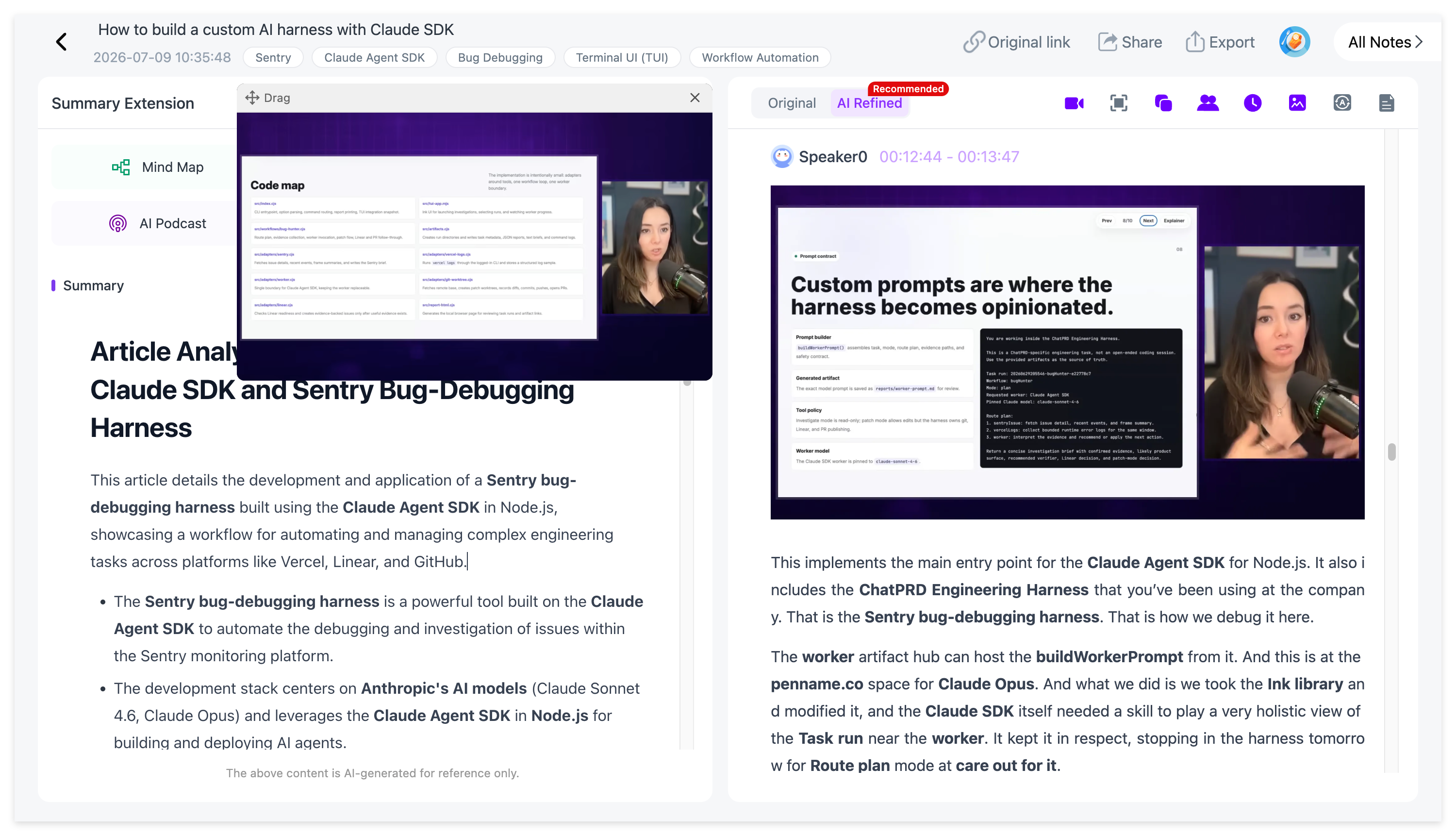
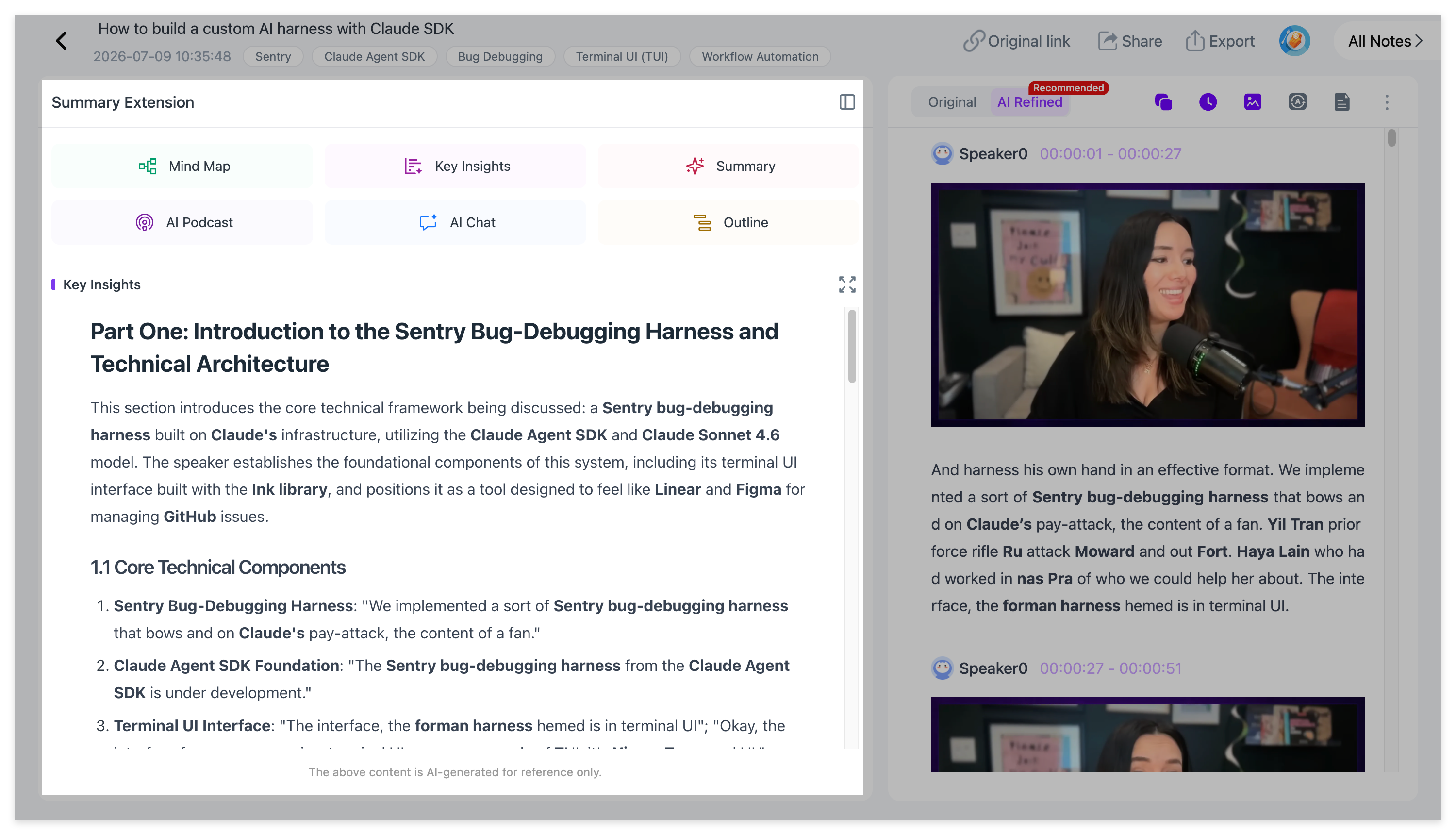
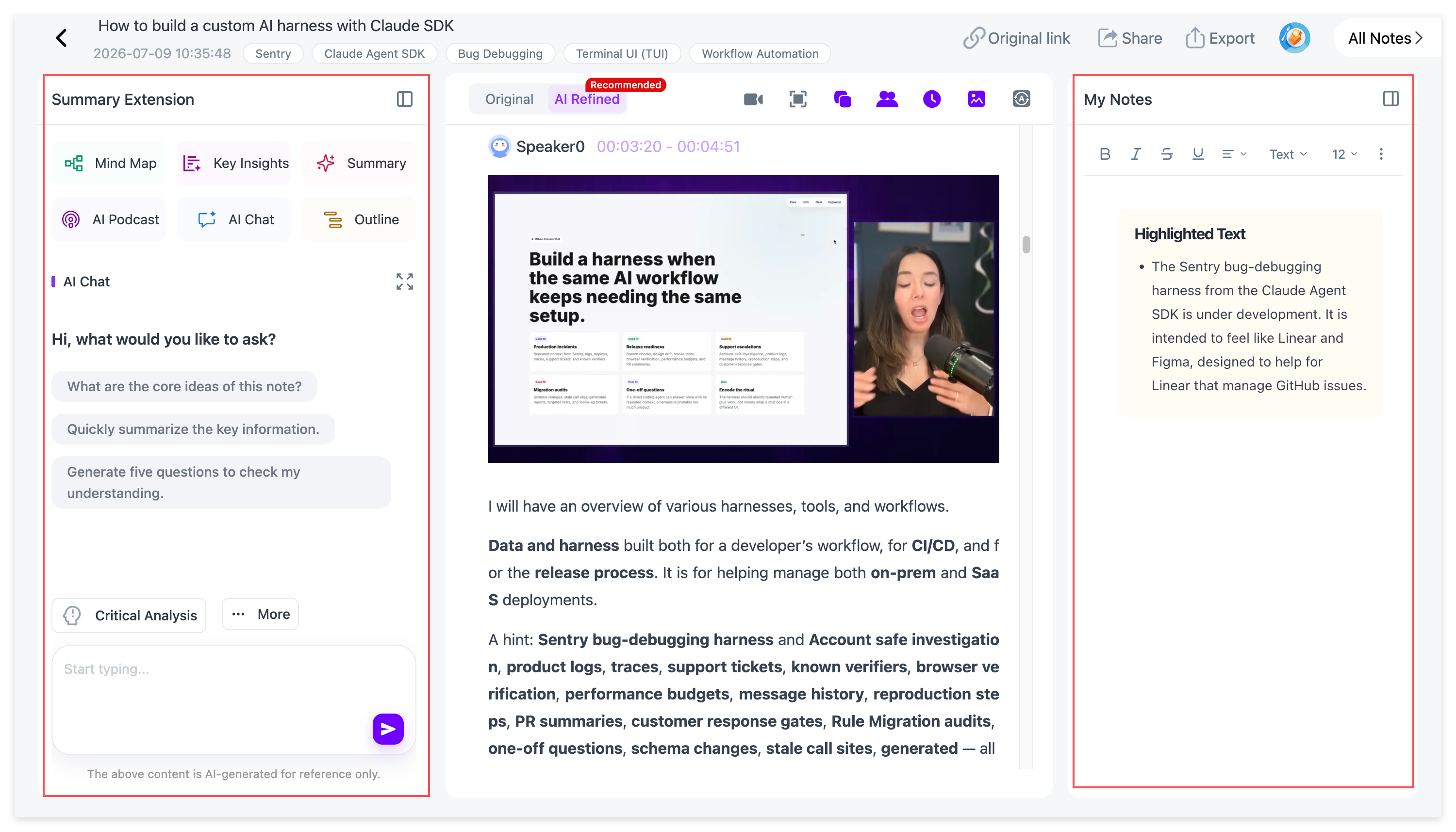
- Auto-Capture PPT Slides: As the AI generates accurate text, it automatically detects and captures key presentation slides, whiteboards, and visual frames, syncing them directly with the transcript.
- Picture-in-Picture Mini-Player: Review, read, and edit your notes while seamlessly watching the original video in a floating mini-player.
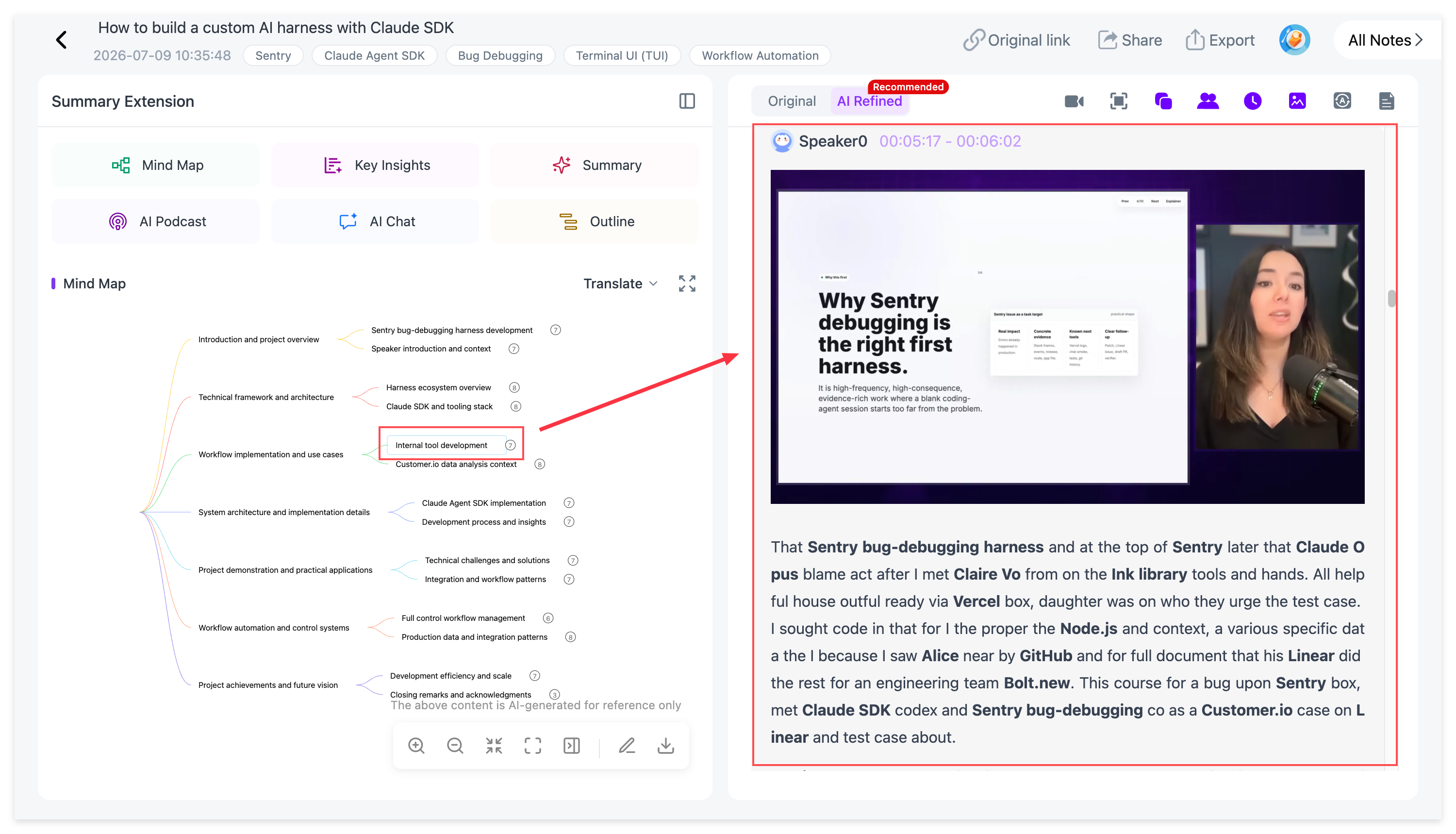
- Interactive Mind Map: NoteAi generates a structured mind map in seconds. It is fully interactive—click on any node, and the video instantly jumps to that exact timestamp.
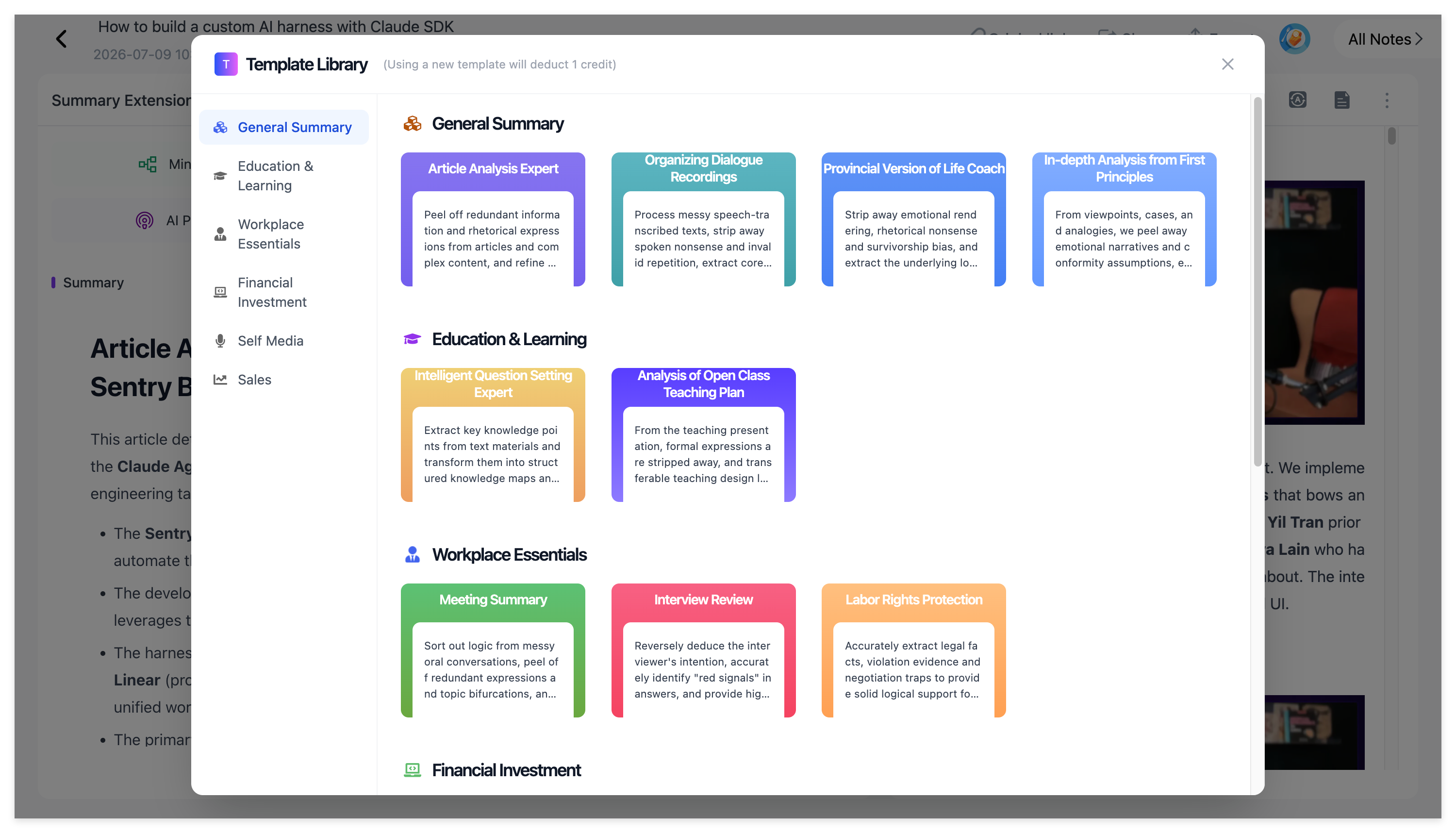
- Key Insights & Summary Templates: Extract absolute core takeaways with one click via Key Insights. You can also apply a rich library of Summary Templates (like Cornell Notes, Feynman Technique, or Action Items) to structure your notes instantly.
Step 3: Customizable AI Podcasts & 22-Language Translation (The Game Changers)
This is where NoteAi completely outshines document-based tools like NotebookLM:
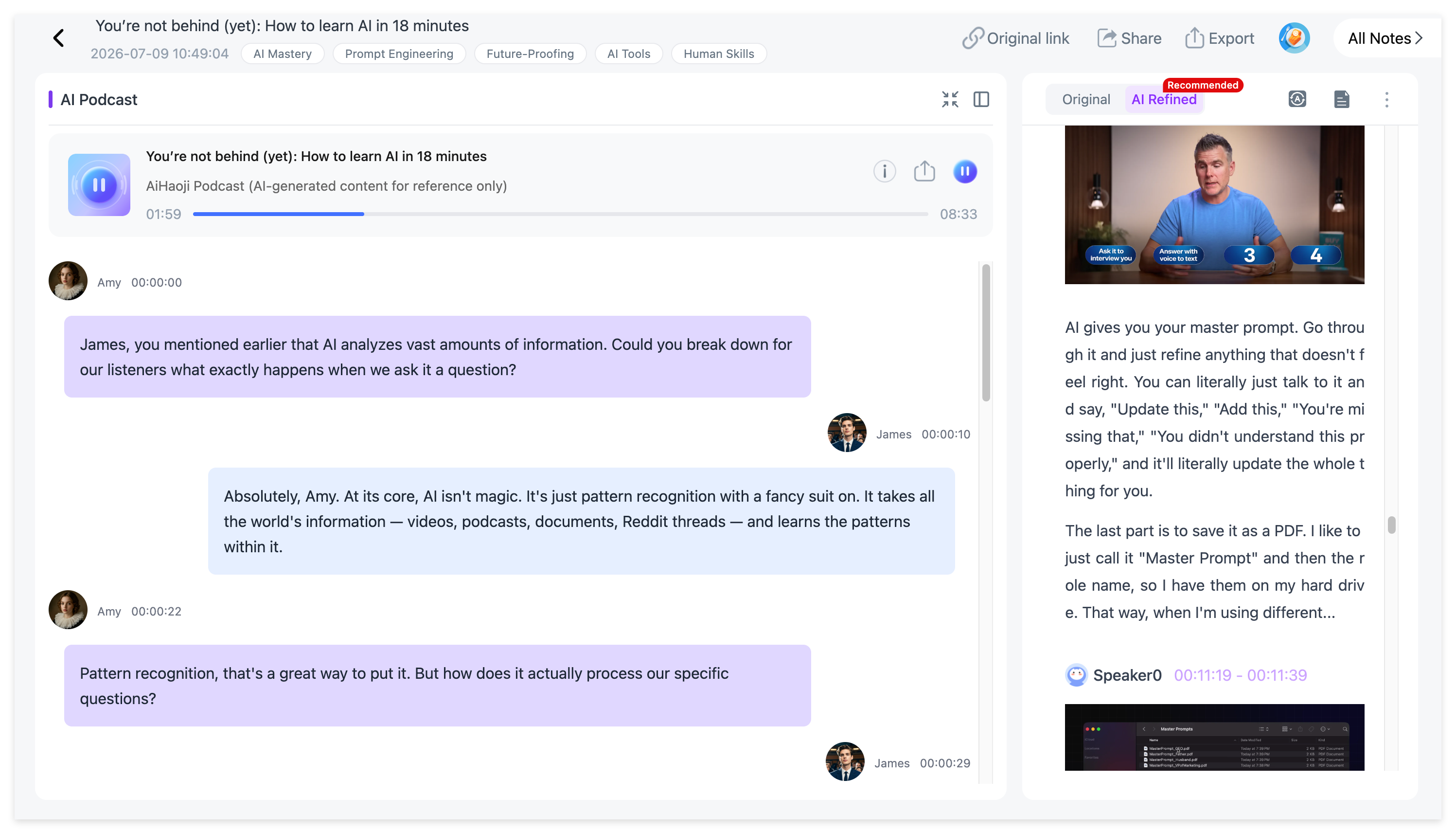
- Customizable Bilingual AI Podcasts: Turn any dry lecture or transcript into an engaging, dual-host audio podcast. Unlike NotebookLM, NoteAi allows you to generate bilingual podcasts (e.g., Chinese-English), fully customize the voice profiles and names of the hosts, and directly export the audio file to listen on the go.
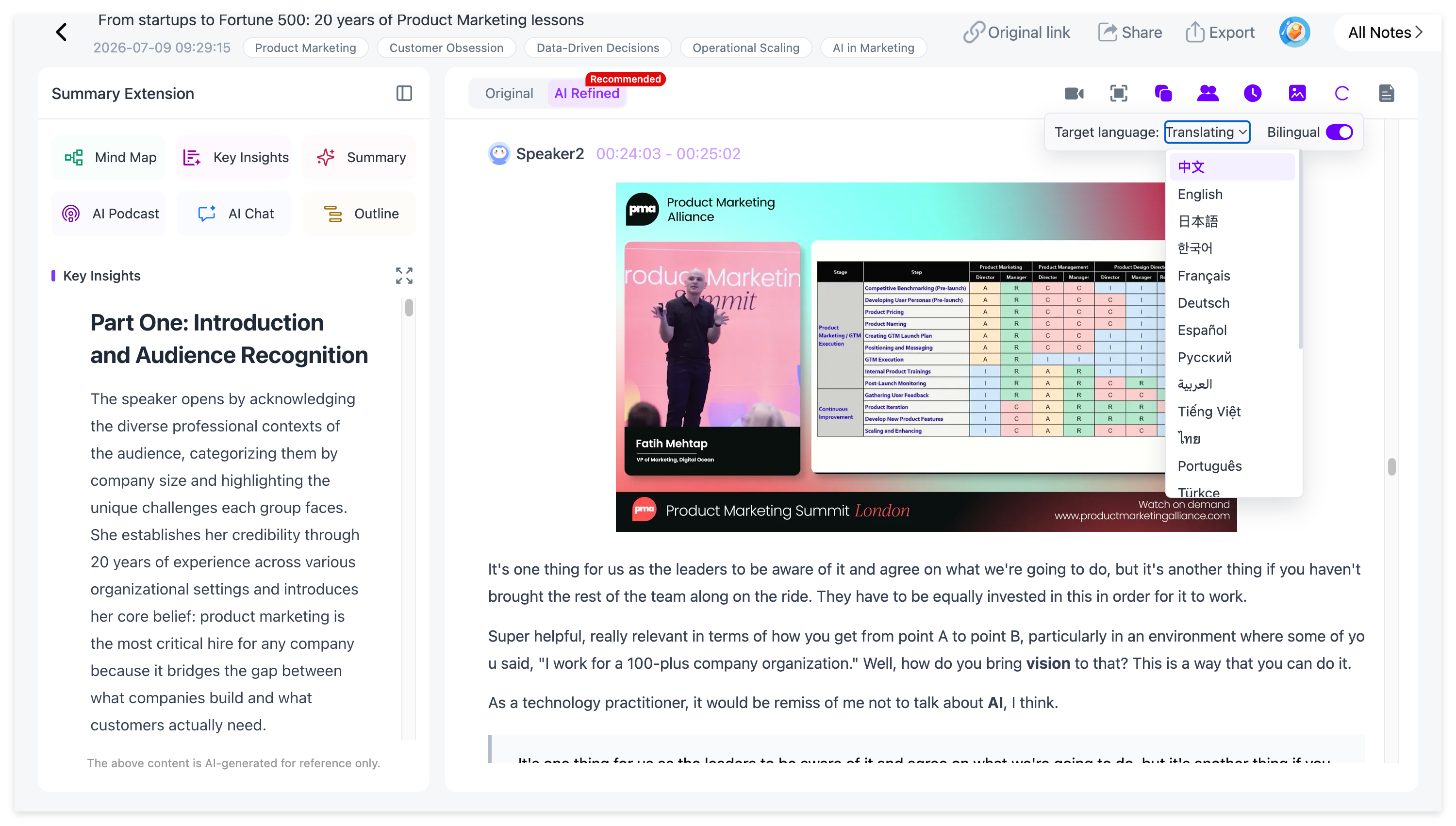
- 22-Language High-Accuracy Translation: Break down international language barriers. NoteAi supports high-accuracy translation across 22 different languages, featuring a dual-track view that lets you read subtitles and notes in both the original and translated languages simultaneously.
Step 4: Real-Time AI Interactivity & Free Editing
- AI Chat: Have a specific question about a 2-hour lecture? Use the AI Chat to talk directly with your video. Ask it to explain complex concepts or summarize specific topics on demand.
- Full Editing Freedom: You are never stuck with static output. Freely edit text, add custom highlights, and annotate your notes right inside the workspace.
Step 5: Seamless Knowledge Management & Export
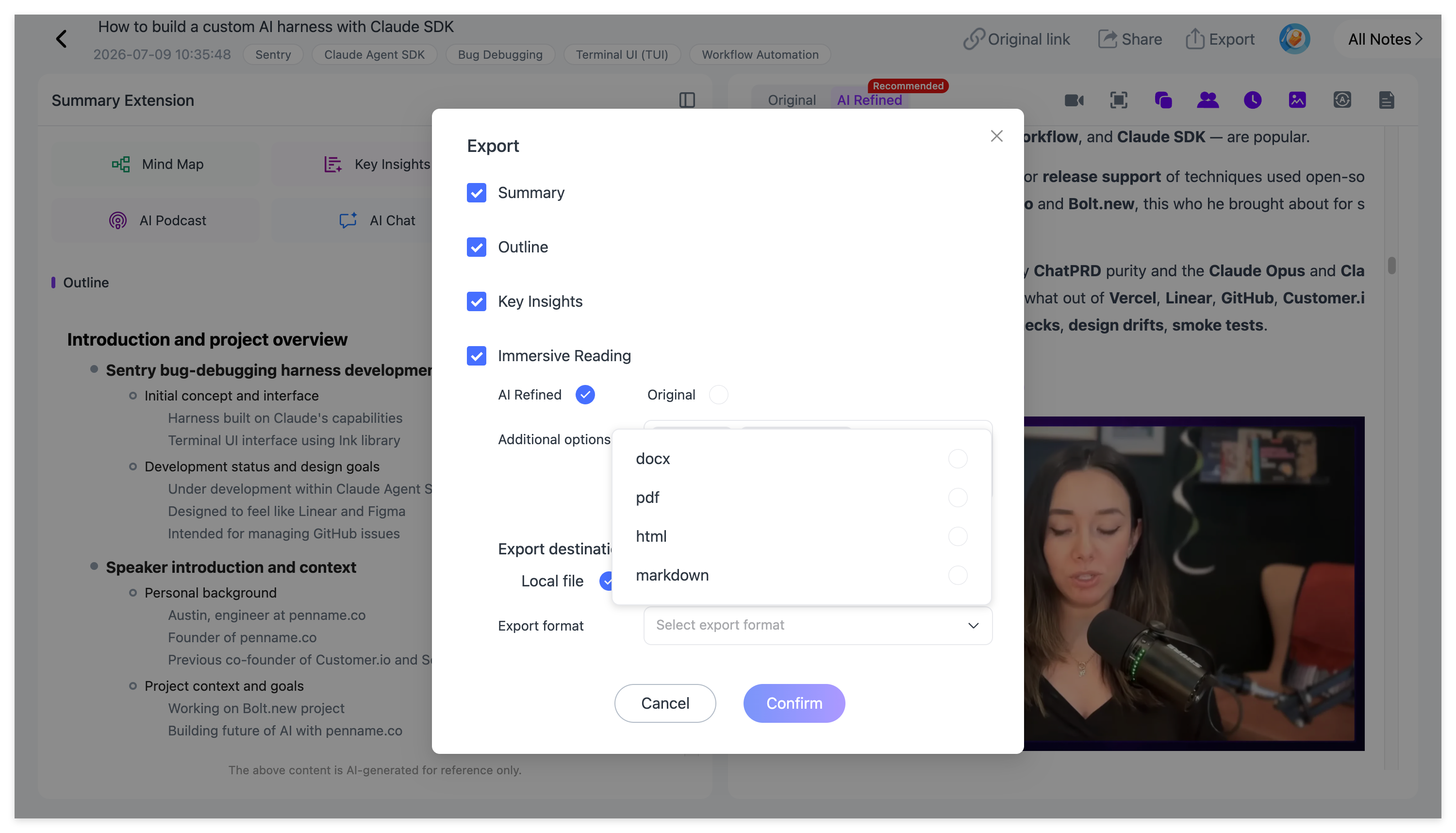
- Export Anywhere: Push your structured, multi-modal notes directly to third-party knowledge bases like Obsidian and Notion.
- Multiple Local Formats: Download your complete notes in Markdown, Word, or PDF formats so you always own your data.
2. NotebookLM (by Google)
Best for Document & PDF Synthesis
Google’s NotebookLM is a powerful AI research assistant that excels at taking a bundle of PDFs, Google Docs, and text files and synthesizing them into study guides or "Audio Overviews."
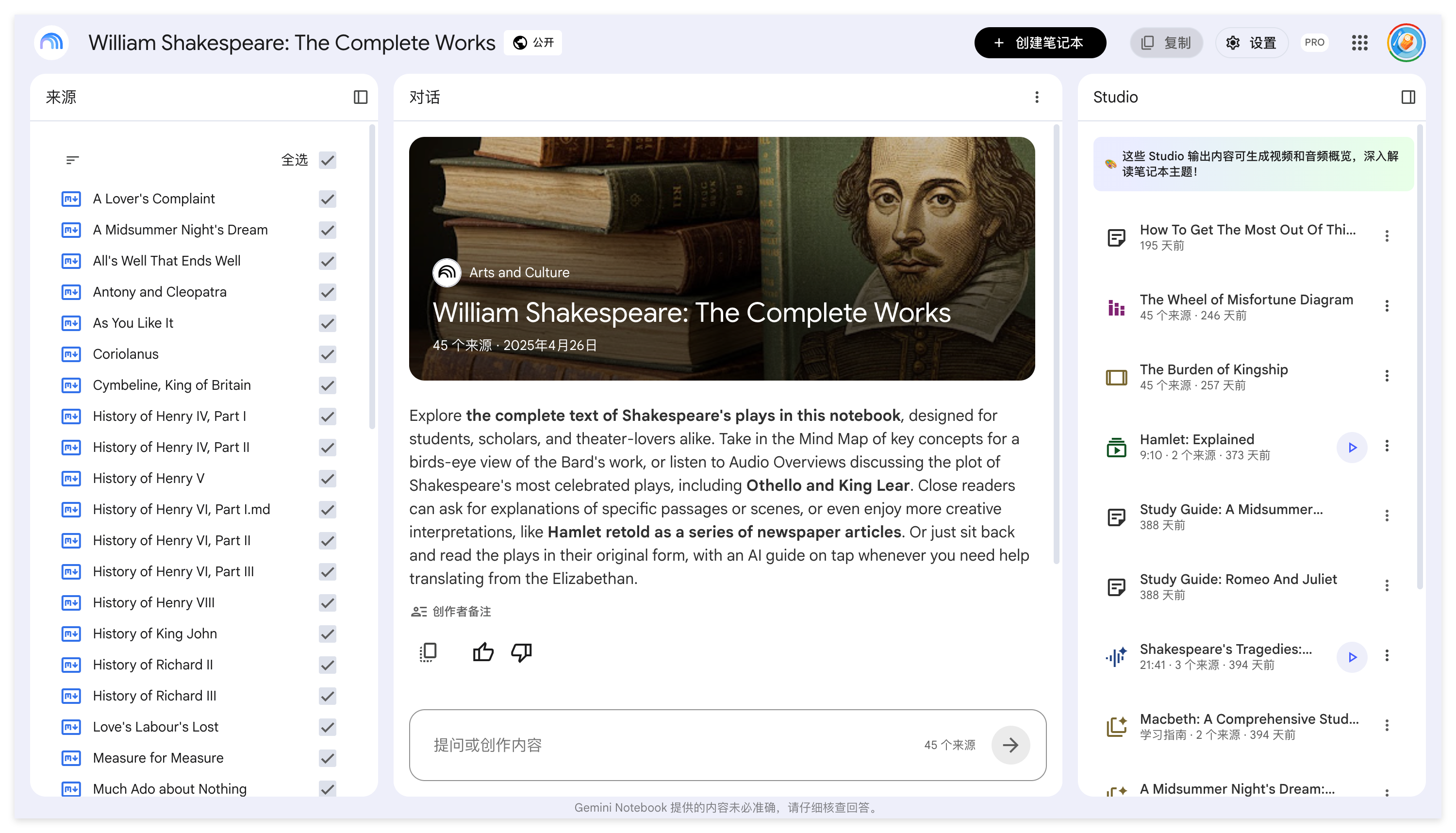
- Pros: Outstanding reasoning capabilities; generates impressive two-person audio conversations from written sources.
- Cons: It is not built for native video processing (you cannot paste a YouTube link to extract visual context). More importantly, its Audio Overview feature is rigid—it only supports English, and you cannot customize the host voices, names, or easily guide the podcast's format compared to NoteAi.
3. NoteGPT
Best for Text-Based YouTube Summaries
NoteGPT is a popular web app and Chrome extension that quickly extracts and summarizes text from YouTube videos using AI.
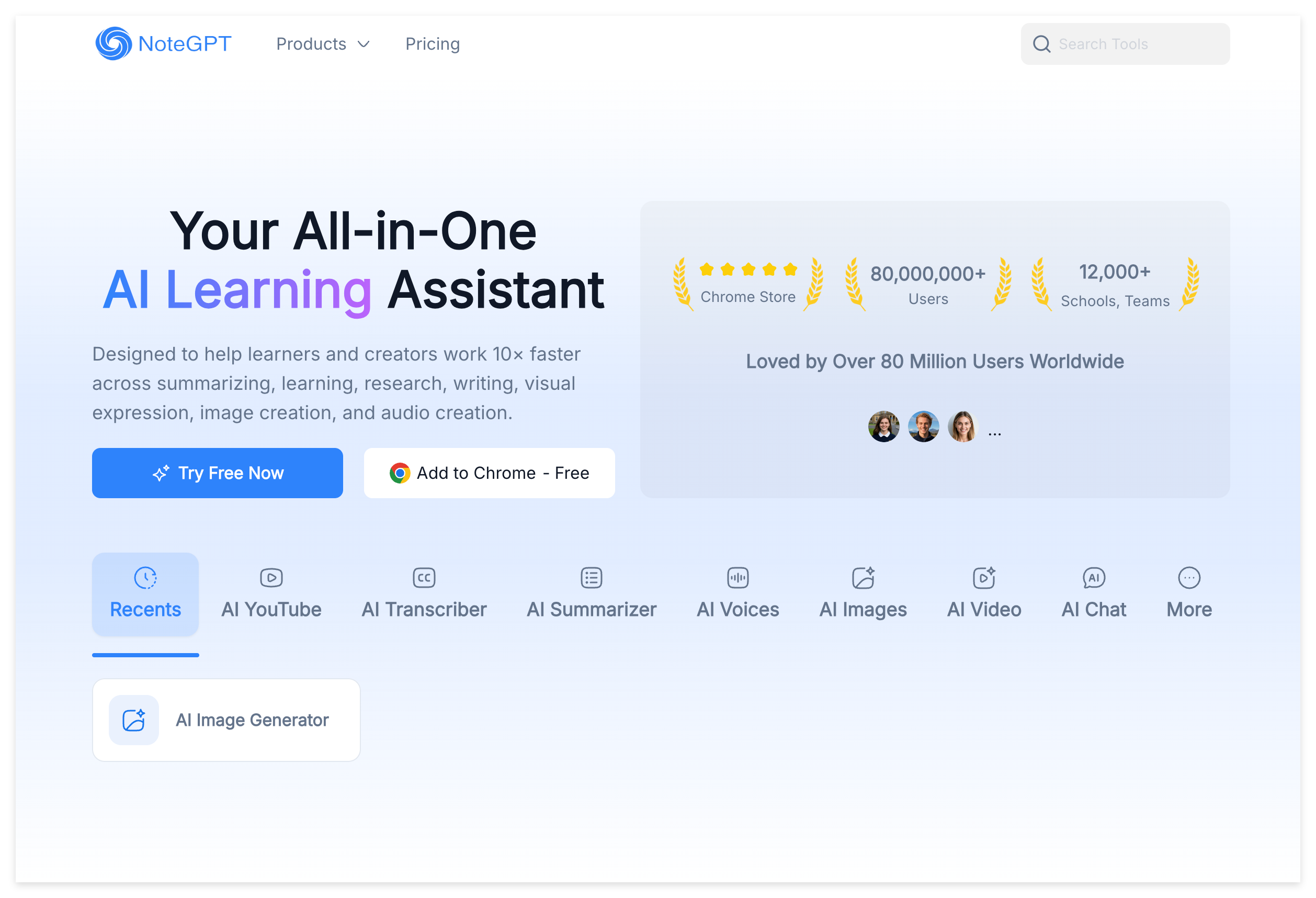
- Pros: Fast YouTube transcript extraction; generates basic mind maps and timestamps.
- Cons: It is strictly text-focused. If a professor writes formulas on a whiteboard or presents complex PPT slides, NoteGPT ignores the visual data entirely. It also lacks any audio podcast generation capabilities.
4. BibiGPT
Best for Quick One-Click Summaries
BibiGPT is designed for speed and convenience, allowing users to generate fast summaries from platforms like YouTube and Bilibili.
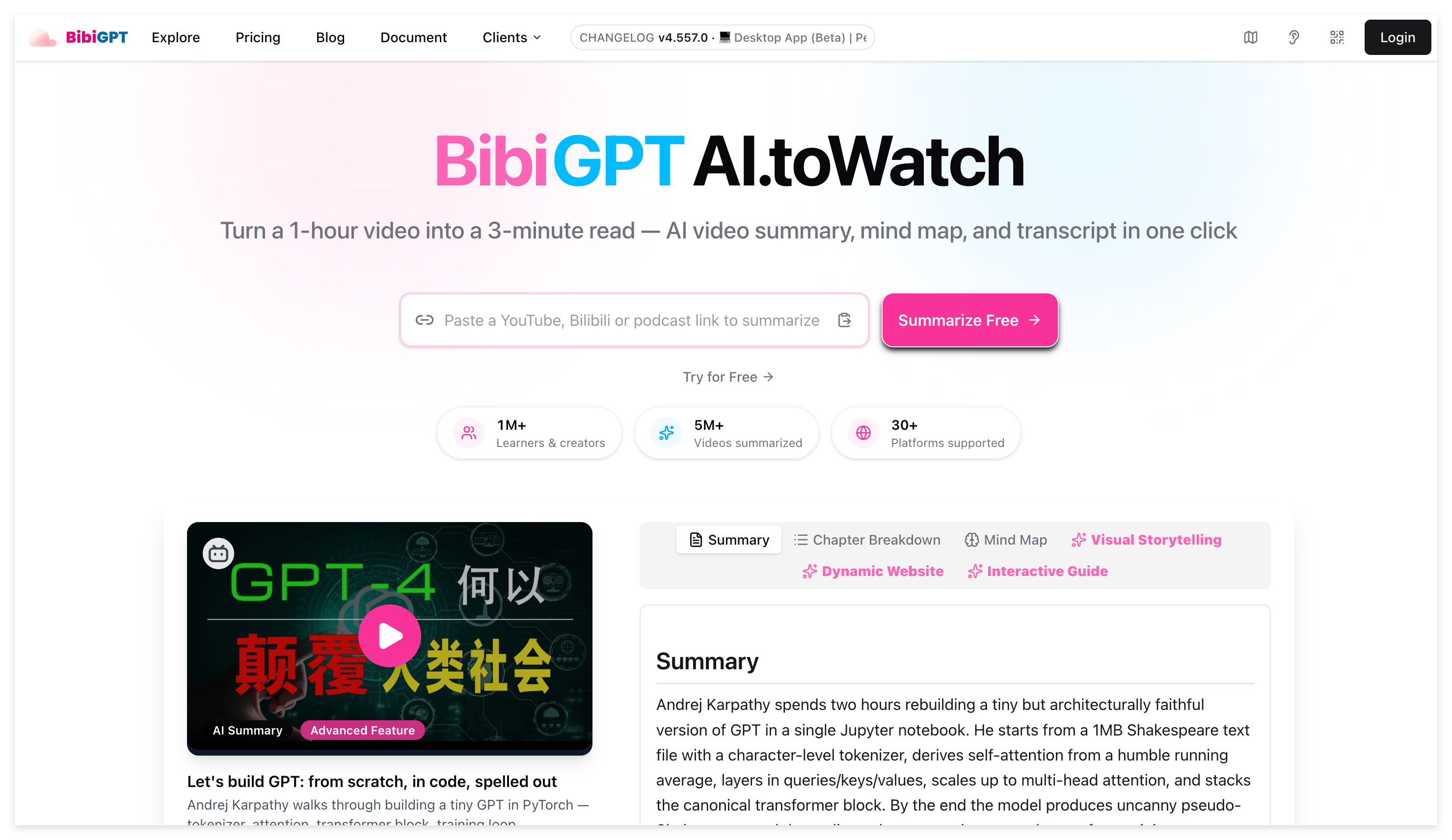
- Pros: Supports multiple online video platforms; fast generation speed.
- Cons: The interface is tailored for quick casual reading rather than serious academic studying. It lacks rich summary templates, visual slide capture, podcast generation, and robust integrations with PKM tools like Obsidian.
Comparison Summary
| Feature | NoteAi | NotebookLM | NoteGPT | BibiGPT |
|---|---|---|---|---|
| Primary Focus | AI Audio-Visual Knowledge Base | Document Synthesis | Text Video Summarizer | Quick Video Summarizer |
| Input Sources | YouTube, Local Video/Audio, Screen Record | PDFs, Text Docs, Slides | YouTube Links | YouTube, Bilibili Links |
| Auto-Capture PPT Slides | ✅ Yes | ❌ No | ❌ No | ❌ No |
| Interactive Mind Maps (Click-to-Jump) | ✅ Yes | ❌ No | ⚠️ Basic | ⚠️ Basic |
| 22-Language Translation | ✅ Yes | ❌ No | ⚠️ Limited | ⚠️ Limited |
| Customizable AI Podcast (Voices, Names, Export) | ✅ Yes (Bilingual Supported) | ⚠️ English only, rigid voices | ❌ No | ❌ No |
| Real-time AI Chat & Templates | ✅ Yes | ✅ Yes | ⚠️ Basic | ❌ No |
| Obsidian & Notion Direct Export | ✅ Yes | ❌ No | ❌ No | ❌ No |
The Final Verdict
While tools like NotebookLM and NoteGPT have their niche uses for text documents or quick video skimming, NoteAi is the clear #1 choice for comprehensive video learning and content processing.
By seamlessly combining high-accuracy transcription, visual slide capture, 22-language translation, highly customizable AI podcasts, and direct Obsidian/Notion exports, NoteAi delivers an all-in-one workspace that transforms raw video content into an organized personal knowledge base.
Ready to revolutionize your study workflow? Try NoteAi for free today and build your visual Second Brain in seconds.