

A video summarizer can be excellent at one job and frustrating at another.
Eightify is built for fast YouTube skimming. Descript makes more sense when the video is also an editing project. Gemini Notebook becomes interesting when the video is one source inside a larger research notebook. And if the content is visual, a transcript-only summary may not be enough at all.
So this ranking is not based on a single “summary quality” score.
It looks at five workflow questions:
- Can the tool handle the sources people actually use?
- Does it keep a usable transcript and timestamps?
- Can it preserve visual context when the screen matters?
- Can you ask useful follow-up questions?
- Can the result be edited, exported or reused later?
The Short Version
| Rank | Tool | Best for | Main strength |
|---|---|---|---|
| 1 | NoteAi | Long visual videos, study and reusable knowledge | Visual Notes + transcript + editable Mind Map + Smart Sync + AI Q&A |
| 2 | NoteGPT | Batch YouTube and large-file workflows | YouTube/playlists + local video + batch processing |
| 3 | Gemini Notebook | Mixed-source research | Grounded chat across YouTube, PDFs, web and documents |
| 4 | ScreenApp | Fast video analysis and recordings | Upload/URL → transcript → summary → Q&A |
| 5 | Descript | Creators and editors | Summary inside a full transcript/video editing workspace |
| 6 | Notta | Meetings, lectures and uploaded recordings | Strong transcription + AI notes + meeting workflow |
The order above reflects workflow breadth for the title's three priorities: video sources, visual/contextual notes and AI follow-up. It does not claim that the first tool has the best speech-recognition accuracy.
1. NoteAi — Best for Visual Video Notes and Reusable Knowledge
NoteAi is an AI Note Taker, AI Video Summarizer and personal AI knowledge base built around long-form video and audio.
It supports compatible online-video links including YouTube, TikTok and Bilibili, plus local video/audio and recorded content. You can add up to 15 links or files in one batch, and local media can be up to 7 hours and 4GB.

What moves it to the top of this particular ranking is what happens after transcription.
It Keeps Both the Words and the Screen
The original transcript keeps timestamps and speaker-aware text. An AI-polished transcript removes filler and repeated spoken phrasing while leaving the original available for source checking.
For visual videos, NoteAi can capture useful PPT slides, charts, diagrams, formulas, code, software interfaces and key frames and place them beside the related text.

That matters for courses and tutorials where the spoken transcript is only half of the explanation.
The Mind Map Stays Connected to the Video
The generated Mind Map is editable, and Smart Sync connects a node back to the corresponding source moment.

This makes the map useful as navigation rather than just a static diagram.
AI Chat Continues From the Same Source
AI Chat / Personal AI Tutor can explain a section, compare ideas, find where something was discussed or generate review questions from the processed source.
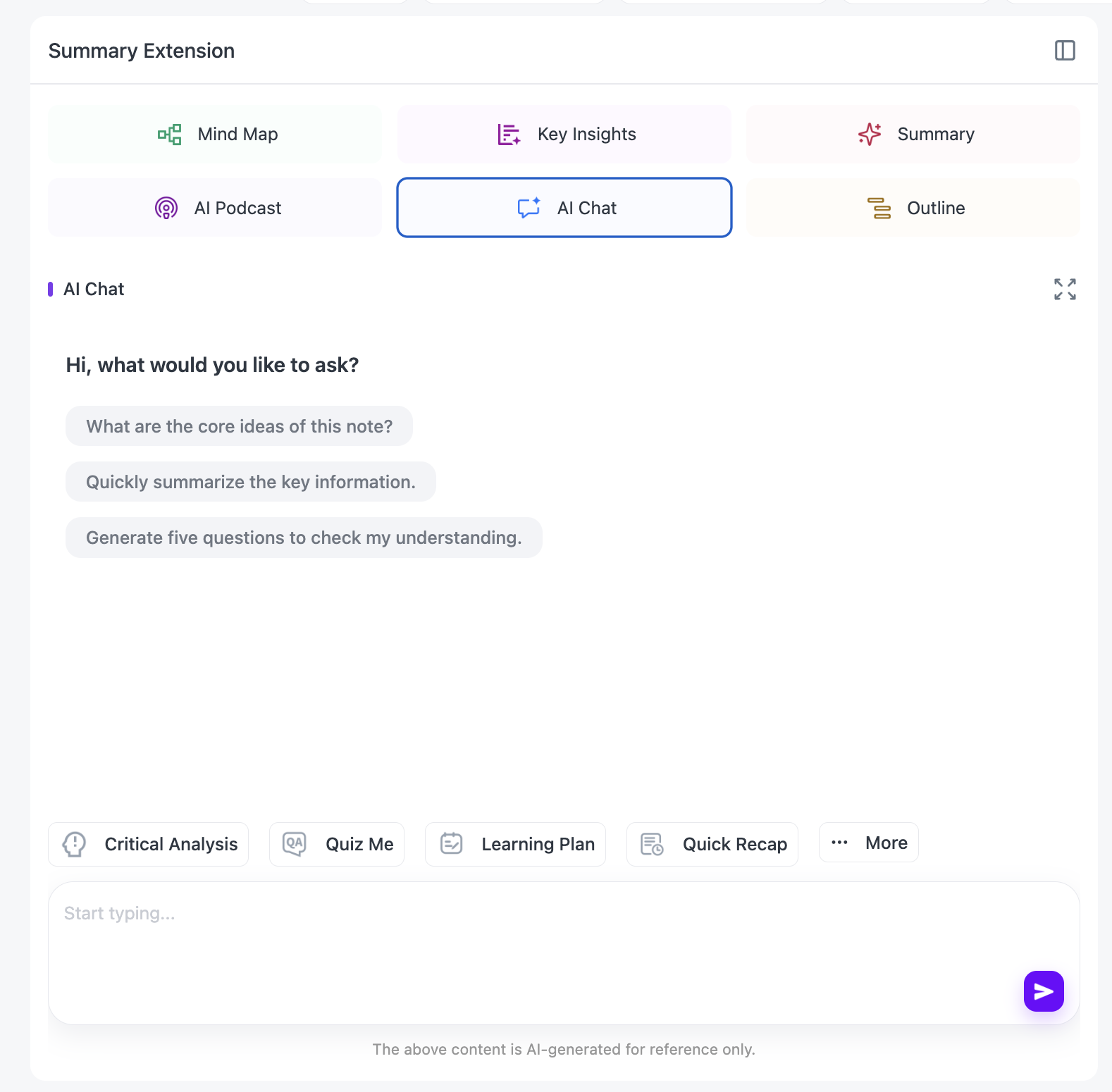
The result can then be exported as DOCX, PDF, HTML or Markdown, continued in Notion / Obsidian, or kept in a knowledge base with three-level organization, global search and batch note management.
Best fit: students, teachers, researchers and creators working with long or visual material that needs to stay useful after the first summary.
Less necessary if: you only want a five-bullet YouTube TL;DR and never plan to revisit the source.
2. NoteGPT — Best for Batch YouTube and Large Video Files
NoteGPT is one of the more flexible general-purpose video summarizers in this group.
Its current official video summarizer supports video files up to 5GB and queues up to 20 tasks, while its YouTube workflow can process single videos, playlists and multiple links. The YouTube page also describes support for videos without existing subtitles within its stated processing limits.
Its outputs include transcripts, summaries and structured study-oriented formats such as Mind Maps, with AI chat available in the broader workflow.
Best fit: users who regularly process many YouTube videos or large local files and care about throughput.
Trade-off: the workflow is strong on text structure and batching; users whose main requirement is pairing transcript text with automatically extracted visual frames should compare that specific capability separately.
Official pages: Video Summarizer and YouTube Video Summarizer.
3. Gemini Notebook — Best for Mixed-Source Research
Gemini Notebook is not just a video summarizer. That is exactly why it ranks highly for research.
A notebook can combine public YouTube URLs with PDFs, webpages, Google Docs, Slides, Office files, audio and other supported sources. Its chat is grounded in notebook sources and uses citations that let you inspect the source material behind an answer.
For YouTube, there is an important limitation to understand: Google's current help page says that only public YouTube videos with captions are supported and only the text transcript is imported as the source.
That means Gemini Notebook is excellent when your question is:
“What does this video say when compared with these five papers?”
It is less suited when your question is:
“What was on the slide when the speaker explained this?”
Best fit: researchers and students combining YouTube with readings, PDFs and other documents.
Trade-off: YouTube import is transcript-based rather than a full visual-note extraction workflow.
Official pages: source types and source-grounded chat.
4. ScreenApp — Best for Fast Video Analysis and Recordings
ScreenApp sits closer to the “upload or paste a URL, then analyze the recording” end of the category.
Its current official AI summarizer page lists direct upload plus supported video URLs and describes a workflow built around transcript, summary and chat Q&A. ScreenApp also has its own screen-recording and meeting-analysis tools, which makes it useful when the source begins as something you record yourself.
Best fit: meetings, presentations, recorded demos and users who want a straightforward analysis workflow around video.
Trade-off: its core value is fast analysis and recording workflows rather than a long-term personal video knowledge base.
5. Descript — Best for Creators Who Also Need to Edit
Descript approaches video summarization from a creator's point of view.
You bring footage or recordings into a project, Descript creates a transcript, and its Ask AI workflow can generate summaries with custom instructions. Because the transcript and media editor are the same project, the next step can be editing, clipping, captioning or repurposing instead of exporting a note.
It can also turn summaries into text, audio or video-oriented outputs.
Best fit: podcasters, YouTubers and teams who need to edit or repurpose the same media they summarize.
Trade-off: if the goal is building a searchable study/research library rather than editing content, much of Descript's value may be outside your workflow.
6. Notta — Best for Meetings, Interviews and Uploaded Recordings
Notta is transcription-first.
It supports uploaded audio/video and links from sources including YouTube, Google Drive and Dropbox. Its current product pages describe searchable/editable transcripts, speaker identification, AI summaries, translation and exports including TXT, SRT, PDF and DOCX.
Notta also sits inside a wider meeting-note workflow, with live meeting capture and integrations.
Best fit: interviews, meetings, lectures and recordings where transcription is the main job and AI summary comes next.
Trade-off: it is stronger as a transcription/meeting platform than as a visual-video knowledge tool.
Which Tool Wins Which Workflow?
| Workflow | Pick |
|---|---|
| Need slides/key frames beside text | NoteAi |
| Need editable Mind Map + source return | NoteAi |
| Batch lots of YouTube videos | NoteGPT |
| Combine video with PDFs and web research | Gemini Notebook |
| Record + summarize meetings/demos | ScreenApp |
| Edit and repurpose the video itself | Descript |
| Transcribe meetings/interviews | Notta |
If the main source is specifically YouTube and you care more about speed than broader video workflows, see 6 Best YouTube Summarizers in 2026.
If the main problem is a local MP4, see MP4 to Text: 5 AI Transcription Tools Compared.
Why “Best Video Summarizer” Is Usually the Wrong Question
The category now covers at least four different products hiding under the same name:
Quick summarizers
Designed to tell you whether a video is worth watching.
Transcription platforms
Designed to turn spoken content into searchable text, then summarize it.
Research notebooks
Designed to combine video-derived text with documents and answer grounded questions across sources.
Video knowledge tools
Designed to keep the summary, transcript, visuals, structure, source return and later reuse in one workflow.
That is why a single score is misleading.
The better question is:
Which parts of the original video do I still need after the summary is generated?
If the answer is “none,” choose speed.
If the answer includes exact wording, slides, timestamps, follow-up questions or long-term reuse, compare the deeper workflow instead.
For a step-by-step selection framework, see How to Choose the Right AI Video Summarizer for Your Workflow.
FAQ
What is the best AI video summarizer in 2026?
There is no single best tool for every workflow. This ranking places NoteAi first for the specific combination of source flexibility, Visual Notes, editable Mind Map/source return, AI chat and long-term reuse. Other tools can be a better fit for browser-only YouTube skimming, editing or live meetings.
Which AI video summarizer is best for YouTube?
If you want quick YouTube-only summaries, dedicated tools such as Eightify, Glasp and NoteGPT deserve consideration. If the YouTube video is a long visual lecture or something you want to keep as structured knowledge, the requirements are different.
Which AI video summarizer keeps screenshots or slides?
NoteAi can automatically capture useful PPT slides, charts, diagrams, formulas, code, software interfaces and key frames and keep them beside the related text.
Which video summarizers let you ask questions?
Gemini Notebook provides source-grounded notebook chat. NoteAi provides AI Chat / Personal AI Tutor within the processed video-note workflow. ScreenApp and NoteGPT also include AI follow-up features in their current product workflows.
Which tool is best for uploaded MP4 files?
It depends on what happens next. NoteGPT is strong for large files and batching, Notta for transcription, Descript for editing, and NoteAi when a long uploaded video needs Visual Notes, structured navigation and later reuse.
Is this an accuracy ranking?
No. The ranking is based on documented workflow coverage for the use cases in the title. It is not a controlled transcription or summarization-accuracy benchmark.