

A playlist remembers where a video lives. A personal AI knowledge base remembers what the source said, why it mattered and how to find it again.
A durable knowledge workflow follows source → transcript and visuals → structured note → personal annotations → searchable knowledge.
NoteAi is built around that media-first workflow. It processes supported video links and local recordings before organizing the useful result, so the knowledge base contains readable material rather than a list of URLs.
Decide what deserves to enter the knowledge base
Do not fully process and keep every source. Use a simple rule:
- Discard low-value videos after screening the Key Insights.
- Keep a transcript and summary for useful references.
- Build a complete visual note for lectures, interviews and tutorials you expect to revisit.
This prevents the new knowledge base from becoming another Watch Later list.
Step 1: collect the source in a supported form
NoteAi accepts YouTube, TikTok and Bilibili URLs, local audio/video, screen recordings and voice recordings. It does not browse a connected cloud-drive account or natively import an Apple Podcasts or Spotify library.

Up to 15 supported items can be submitted together. Local media can be up to 7 hours or 4 GB.
Step 2: preserve evidence before compression
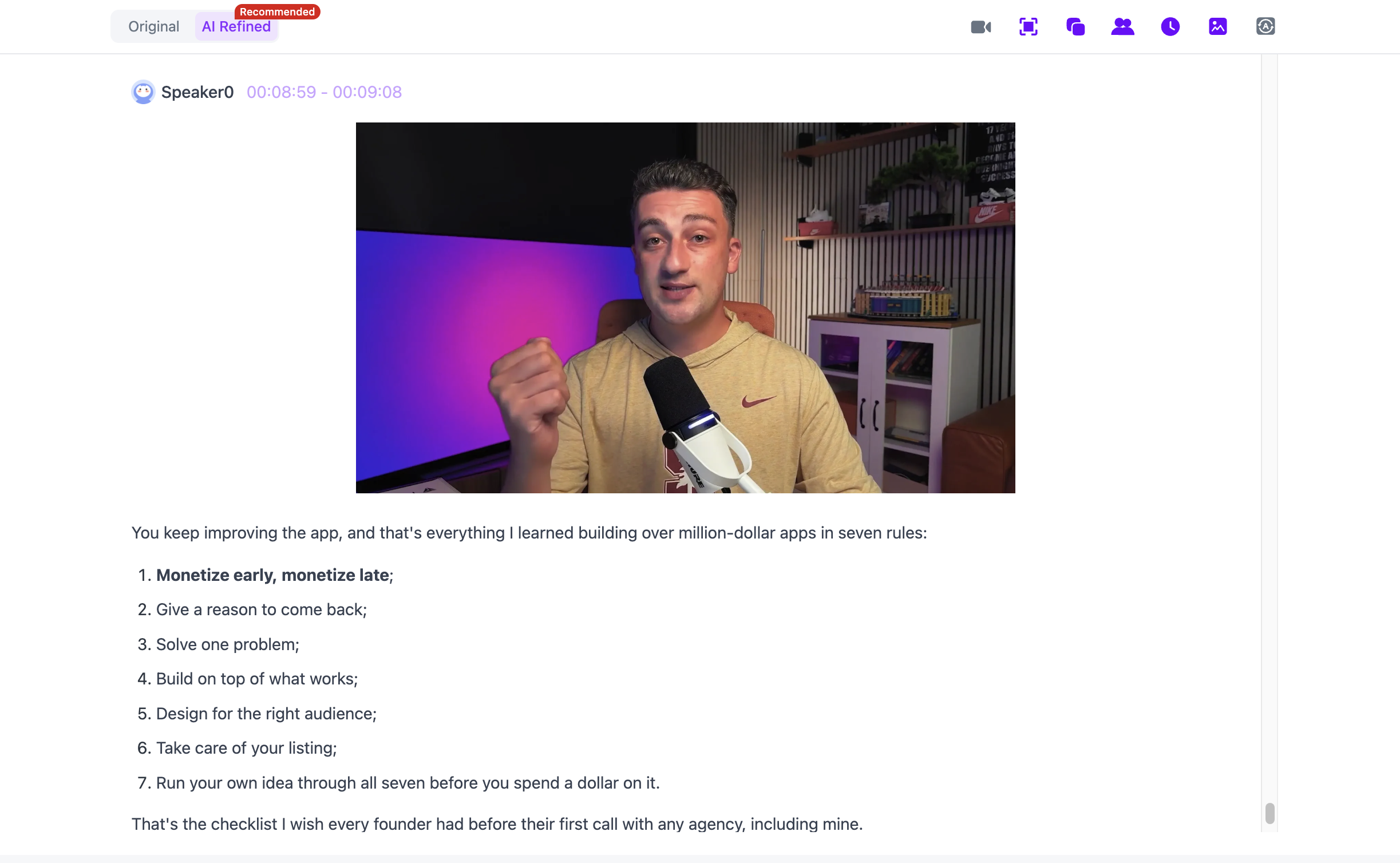
ASR creates the timestamped transcript whether or not a usable subtitle file already exists. Keep the original version for source checks and use the polished version for easier reading.
For visual material, NoteAi extracts important PPT pages and key frames and places them beside the corresponding spoken explanation.
Step 3: add structure and personal judgment
The summary and Key Insights make the source scannable. Select a Summary Template or custom prompt after processing when you need a different shape.
Then highlight, underline and annotate. A note becomes personal knowledge only when your questions, decisions and connections are visible beside the source.

Blank notes can hold research questions, project decisions or conclusions that do not belong to one video.
Step 4: organize for retrieval, not decoration
Use multi-level categories that reflect how you will search later. A student might use semester → course → module. A researcher might use project → source type → theme.
Global search finds names and terms across the library. Batch management helps when several notes need to be recategorized, and sharing permissions control how a note is distributed.
Step 5: ask across notes
AI Chat answers questions about one processed source. Cross-note Q&A helps compare several saved notes—for example, where three speakers agree, which lecture first introduced a concept or which interviews mention the same problem.
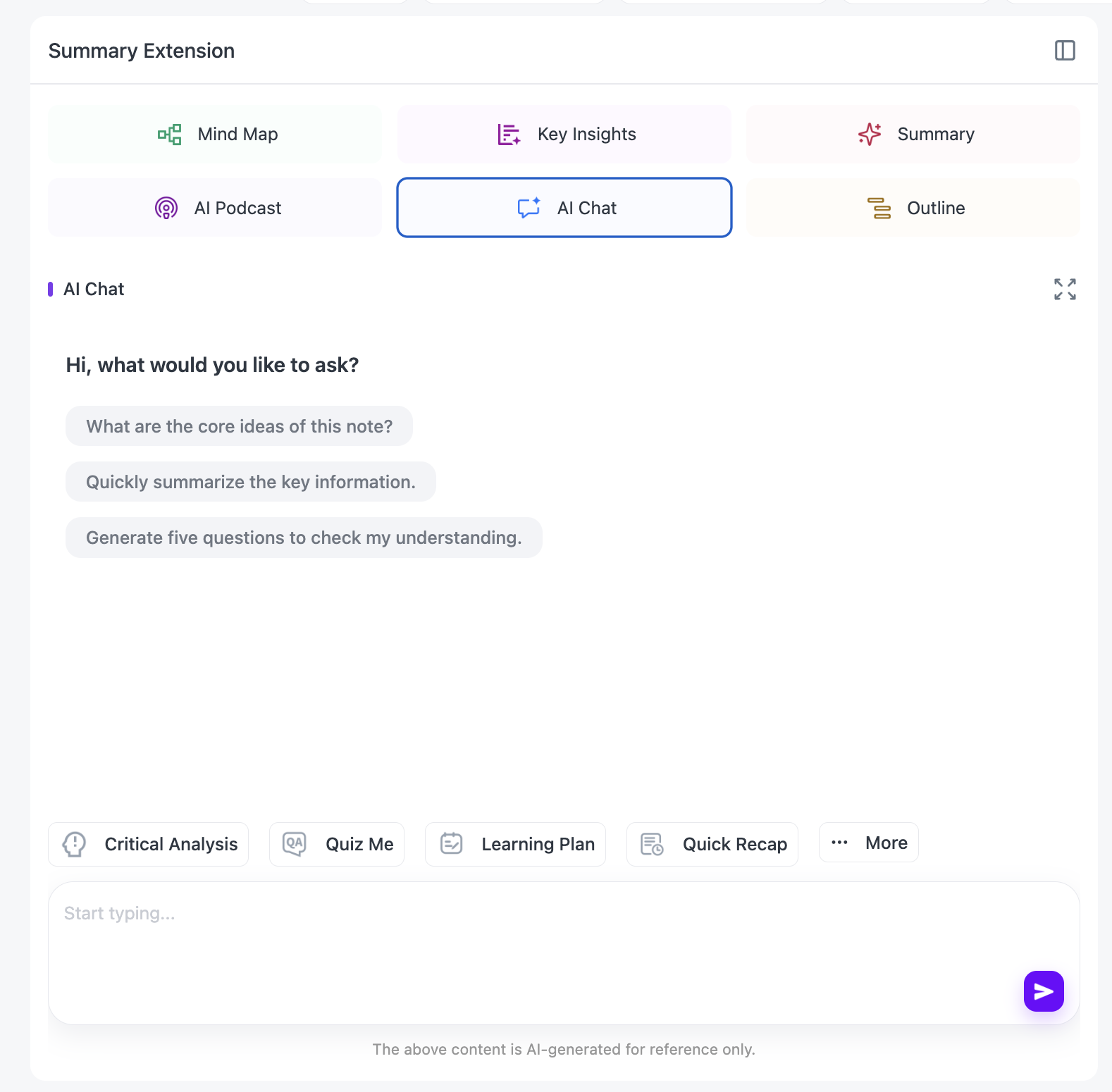
Treat the answer as a route into the library. Open the cited note, follow the timestamp and check the original context before using a claim externally.
Step 6: map and export reusable knowledge
An editable mind map helps when a source contains relationships or a hierarchy. Smart Sync returns from a node to the related source section.

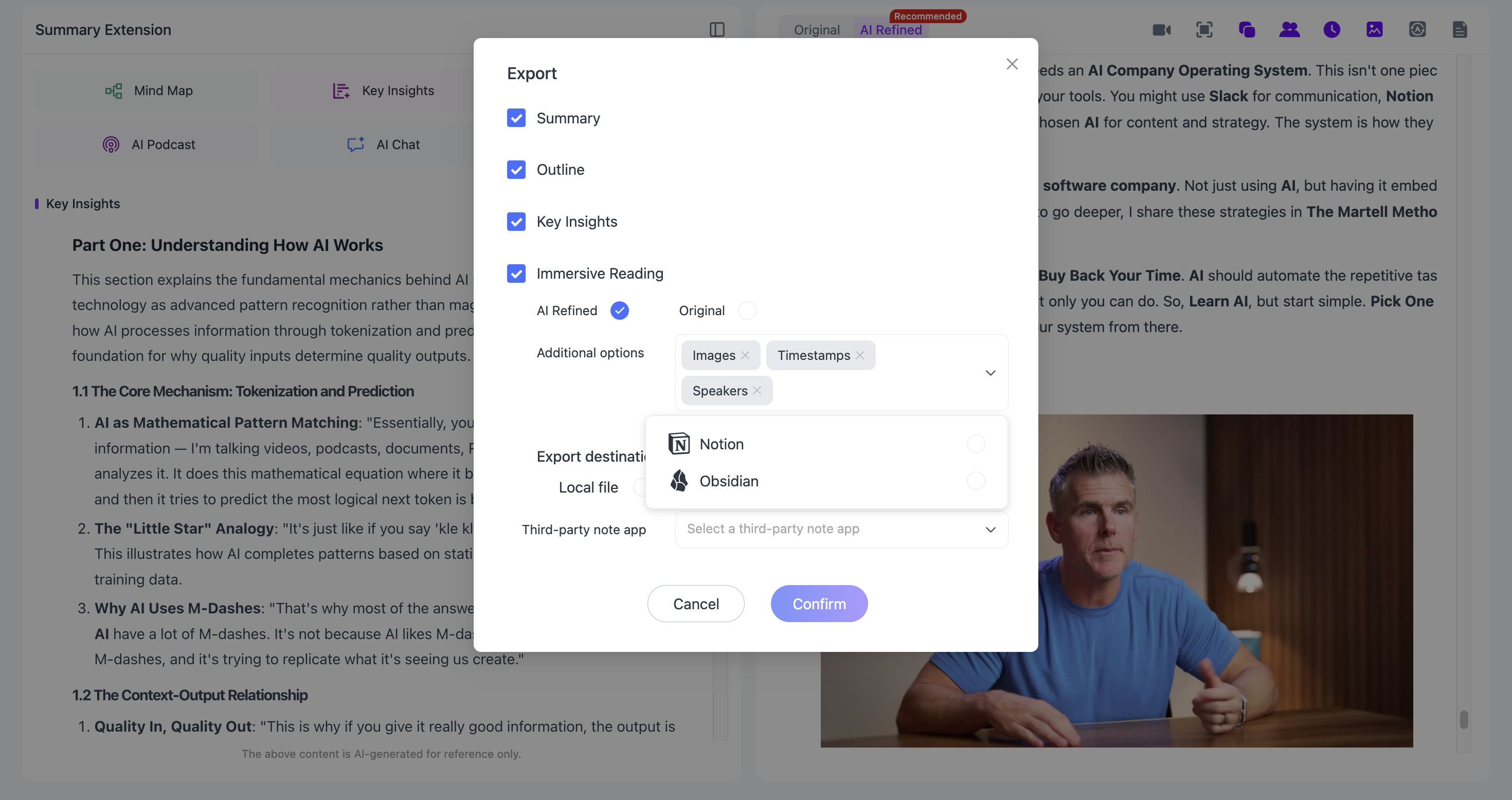
Notes export as Word, PDF, Markdown or HTML. Markdown supports continued work in Notion or Obsidian, while mind maps export as XMind, PDF, SVG, Markdown, JSON or TXT.
If you are still deciding which content deserves this deeper workflow, start with What Is NoteAi and Who Should Use This AI Note Taker?. To add an audio-review layer to selected notes, use the AI Podcast Generator for Studying.
Personal AI knowledge-base questions
What is the difference between a playlist and an AI knowledge base?
A playlist stores links. A knowledge base stores processed, searchable and reusable information with enough source context to verify it.
Can I ask one question across several videos?
Yes. NoteAi supports cross-note Q&A after the sources have been processed and organized.
Does NoteAi replace Notion or Obsidian?
It does not need to. NoteAi can handle the media-processing stage, then export structured results for continued work in another PKM system.
Can I share a knowledge-base note?
Yes. Sharing permissions are available for distributing notes while retaining control over access.
A useful knowledge base is measured by retrieval
Collecting more sources is easy. The test is whether you can find the original claim, see your own annotation and compare it with another video months later. Build the library around those retrieval tasks, not around the number of notes it contains.