

A great point from a podcast can be surprisingly hard to find later. You remember what a guest said during a 90-minute interview, but not which part of the conversation it came from. Replaying the whole episode just to recover that idea takes time.
An AI podcast summarizer makes the recording easier to use. NoteAi is an AI note taker and personal AI knowledge base that turns supported podcast audio and YouTube video podcasts into AI summaries, Key Insights, timestamped transcripts, and structured notes.
You can review the takeaways, explore specific questions, and export what you want to keep.
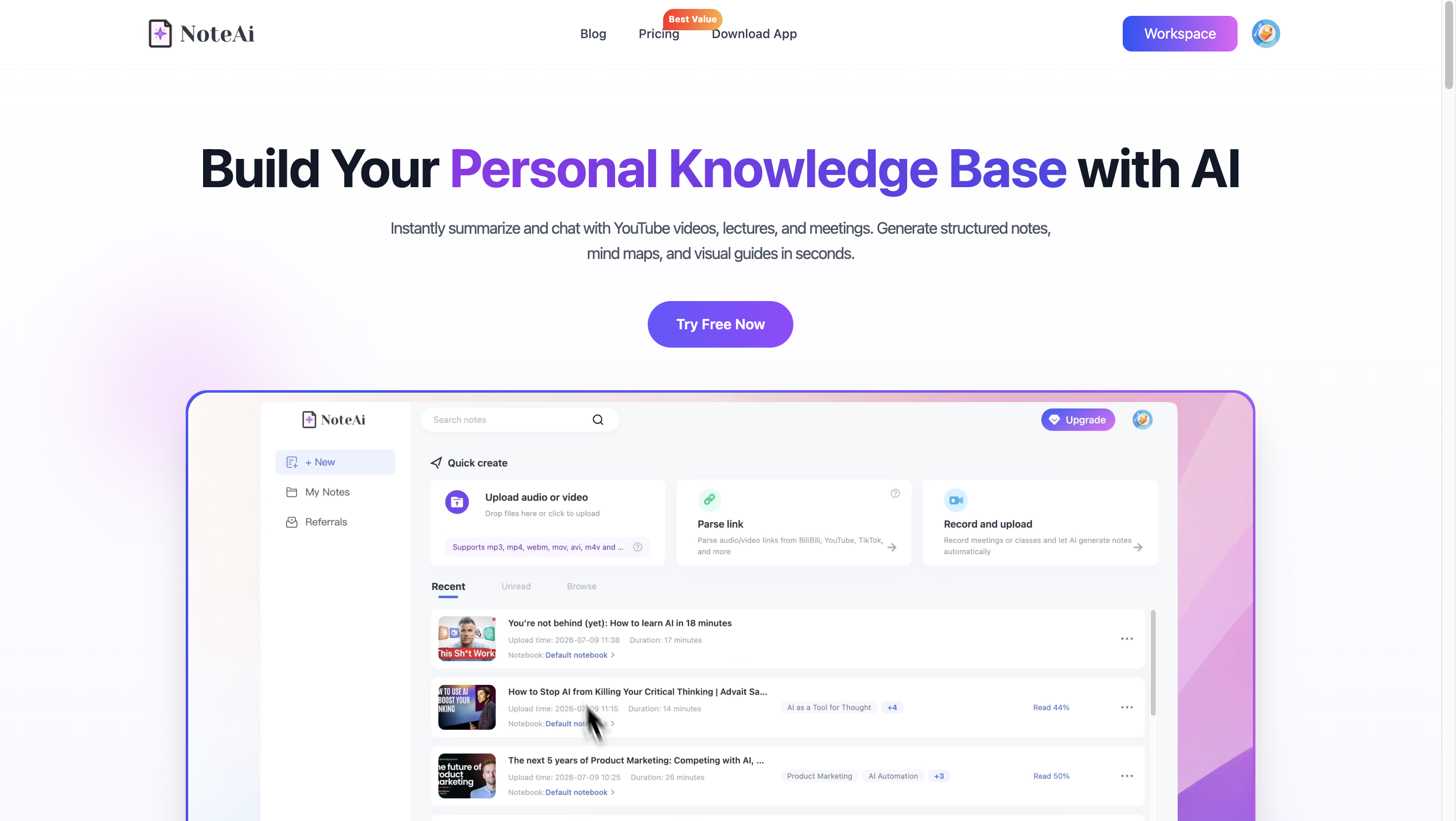
Here's the four-step process, followed by an example of the notes you can create.
How to Summarize a Podcast with AI in 4 Steps
Quick answer: Upload a podcast audio file to NoteAi, or paste the URL of an episode available on YouTube.
Open the generated AI Summary and Key Insights, choose a summary template if you want a different format, then review and export your notes. You don't need to prepare a transcript yourself.
Step 1: Import Your Podcast Audio or YouTube Episode
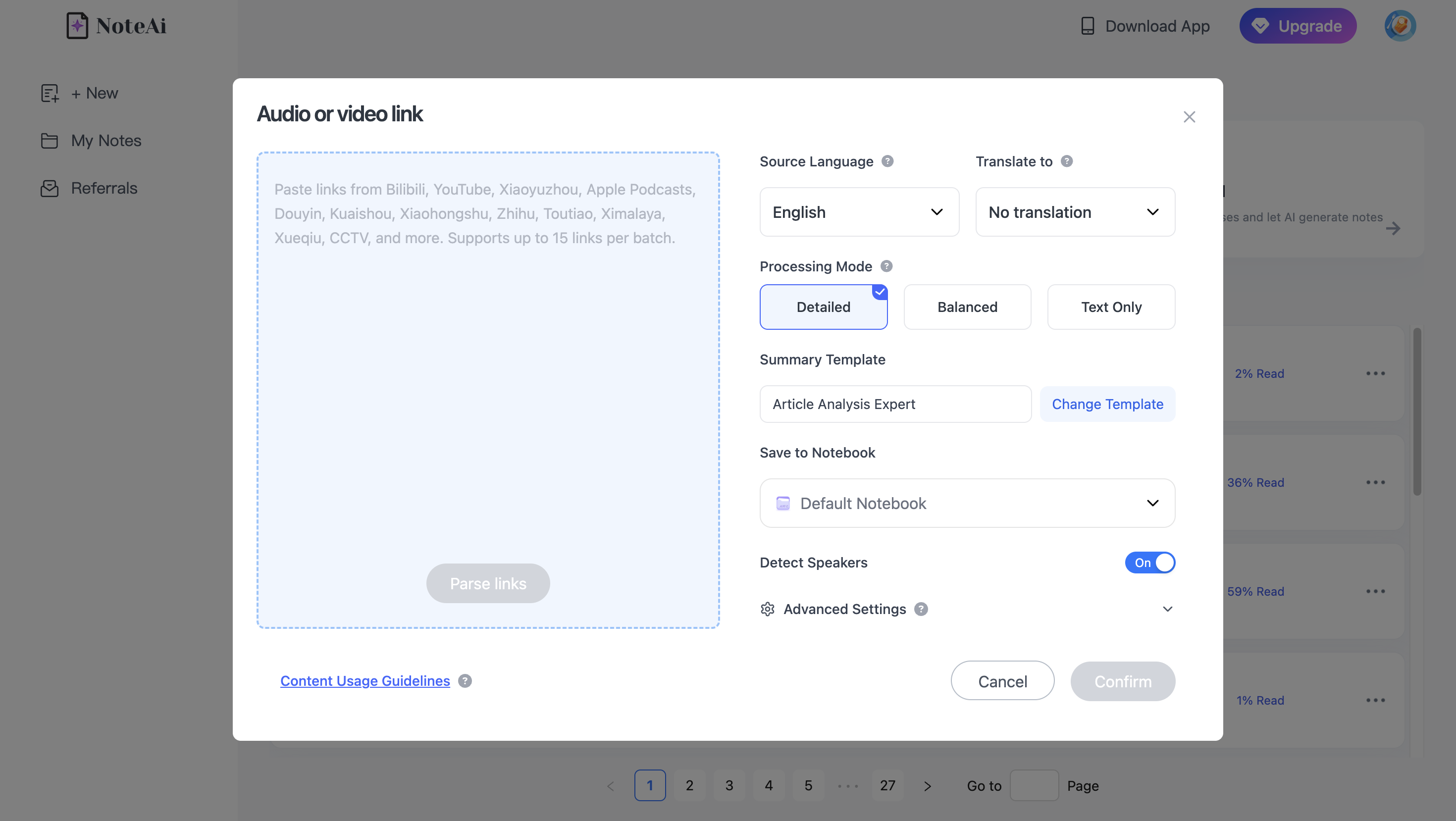
Go to NoteAi and sign in. Choose the input that matches the recording:
- Local audio file: Use the file-upload option to add a podcast recording from your device.
- YouTube video podcast: Open the episode on YouTube, select Share → Copy, and paste the URL into NoteAi's link-import option. There's no need to download a supported YouTube video first.
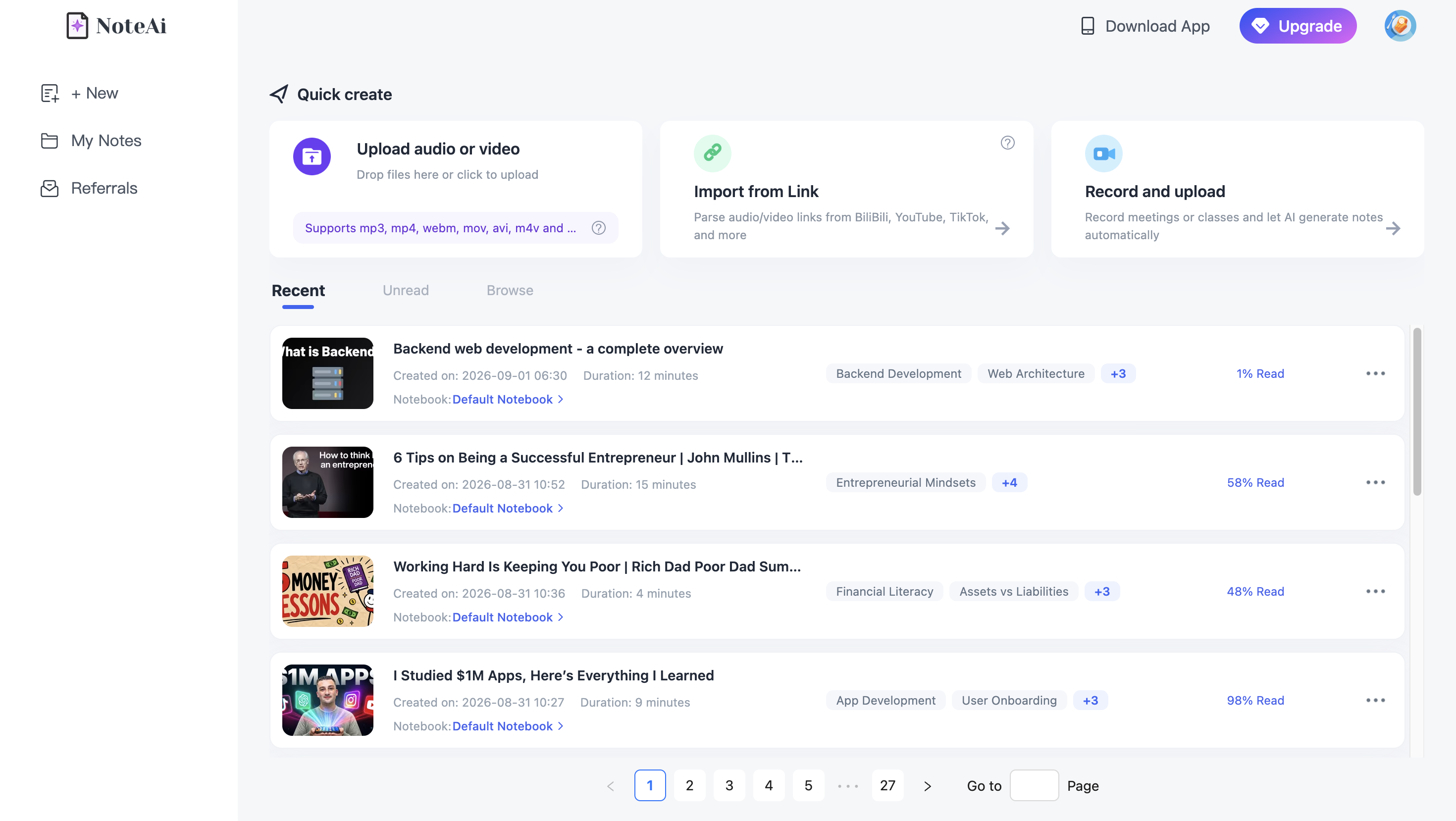
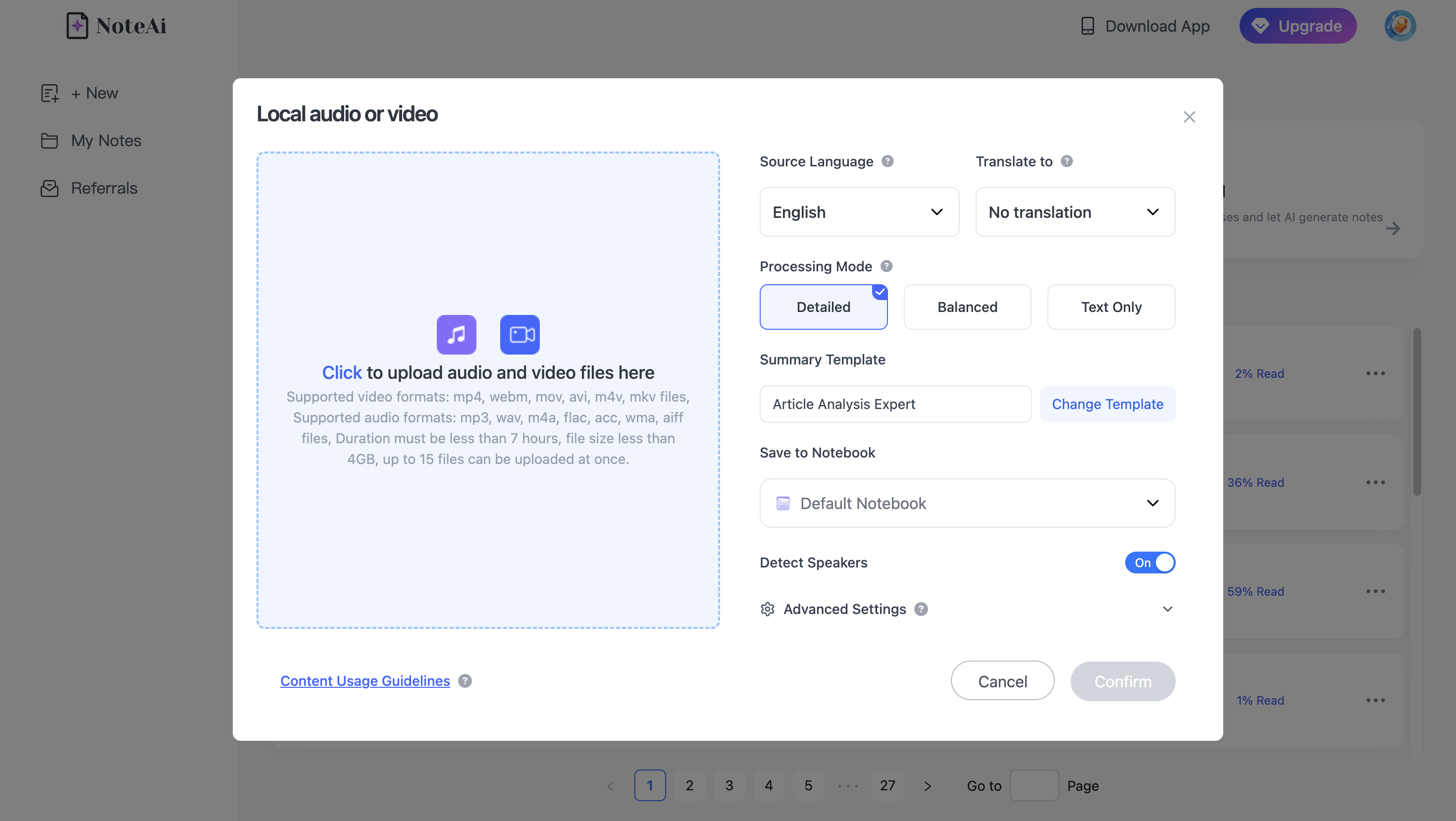
For local files, the limit is up to 7 hours in duration and 4 GB in size per file, subject to your account's available credits and features.
If you discovered the episode on Spotify or Apple Podcasts, don't paste its episode page URL into NoteAi and expect a direct import.
Native links from those services aren't supported. Use an audio file you are authorized to process, or a version of the episode published on a supported platform such as YouTube.
Start processing the imported source. When it's ready, open the generated note.
Step 2: Find the Main Ideas in AI Summary and Key Insights
Begin with Key Insights if you want the short version of an episode. It highlights the most important ideas so you can quickly see what deserves attention. Open the AI Summary when you want a more structured explanation of the discussion.
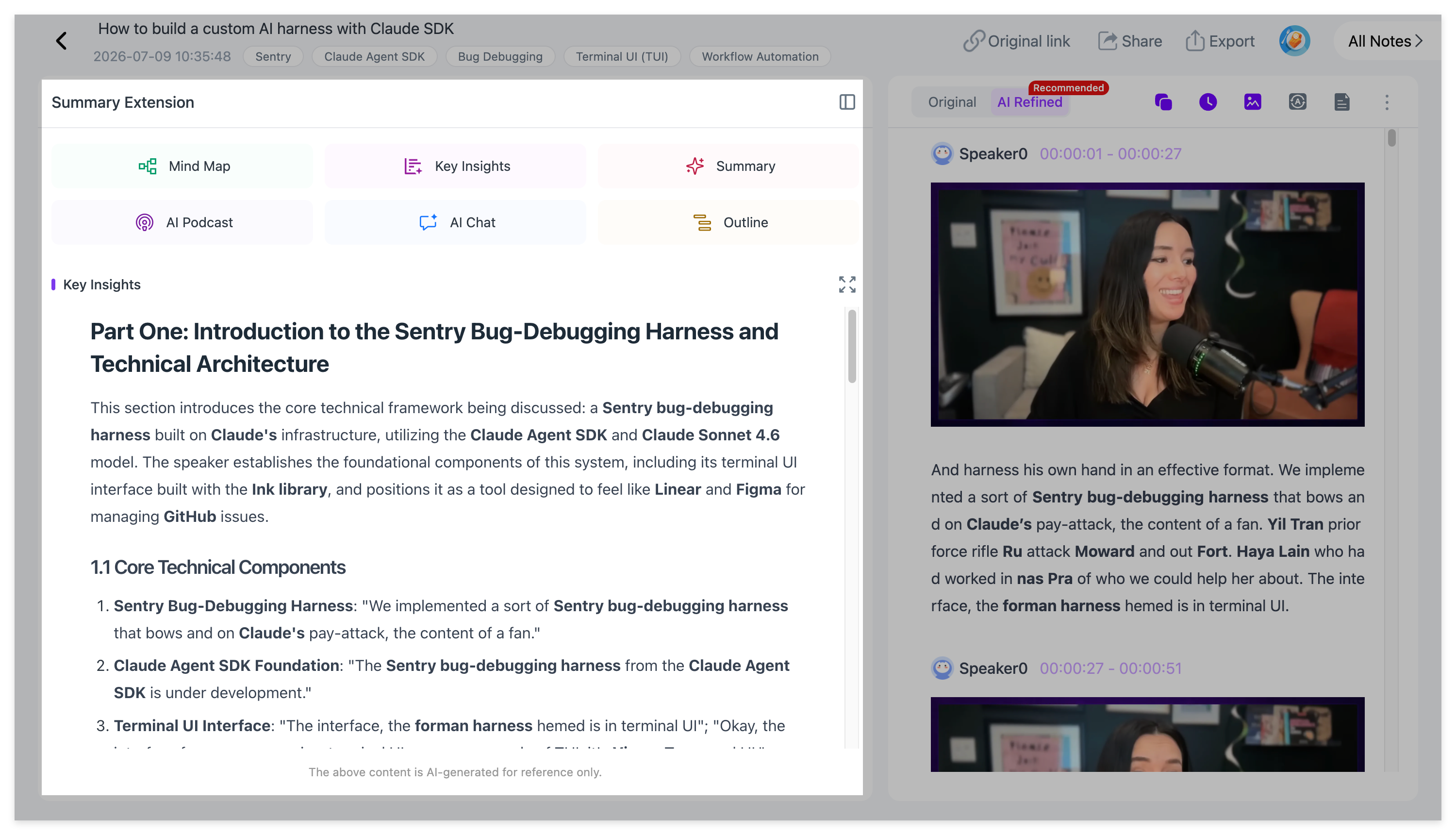
Suppose a founder spends 90 minutes discussing customer interviews, product decisions, and lessons from a failed launch. You can scan Key Insights to see those themes, then read the relevant summary sections for the examples behind them. The full transcript remains available if you want to check what was actually said.
For more explanation than the highlights alone provide, open the detailed summary and follow its sections as the conversation changes topics.
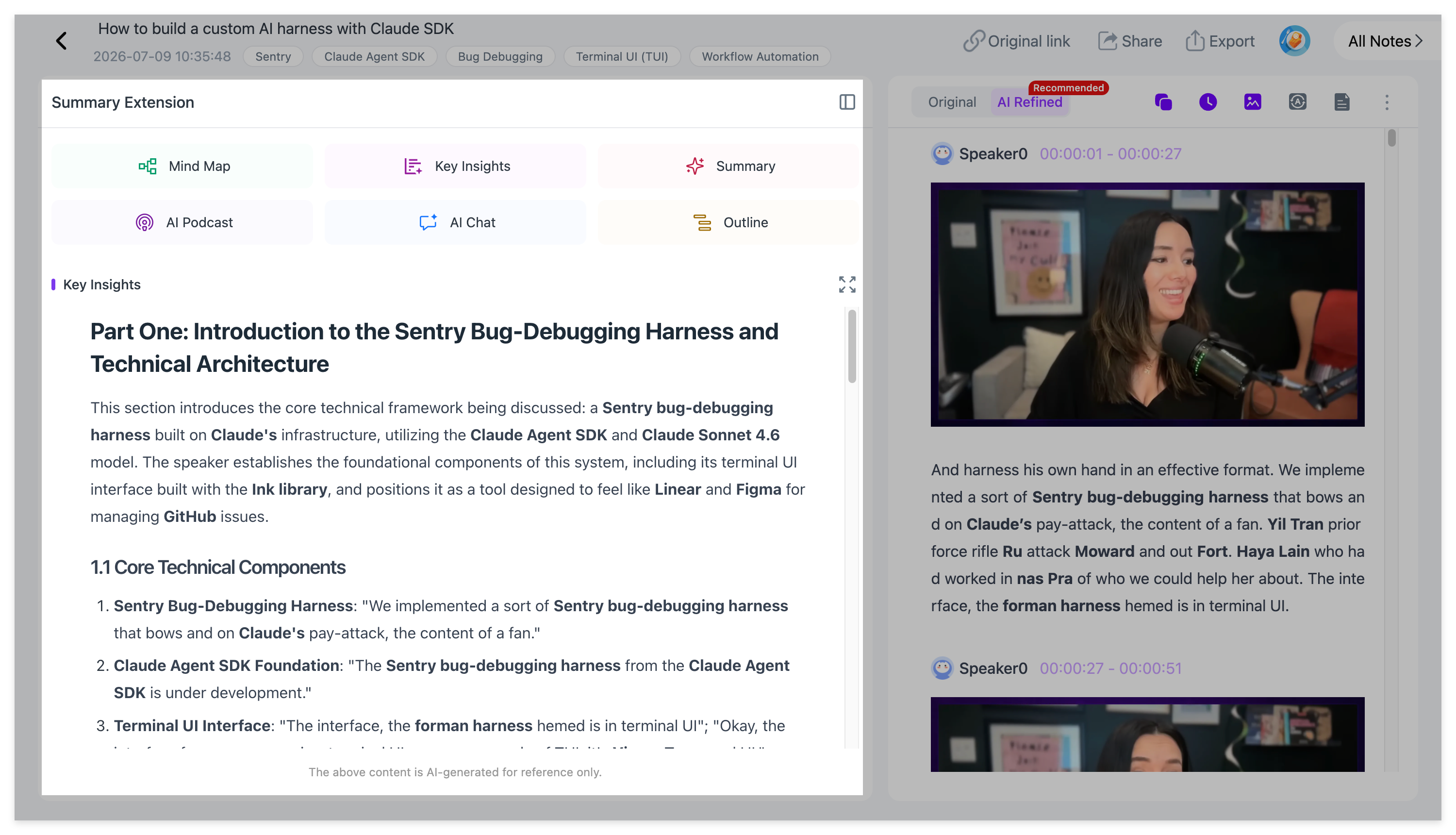
Think of the three views this way: Key Insights for the takeaways, AI Summary for context, and transcript for the original details.
Step 3: Use Summary Templates to Create the Right Notes
The best podcast summary depends on why you saved the episode. A student may want definitions and review questions; a researcher may need arguments, evidence, and speaker viewpoints; a creator may want a clear record of examples worth exploring.
In NoteAi, open Summary Templates to choose a different note structure, or use a custom prompt to describe exactly what you need. You can work from the processed episode without uploading and transcribing it again.
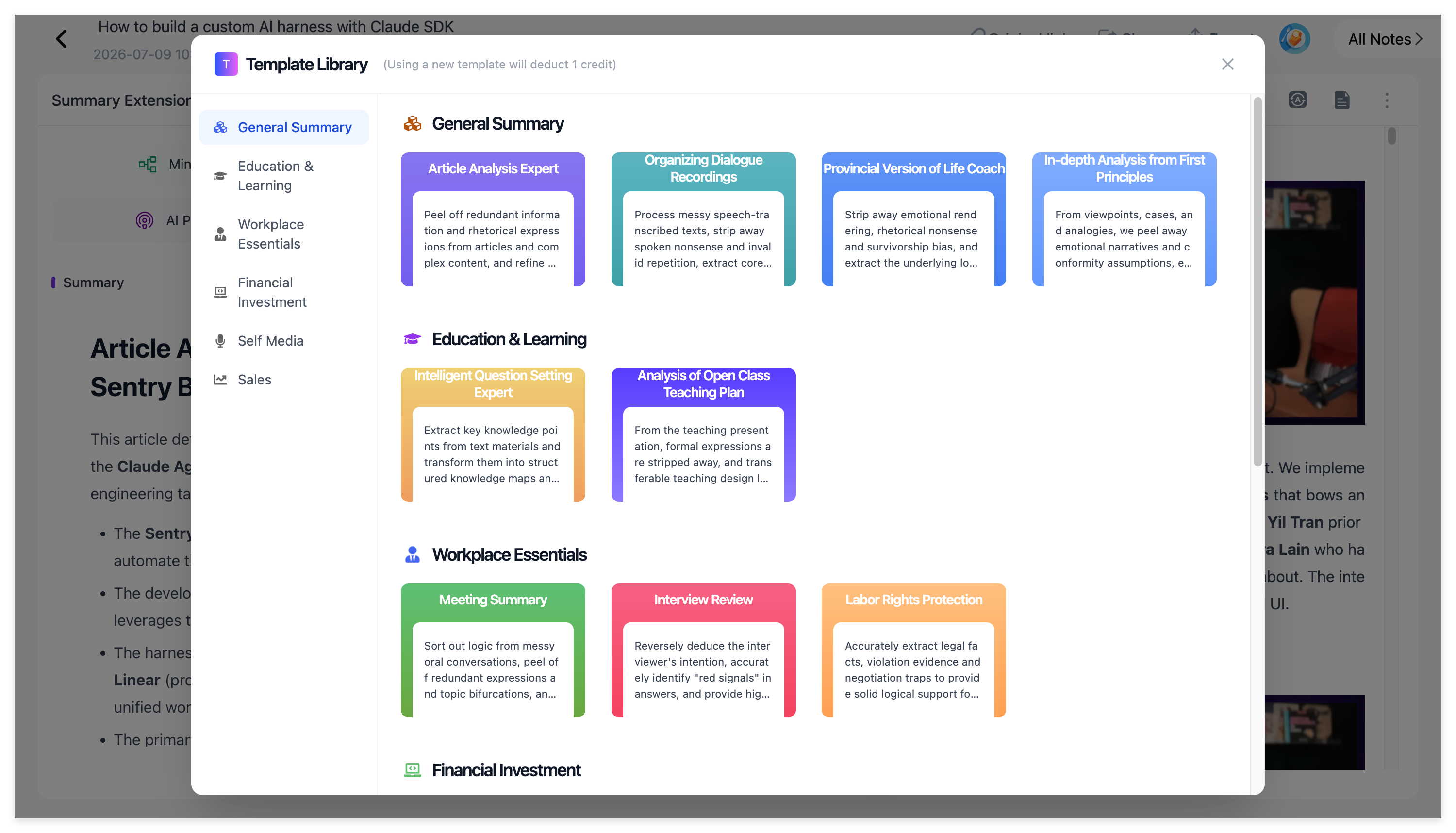
For example, you can use this prompt:
Summarize this podcast with a short overview, five Key Insights, the examples that support each insight, and three questions worth exploring further. Attribute opinions to the relevant speakers. Do not introduce facts that aren't in the recording.
If you regularly listen to the same kind of podcast, reuse a similar format to make your saved notes easier to compare.
Step 4: Review the Source and Export Your Podcast Notes
Before keeping a quote, statistic, or technical claim, check it against the timestamped transcript. NoteAi provides an original transcript alongside an AI-polished version for more comfortable reading. The polished text is useful for review, but the original recording is the better reference when exact wording matters.
You can also add personal annotations so your own observations stay connected to the episode.
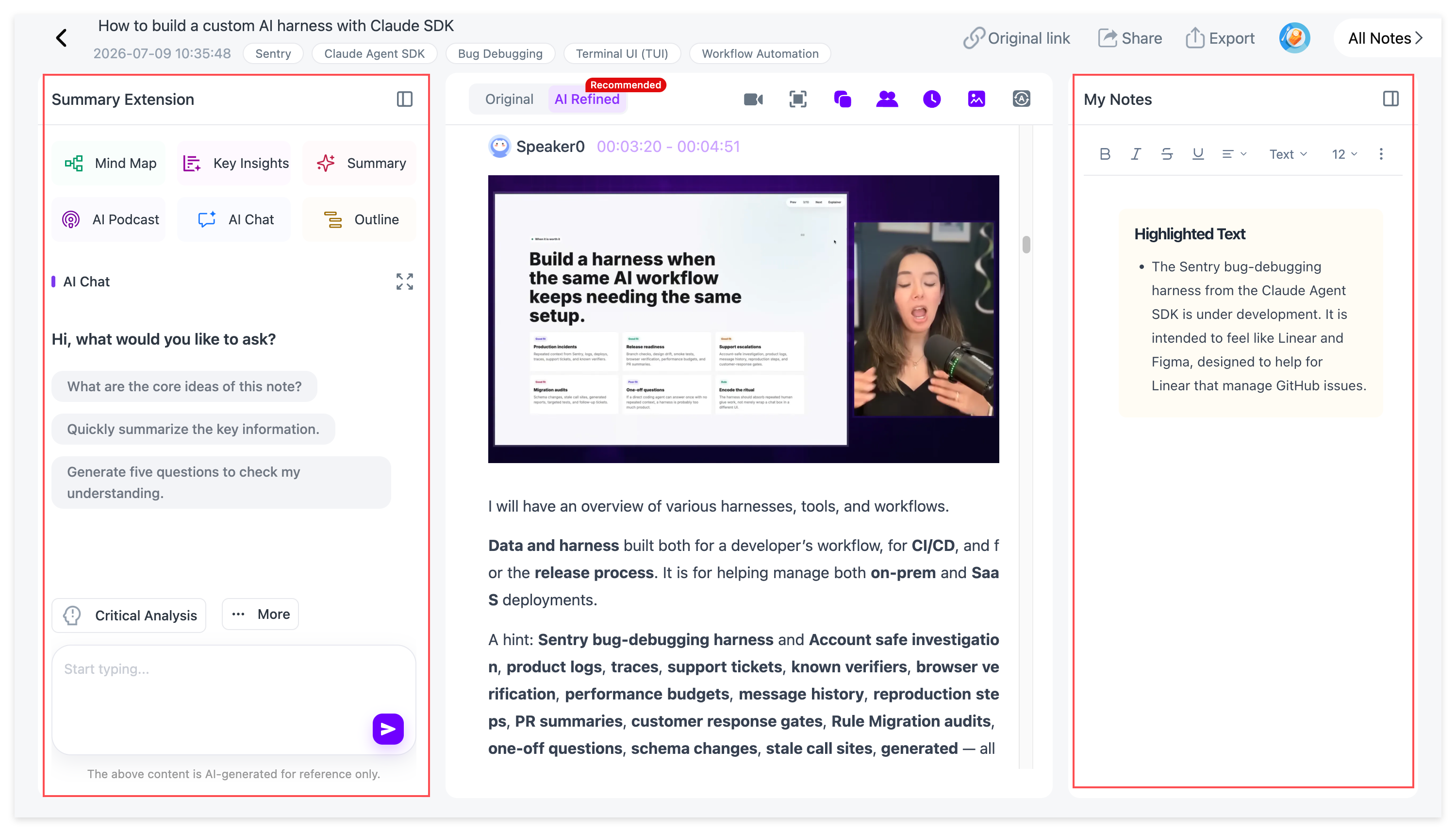
When the note is ready, open the export options. Word (DOCX) is useful for editing, PDF for sharing, Markdown for a knowledge base, and HTML for a browser-readable copy. Mind maps can be exported separately, including to XMind.
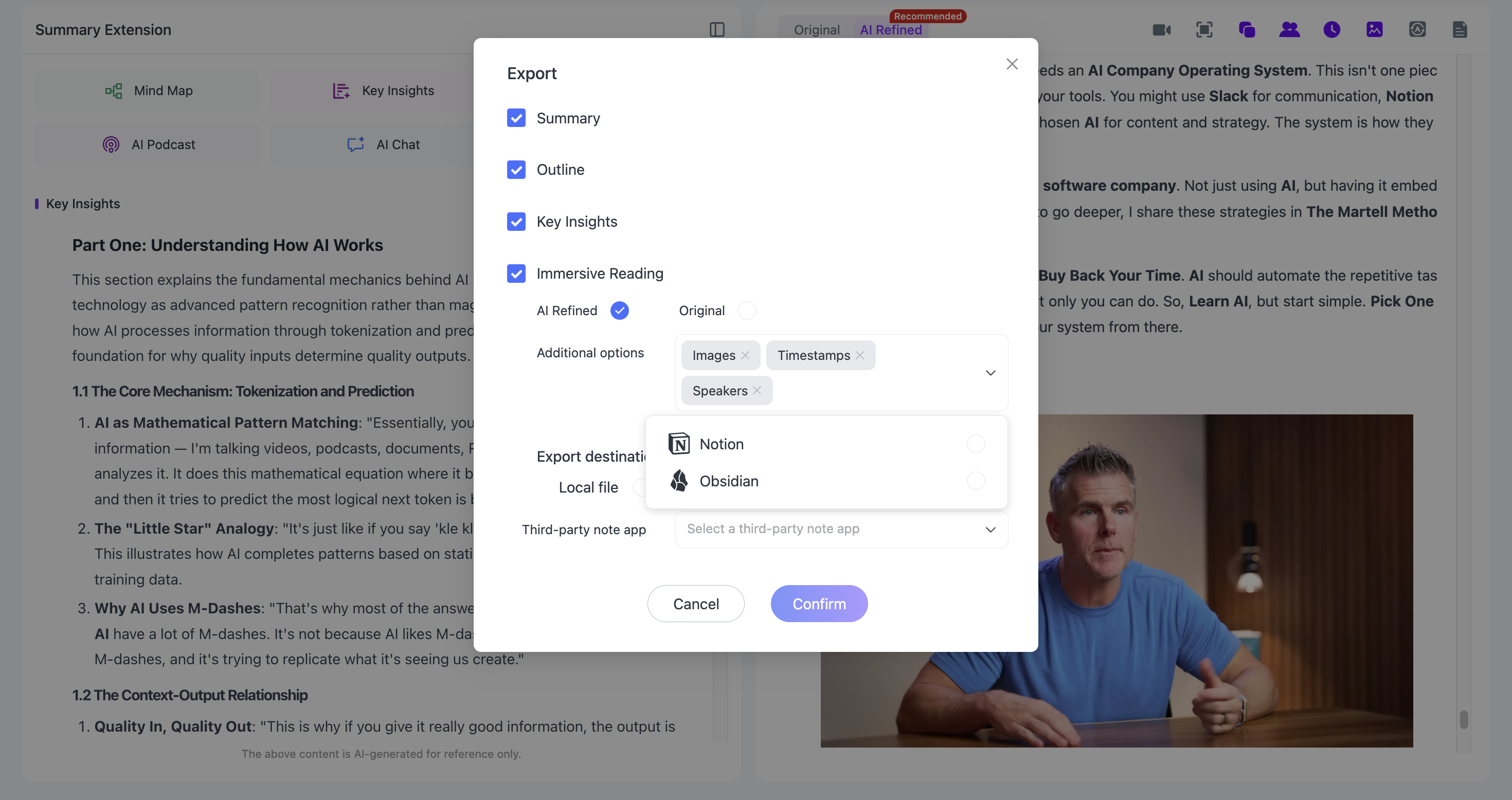
Keep the episode in NoteAi for later search, or bring exported notes into Obsidian or Notion alongside your other research.
What Does a Podcast Summary Look Like?
Here's a practical example of how a long conversation could be organized. This is an illustrative format, not the output of a real podcast test.
Episode: How a Small Software Team Decides What to Build
Overview: A founder discusses how the team gathers customer feedback, makes trade-offs between feature requests, and evaluates whether product changes actually help users.
Key Insights
- Look beyond the feature request. The underlying customer problem can be more useful than the solution someone initially asks for.
- Use examples to interpret feedback. A recurring complaint becomes clearer when the team understands the workflow in which it occurs.
- Prioritize deliberately. Shipping every requested feature can make a product harder to use and maintain.
Examples worth revisiting: A customer interview that changed a product decision; a proposed feature the team chose not to build; a workflow tested before release.
Questions to follow up: What evidence supported the priorities? Which conclusions came from customer interviews? Did the guest give a measurable result?
A note like this gives you a useful overview without losing the questions that would send you back to the recording. Your real summary will, of course, reflect the actual episode you upload.
Go Beyond the Summary When You Need More Detail
Check Quotes with Timestamps and Speaker Recognition
For interviews with more than one guest, speaker-aware transcription helps distinguish who said what. Timestamps make it easier to find an explanation again; the original and polished text views let you choose between accuracy checks and smoother reading.
Speaker recognition can make mistakes when voices overlap or the audio is unclear. If you need a reliable quotation, verify the passage against the audio. Our podcast transcript and AI Q&A guide goes deeper into that workflow.
Ask AI Chat About the Episode
When a summary doesn't answer your question, AI Chat lets you explore the imported recording. For example, ask, “What reasons did the guest give for changing the launch plan?” or “How did the two speakers disagree about customer feedback?”
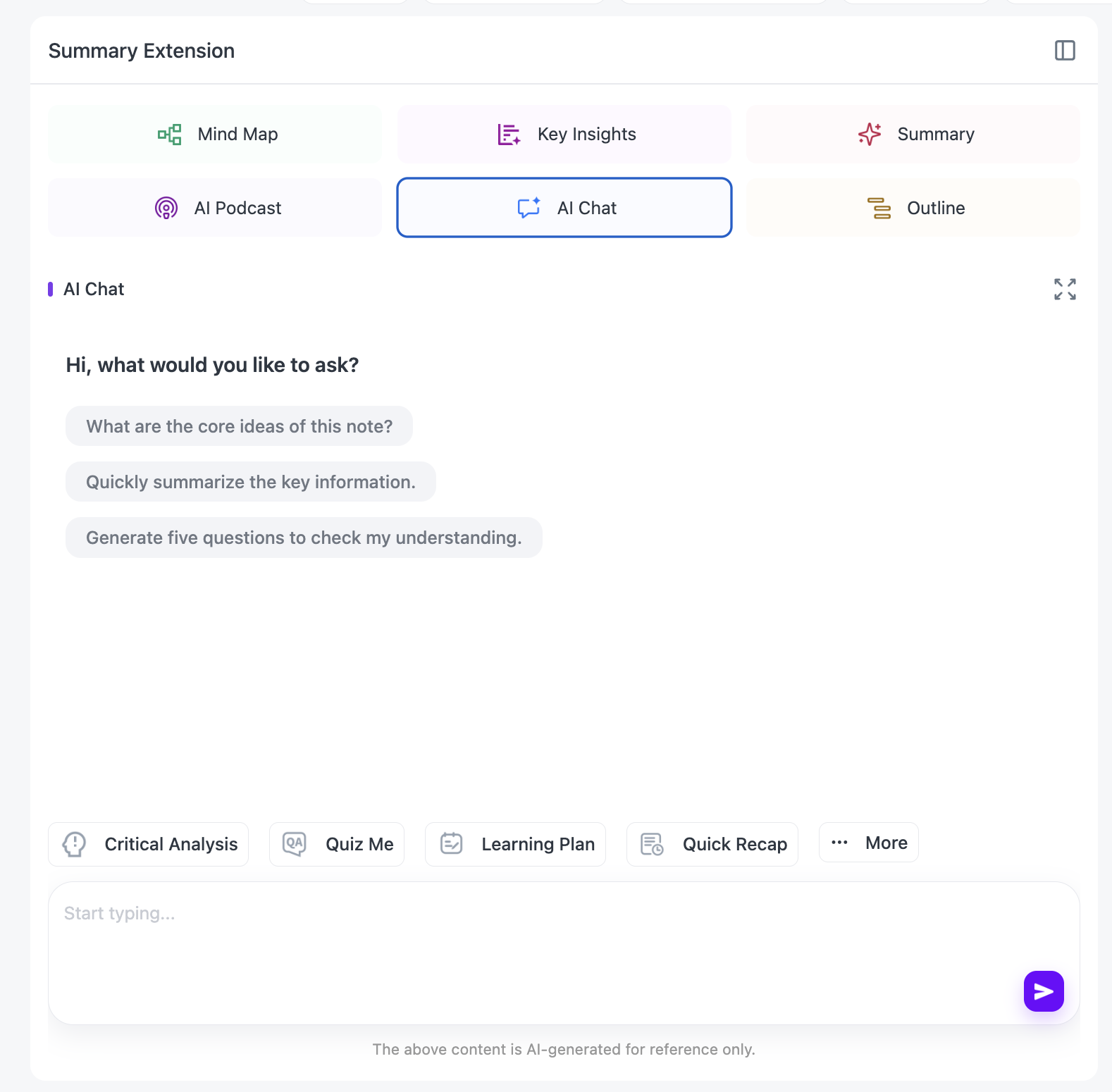
You can also request explanations or review questions based on the episode. Check the transcript when an answer is important to your work.
Explore Topics with Mind Maps and Translation
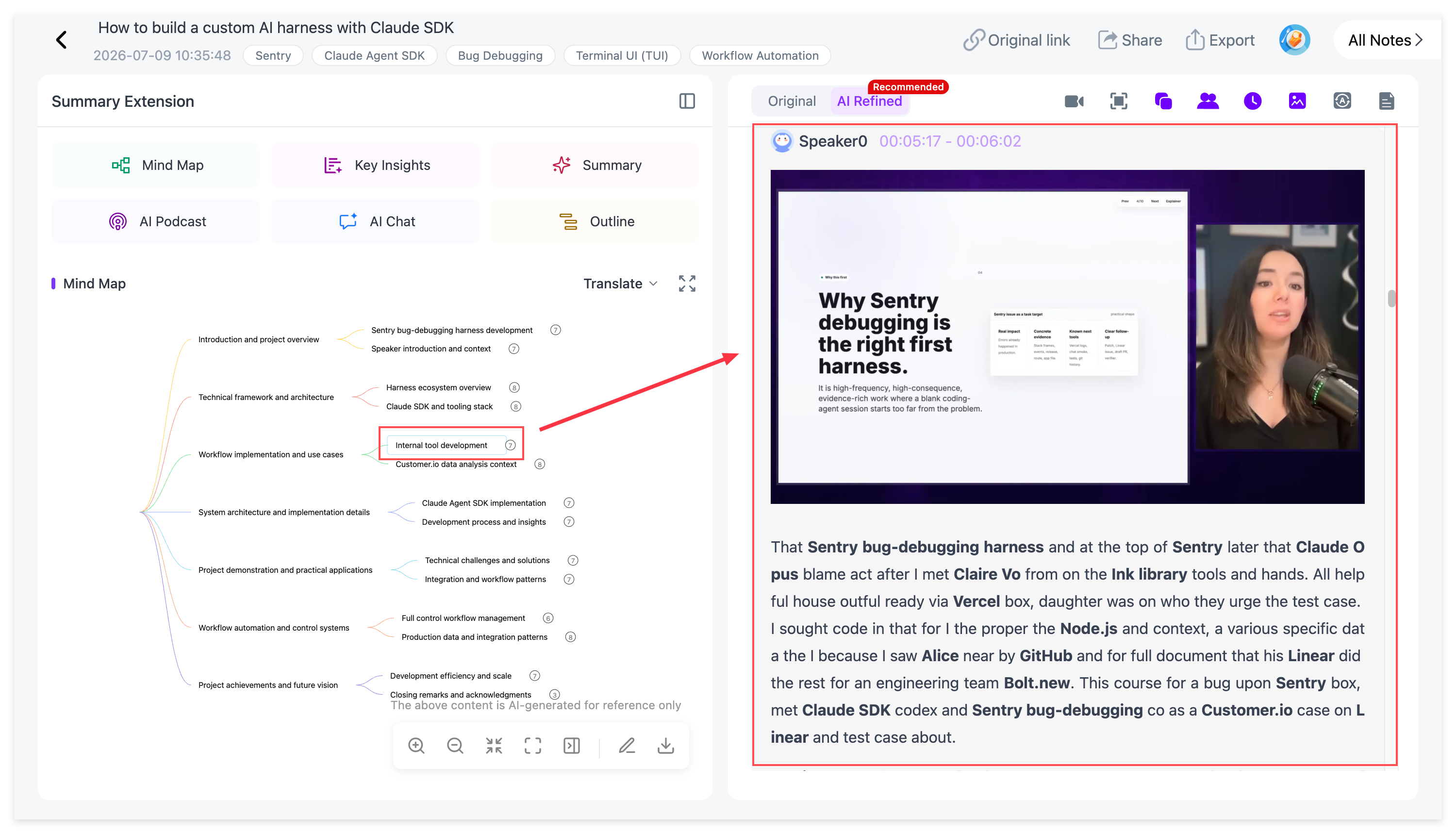
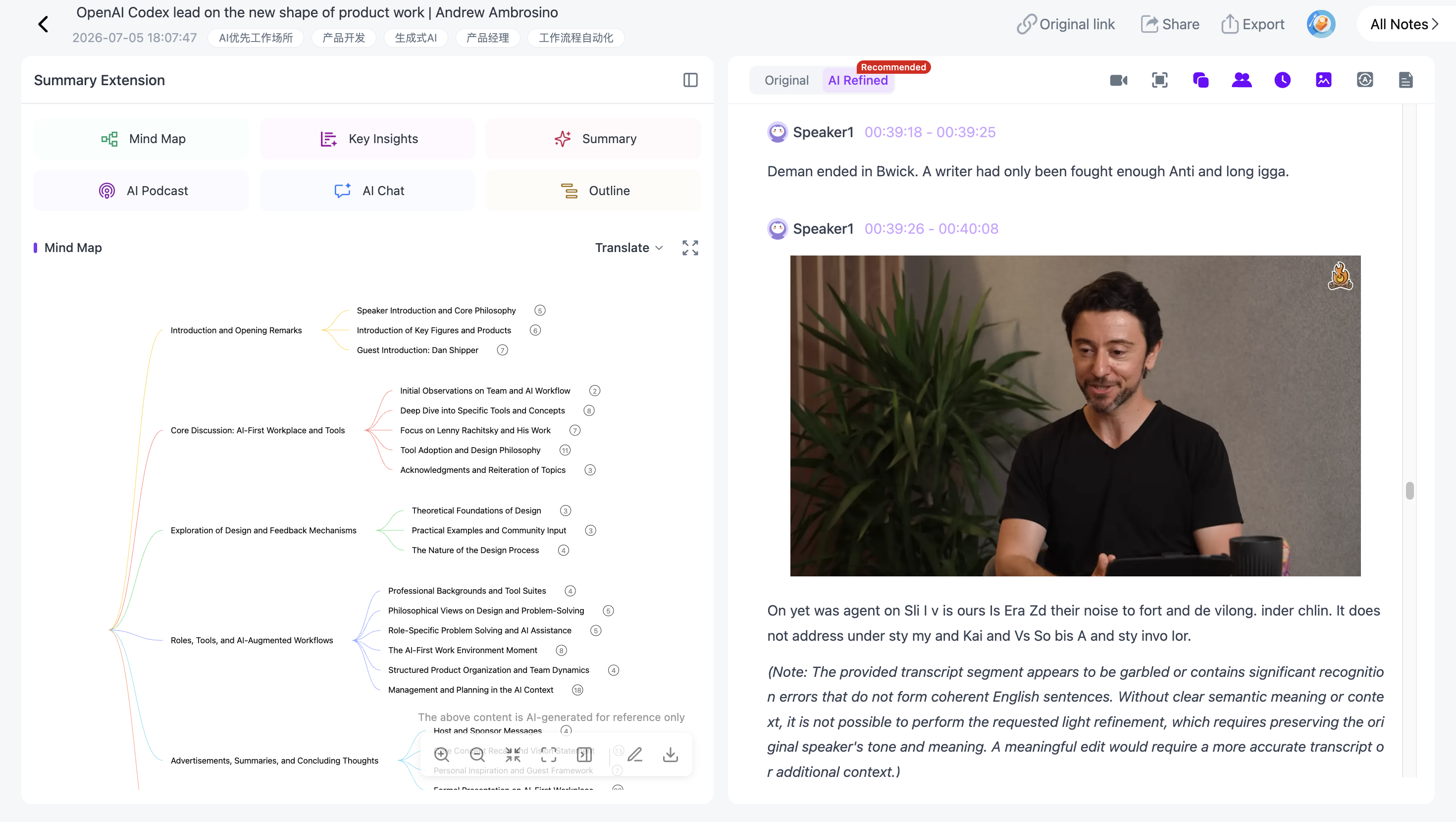
NoteAi can arrange a discussion into an editable Mind Map with topics and subtopics. This is helpful when a podcast moves between several related ideas. For supported source-linked views, you can return from the structure to the relevant part of the recording.
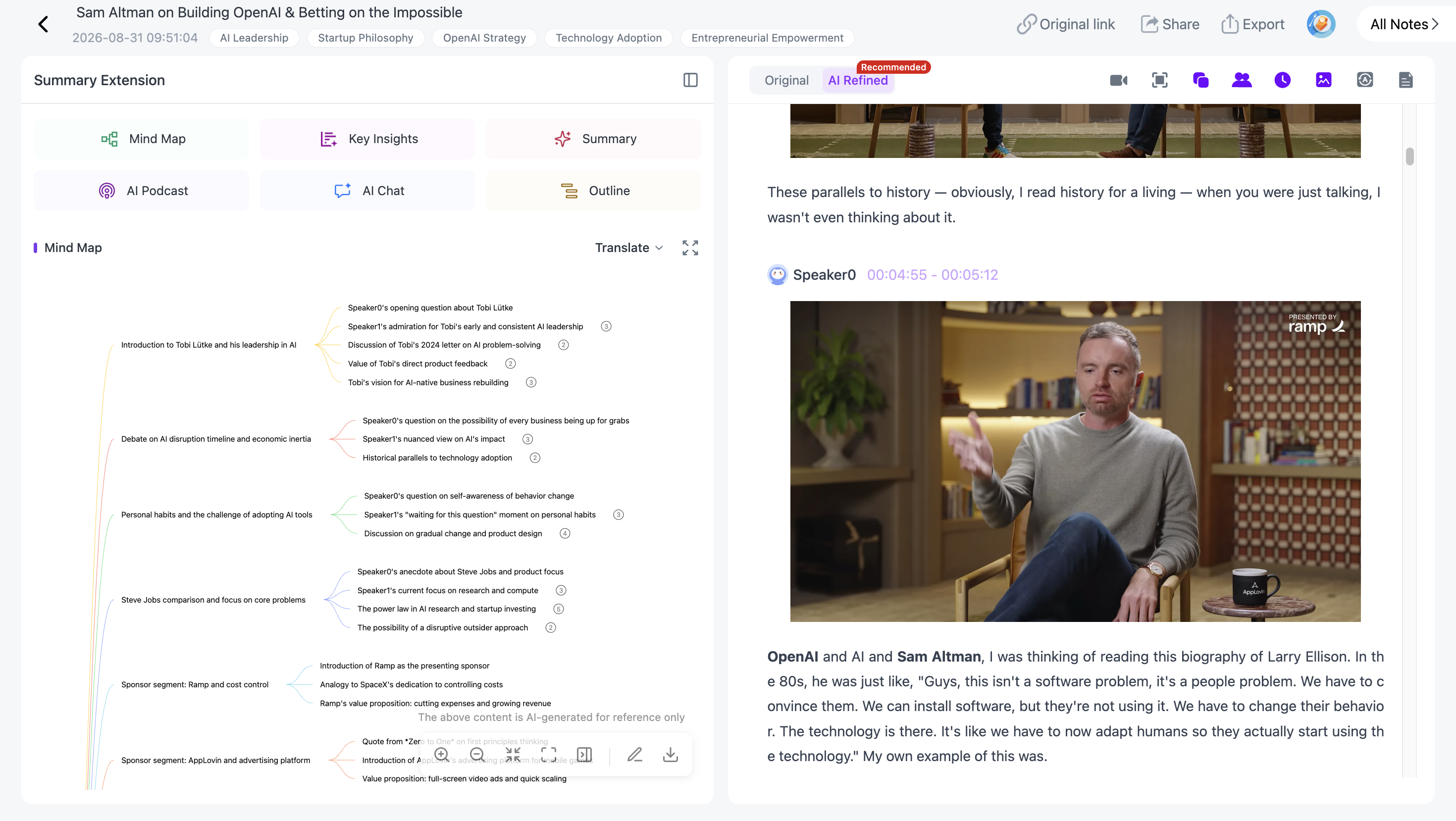
When one branch needs clarification, use the source-linked navigation to check its context rather than rereading the entire transcript.
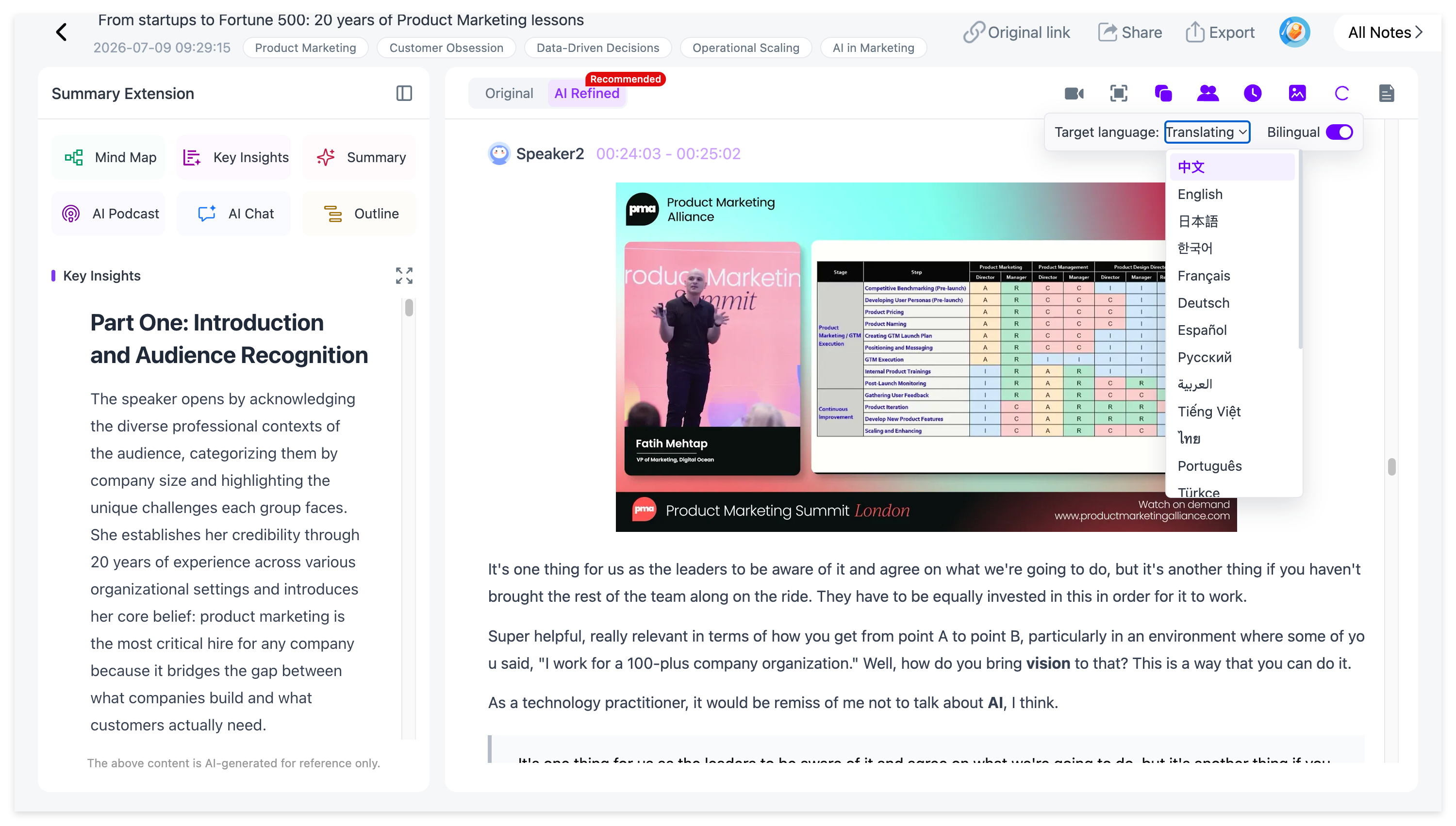
For international podcasts, Smart Translation supports 22 languages and a bilingual view, so you can compare translated passages with the original terminology. This is useful for names, specialist terms and speaker quotations.
Preserve Visual Context in YouTube Video Podcasts
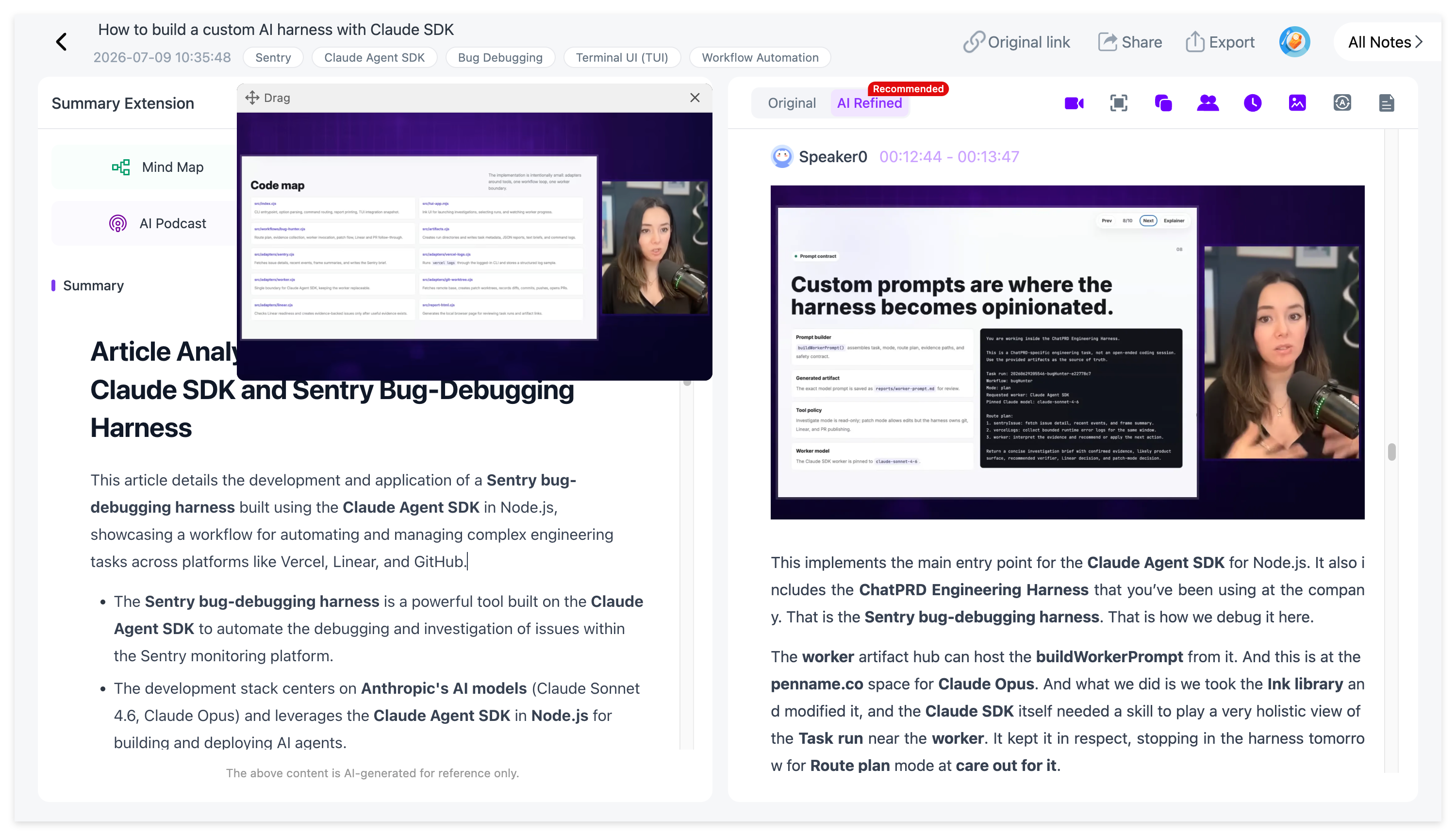
Some podcasts are published as video interviews and include slides, charts or on-screen demonstrations. When the imported source contains video, NoteAi can capture important frames through Visual Notes and keep them beside the related content. This is separate from audio-only podcast summarization: an MP3 or other audio recording has no video frames to extract.
How to Summarize Multiple Podcast Episodes
You can import up to 15 supported items in one batch, subject to plan limits and available credits. This is useful for a podcast series or several interviews about the same subject.
Collect the local audio files or supported YouTube URLs, use batch import, and keep the resulting episodes as separate notes. Start with the Key Insights from each one, then save the episodes you want to study in NoteAi's Personal AI Knowledge Base.
After processing, each interview remains available for its own transcript and summary, which helps you keep attribution clear when comparing sources.
As the collection grows, place saved episodes in topic-based categories so you can find them again without recalling each episode title.
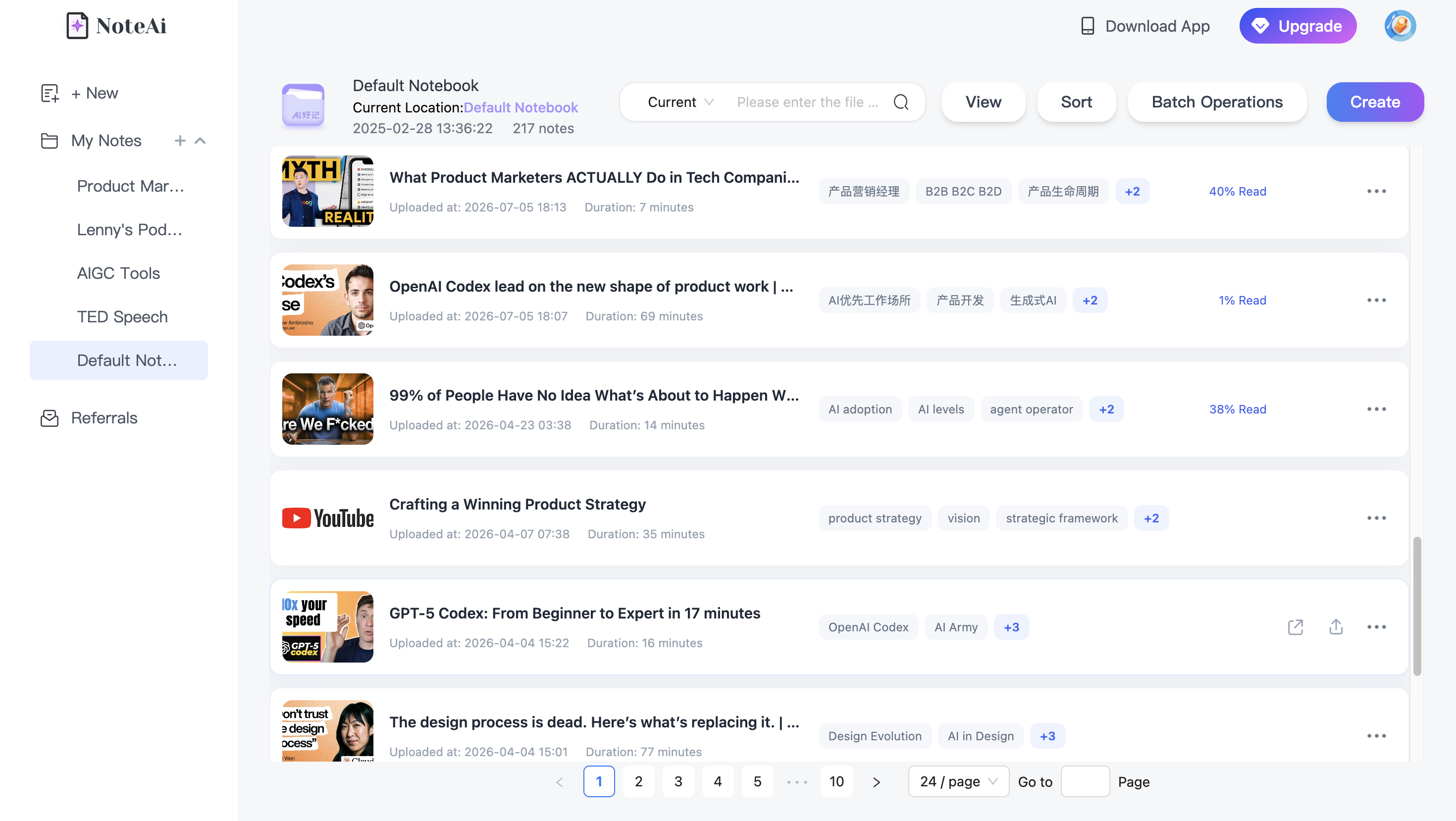
From there, global search helps you find a person, term, or topic in saved notes, while cross-note AI Q&A helps compare what multiple guests said. You can ask, “Which guests talked about customer retention?” or “Where do these interviews disagree?” Return to the individual episode when you need to confirm the source.
For a longer-term setup, see How to Build a Personal AI Knowledge Base from Videos and Podcasts.
Frequently Asked Questions
Can AI summarize a two-hour podcast?
Yes. NoteAi processes supported long-form audio, with a local-file limit of up to seven hours and 4 GB per file. Your plan and available credits determine how much content you can process.
Can I summarize a podcast without writing a transcript first?
Yes. Upload supported audio and NoteAi can transcribe it as part of the summarization workflow. You can then read the summary, Key Insights, or full transcript.
Can NoteAi summarize episodes from Spotify or Apple Podcasts?
Not by pasting Spotify or Apple Podcasts episode links directly. Use an authorized local audio file or a supported YouTube version of the episode instead.
Does NoteAi identify different speakers?
It supports speaker-aware transcription. Names and speaker changes should still be checked against the recording, particularly when people talk over one another.
Can I summarize several podcast episodes together?
Yes. NoteAi supports batches of up to 15 supported items, subject to account allowances. Each episode can be kept as its own searchable note.
Can I translate a podcast and export the notes?
NoteAi supports Smart Translation across 22 languages and exports notes as Word, PDF, Markdown, and HTML. You can keep the original and translated text available for comparison.
Related Reading
- How to Turn a Podcast into a Transcript, Notes, and AI Q&A — For timestamped text, source checks, and questions about the recording.
- How to Build a Personal AI Knowledge Base from Videos and Podcasts — For organizing multiple episodes into a searchable library.
- AI Podcast Generator for Studying: Turn Video Notes into a Two-Host Review — For the reverse workflow: turning existing notes into a new audio-style study discussion.
Final Thoughts
A good podcast summary gives you the main ideas without separating them from the original conversation. With NoteAi, you can upload an episode, scan its Key Insights, shape the notes for your own purpose, and return to the transcript when details matter.
Try NoteAi with a podcast you want to learn from, not just finish listening to.