

YouTube is full of useful lectures, tutorials, interviews, and podcasts, but finding time to watch every video isn't easy. A two-hour lecture might contain only a few sections you need, and going back through the video to find them can take just as long.
What if you could turn a long YouTube video into text, get a quick summary, and save the important information as notes for later?
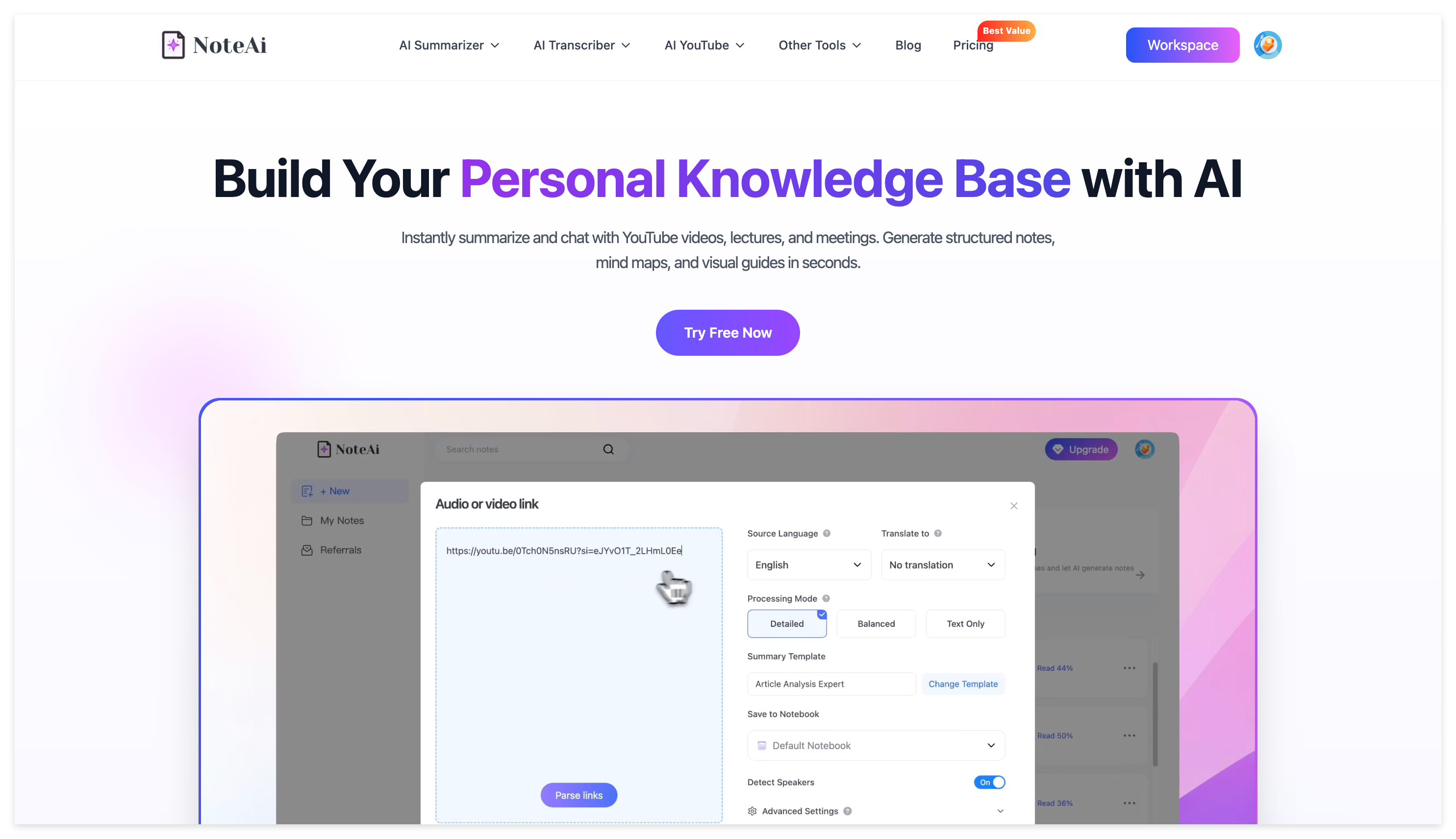
With NoteAi, an AI video summarizer and personal AI knowledge base, you can do exactly that. Simply paste a YouTube link to generate structured summaries, transcripts, Visual Notes, and mind maps without manually taking notes.
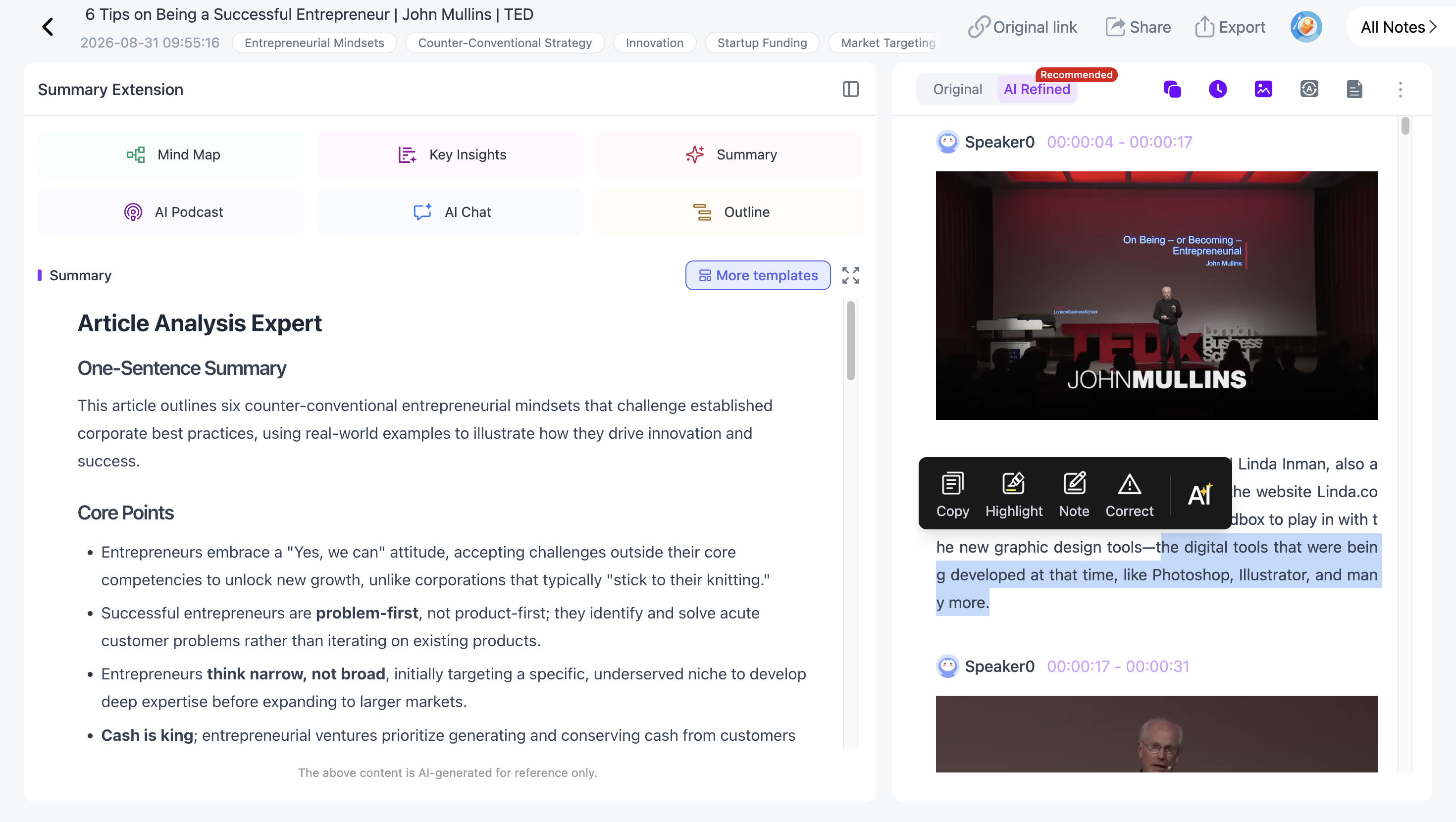
Here's how to summarize long YouTube videos with AI in just three steps.
How to Summarize a Long YouTube Video with AI in 3 Steps
The easiest way to summarize a YouTube video is to copy its URL, paste it into an AI YouTube summarizer, and export the generated notes. With NoteAi, you don't need to download the video, manually extract subtitles, or watch the entire recording first.
Step 1: Copy the YouTube Video Link
Open YouTube and find the video you want to summarize. It could be a university lecture, a coding tutorial, a podcast interview, or a long educational video. Click Share → Copy to copy the video URL.
Next, visit NoteAi, sign in, and open the video link import option.
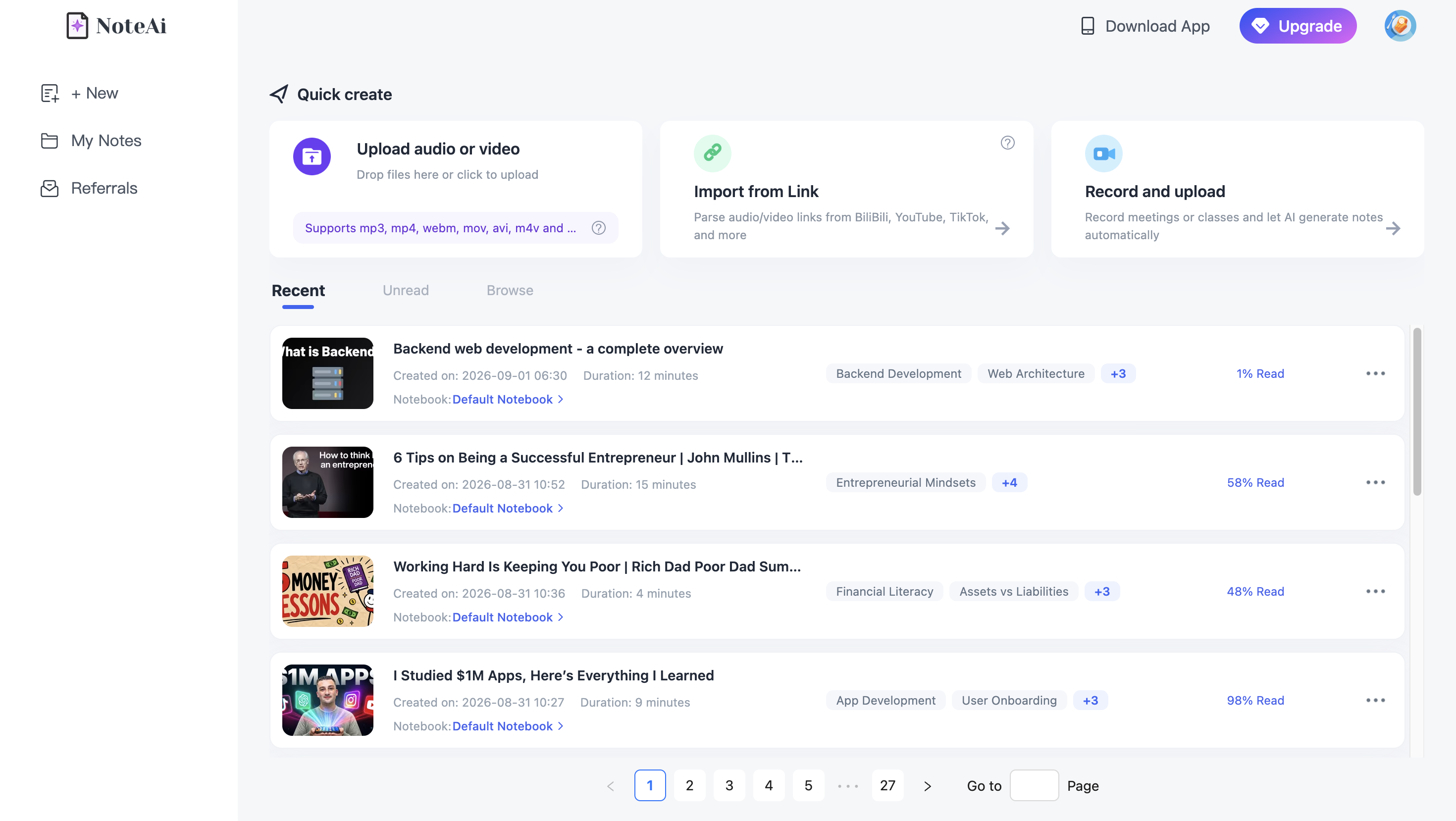
You can start directly with a supported YouTube link, so there's no need to save a large video file to your computer.
Step 2: Paste the Link into NoteAi and Generate a Summary
Paste the YouTube URL into NoteAi and start processing. NoteAi analyzes the video's spoken content and important visual information, then turns it into organized notes.
Once processing is complete, you can access:
- AI Summary: A structured overview of the video's main topics and important ideas.
- Key Insights: The most useful takeaways for quickly understanding the content.
- YouTube Transcript: A full transcript with timestamps for reviewing specific sections.
- Visual Notes: Important slides, charts, and key video frames alongside the relevant text.
- Mind Map: A visual outline of the video's structure and key concepts.
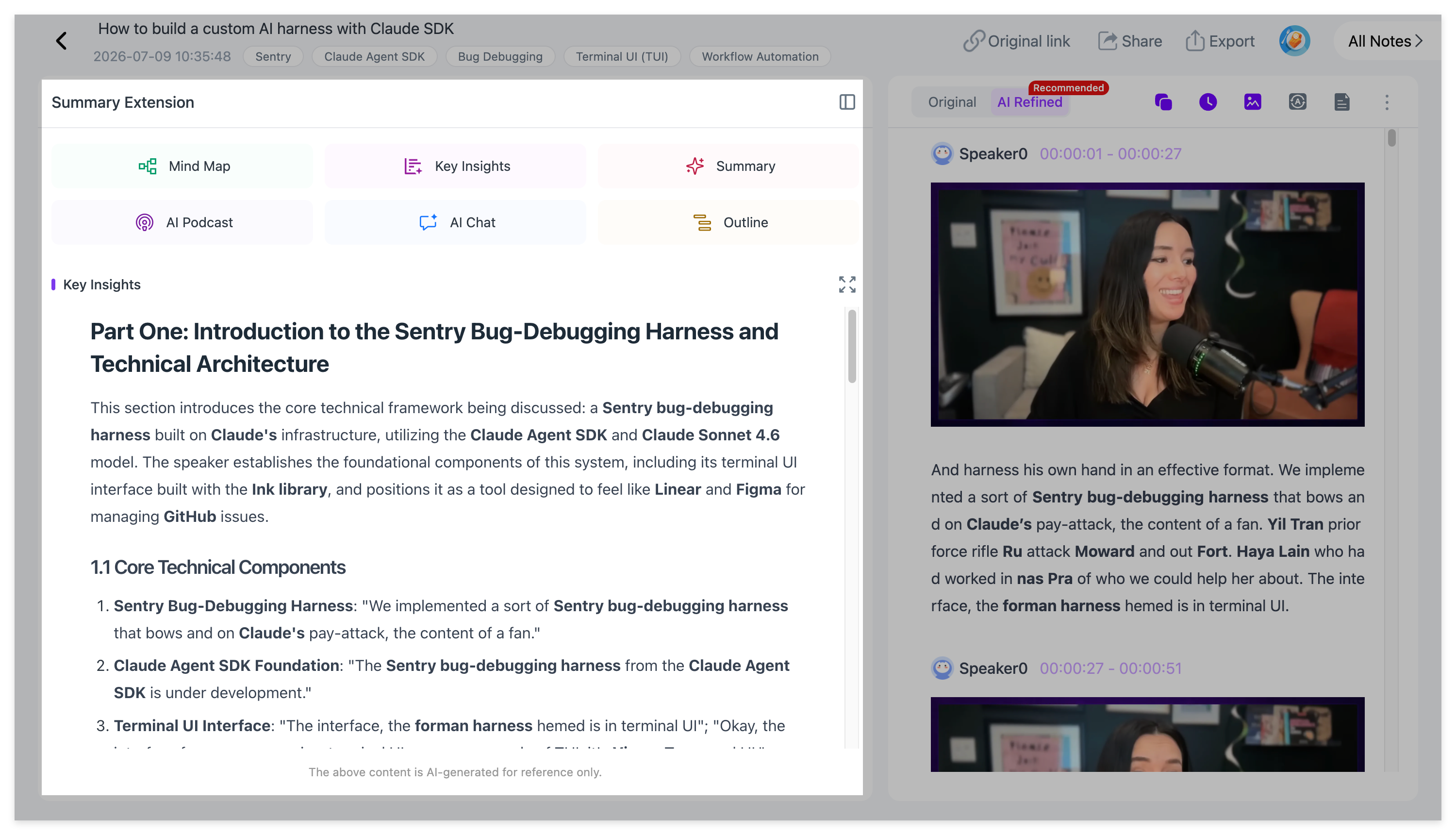
For example, if you're watching a two-hour lecture, you can read the summary and Key Insights first to understand what the lecture covers. Then, open the transcript or jump to a specific section when you need more detail.
This makes it much easier to review long YouTube videos without repeatedly watching the same material.
Step 3: Export Your YouTube Summary and Notes
After reviewing the AI-generated content, you can export the notes for future study, research, or reference.
NoteAi supports several export formats, including:
- Word: For editing and expanding your notes.
- PDF: For saving or sharing study materials.
- Markdown: For organizing notes in a personal knowledge base.
- XMind: For working with exported mind maps.
- HTML: For preserving structured content in a web-friendly format.
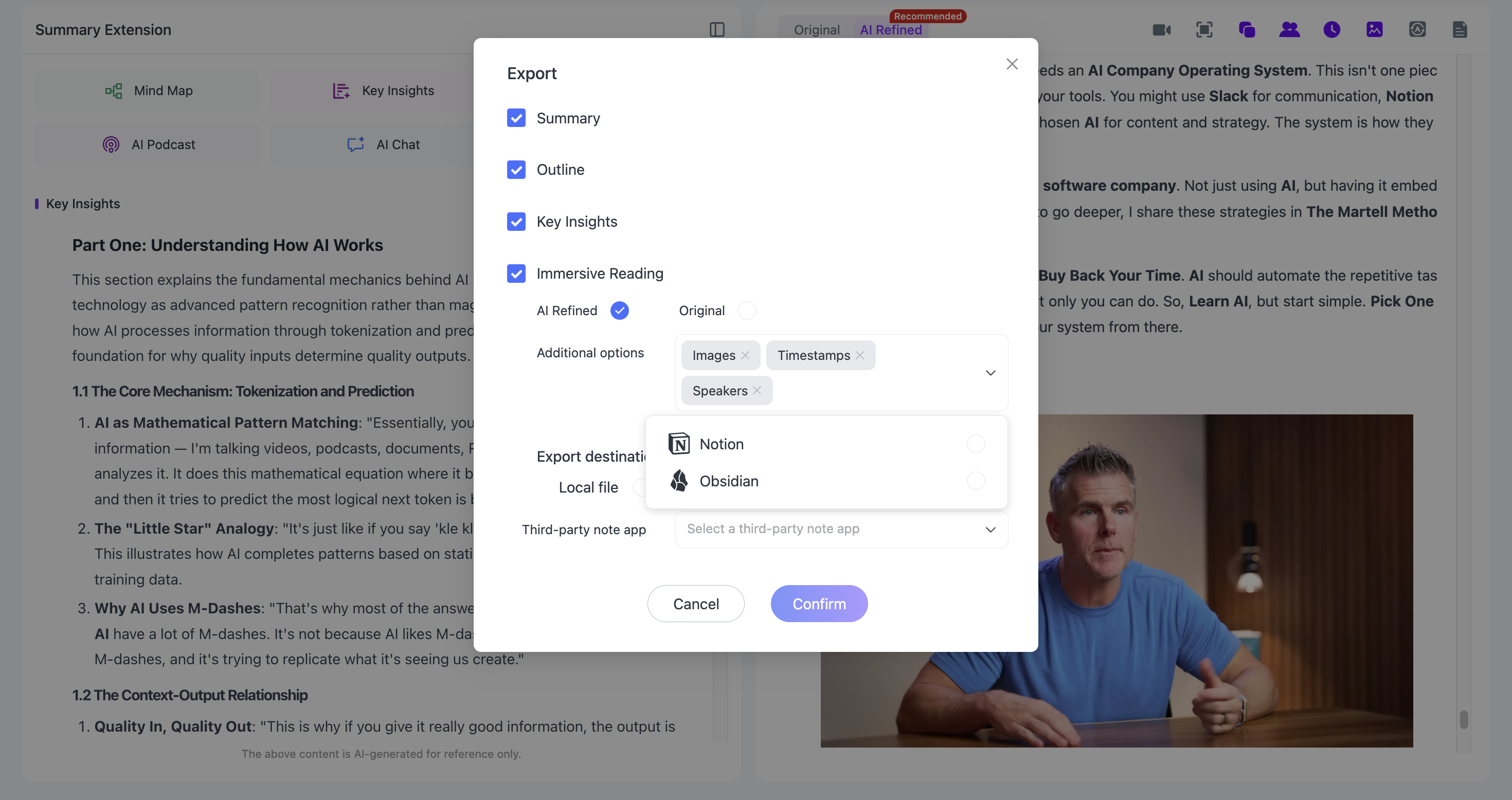
For longer-term organization, bring your notes into Notion or Obsidian. Markdown is particularly useful when you want to link a lecture to related concepts or research notes.
That's it. You've turned a long YouTube video into a summary, transcript, and reusable notes in three steps.
Advanced Tips: Get More from Your YouTube Video Summaries
Generating a summary is only the beginning. If you're using YouTube to study, research, or learn new skills, there are several ways to get more value from the same video.
1. Turn YouTube Videos into Text with Timestamps
Sometimes a short summary isn't enough, especially when you need to find an exact explanation, technical term, or quote.
NoteAi generates timestamped transcripts and supports both original and AI-polished text. The original transcript helps you check what was said, while the polished version makes longer recordings easier to read. You can use timestamps to return to the relevant part of the video instead of searching manually.
If you only need raw captions, YouTube Help explains how to view a video transcript. If you want AI transcription with timestamps and a reusable note, our guide to getting a YouTube transcript with timestamps walks through the options.
2. Capture Slides and Key Frames with Visual Notes
A traditional transcript only captures what someone says. But many YouTube lectures and tutorials also contain important diagrams, presentation slides, code, or demonstrations.
NoteAi's Visual Transcription and Visual Notes help preserve this information by placing important video frames alongside the corresponding explanation.
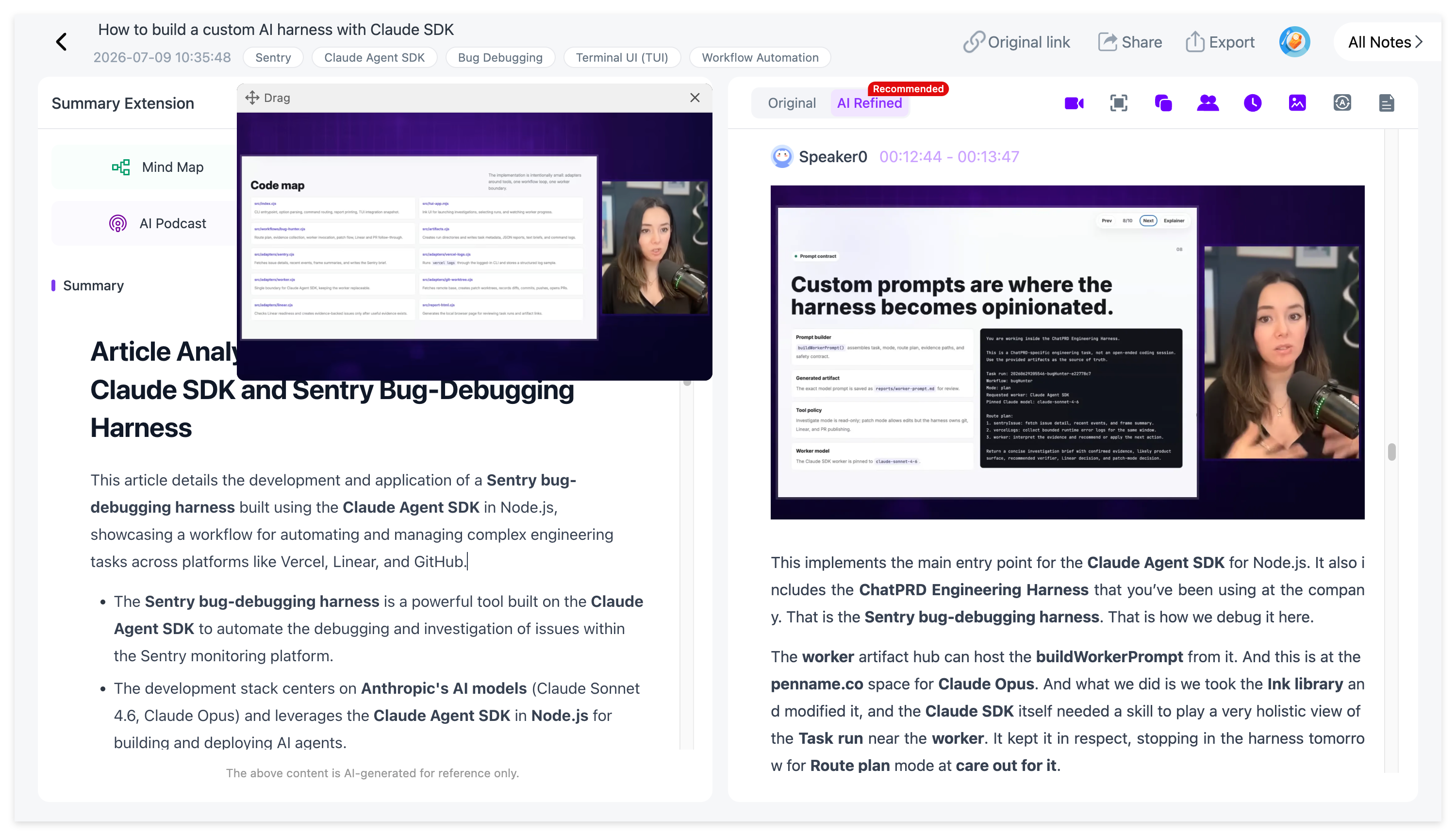
This is particularly useful for online courses, software tutorials, and presentations where understanding the visuals is just as important as reading the transcript.
For a closer look at preserving on-screen information, read Video to Notes: Turn Videos Into Visual Notes With AI.
3. Generate a Mind Map from a YouTube Video
Long videos often cover several interconnected topics. Reading a transcript from beginning to end isn't always the easiest way to understand their structure.
NoteAi can automatically generate an editable Mind Map that organizes the video's main ideas into topics and subtopics.
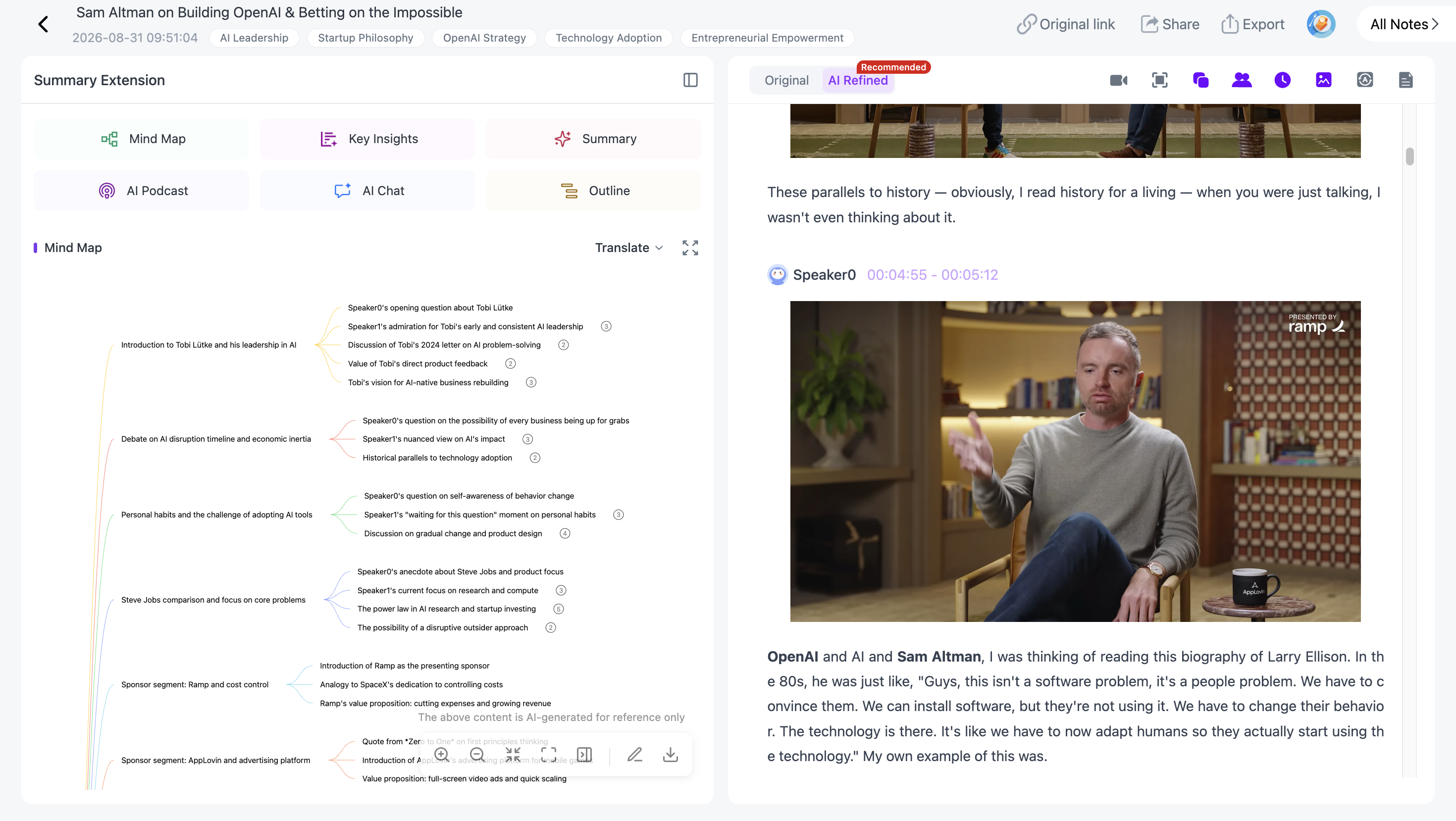
With Smart Sync, you can click a Mind Map node to jump back to the corresponding moment in the original video. This is useful when reviewing a long lecture, preparing for an exam, or trying to understand how different ideas connect.
4. Ask AI Questions About the Video
What if you understand the overall summary but still have questions about a specific section? NoteAi's AI Chat lets you ask follow-up questions based on your imported content.
For example:
- "What are the three main concepts explained in this lecture?"
- "Can you explain the second topic in simpler terms?"
- "Compare the two methods mentioned in the video."
- "Create five review questions based on this lecture."
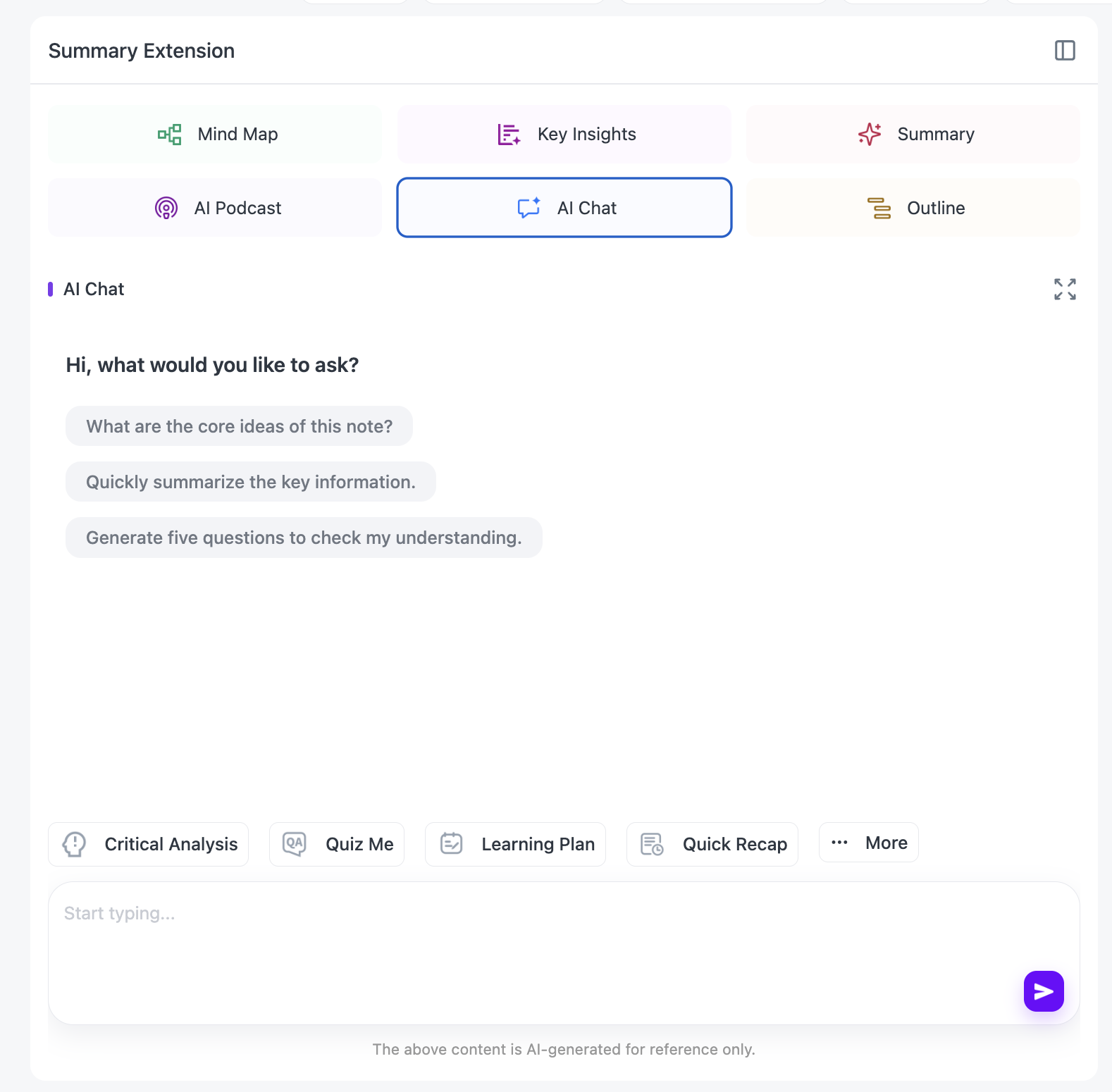
You can also use Summary Templates to organize the information for different purposes, such as lecture notes, research summaries, or study guides. If you would rather listen to a review than read one, our AI Podcast Generator study guide explains how to turn notes into a two-host audio recap. For videos in other languages, NoteAi supports multilingual transcription and translation, including a bilingual reading experience.
How to Summarize Multiple YouTube Videos at Once
If you're following a YouTube course or collecting research videos, processing everything individually can quickly become repetitive.
NoteAi supports batch importing, allowing you to process up to 15 supported links or files in a single batch, subject to your account's available usage limits.
Step 1: Collect Your YouTube Video Links
Copy the URLs of the videos you want to summarize. For example, you might collect several lectures from the same course or multiple tutorials about a particular topic.
Step 2: Import Multiple Videos into NoteAi
Open NoteAi's batch import option and add your YouTube links. Start processing the videos. Each supported video is processed into its own set of notes, including summaries and transcripts.
Step 3: Organize the Summaries in Your Knowledge Base
Once your videos have been processed, you can organize the generated notes into categories based on course, topic, or project.
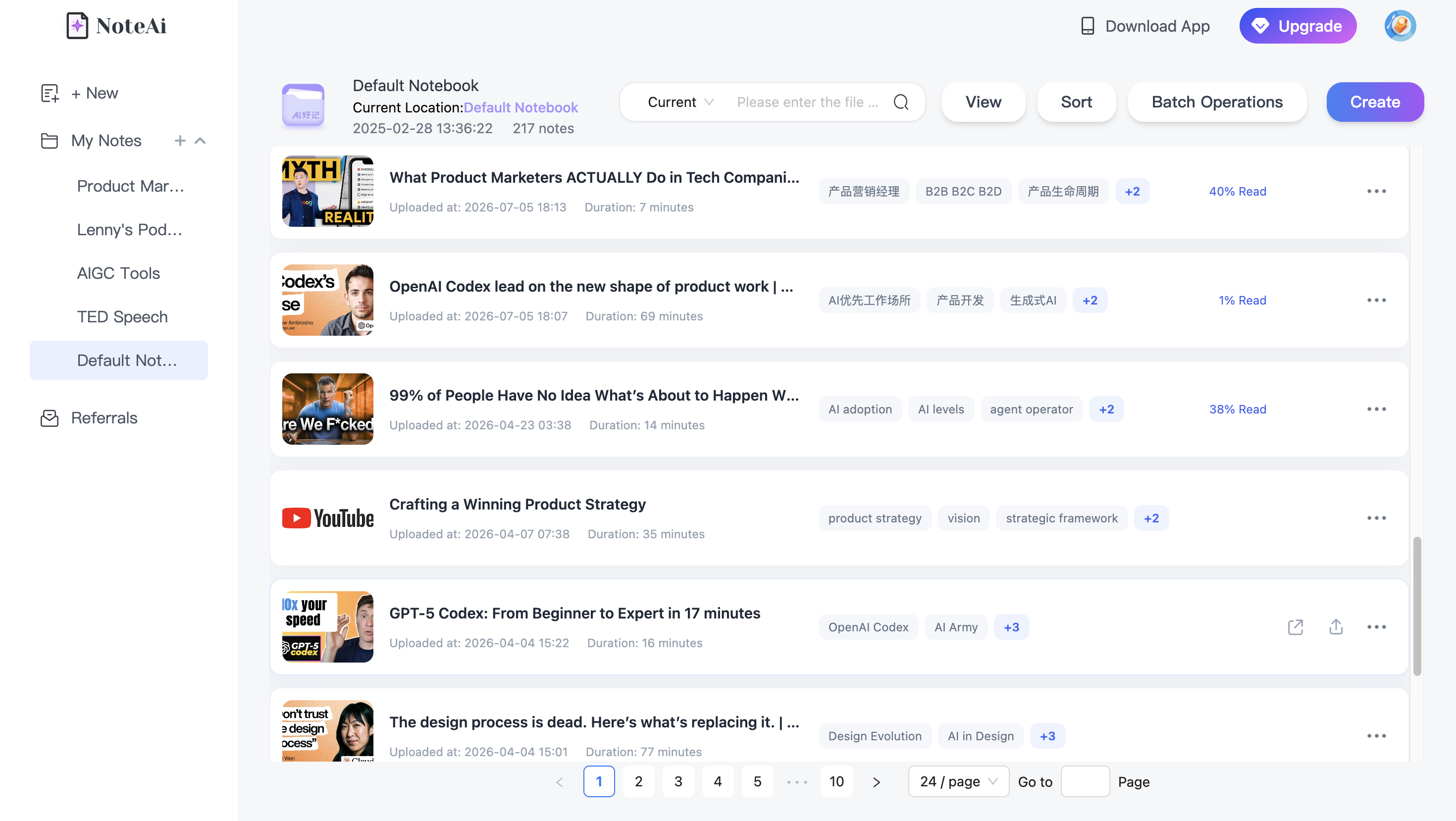
You can revisit the Key Insights, search through saved notes, or use cross-note AI Q&A to explore information from multiple videos. This workflow is especially useful for students reviewing entire lecture series, researchers working with video interviews, and content creators collecting reference material from YouTube.
Frequently Asked Questions
Can AI summarize a 2-hour YouTube video?
Yes. AI video summarizers such as NoteAi can process long supported YouTube videos and turn their content into structured summaries, timestamped transcripts, and study notes. Actual availability depends on video access and account limits.
Can I summarize a YouTube video without watching it?
Yes. You can paste a supported YouTube link into NoteAi to generate a summary and transcript without watching the entire recording first. You can then return to specific sections whenever you need more context.
Can I get a YouTube transcript without downloading the video?
Yes. NoteAi can generate transcripts directly from supported YouTube URLs. You don't need to download the original video file first.
Can AI summarize YouTube videos that contain slides and diagrams?
Yes. NoteAi's Visual Notes feature can capture important slides, diagrams, and key frames alongside the text, helping preserve visual information that a text-only summary might miss.
Can I summarize multiple YouTube videos with AI?
Yes. NoteAi supports batch importing up to 15 supported items at a time. You can summarize multiple videos and organize the results in your personal knowledge base.
Can I export YouTube summaries to Notion or Obsidian?
Yes. NoteAi supports exporting structured notes in formats such as Markdown and provides workflows for organizing notes in Notion and Obsidian.
Related Reading: More YouTube Learning Guides
Once you have tried the three-step workflow, these earlier NoteAi guides can help you choose a tool, capture more detail, or build a longer-term study system:
- 6 Best YouTube Summarizers in 2026: Which One Is Actually Worth Using? — Compare options for quick summaries, transcripts, and deeper learning.
- 5 Best AI Lecture Summarizers for Students in 2026 — Find a workflow that fits recorded classes, slides, and exam revision.
- How to Turn YouTube Videos Into Obsidian Notes With AI — Move your best video notes into a connected personal knowledge base.
Final Thoughts
Summarizing long YouTube videos doesn't have to mean watching every minute, copying subtitles, or organizing notes by hand.
With NoteAi, you can copy a YouTube link, generate a summary, and export your notes in just a few steps. And when you want to study further, timestamped transcripts, Visual Notes, Mind Maps, and AI Chat make it easier to explore the content and return to the details that matter.
Try NoteAi and turn your next YouTube lecture, tutorial, or podcast into notes you can actually use.