

Eightify and NoteAi solve two different versions of “I do not want to watch this entire YouTube video.”
Eightify is built for fast YouTube screening: key ideas, timestamped navigation, transcripts, translations and a top-comment overview across web, browser extensions and mobile apps.
NoteAi goes further when the video needs to become a structured note with visual frames, annotations, AI questions, a mind map and long-term organization.
Quick comparison
| Need | NoteAi | Eightify |
|---|---|---|
| Fast YouTube overview | Yes | Core strength |
| Timestamped transcript | Yes | Yes |
| Top-comment overview | No | Yes |
| Visual notes with slides/key frames | Yes | Not the main documented workflow |
| Local audio/video | Yes | YouTube-centered |
| TikTok and Bilibili links | Yes | YouTube-centered |
| Editable mind map with source return | Yes | Not the main documented workflow |
| Cross-note Q&A and knowledge base | Yes | Lightweight compared with a knowledge-base workflow |
| Mobile-first access | Available workflow | A prominent Eightify strength |
| Best fit | Studying and reusing important videos | Deciding quickly whether a YouTube video is worth watching |
This comparison is based on official product pages checked in September 2026, not a controlled accuracy benchmark. Eightify's current features are described on its official website.
Choose Eightify when speed is the whole job
Eightify places the summary close to YouTube and makes it easy to jump to a topic by timestamp. Its top-comment overview is also useful when viewer reaction influences whether you want to spend time on the video.
For casual screening, that simplicity is a strength. You can decide whether the source deserves attention without building a permanent note around it.
Choose NoteAi when the source matters after today
Paste the YouTube link into NoteAi, and the platform turns the spoken audio into original and polished transcripts with timestamps. It then creates a structured summary and Key Insights.
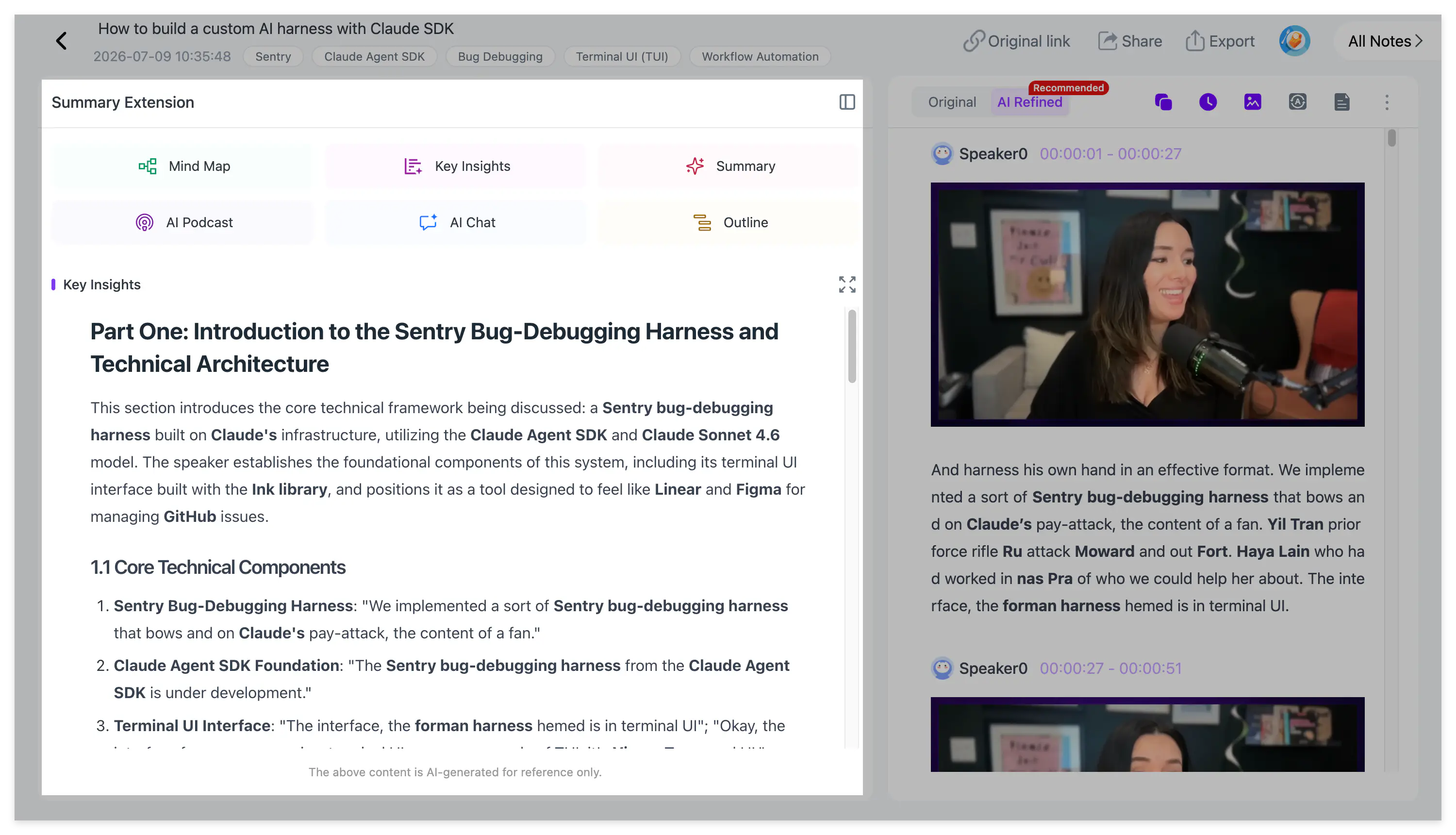
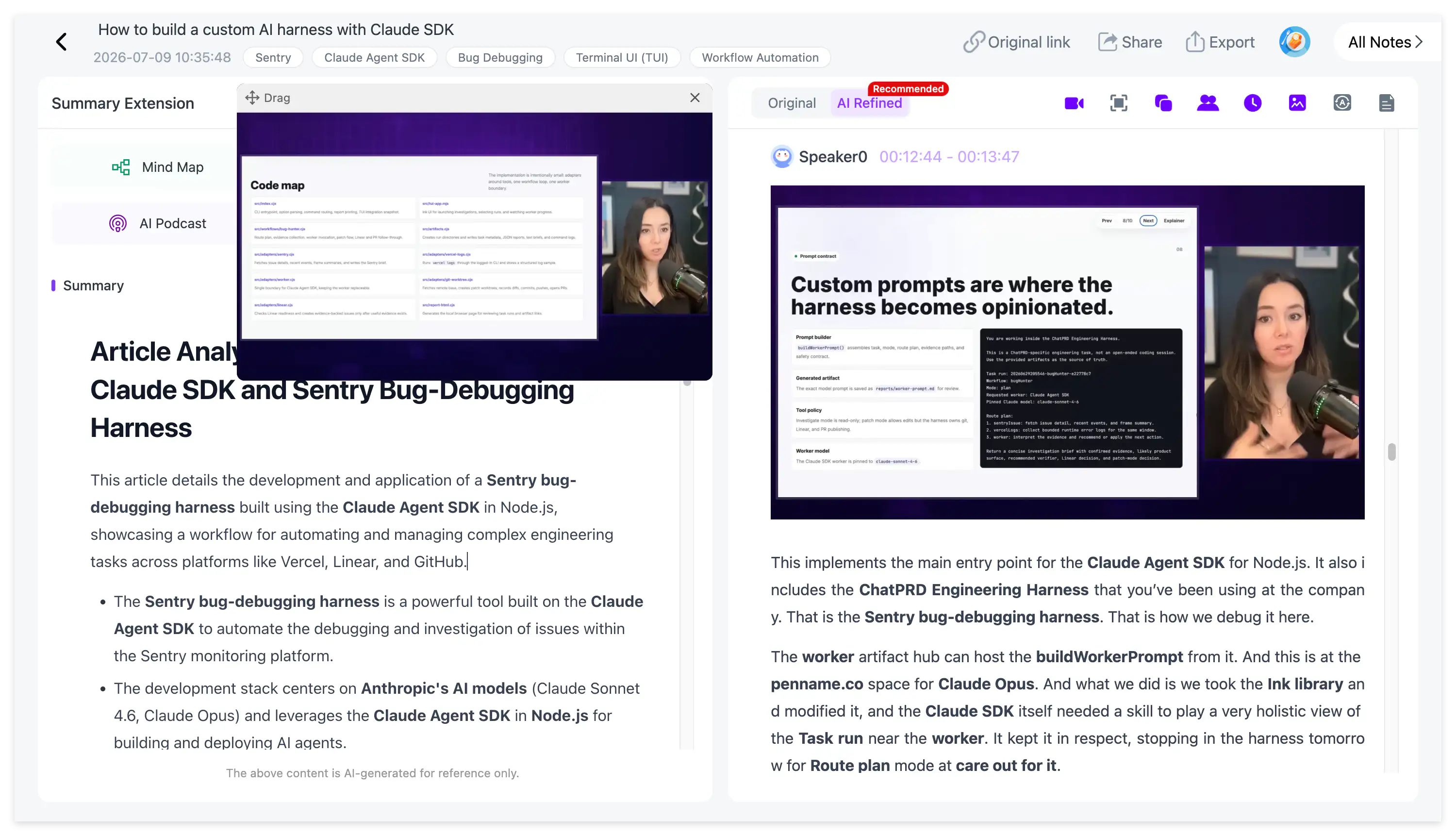
If the source includes slides, charts or a software interface, NoteAi extracts important frames and combines them with the corresponding explanation. Picture-in-picture playback keeps the source available while you read.
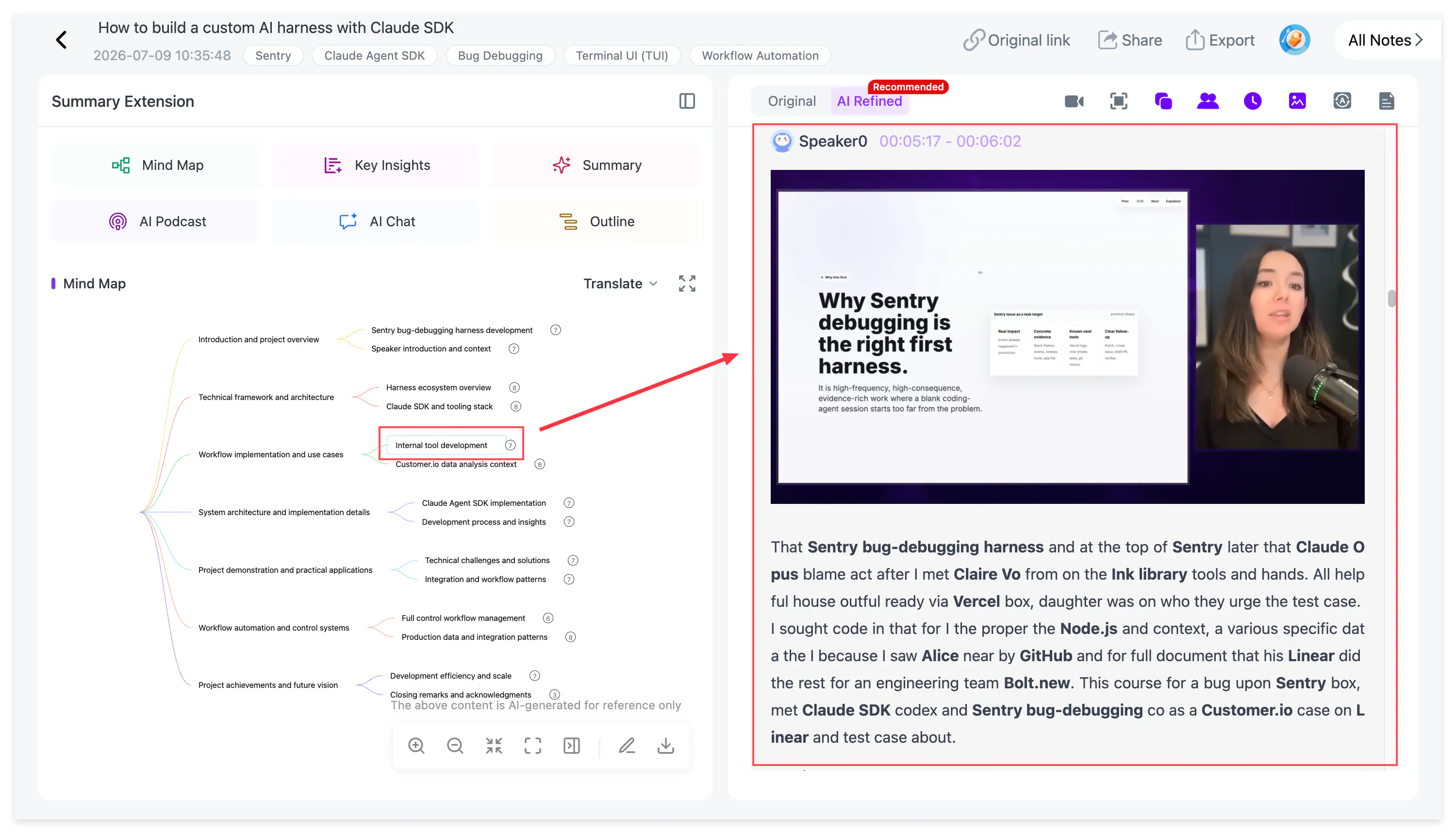
You can highlight a passage, add an annotation and ask AI Chat to explain the section. The editable mind map provides a concept-level view, and Smart Sync returns from a node to its source context.
The decision rule that matters
Use Eightify for watch-or-skip decisions. Use NoteAi for learn-organize-reuse decisions.
That does not make every video a knowledge-base project. A news clip or casual review may need only a quick summary. A lecture, research interview or complex tutorial deserves a transcript, visual context and a path back to the source.
What happens after the note is created?
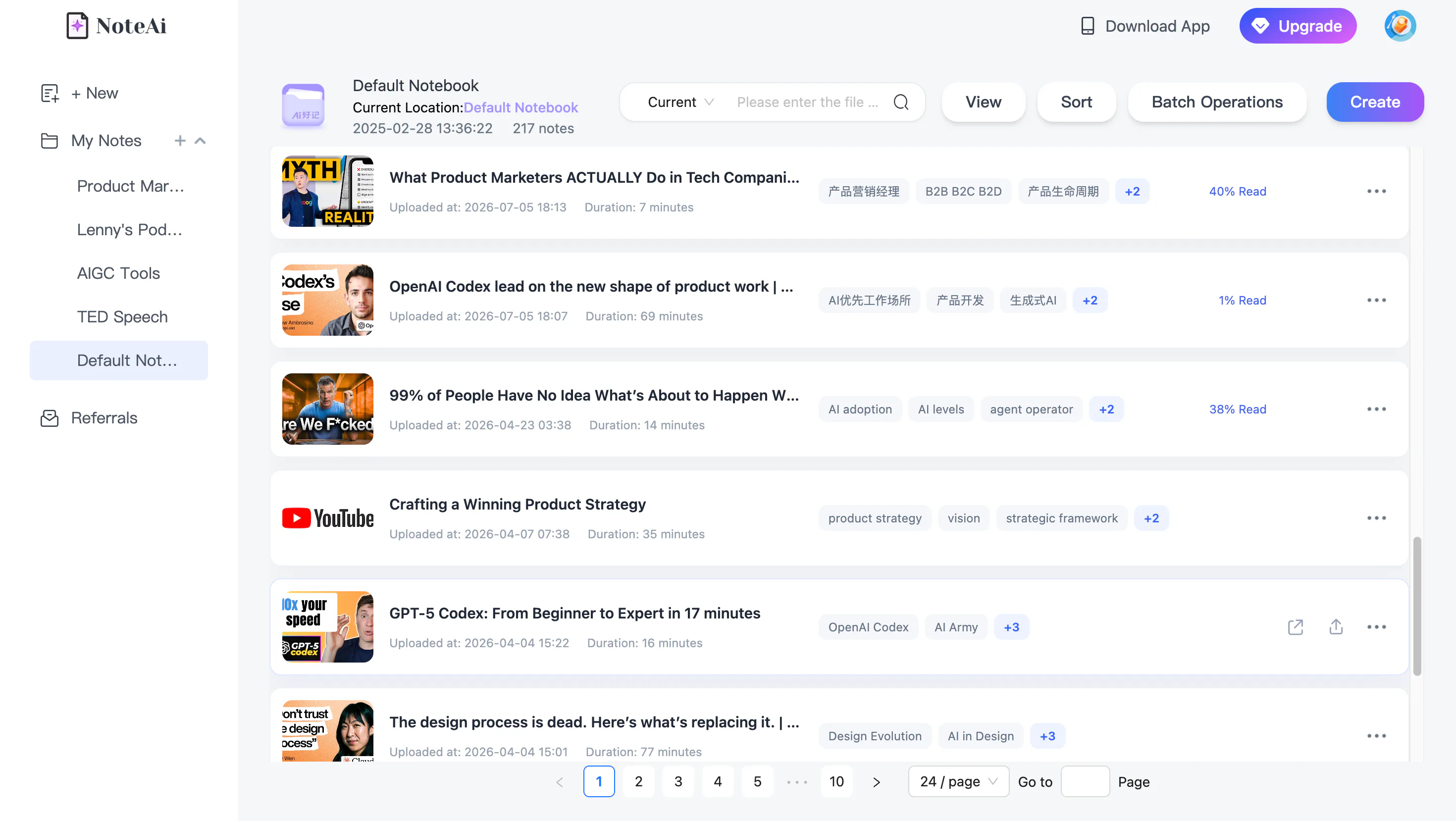
NoteAi can keep processed videos inside a multi-level personal knowledge base with global search, batch management and cross-note Q&A. Notes export as Word, PDF, Markdown or HTML, while mind maps support XMind and several other formats.
For more alternatives beyond this head-to-head comparison, see 6 Best YouTube Summarizers in 2026. For the complete media-to-knowledge workflow, read What Is NoteAi and Who Should Use This AI Note Taker?.
FAQs
Is Eightify better than NoteAi?
Eightify is often the cleaner choice for rapid YouTube screening and top-comment context. NoteAi is the stronger fit when visual learning, source-linked notes and knowledge management are required.
Does Eightify work on mobile?
Yes. Eightify offers iOS and Android apps as well as browser access and an extension.
Does NoteAi support more than YouTube?
Yes. NoteAi supports TikTok and Bilibili links, local audio/video, screen recordings and voice recordings in addition to YouTube.
Which tool should a student use?
Use Eightify to screen optional videos quickly. Use NoteAi when the lecture will become part of exam preparation or a long-term course library.