

Reading a transcript aloud does not automatically create a useful study podcast.
A raw transcript contains repetition, unfinished sentences and references such as “look at this chart,” which make little sense when the screen is no longer visible.
A better process is to organize the source before turning it into audio:
Import the video → review the transcript and summary → keep the important context → generate a two-host discussion → return to the source when something is unclear.
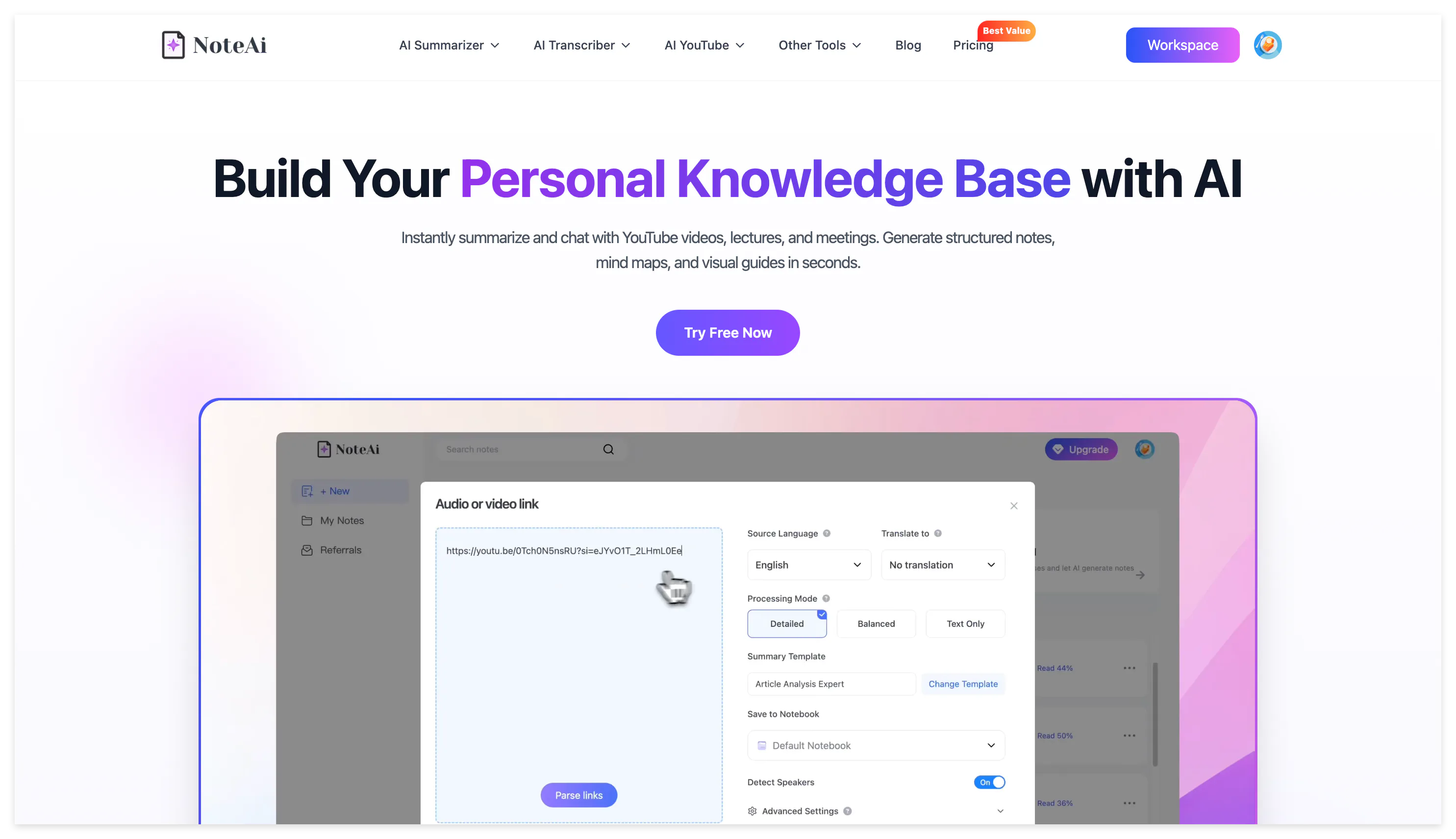
NoteAi turns YouTube, TikTok and Bilibili videos, local media and recordings into structured notes before generating the audio review.
Its AI Podcast feature creates a conversation between two hosts. You can set a name and voice style for each host, then choose Chinese or English as the output language.
What Is an AI Podcast Generator for Studying?
An AI study podcast generator converts learning material into a conversational audio review.
It is different from transcription, text-to-speech and podcast-production software.
| Tool | Main output |
|---|---|
| Speech-to-text tool | A written transcript of recorded speech |
| Text-to-speech tool | A voice reading the supplied text |
| Podcast production tool | Recorded or generated audio prepared for publishing |
| AI study podcast generator | A conversational review based on learning material |
A text-to-speech tool usually follows the supplied text in order. A study podcast reorganizes the main ideas as a discussion between speakers.
That makes it useful for revisiting a lecture or set of notes when reading is inconvenient. It is not a replacement for the original source, especially when understanding depends on charts, code, equations or demonstrations.
How to Turn Video Notes Into a Two-Host AI Podcast
1. Import the video or recording
Open NoteAi and add the source. You can paste a YouTube, TikTok or Bilibili link, upload local video or audio, or create a screen or voice recording.
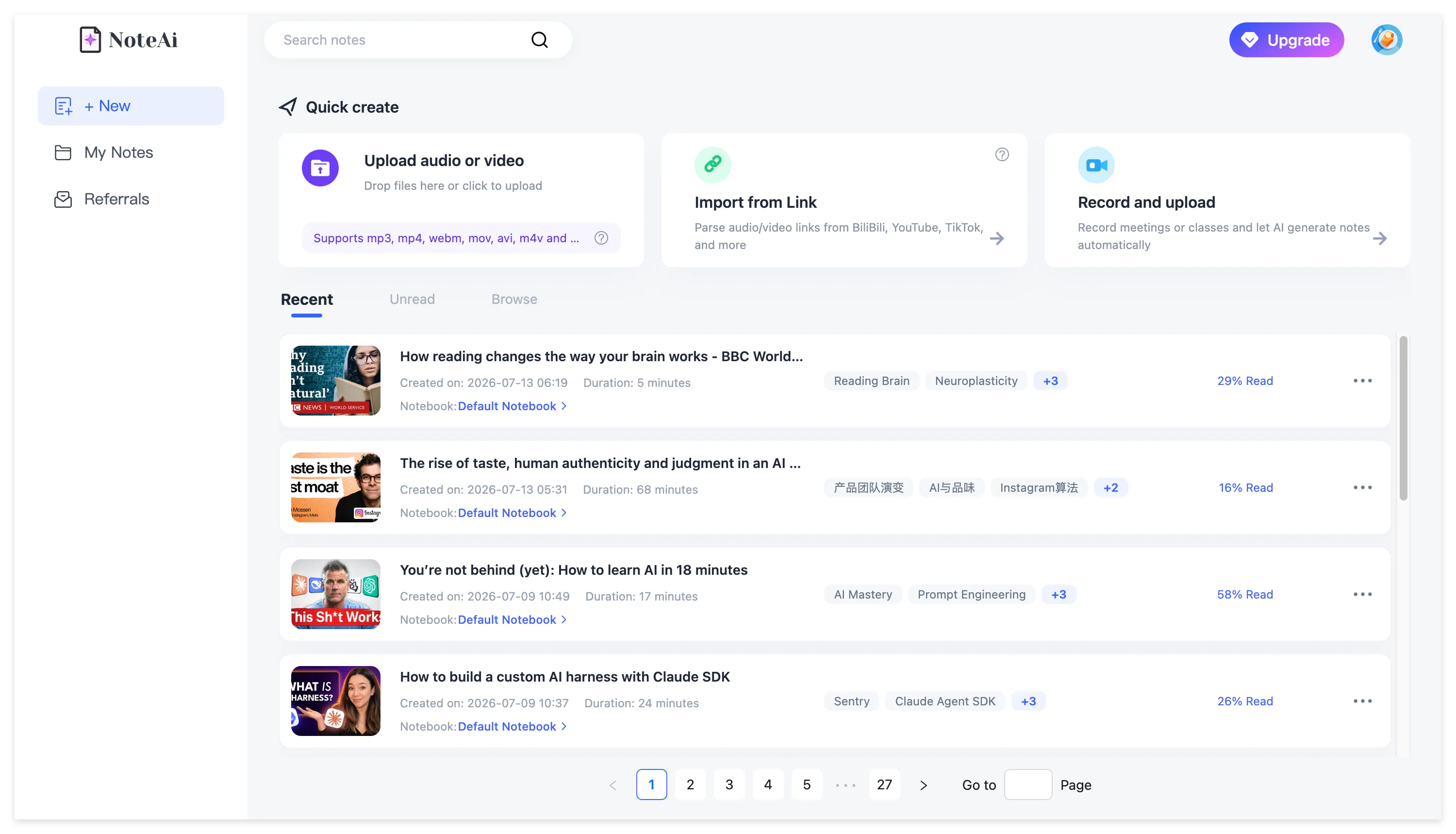
A local file can be up to seven hours long and 4 GB. Up to 15 items can be processed in one batch.
For a course, keep each lesson as a separate note. One focused podcast is easier to review than a single episode that combines several unrelated lectures.
2. Check the transcript and main ideas
After processing, NoteAi provides an original transcript and an AI-polished version.
The original is useful for checking exact wording. The polished version removes some fragmented speech and repetition, making the content easier to read.
Timestamps and speaker identification help locate important statements in lectures, interviews and recorded discussions.
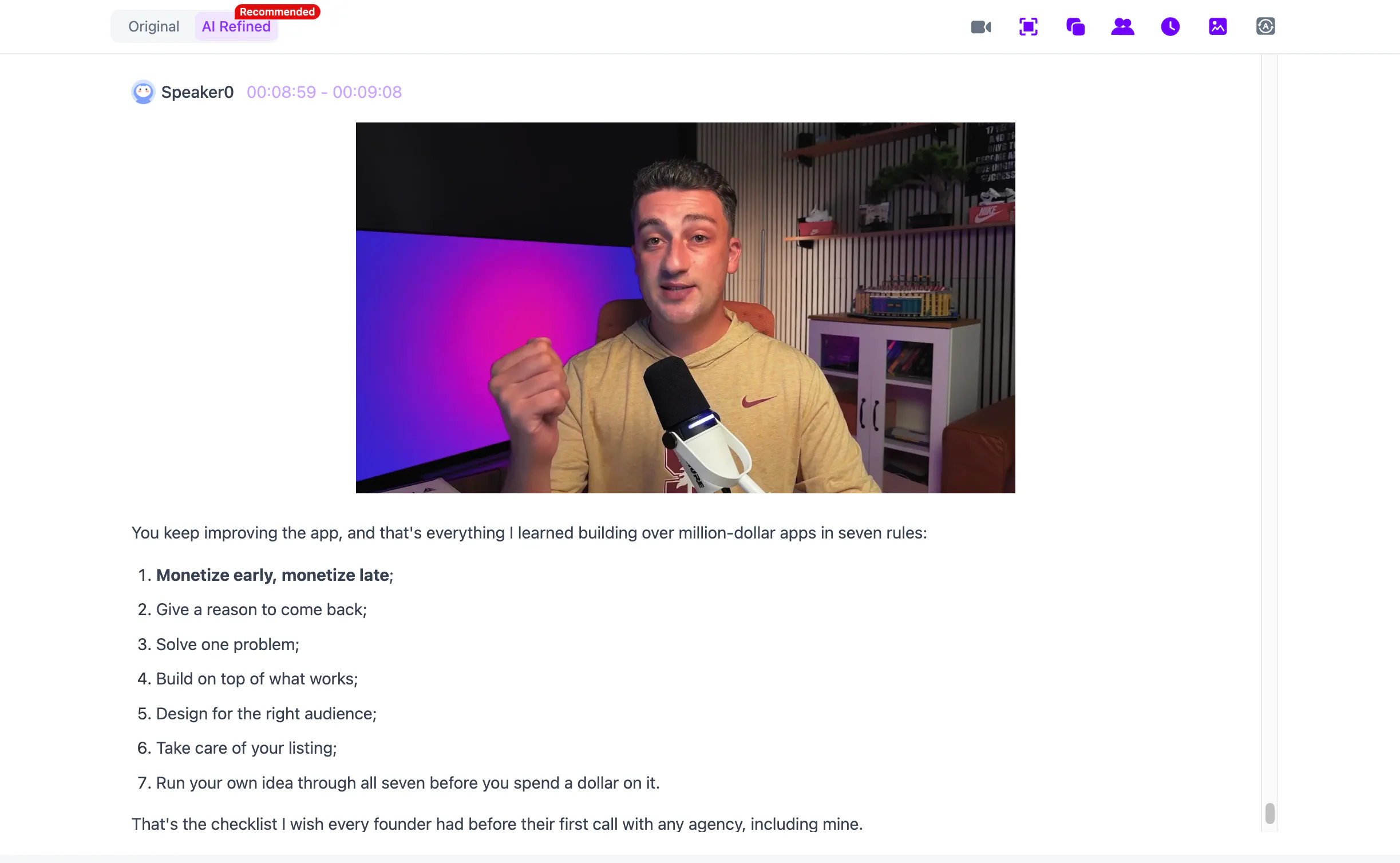
Check names, numbers and technical terms before generating the podcast. An incorrect term in the transcript can also affect the audio discussion.
Open Key Insights to confirm that the central topic and major conclusions have been identified correctly.
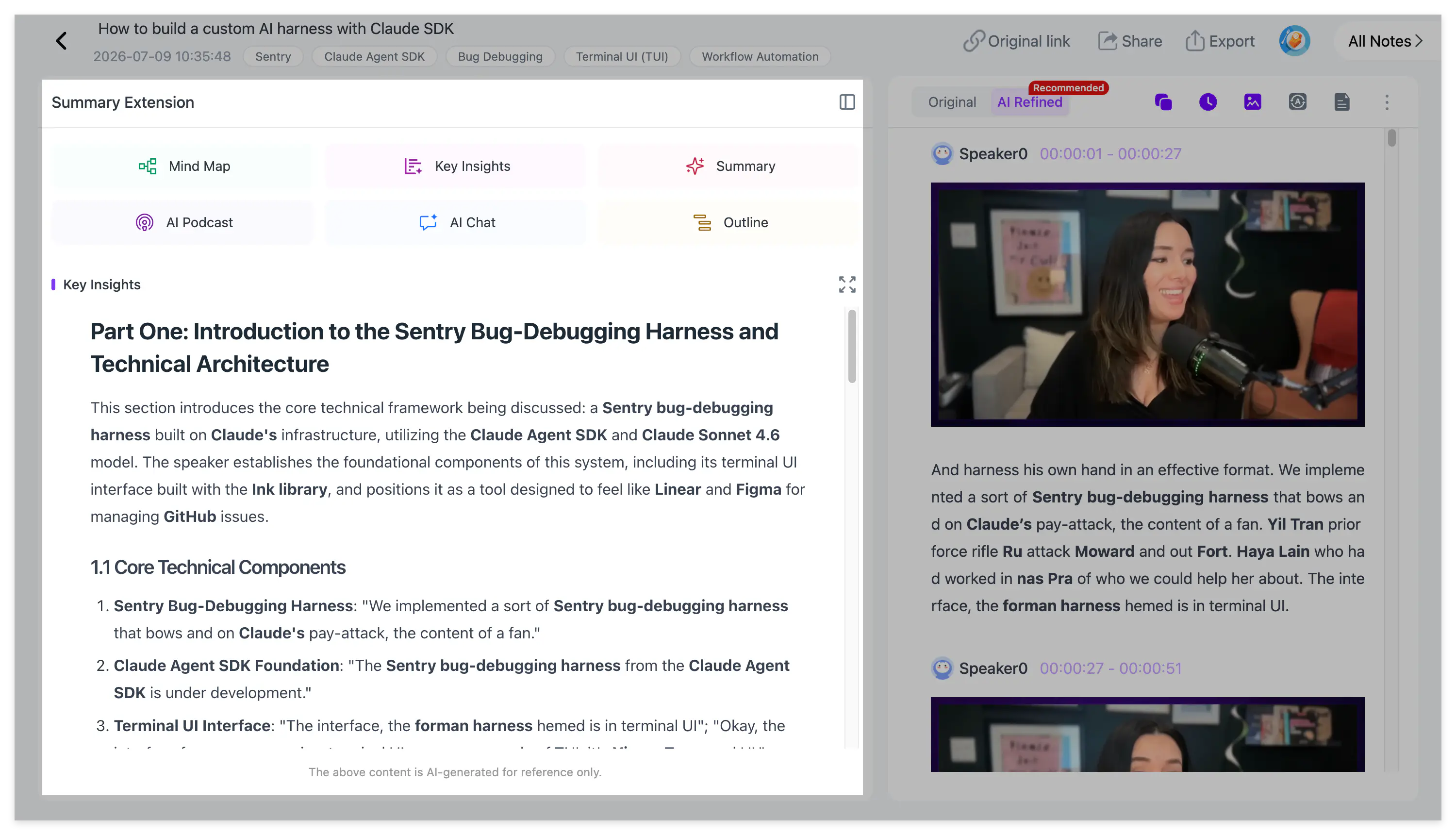
If the default summary does not match your study goal, select a Summary Template or use a custom prompt after processing. For exam review, you may want definitions, relationships and common mistakes. For professional training, you may need steps, decisions and examples.
3. Check visual explanations
Audio cannot display a chart, presentation slide or software interface.
Before generating the podcast, open the visual note and check whether any important idea depends on what appears on screen.
NoteAi extracts PPT slides and representative key frames, then pairs them with corresponding transcript sections.
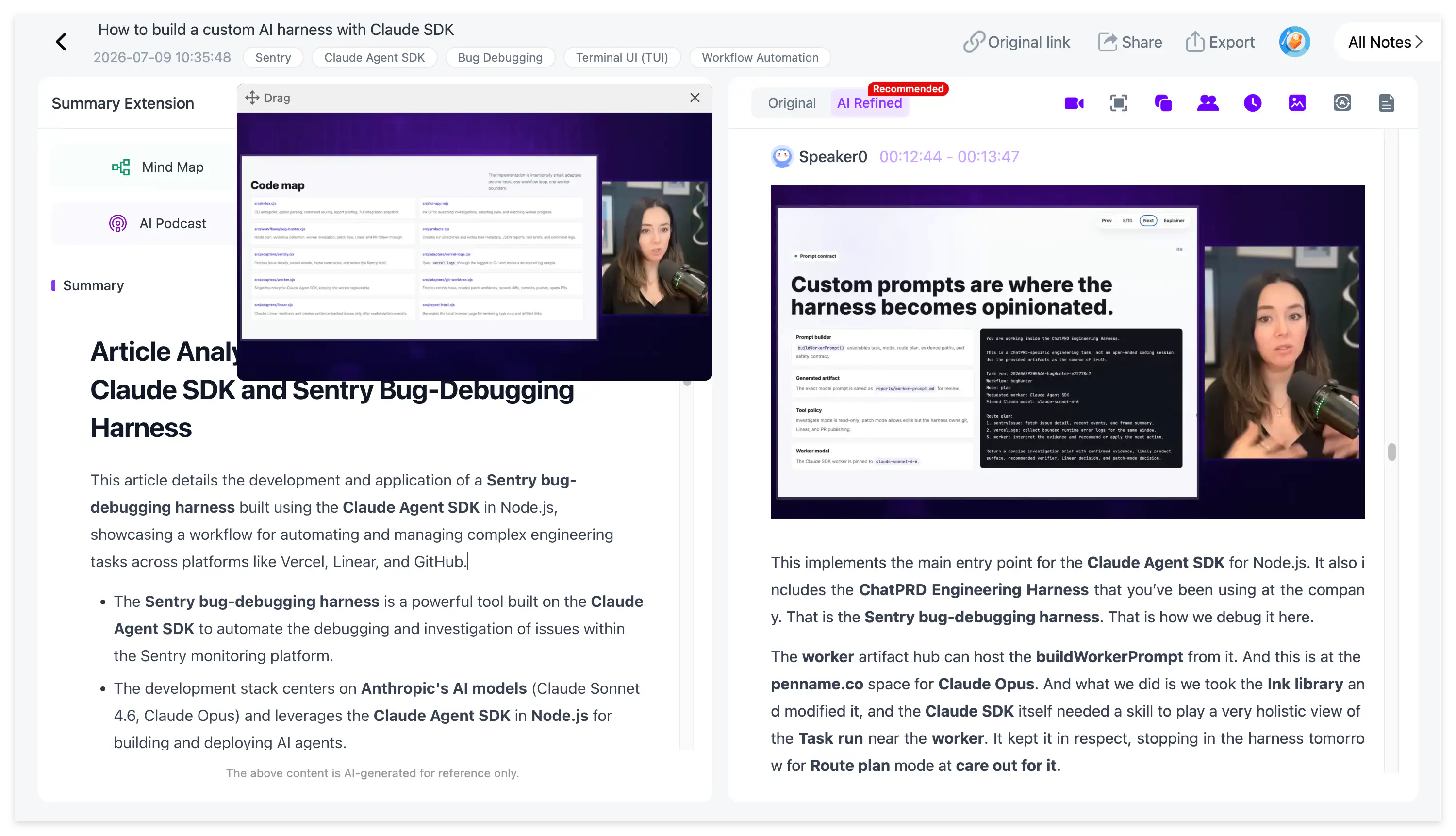
If the transcript says only “the line rises here,” edit the note so the relationship can be understood without the chart. The visual note remains available for details that cannot be explained effectively through audio.
4. Customize the two hosts
Open AI Podcast settings. The generated audio uses two hosts rather than one continuous narrator.
You can customize each person separately:
- set the first host’s name and voice style;
- set the second host’s name and voice style;
- choose Chinese or English output.
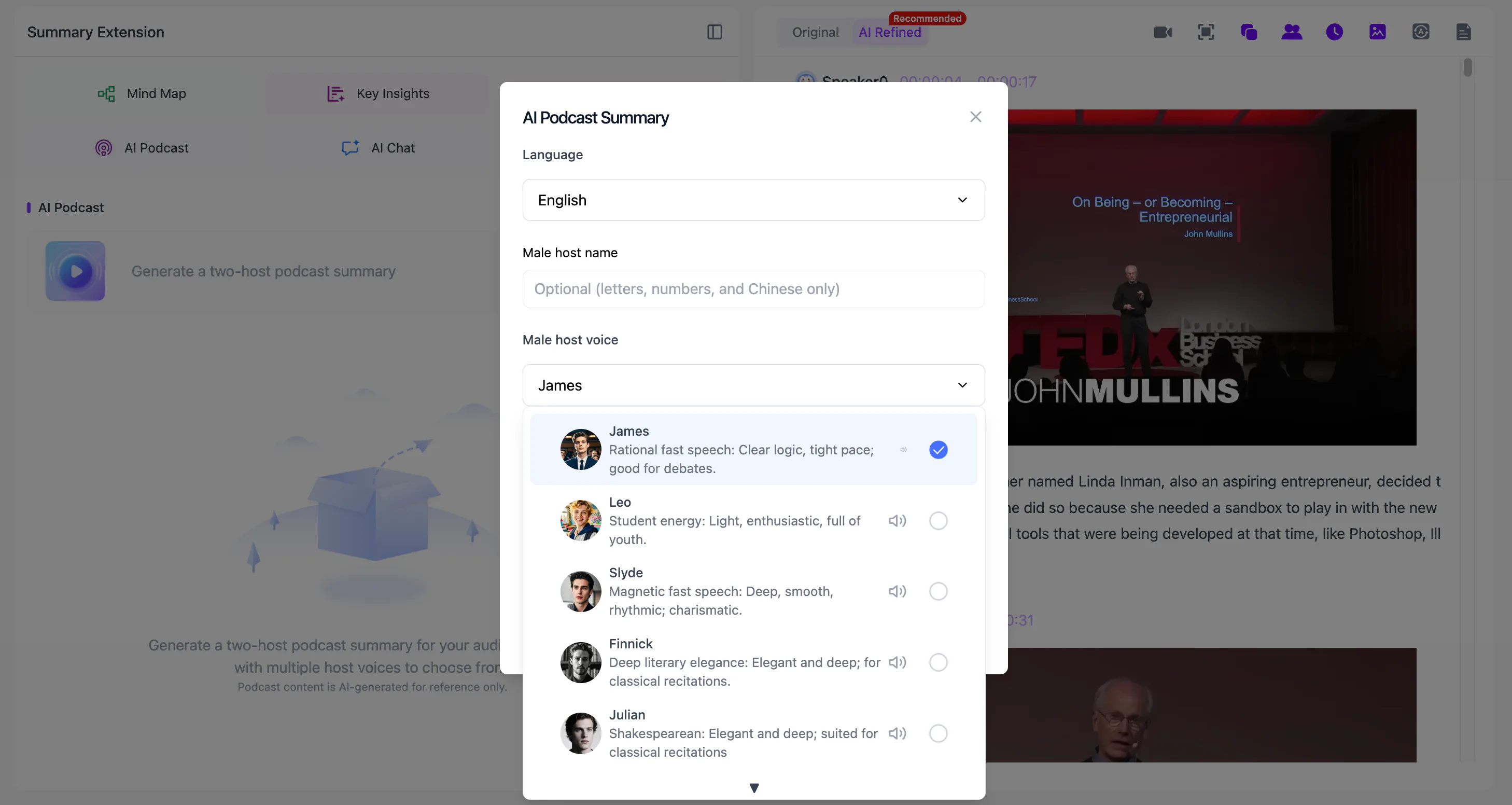
Different voices make the conversation easier to follow. Using the same two names and voice styles across a course can also make the podcast collection feel consistent.
The language setting needs to be described accurately. NoteAi supports broader multilingual transcription and translation, but AI Podcast output is currently set to Chinese or English.
5. Generate and listen
After choosing the hosts and language, generate the podcast and open the audio player.
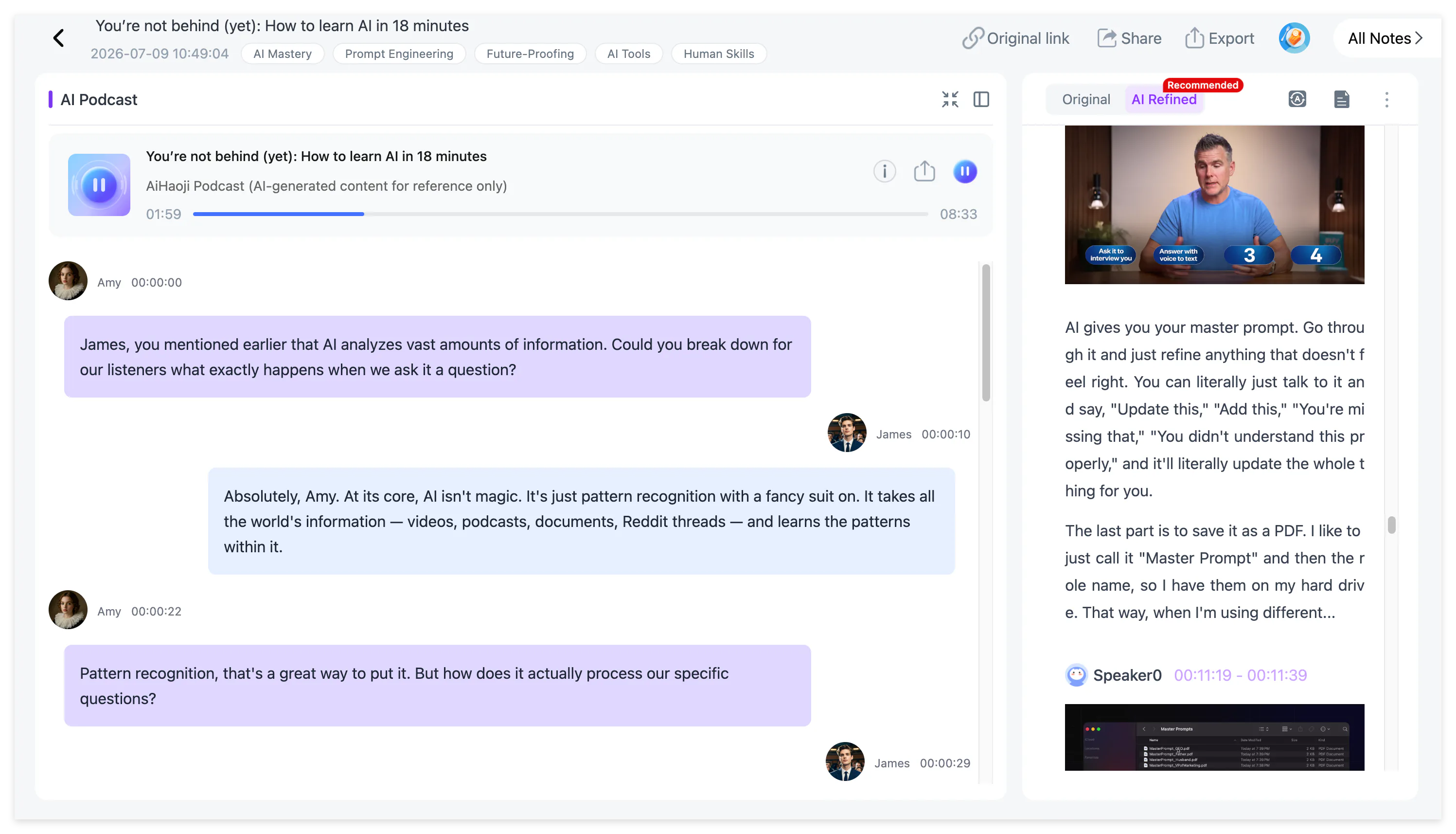
During the first listen, notice which explanations feel incomplete. Return to the source note rather than repeatedly replaying the same unclear section.
The podcast works best as another way to encounter the material—not as the only version you keep.
How to Use an AI Podcast for Studying
Preview a difficult lecture
Read Key Insights and listen to the audio discussion before watching the complete lecture.
This introduces the main terminology and relationships. It is most useful for concept-heavy content; software demonstrations and equation-based lessons still require the screen.
Review after reading the notes
Read the structured summary and visual note first, then use the podcast as a second presentation of the same material.
If the hosts connect two ideas and the relationship feels unfamiliar, return to that section of the transcript. The point is to identify gaps, not simply finish the audio.
Revisit a course while commuting
Generate one podcast for each substantial lesson. Name the source notes consistently so you can return to the correct transcript and visual material later.
For example:
Course Name - Lesson 04 - Retrieval Methods
This is easier to manage than one long podcast covering an entire course.
Review material in Chinese or English
Choose the podcast language according to the review you need. A language learner can read the bilingual note in one language and listen to the audio review in the other.
NoteAi supports translation across 22 languages, but names, slang and specialist terminology should still be checked before generating the Chinese- or English-language podcast.
Keep the Podcast Connected to the Source
An AI podcast compresses the original material. It may not repeat every qualification, example or warning.
Use the podcast for the types of information audio handles well:
| Suitable for audio review | Better checked in the visual note |
|---|---|
| Definitions | Charts and diagrams |
| Comparisons | Equations |
| Main arguments | Code and software settings |
| High-level processes | Step-by-step screen demonstrations |
| Conclusions | Detailed visual evidence |
After listening, close the note and write down the main idea, one important relationship and one unanswered question.
This adds a small retrieval step. A major review of learning techniques found practice testing to have high utility across many learning conditions. The evidence is discussed in Improving Students’ Learning With Effective Learning Techniques.
Use AI Chat in NoteAi to investigate the unanswered question.
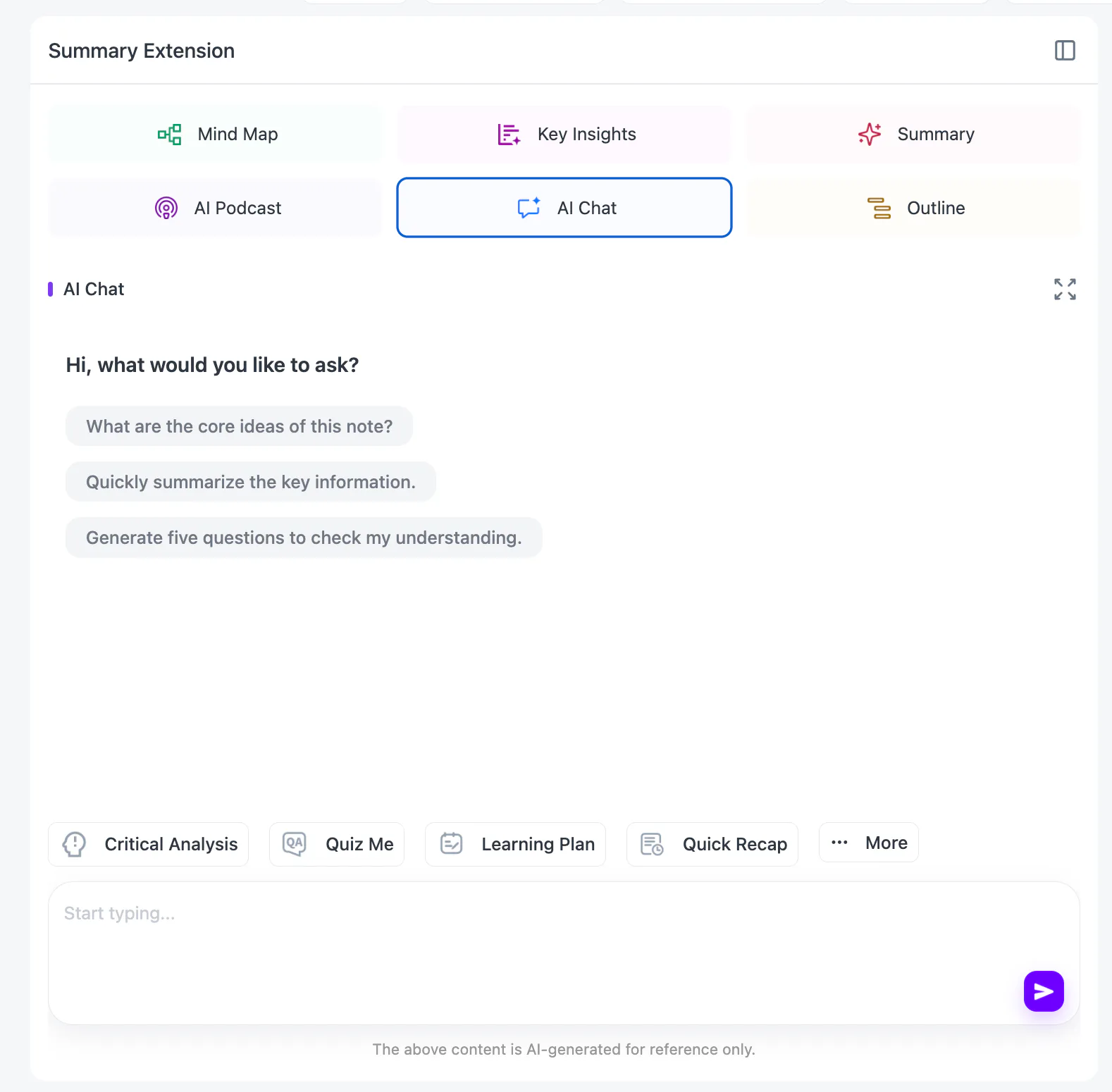
Instead of asking for another complete summary, ask about the exact point that remains unclear:
Why does the lecturer distinguish episodic memory from semantic memory, and which example supports that distinction?
The transcript, timestamps and original video remain available when the AI answer needs to be verified.
Build a Reusable Audio Review Library
The podcast is generated from a source note, so the note should remain the main knowledge asset.
Organize source notes by course, subject, exam or project. NoteAi provides multi-level categories, global search, batch management and cross-note AI questions.
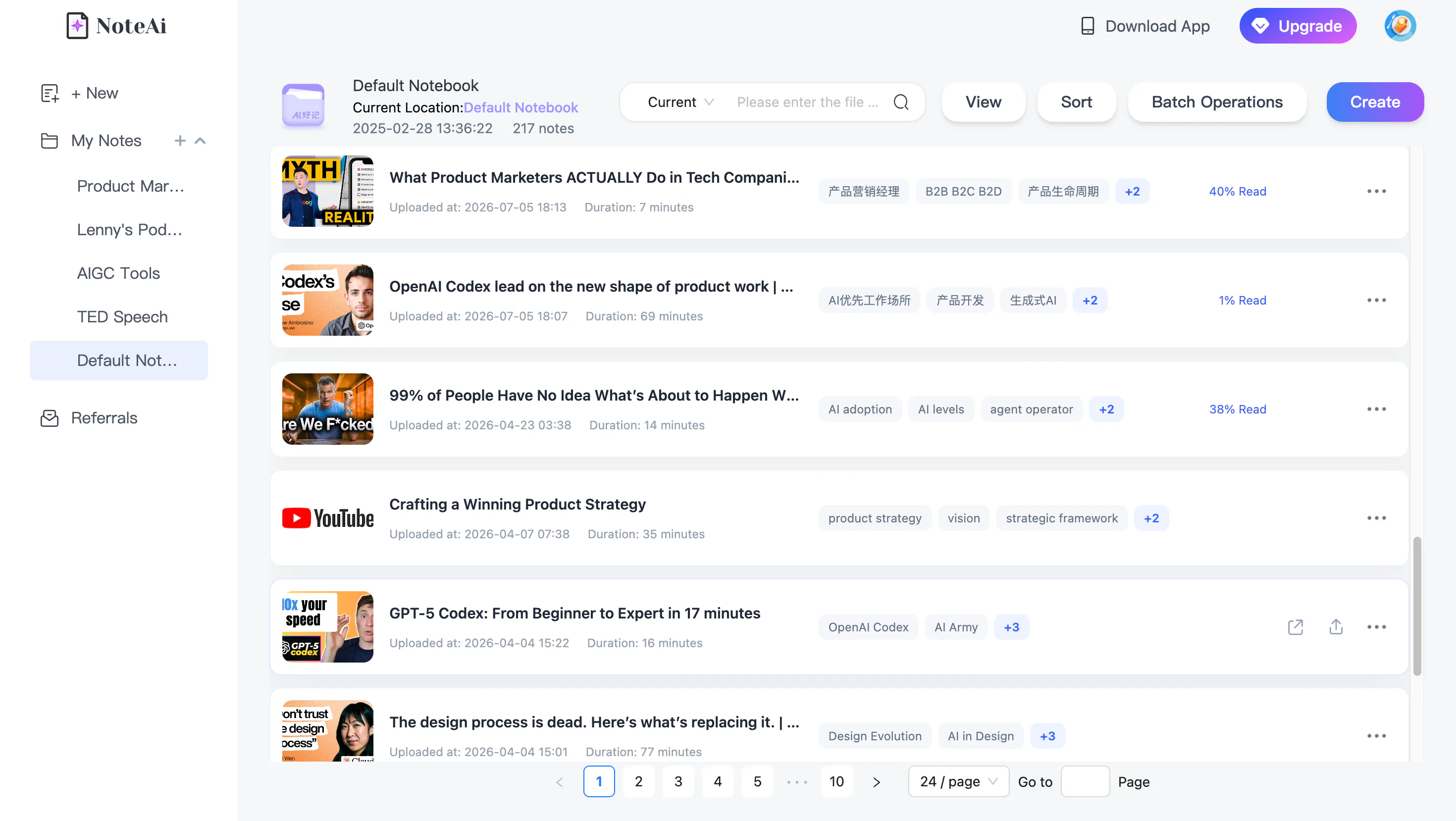
If you later correct the transcript or improve the summary, the revised note can support a better review. This is more flexible than treating the first generated podcast as a finished source.
For the reverse workflow—turning an existing podcast into a transcript and study note—read how to turn a podcast into a study resource.
A reliable study loop is:
Read the note → listen to the podcast → recall the main ideas → check the source → review weak areas.
You can open NoteAi and test the two-host AI Podcast with limited free credits. The free plan should not be described as unlimited podcast generation.
Frequently Asked Questions
Can AI turn a YouTube video into a podcast?
Yes. Add the YouTube link to NoteAi, review the generated transcript and summary, then create a two-host AI Podcast from the processed note.
How many hosts are included?
The AI Podcast uses two hosts. You can customize each host’s name and voice style separately.
Which languages does the AI Podcast support?
The podcast can be generated in Chinese or English. This is separate from the platform’s wider transcription and translation support.
Can I choose different voices for the hosts?
Yes. NoteAi lets you choose a voice style for each host so the two speakers are easier to distinguish.
Can I create a podcast from a local lecture recording?
Yes. NoteAi supports local video and audio, screen recordings and voice recordings in addition to YouTube, TikTok and Bilibili links.
Does the podcast include presentation slides?
No. The podcast is an audio output. Extracted PPT slides and key frames remain in the visual note beside the corresponding transcript.
Is NoteAi only a text-to-speech tool?
No. NoteAi first processes video or audio into transcripts, summaries and visual notes. AI Podcast then creates a two-host review from the processed material.
Is NoteAi a free AI podcast generator?
NoteAi offers limited free credits for testing. It is not an unlimited free AI podcast generator.