

Turning an audio recording into text is useful for one simple reason: written content is much easier to search, scan, quote, translate, and revisit than a long recording.
- A one-hour interview may contain one answer you need.
- A lecture may introduce an important concept halfway through.
- A podcast may mention a useful example for only a few minutes.
Without a transcript, finding those moments usually means listening again.
With NoteAi, you can upload audio and generate a full timestamped transcript with speaker recognition.
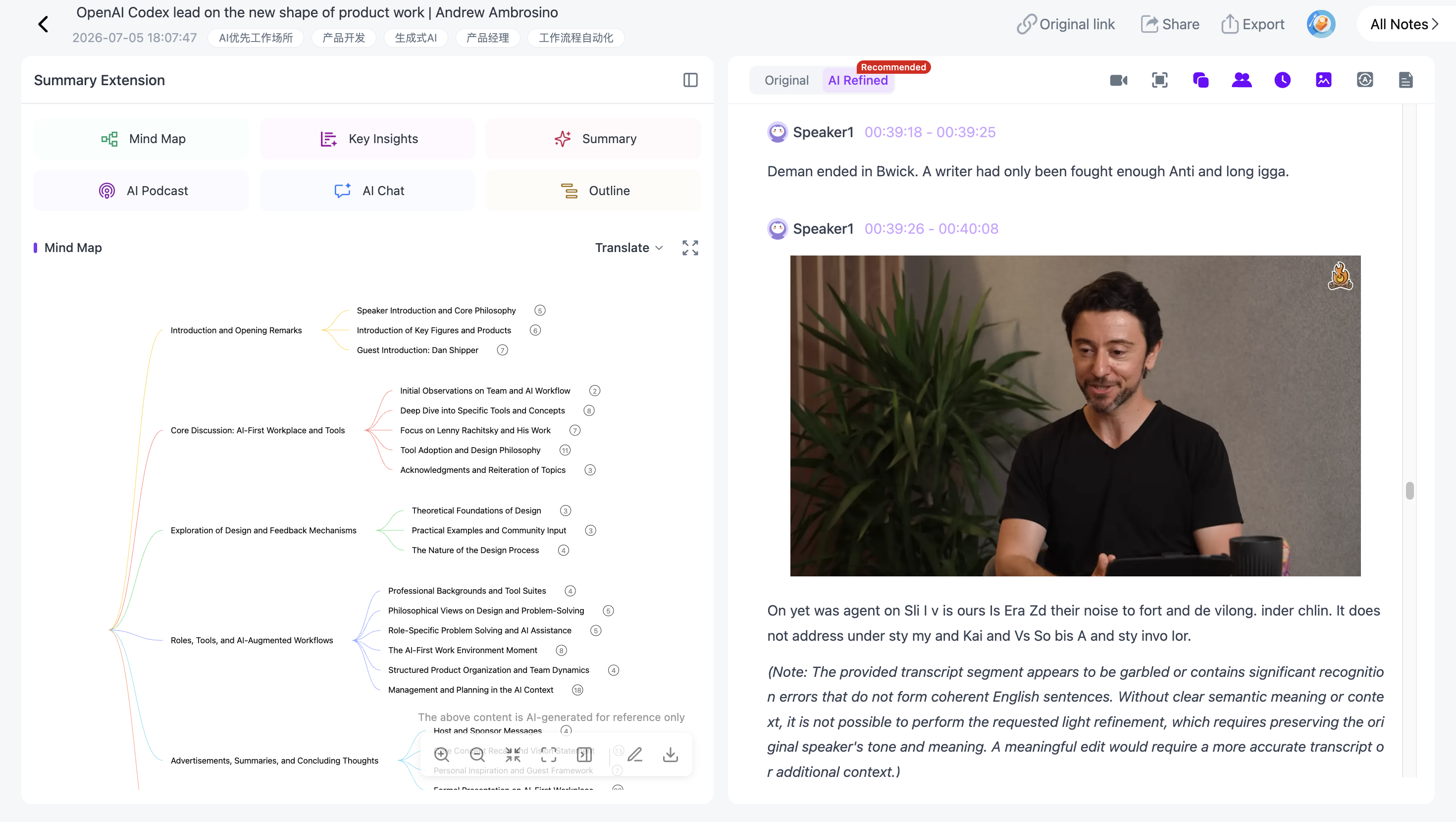
You can also translate the content across 22 languages, scan Key Insights, organize the recording with a Summary Template or Custom Prompt, and export the results.
How Do You Convert an Audio Recording to Text?
The basic process is:
- Upload the audio recording.
- Generate the full transcript.
- Use timestamps to navigate the recording.
- Identify different speakers.
- Review important sections against the source.
- Translate the transcript if needed.
- Scan Key Insights or create a structured summary.
- Export the transcript for later use.
This works for lectures, podcasts, interviews, meetings, research recordings, and other long-form audio.
Step 1: Upload the Audio Recording
Add your audio file to NoteAi.
For long-form material, NoteAi supports an individual item up to 7 hours and 4 GB, so many lectures, interviews, podcasts, and meeting recordings can be processed without manually cutting them into shorter files.
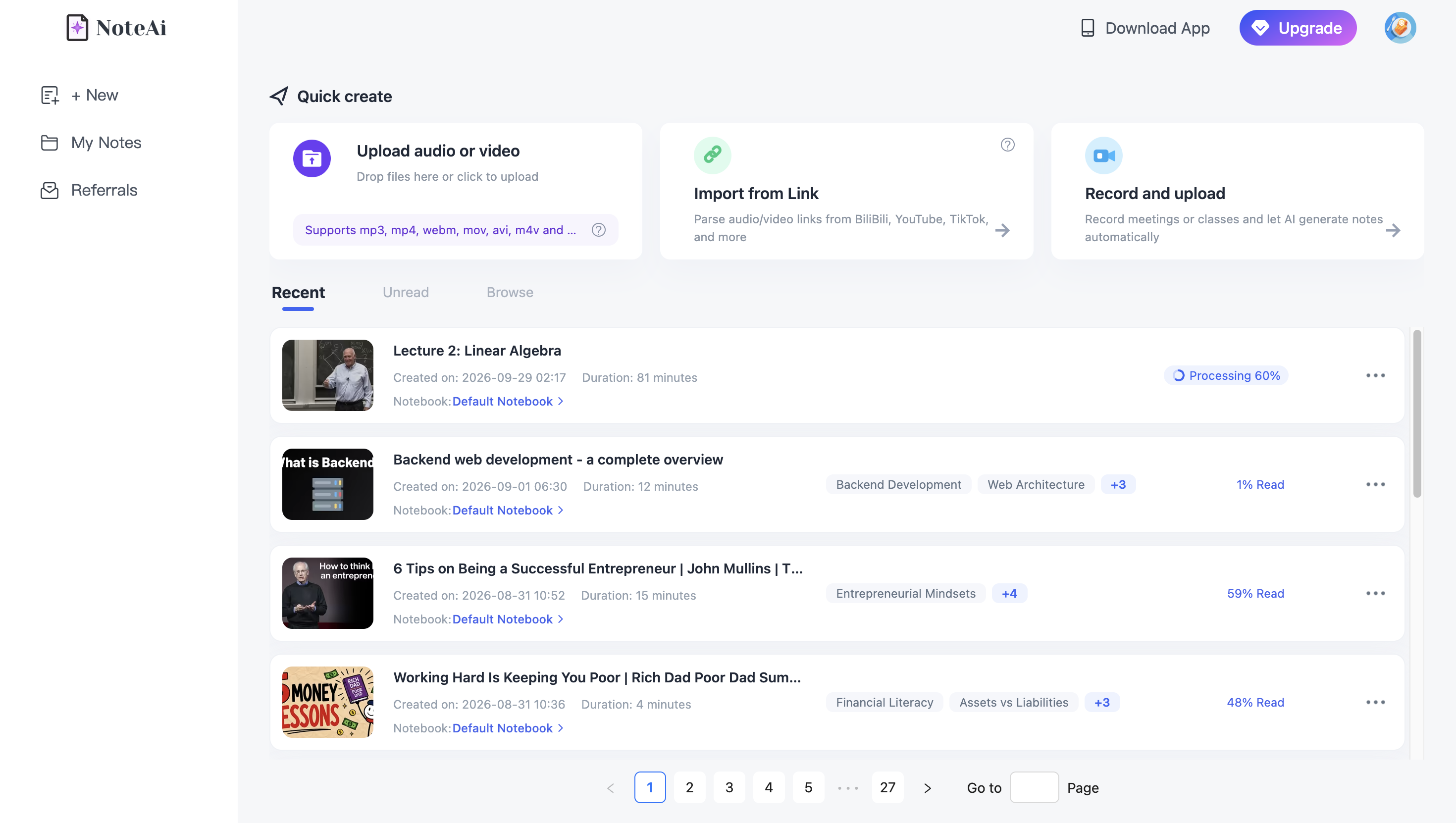
If you are working specifically with podcasts, our guide to turning a podcast into a transcript, notes, and AI Q&A covers that workflow in more detail.
Step 2: Generate a Timestamped Transcript
Once the audio has been processed, NoteAi generates the spoken content as text.
Timestamps divide the transcript according to the recording timeline.
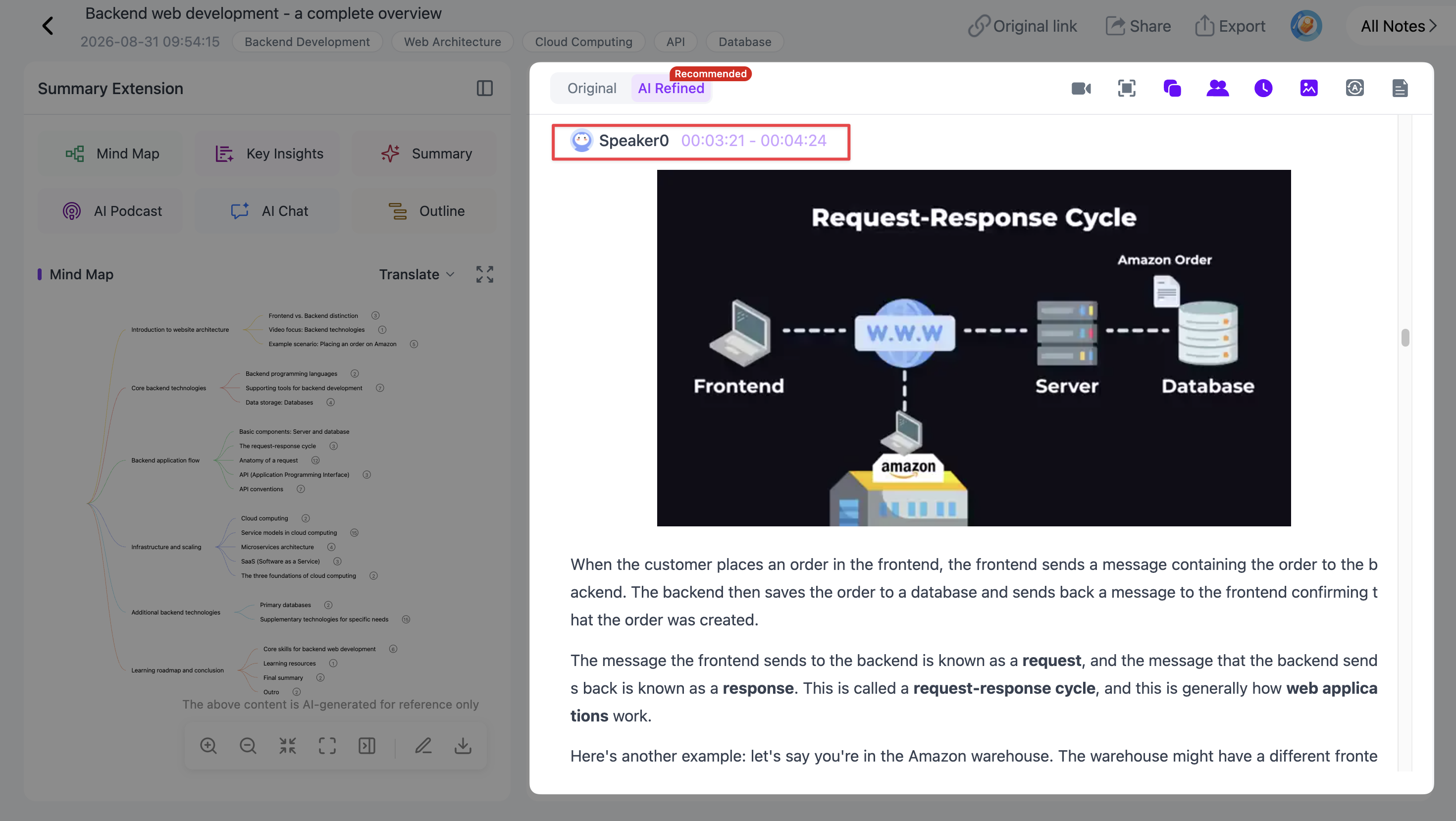
That changes how you can work with a long recording.
Instead of dragging through an audio player looking for a remembered sentence, you can search or scan the transcript first and use the timestamp to locate the relevant section.
For interviews and research recordings, timestamps are also useful when you need to verify the original wording before quoting or reusing a passage.
Step 3: Separate Different Speakers
A transcript becomes much harder to read when several people are speaking but every sentence looks as if it came from the same person.
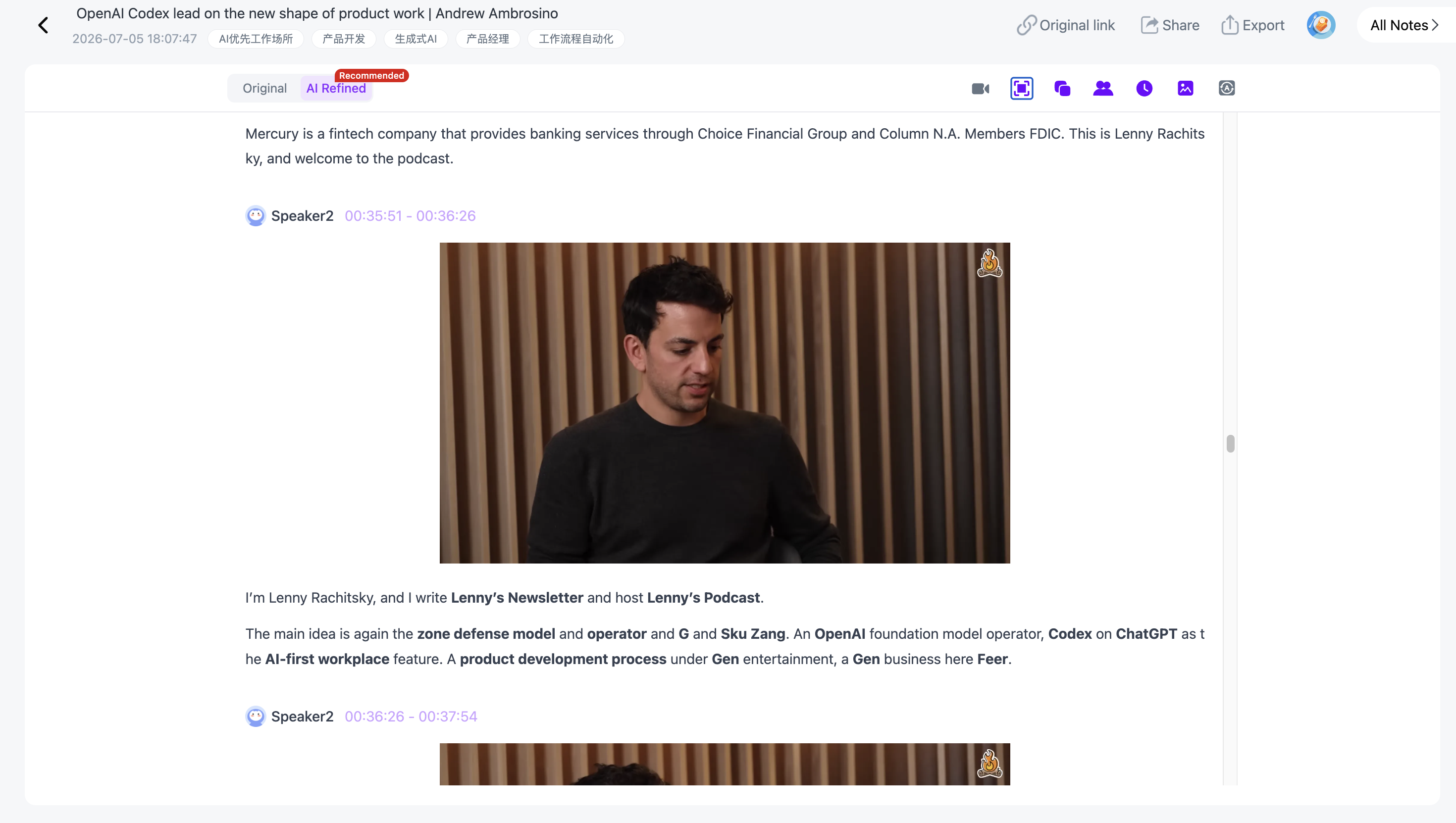
NoteAi supports speaker recognition to help distinguish different voices in the recording.
This matters most for:
- interviews;
- podcasts with multiple hosts or guests;
- meeting recordings;
- panel discussions;
- group conversations;
- classroom discussions.
The transcript becomes easier to follow because the conversation structure is preserved more clearly.
Step 4: Check Important Passages Against the Original Audio
AI transcription accuracy depends on the recording.
Background noise, overlapping speakers, strong accents, technical terms, names, and poor microphone quality can all affect the transcript.
For important material, do not treat transcription as an infallible record.
Use timestamps to return to the original recording and check passages that contain names, numbers, quotations, technical terminology, or anything else where exact wording matters.
This is particularly important when the transcript will be published, cited, or used for professional documentation.
Step 5: Scan Key Insights Before Reading Everything
A complete transcript may run for thousands of words.
If you first need to know what the recording contains, Key Insights gives you a shorter view of the most important information across the source.
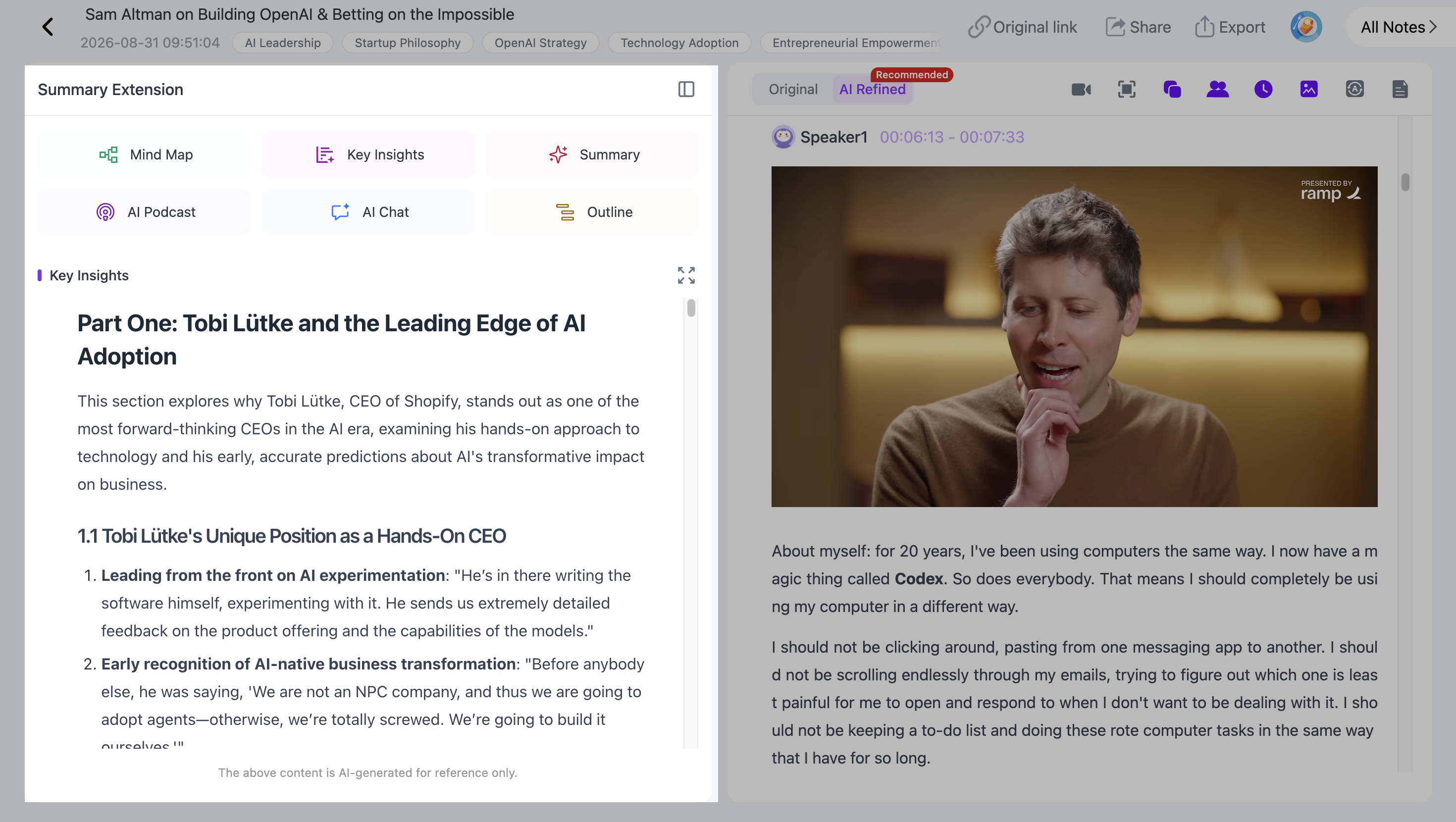
This does not replace the full transcript.
Use Key Insights to identify what deserves attention, then return to the transcript when you need exact language or additional context.
Step 6: Translate the Audio Transcript
If the recording is in another language, NoteAi supports translation across 22 languages and can display bilingual content for comparison.
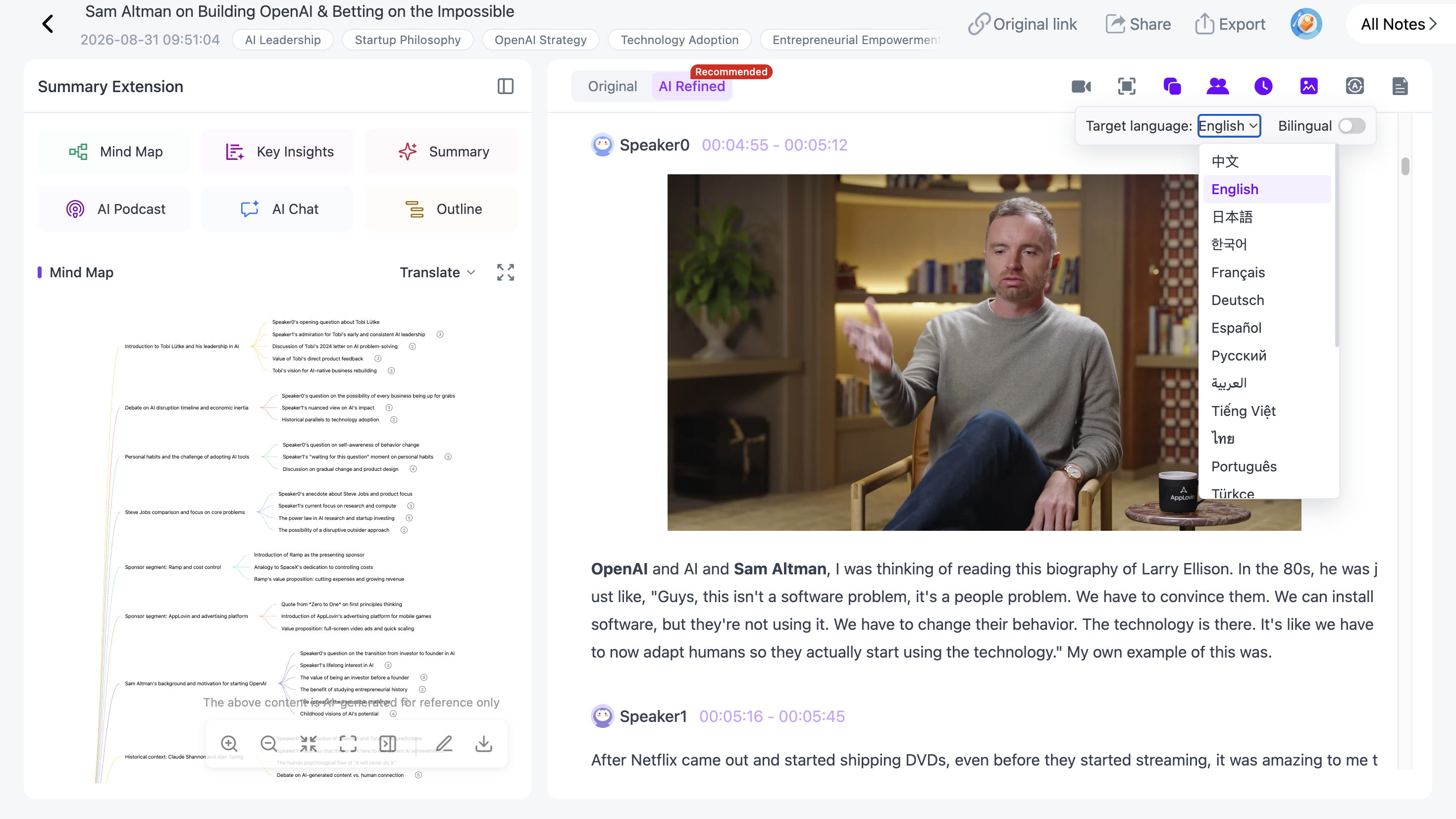
A bilingual view is particularly useful when you need to understand the translated content while still keeping the original language visible.
Possible use cases include:
- foreign-language interviews;
- international podcasts;
- recorded lectures;
- multilingual meetings;
- language-learning material;
- overseas research sources.
Step 7: Choose How a Long Recording Should Be Organized
Transcription answers:
What was said?
Sometimes you also need:
How should this recording be organized for what I am doing next?
NoteAi includes multiple Summary Templates, and you can use a Custom Prompt when you need a different structure.
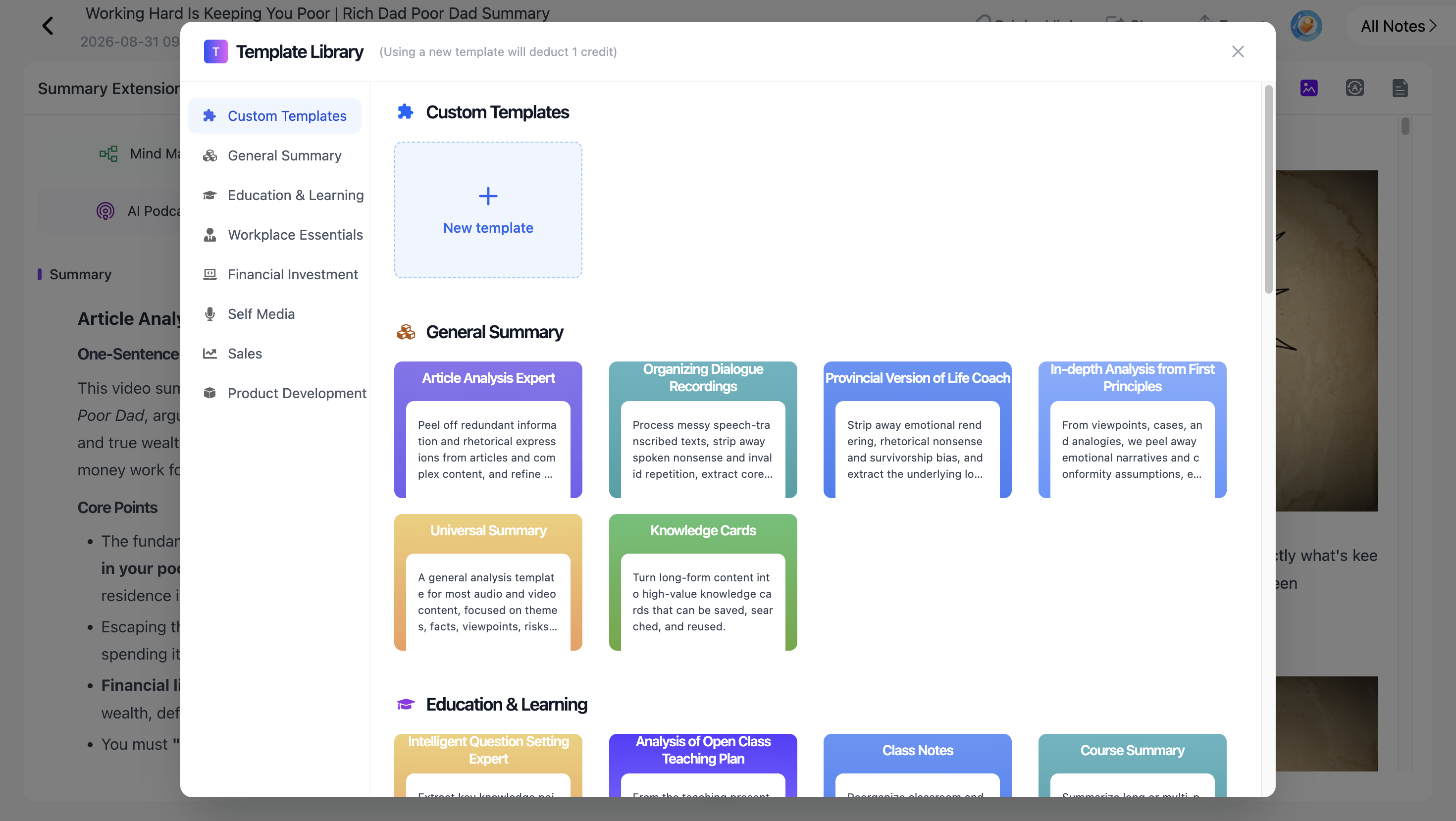
For an interview, for example:
"Organize this interview into the guest's main arguments, examples, personal experiences, and key conclusions."
For a lecture:
"Organize this recording by topic, definition, explanation, and example."
The transcript remains the detailed source. The summary gives you another way to work with that source.
Step 8: Export the Transcript
After reviewing the material, NoteAi supports exports including:
- Word
- Markdown
- HTML
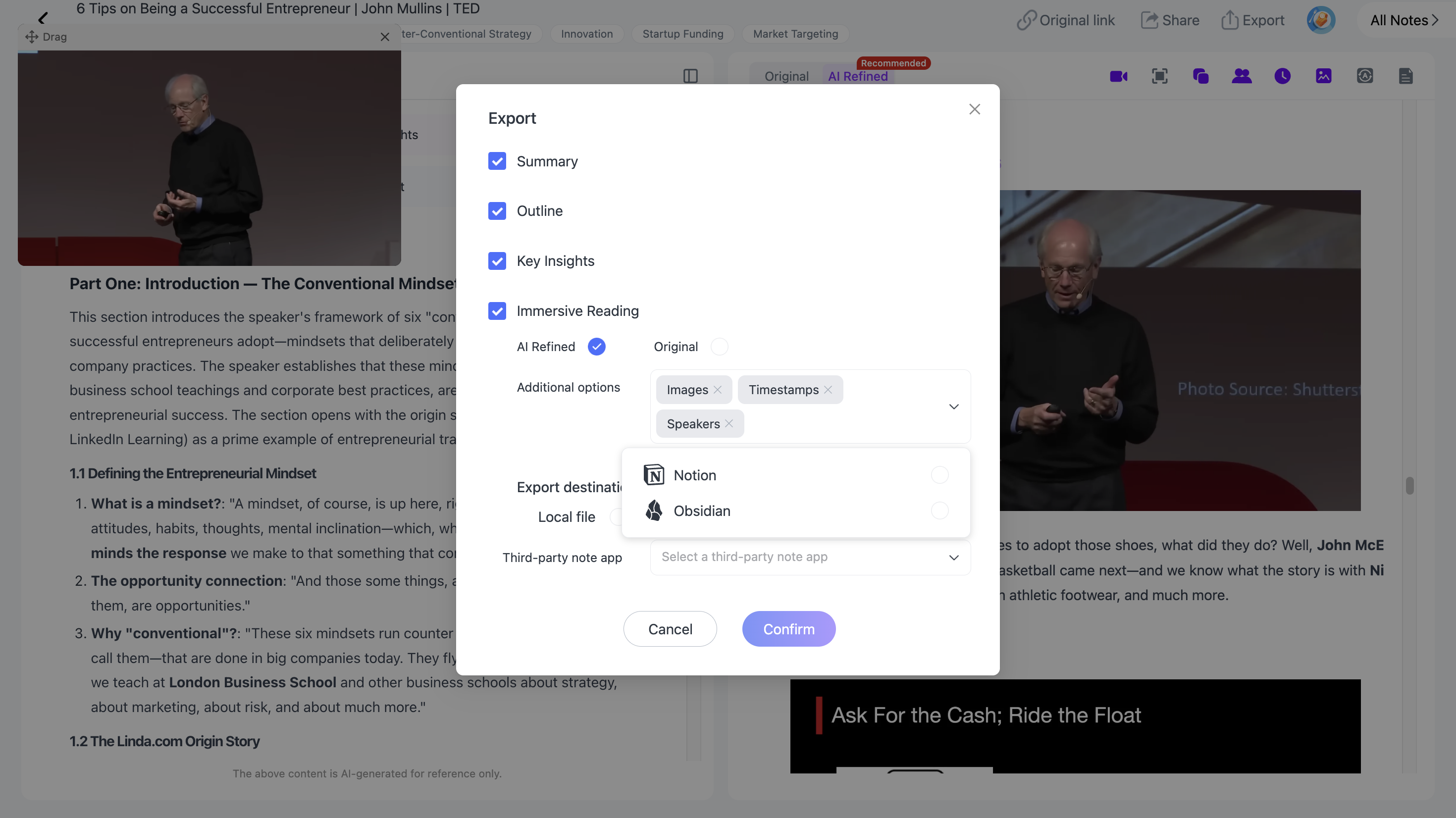
You can then continue editing the transcript, archive it, share it, or move useful material into another note-taking or knowledge-management system.
For long-term organization, see how to build a personal AI knowledge base from videos and podcasts.
Transcript vs. Key Insights vs. Structured Summary
These outputs are useful for different tasks.
| Output | Best For |
|---|---|
| Full Transcript | Preserving and searching what was actually said |
| Timestamps | Returning to the relevant part of the recording |
| Speaker Recognition | Following multi-person conversations |
| Key Insights | Quickly scanning important information |
| Structured Summary | Organizing the source into a more readable form |
| Bilingual View | Understanding and comparing translated content |
If accuracy matters, the transcript and original recording should remain your reference points.
Common Uses for Audio-to-Text Transcription
Lectures
A transcript makes a long lecture searchable. Instead of listening again from the beginning, you can locate the concept or explanation you need.
Podcasts
Podcast transcription is useful for finding quotations, topics, guest opinions, examples, and specific discussions buried inside long episodes.
Interviews
Speaker recognition and timestamps make it easier to separate questions from answers and return to the original wording before using a quote.
Meetings
A searchable transcript helps you find a specific discussion without replaying the full recording.
If meetings are your main use case, a dedicated recording-to-notes workflow can add structured summaries and later Q&A on top of the transcript.
Frequently Asked Questions
How do I convert an audio recording to text?
Upload the recording to an AI transcription tool. NoteAi can generate a full timestamped transcript, identify different speakers, translate the content, and export the resulting text.
Can AI transcribe long audio recordings?
Yes, although supported duration and file size vary by tool. NoteAi supports individual content up to 7 hours and 4 GB.
Can AI tell different speakers apart in a recording?
Some AI transcription tools support speaker recognition or speaker diarization. This can make interviews, meetings, podcasts, and other multi-speaker recordings easier to read.
Can I transcribe audio in another language?
Yes. Multilingual transcription and translation support varies by product. NoteAi supports translation across 22 languages and bilingual viewing.
How accurate is AI audio transcription?
Accuracy depends on factors such as recording quality, background noise, accents, overlapping speech, and specialized vocabulary. Important names, quotations, numbers, and technical terms should be checked against the original audio.
What is the best format for exporting an audio transcript?
It depends on what you plan to do next. Word is convenient for editing, PDF is useful for fixed-format sharing, Markdown works well for note-taking and knowledge systems, and HTML is useful for web-based workflows.