

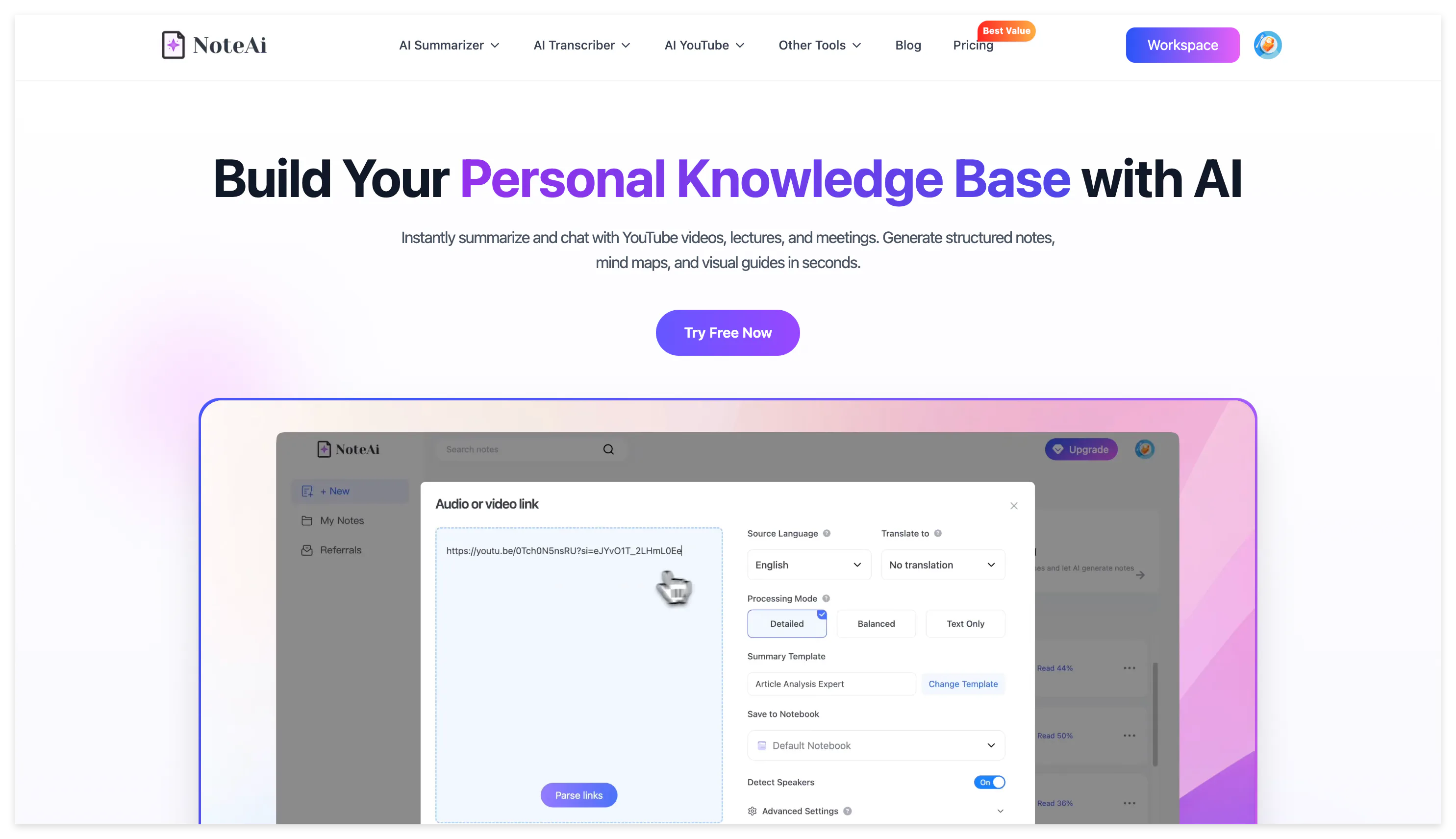
A TikTok collection is easy to build and difficult to search.
After saving dozens of tutorials, product explanations and industry videos, you may no longer remember which video contained the useful process, quotation or example.
The caption is rarely enough. Important information may appear in the spoken explanation, text overlay, product demonstration or screen recording.
NoteAi turns a supported TikTok link into a timestamped transcript, structured summary and visual note. The result can be categorized, searched, questioned and exported instead of remaining one more item in the TikTok Saved tab.
The workflow does not require you to download the video first:
Copy the TikTok link → generate the transcript and visual note → extract the information you need → save it in a searchable knowledge base.
What Should a TikTok Video Summarizer Produce?
The right output depends on why the video was saved.
| TikTok content | Useful note |
|---|---|
| Educational explanation | Main concept, definition and examples |
| Software tutorial | Ordered steps, settings, key frames and warnings |
| Product demonstration | Feature, use case, result and limitation |
| Industry commentary | Main claim, evidence and conclusion |
| Interview clip | Speaker labels, quotations and context |
| Language lesson | Vocabulary, examples and bilingual transcript |
| Content reference | Hook, structure, key message and call to action |
A three-sentence overview may be enough to decide whether a video is relevant. It is not enough when you need to repeat a process, verify a claim or compare several creators.
A useful TikTok note should contain the spoken content, the source position and the visual context needed to understand it.
How to Summarize a TikTok Video Without Downloading It
1. Copy the public TikTok link
Open the TikTok video, select Share and copy the link. The exact location of the control may differ between the mobile application and website.
The source needs to remain accessible. Private, deleted, login-restricted or region-restricted videos may not be available for link processing.
2. Paste the link into NoteAi
Open NoteAi, select the link-import option and paste the TikTok URL.
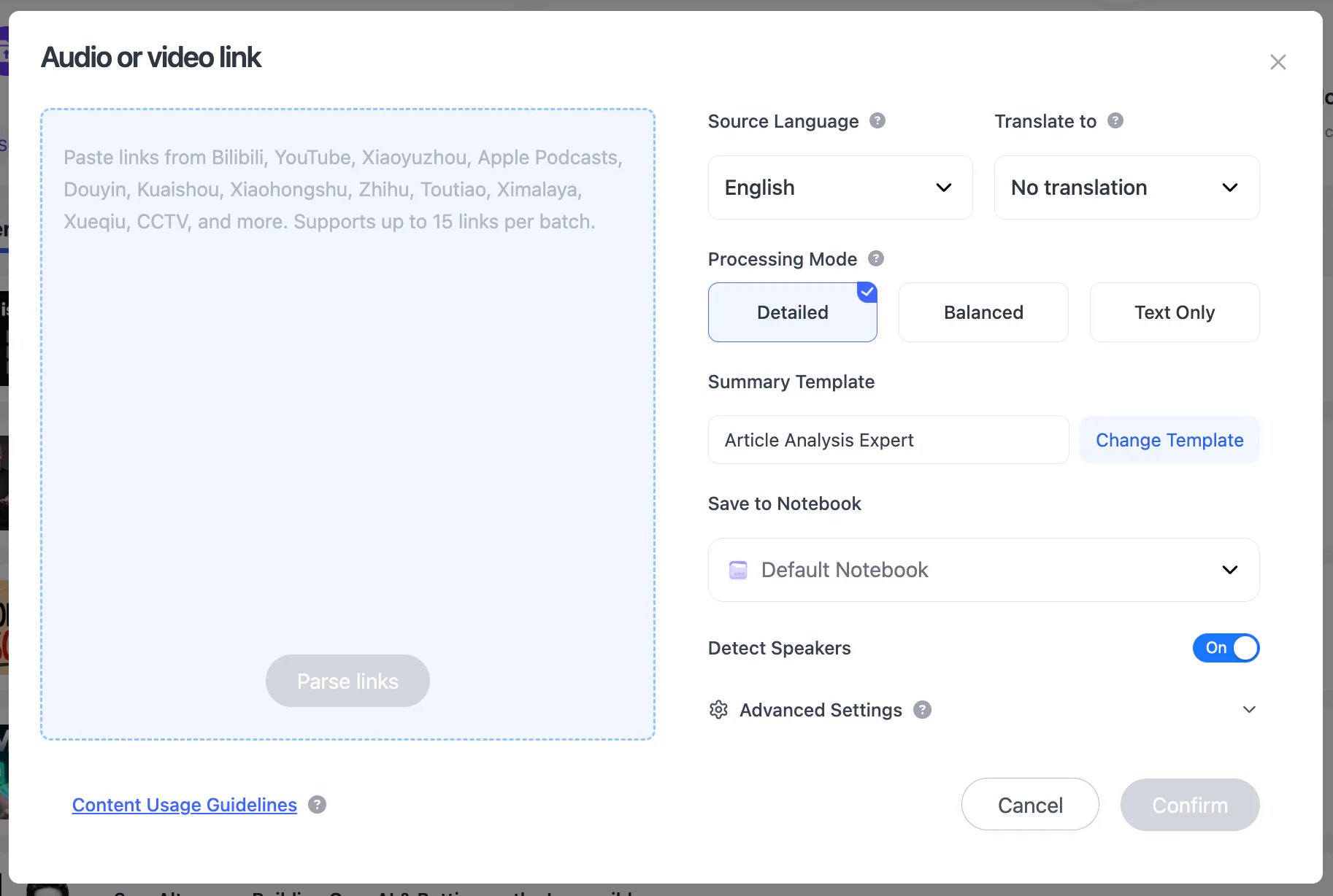
The same workspace supports YouTube and Bilibili links, local video and audio, screen recordings and voice recordings.
After processing, the TikTok becomes a note containing its transcript, Key Insights, structured summary and relevant visual frames.
3. Check the original and polished transcripts
NoteAi provides an original transcript and an AI-polished version.
The original stays closer to the spoken wording. The polished version reduces fragmented sentences and repetition, making fast TikTok speech easier to read.
Timestamps retain the location of each section in the source. Speaker identification can separate participants in interviews and collaborative videos.
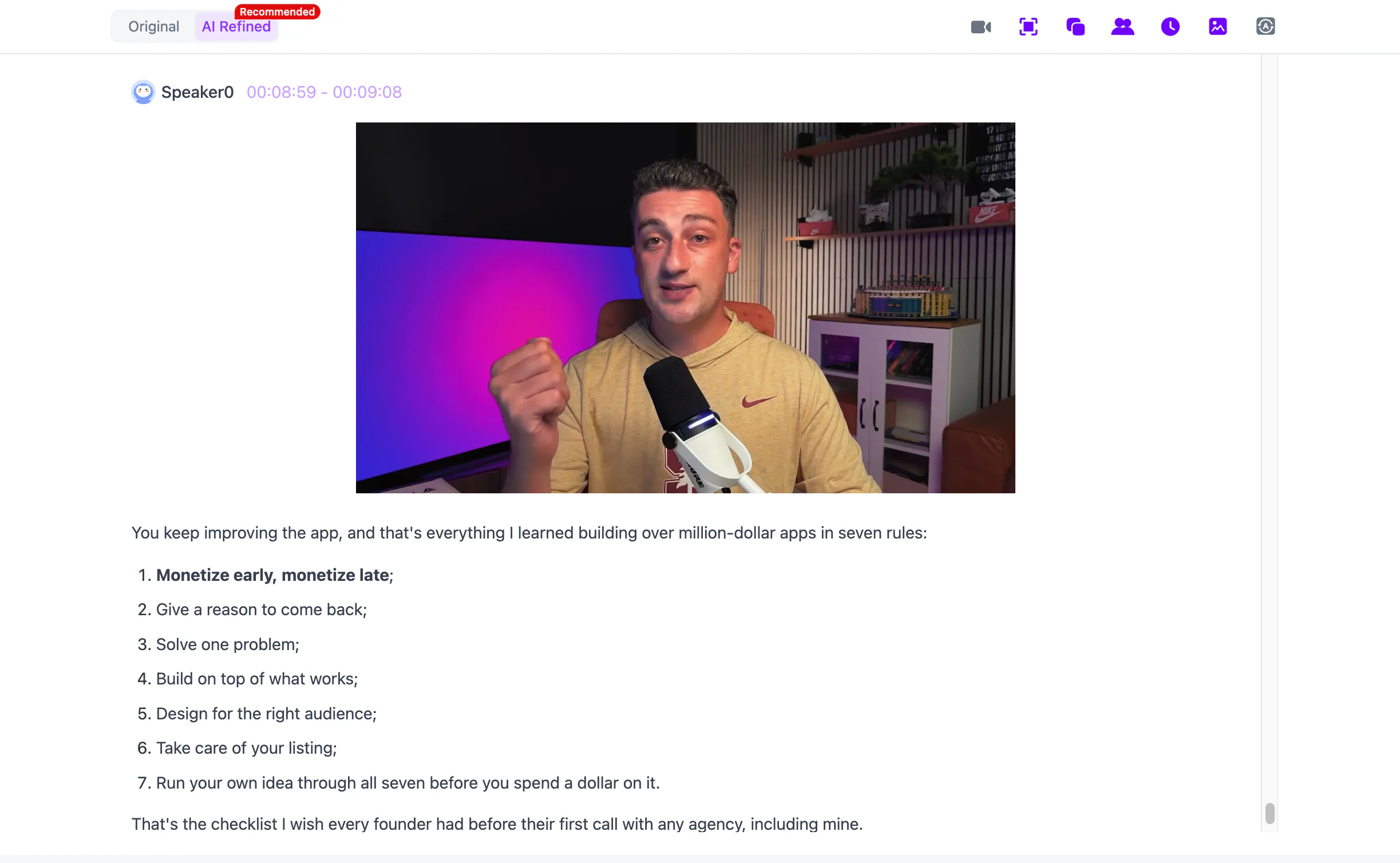
Check names, numbers, product terms and technical vocabulary before reusing the transcript. Background music, overlapping speakers and rapid speech can reduce automatic transcription quality.
4. Preview the main point
Open Key Insights to check whether the central idea has been identified correctly.
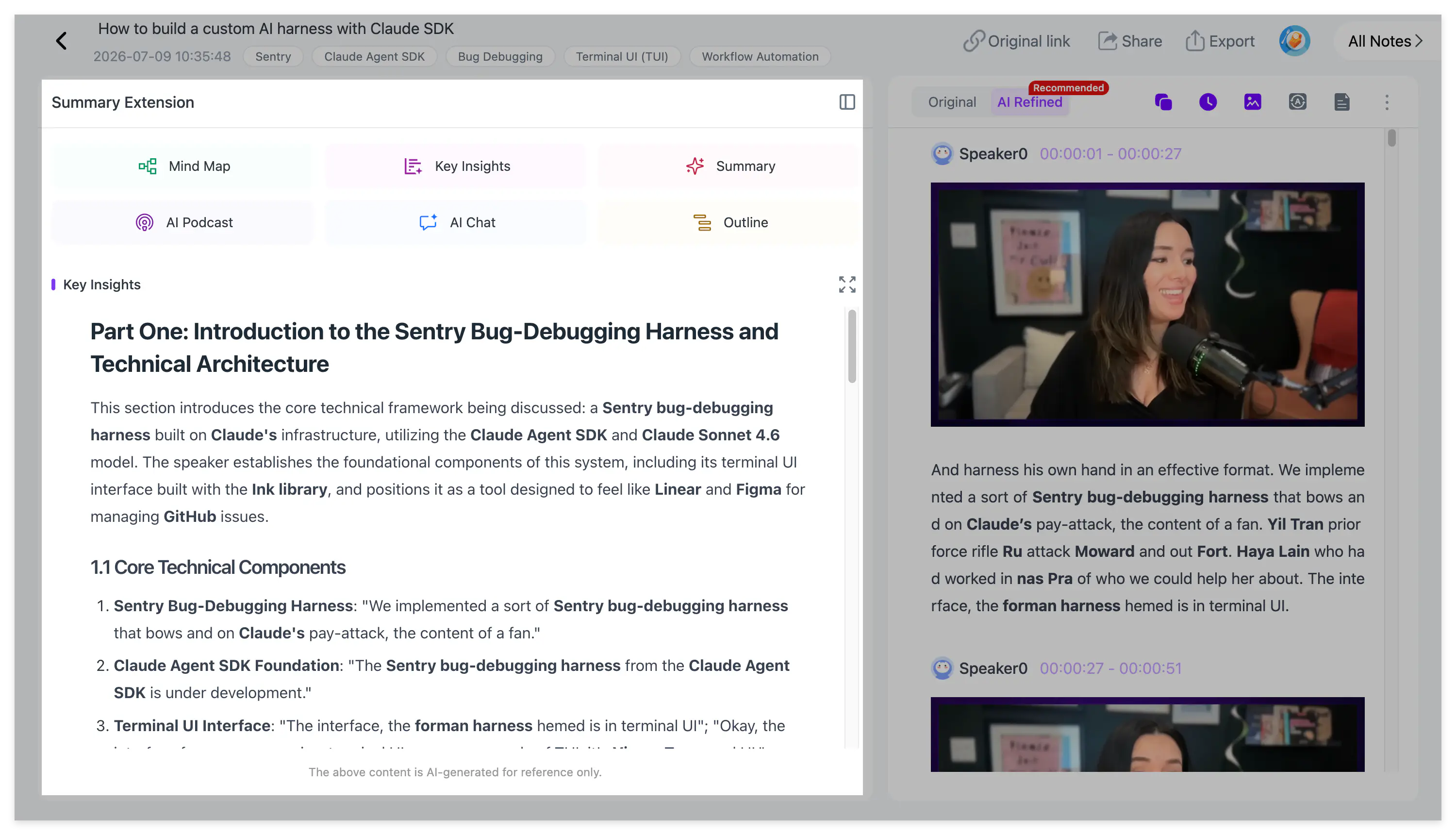
For a short talking-head video, Key Insights may be enough to remind you why the source was saved. For a longer tutorial or educational video, continue into the transcript and visual note.
The summary should remain proportional to the source. A simple 30-second tip does not need to become a long article.
Turn the TikTok Summary Into a Reusable Note
Preserve the important video frames
TikTok content often depends on what appears on screen.
A creator may show an application setting, demonstration result or comparison without reading every detail aloud. A transcript alone may not preserve that information.
NoteAi extracts representative key frames and pairs them with corresponding transcript sections.
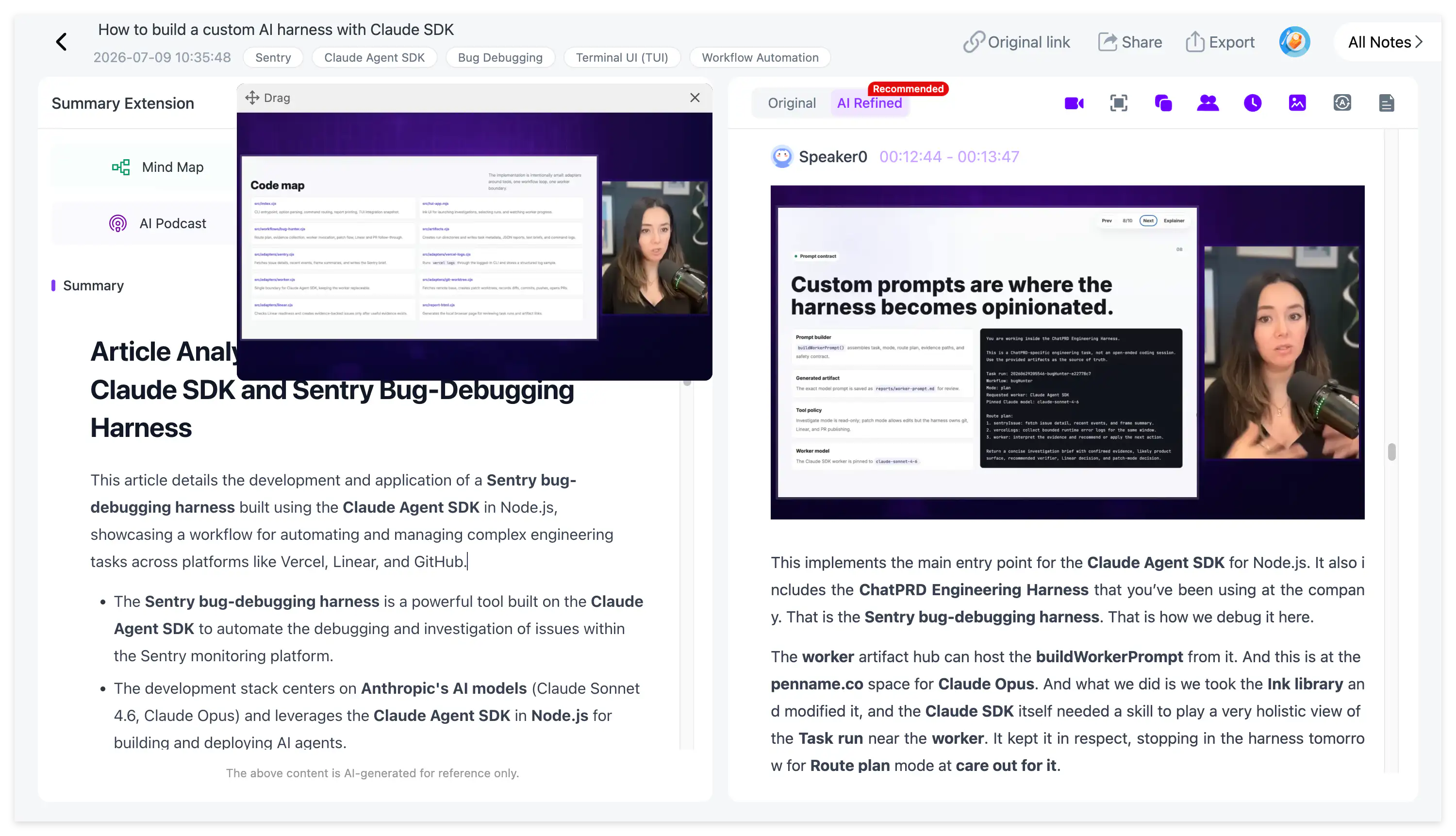
Keep the frames that explain a step, result or visual comparison. Repeated title screens and decorative images do not need to remain in the final note.
Key-frame extraction should not be described as guaranteed OCR of every text overlay. If important text appears only on screen, inspect the frame and add the necessary wording to the note manually.
Apply the right summary structure
After processing, select a Summary Template or use a custom prompt. Templates are not automatically applied when the TikTok link is imported.
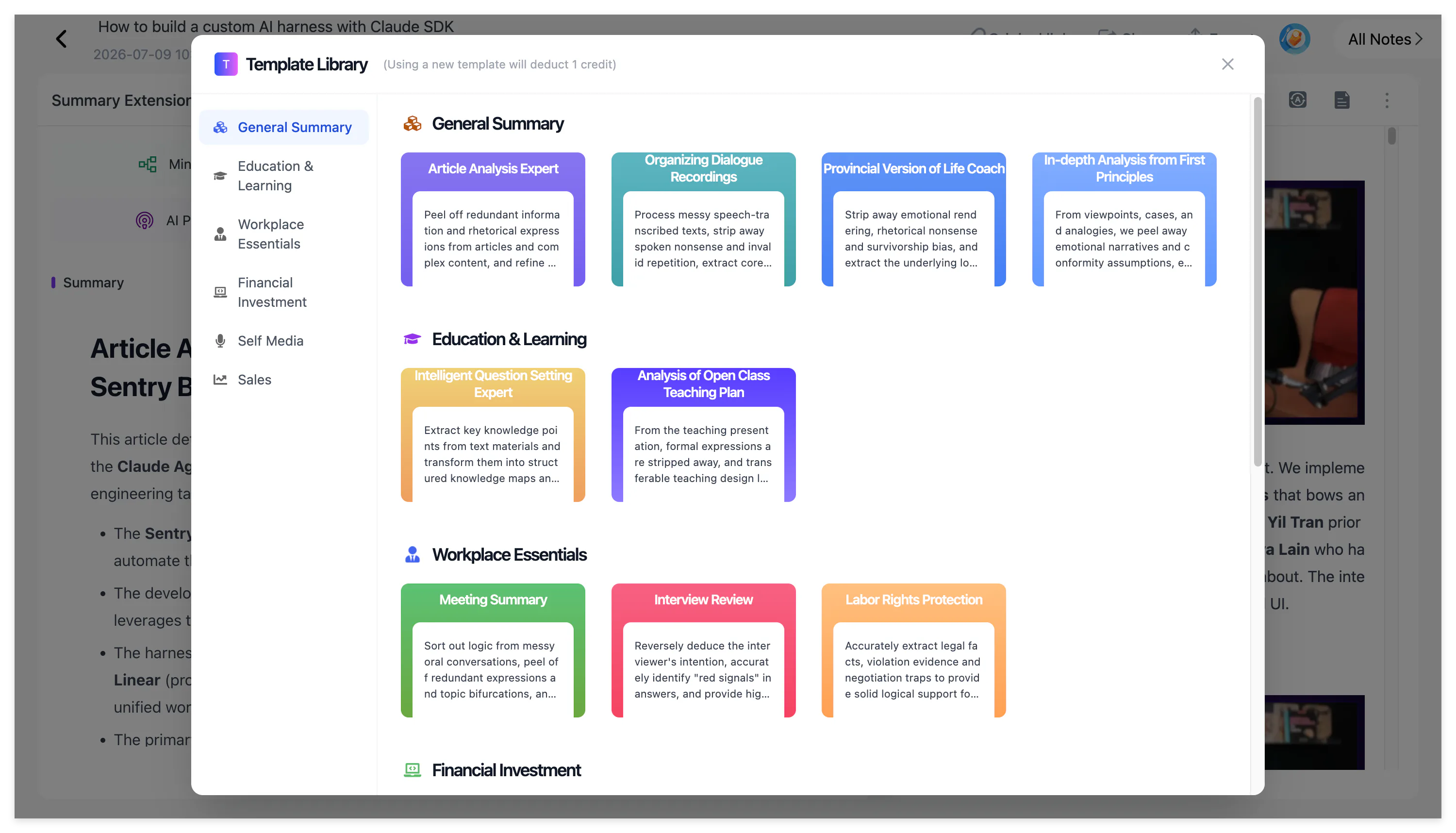
A tutorial prompt might ask:
Rewrite the video as ordered steps. Include the action, setting, expected result and any warning mentioned by the creator.
A content-research prompt might ask:
Identify the opening hook, audience problem, main argument, examples, transition structure and final call to action. Describe the pattern without copying the creator’s wording.
The first prompt turns a video into instructions. The second turns it into an analysis record. The source is the same, but the required note is different.
Ask focused follow-up questions
Use AI Chat when one part of the video requires explanation.
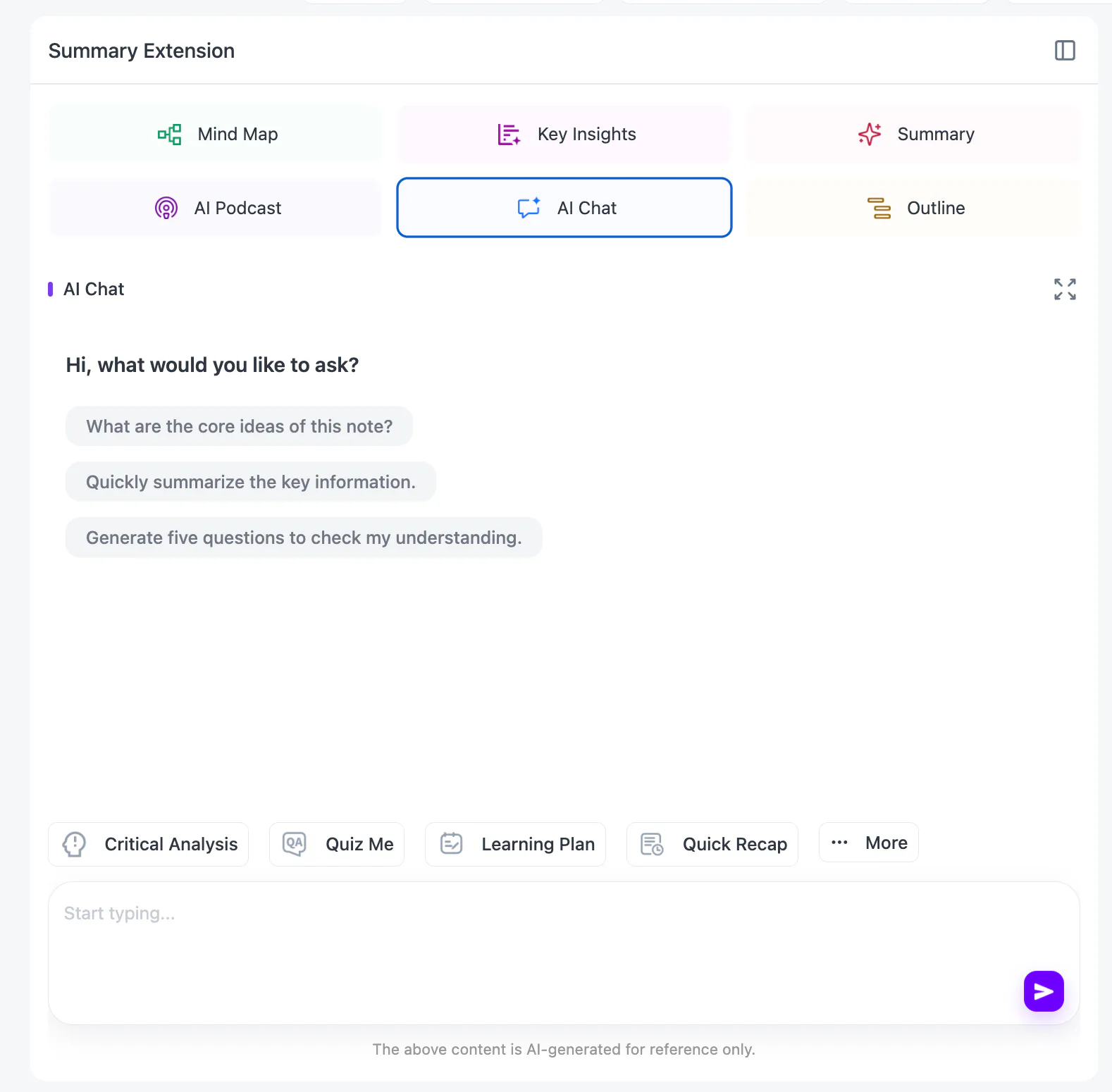
Instead of asking for another complete summary, ask a question tied to the source:
What setting does the creator change before the final result, and why is that step necessary?
The answer can help locate the relevant part of the note. Important claims should still be checked against the transcript and original video.
Build a Searchable TikTok Research Collection
NoteAi supports batches of up to 15 items. This is useful when several TikTok videos cover the same product, topic or audience problem.
Keep each video as a separate note so its transcript, visual frames and source link remain traceable. Then place related notes in the same knowledge-base category.
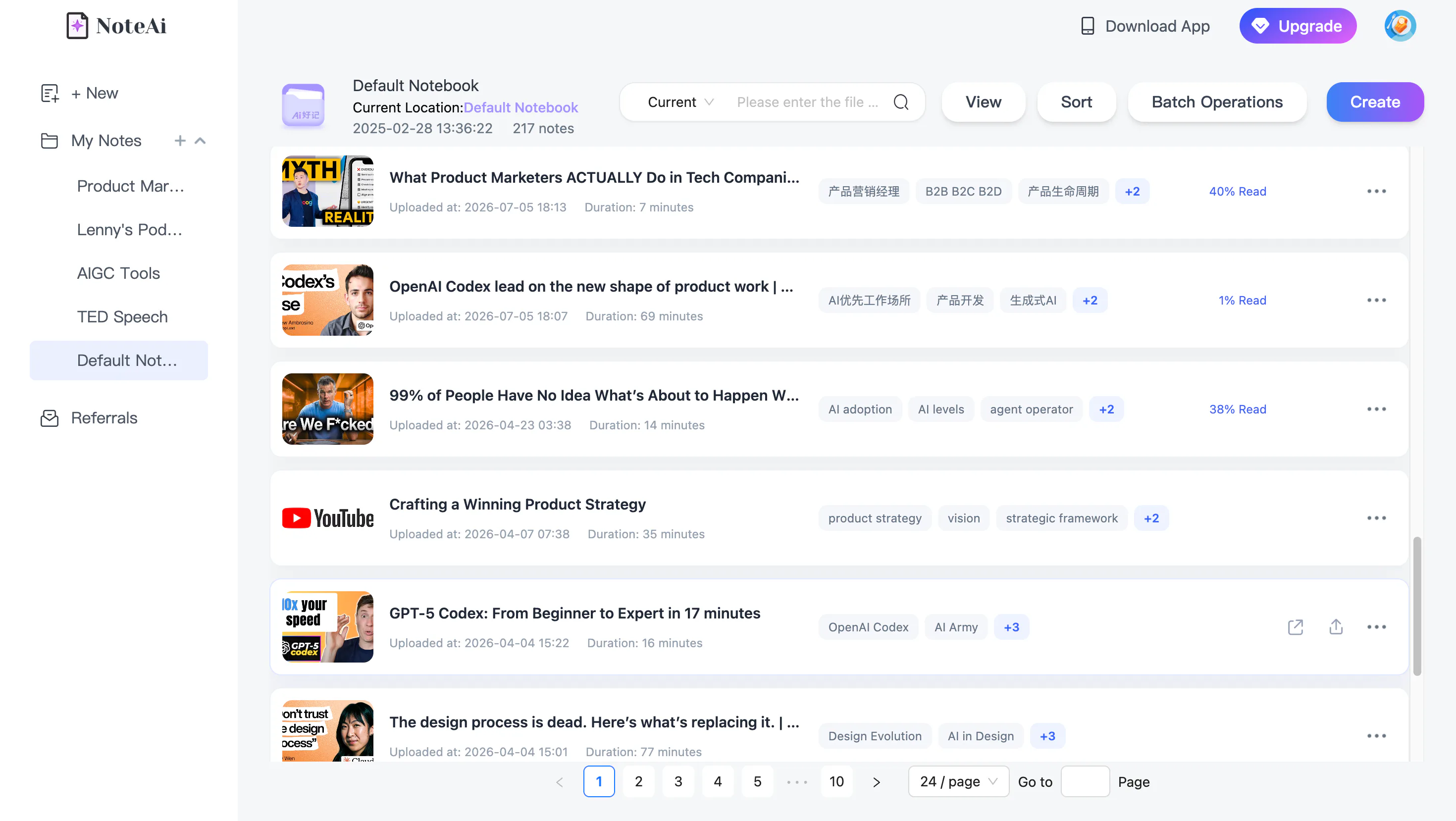
Multi-level categories, global search and batch management make the content easier to recover later. Cross-note AI questions can compare several saved videos.
| Research goal | Useful comparison |
|---|---|
| Study a product category | Features, use cases and limitations |
| Research audience problems | Repeated questions and frustrations |
| Analyze creator content | Hooks, examples and calls to action |
| Review educational videos | Shared concepts and conflicting explanations |
| Collect tutorials | Different methods for completing the same task |
The final analysis should use your own language. Extracted transcripts can support research, but another creator’s wording should not be presented as original work.
A TikTok summary should also be treated as a representation of the source, not independent proof. Health, financial, legal, scientific and other high-stakes claims require appropriate verification.
Translate, Organize and Export TikTok Notes
NoteAi supports translation across 22 languages and can show the original and translated content together.
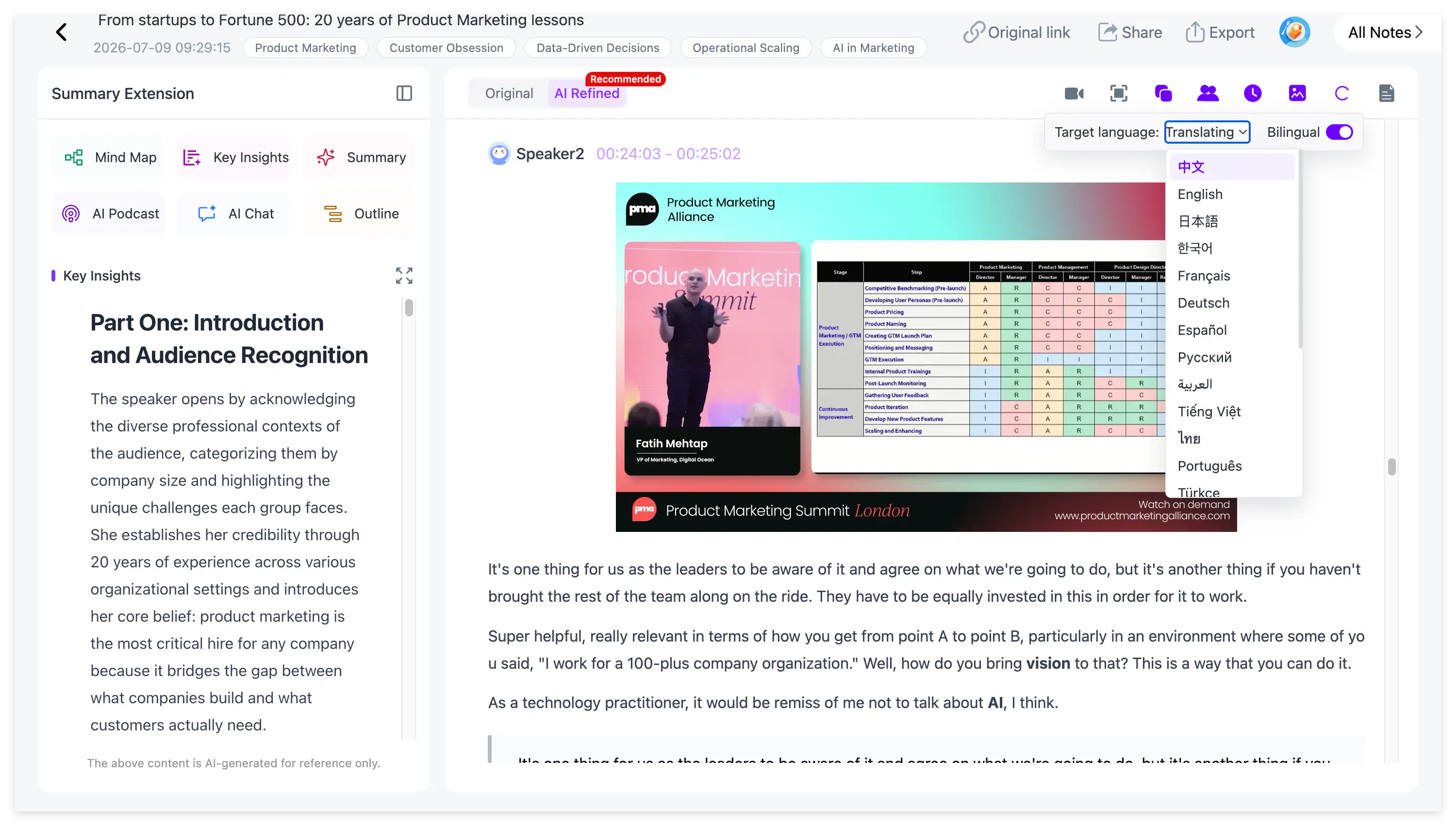
This is useful when a foreign-language creator covers a topic that is difficult to find in your usual sources. Names, slang and specialist terms should still be checked against the original transcript.
When the note is ready, NoteAi supports Word, PDF, Markdown and HTML export. The content can continue into Notion, Obsidian or a document-writing workflow.
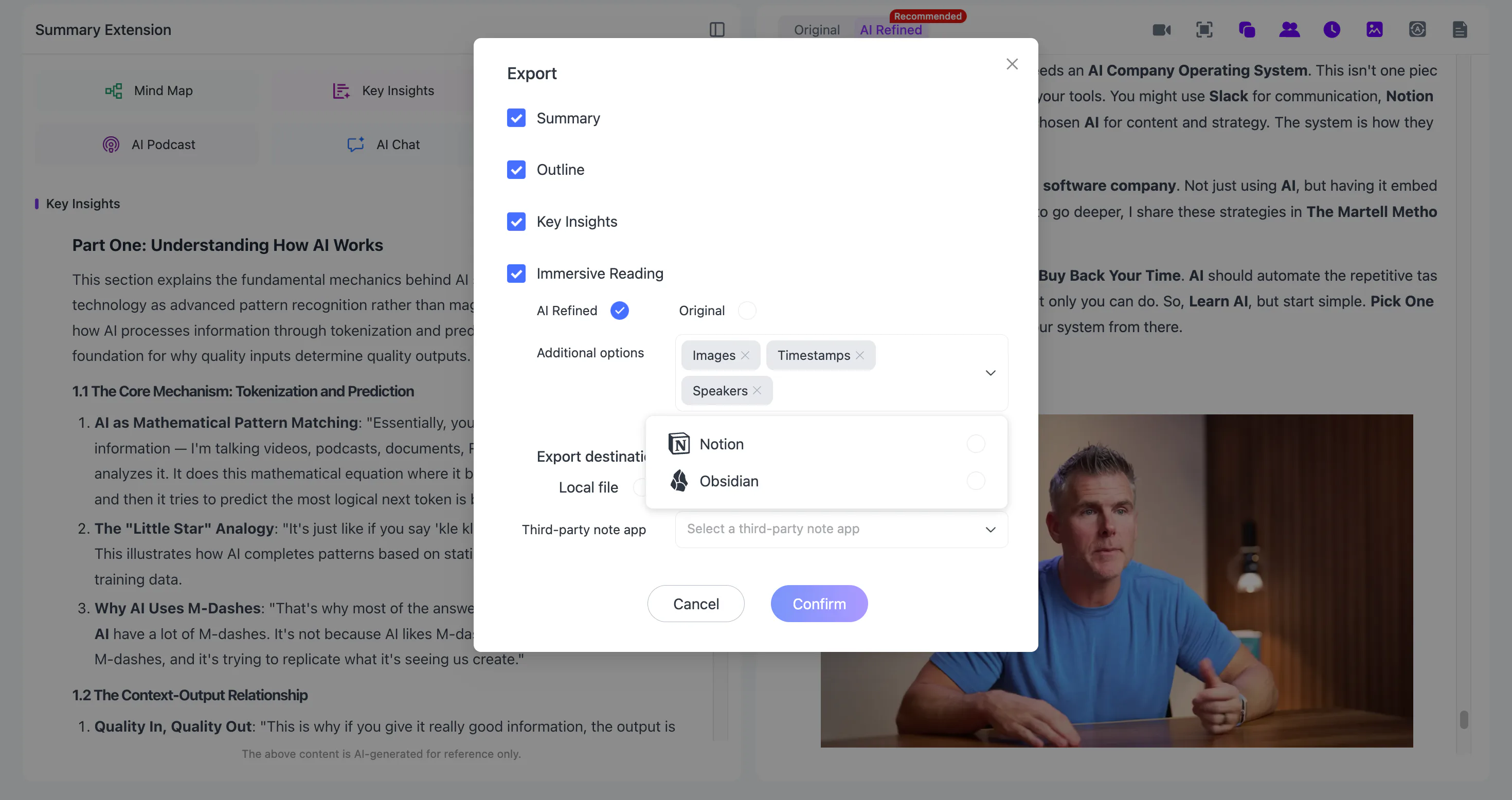
Before exporting, replace generic filenames with a title that explains the subject and purpose:
Three Onboarding Mistakes - Product Research
Keep the original TikTok URL in the note. If the video later becomes unavailable, the transcript and key frames can preserve the information while the URL records its source.
The complete process is:
Paste the link → review the transcript → preserve key frames → apply the right template → organize related videos → export the finished note.
You can open NoteAi and test TikTok transcription and summarization with limited free credits. The free plan should not be described as unlimited.
Frequently Asked Questions
How can I summarize a TikTok video with AI?
Copy the accessible TikTok link, paste it into NoteAi and review the generated transcript, Key Insights, summary and key frames.
Can I summarize a TikTok video without downloading it?
Yes. When the TikTok link is supported and accessible, it can be processed directly without downloading the video first.
Can NoteAi turn TikTok speech into text?
Yes. NoteAi provides original and AI-polished transcripts, timestamps and speaker identification where applicable.
Can NoteAi extract text displayed in a TikTok video?
NoteAi can extract representative key frames and place them beside the transcript. This should not be described as guaranteed OCR of every text overlay. Check important on-screen text manually.
Can I summarize several TikTok videos at once?
Yes. NoteAi supports batches of up to 15 items. Keep each TikTok as a separate note, then organize related videos in one category.
Can I translate a TikTok video?
Yes. NoteAi supports translation across 22 languages and provides a bilingual reading view.
Can I export TikTok summaries to Notion or Obsidian?
Yes. NoteAi supports Word, PDF, Markdown and HTML export, together with Notion and Obsidian workflows.
Why does a TikTok link fail to process?
The source may be private, deleted, unavailable in the current region or restricted behind login or age controls. Confirm that the link opens normally before processing.
Is NoteAi a free TikTok video summarizer?
NoteAi provides limited free credits for testing. It is not an unlimited free TikTok summarizer.