

A missing Show transcript button does not mean the knowledge inside a YouTube video is inaccessible. It means the tool you choose must listen to the audio instead of depending on an existing caption file.
The practical method is straightforward: paste the video link into an ASR-based tool, generate a timestamped transcript from the speech, check uncertain names and terms against playback, and then create the summary from that transcript. NoteAi handles those stages in one workspace and keeps important video frames beside the spoken explanation.
Why ordinary YouTube summarizers fail on videos without captions
Some summarizers are caption extractors with an AI prompt added afterward. They can work well when YouTube already provides a usable subtitle track, but there is nothing for them to summarize when captions are unavailable.
ASR, or automatic speech recognition, solves a different problem. It analyzes the audio itself and converts speech into text. Recording quality still matters: background music, overlapping speakers and specialist vocabulary can reduce accuracy. The resulting transcript should therefore be treated as a searchable representation of the recording, not an unquestionable quotation record.
Step 1: paste the YouTube URL into NoteAi
Copy the public YouTube URL, open NoteAi, select link import and paste the address. You do not need to download the video or create a subtitle file first.
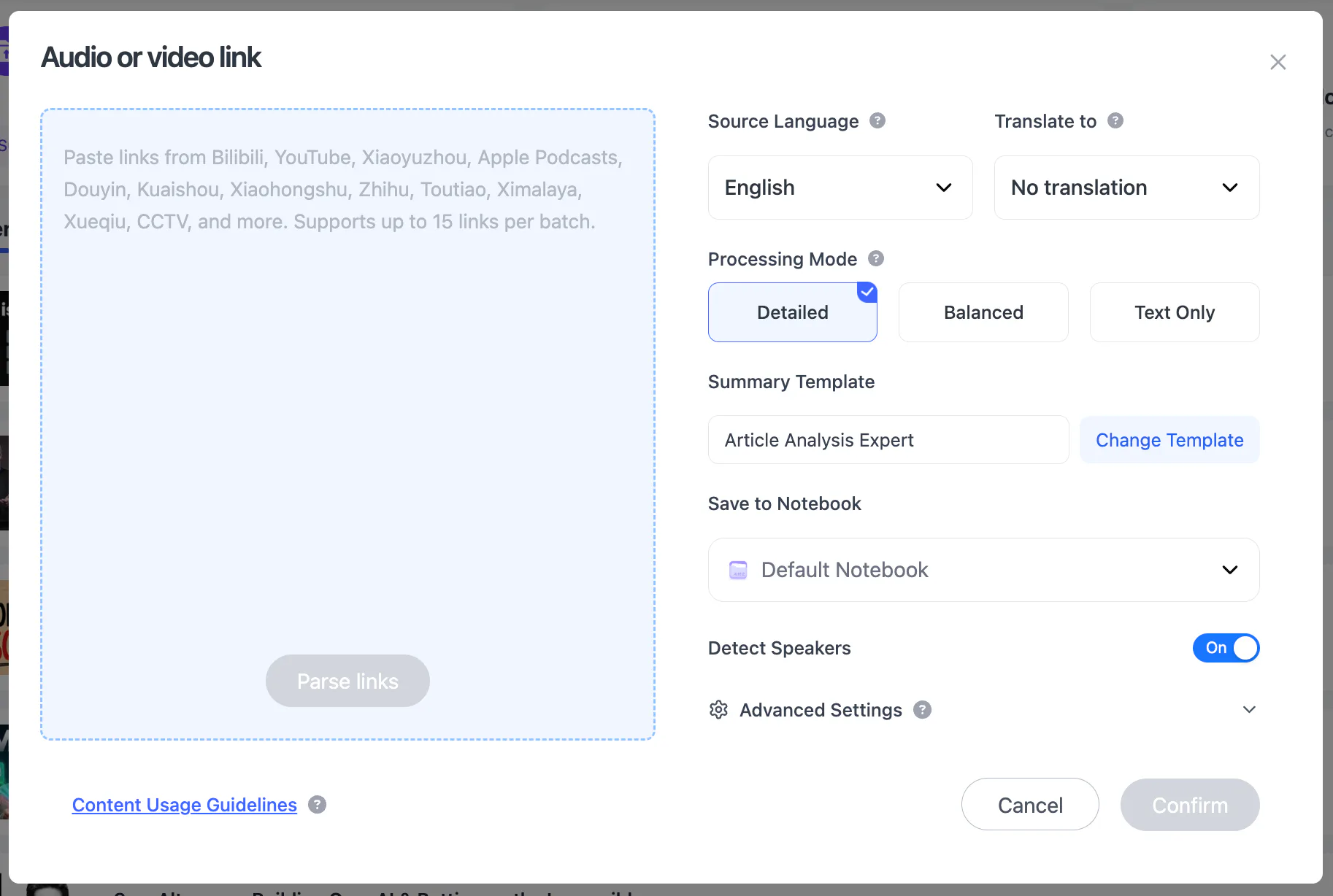
The same workspace also accepts TikTok and Bilibili links, local audio or video, screen recordings and voice recordings. Up to 15 supported items can be submitted in one batch; a local file can be up to 7 hours or 4 GB.
Step 2: generate the transcript from the spoken audio
NoteAi uses speech recognition whether or not the source already has subtitles. After processing, you can switch between the original transcript and an AI-polished version. The original stays closer to the recognized speech; the polished version improves punctuation and removes some spoken clutter for easier reading.
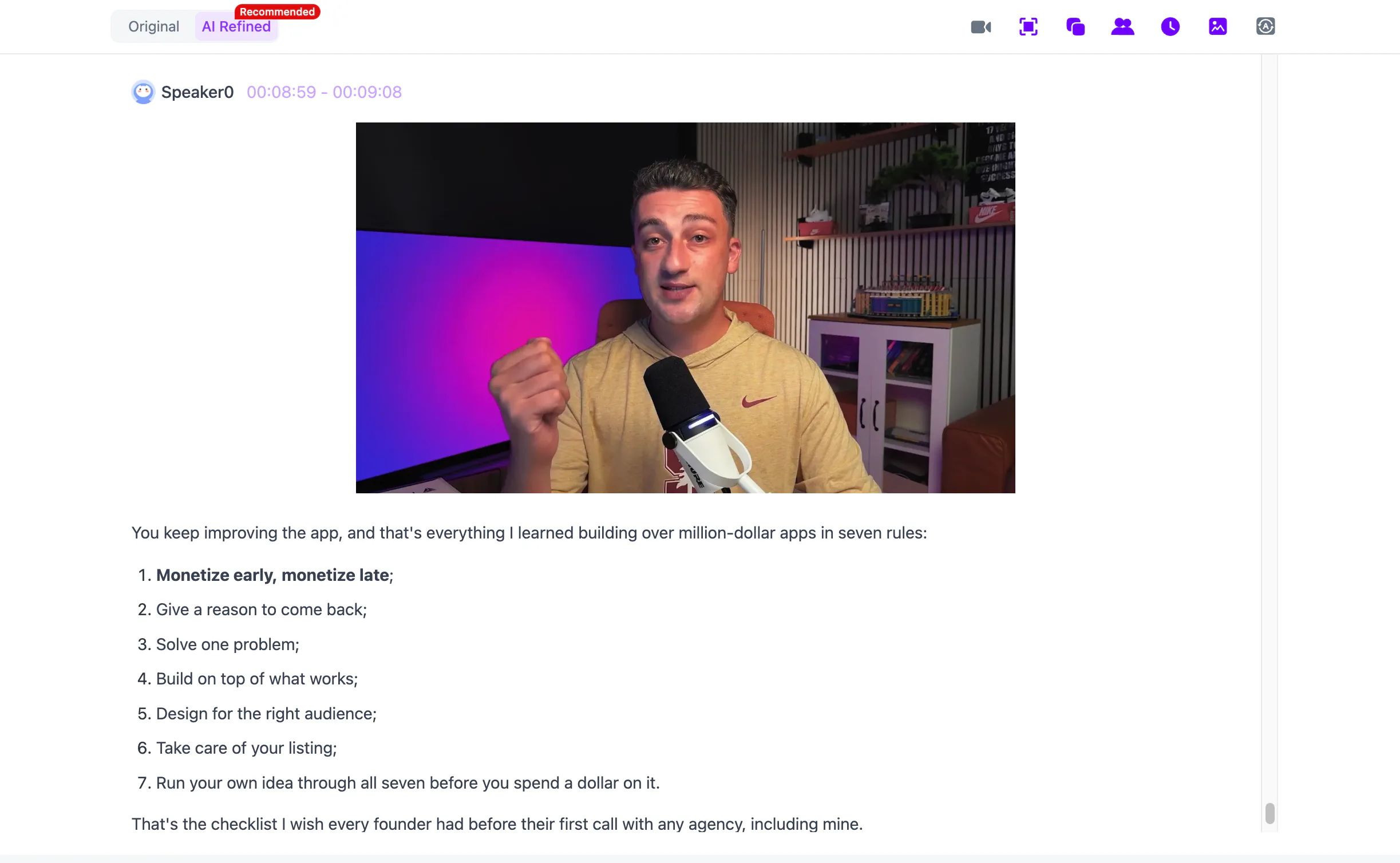
Timestamps make unfamiliar words easier to verify. If an instructor mentions a product name or technical term that looks wrong, open the matching moment and listen again without editing by guesswork. Speaker identification can separate interview participants, although overlapping voices still deserve manual checking.
Step 3: read the summary, then verify the details that matter
The structured summary and Key Insights give you a fast map of the video. Use them to identify the main claim, major sections and useful examples before reading the full transcript.
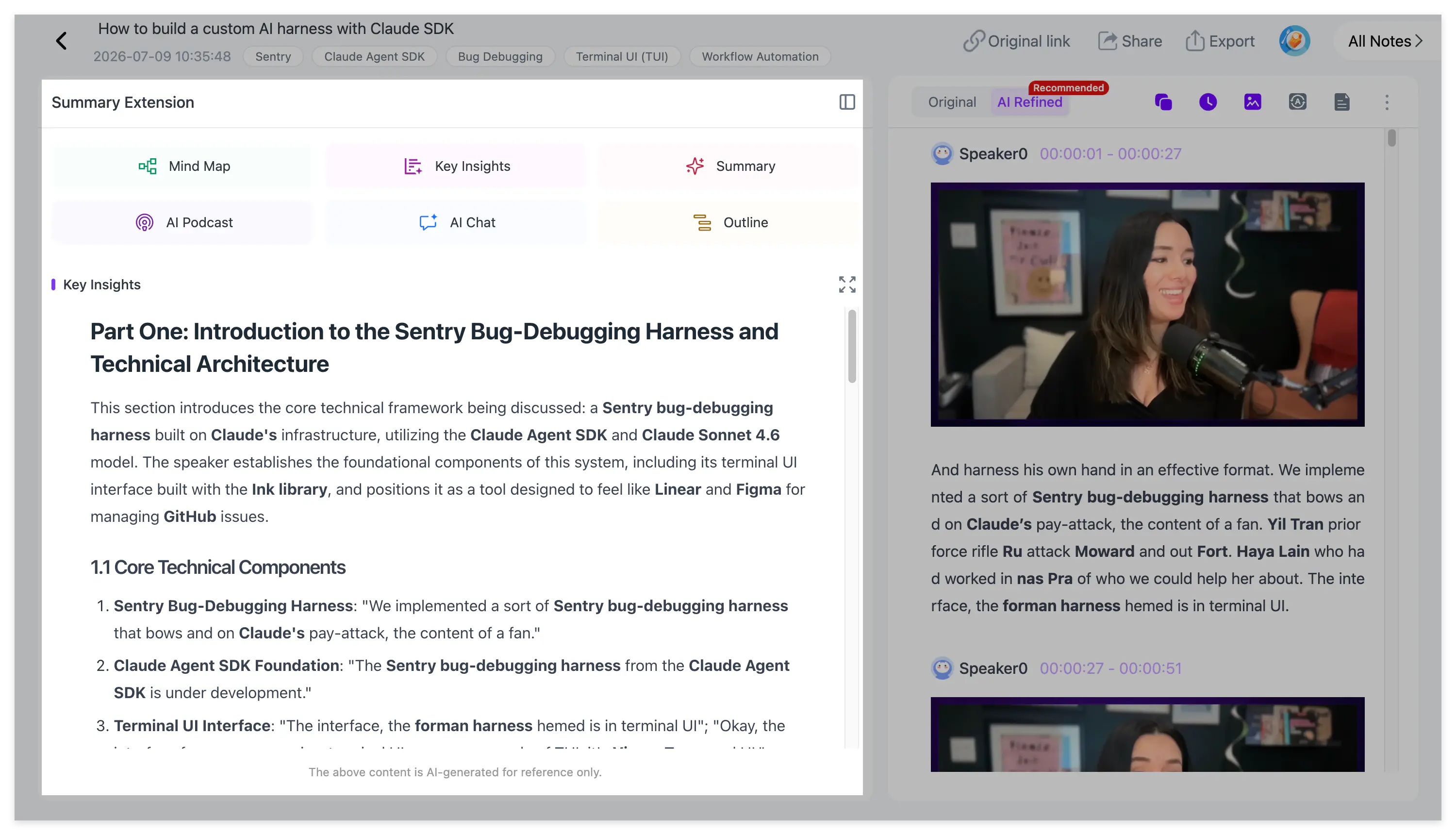
After processing, you can manually select a Summary Template or enter a custom prompt. A lecture can become study notes; an interview can become arguments and evidence; a tutorial can become ordered steps and cautions. The template changes the presentation of the material—it does not change the need to verify exact facts against the source.
Step 4: keep the visual explanation with the transcript
A transcript cannot fully represent a chart, equation, slide or software interface. NoteAi extracts important PPT pages and video frames, then combines each image with the corresponding explanation to create visual notes.
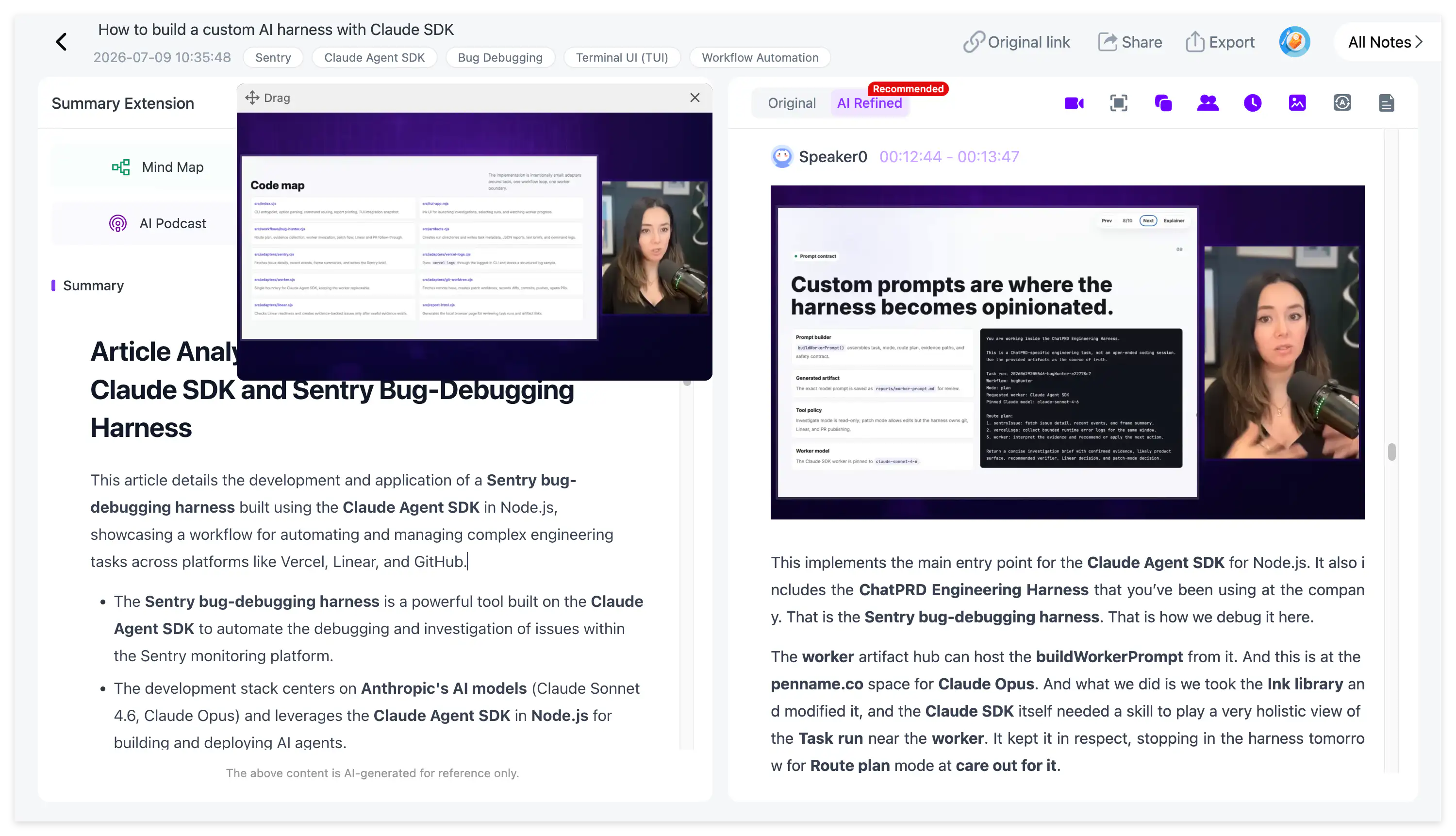
This does not recover the creator's editable PPTX and it does not guarantee OCR of every word on screen. Its purpose is to preserve the visual context that gives phrases such as “this chart” or “change this setting” their meaning.
Step 5: ask questions and save what is worth keeping
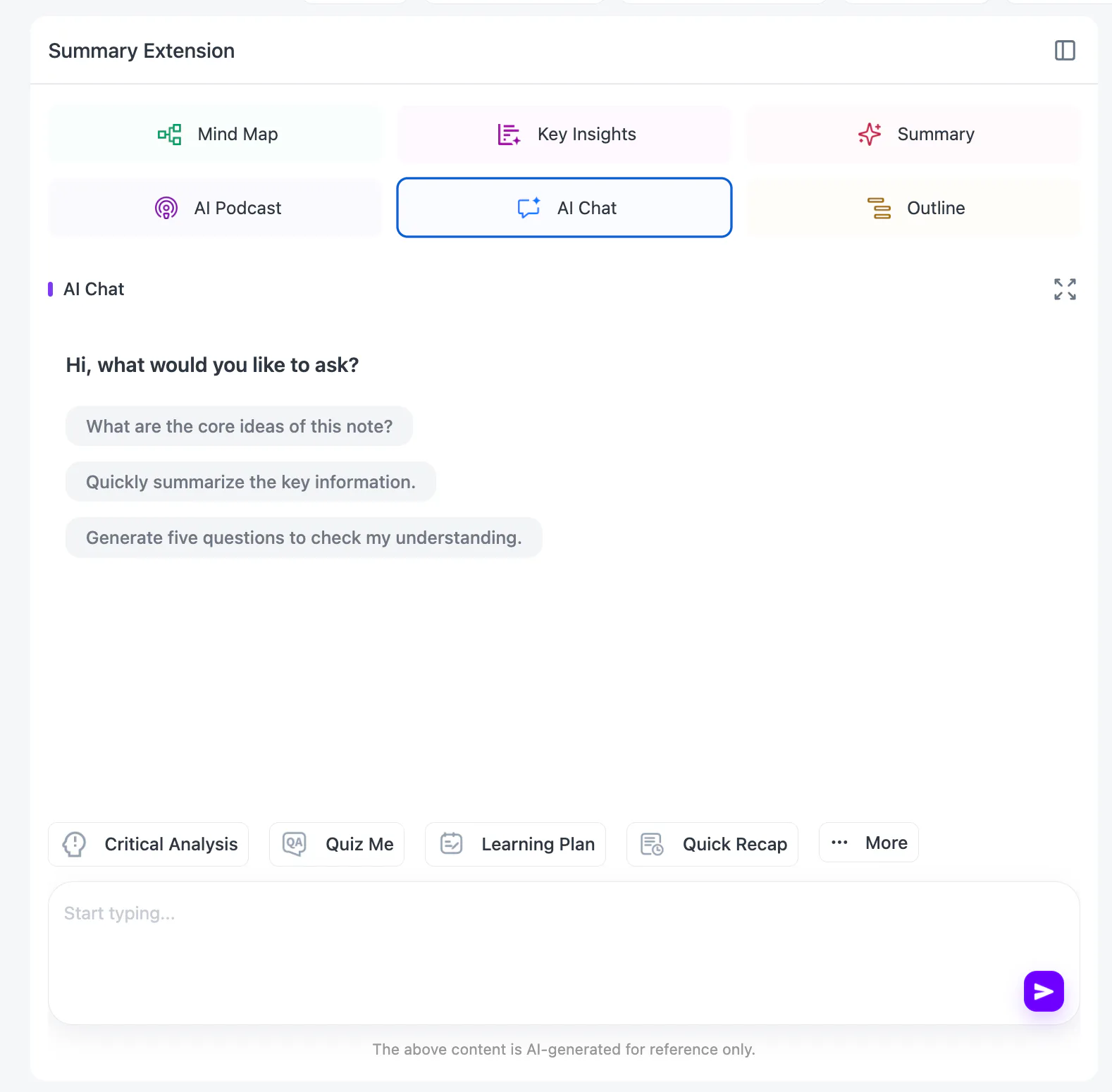
Once the source is processed, AI Chat can explain a difficult section, compare two claims or create revision questions. Ask for the relevant section or timestamp with the answer, then reopen that passage before relying on it.
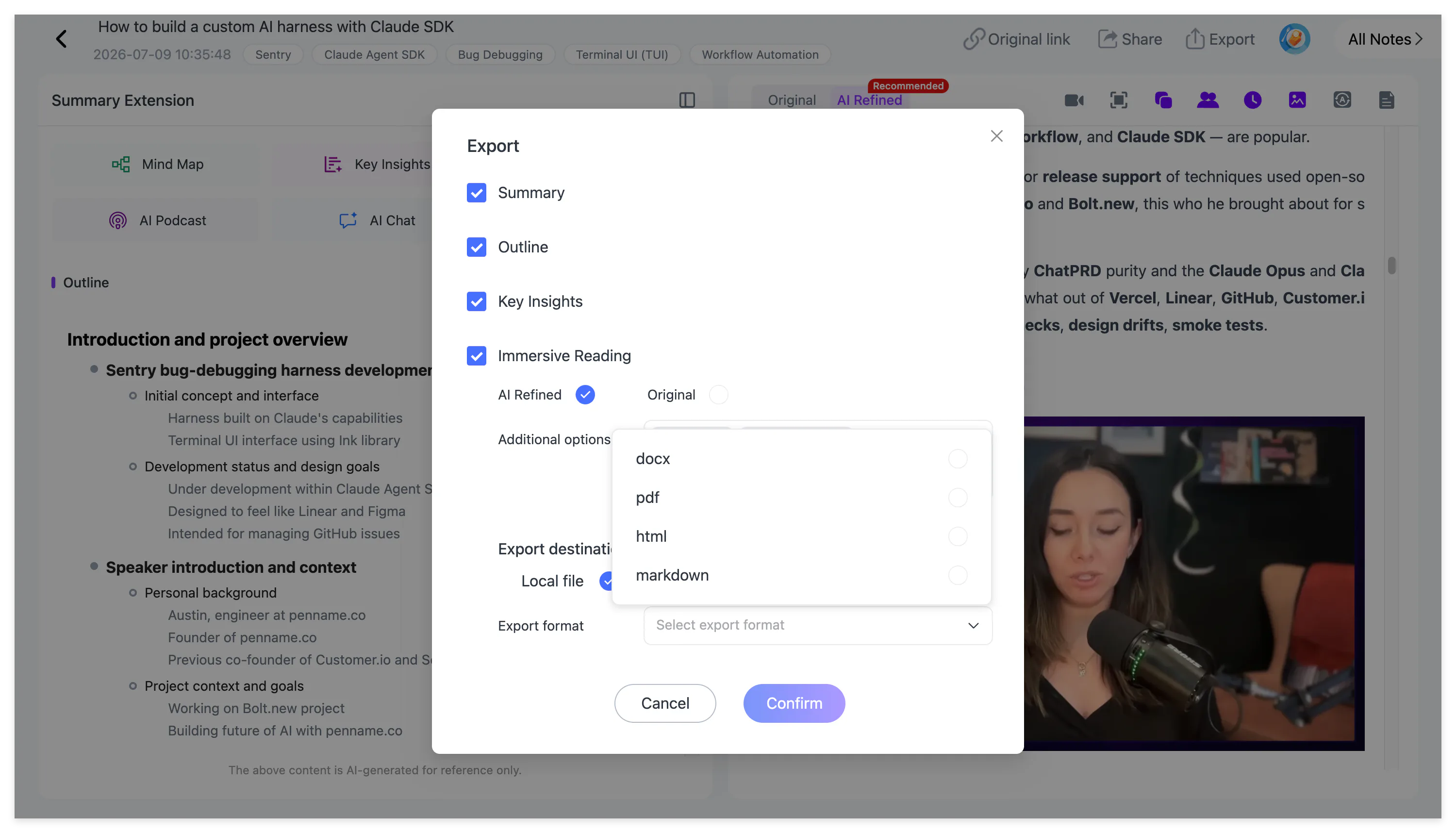
Useful passages can be highlighted, underlined and annotated. Important videos can remain in the personal knowledge base for global search and cross-note Q&A, while finished notes export as Word, PDF, Markdown or HTML.
For the general timestamped transcription workflow, read YouTube to Text: 3 Ways to Get a Transcript With Timestamps. For a deeper comparison of evidence and compression, continue with Video Transcript vs AI Summary.
FAQs
Can ChatGPT summarize a YouTube video with no transcript?
Not from the URL alone in every situation. A dependable workflow first converts the spoken audio into text, then gives the transcript to the model. A dedicated ASR-based video tool removes that manual step.
Does NoteAi extract YouTube subtitles?
NoteAi is not limited to subtitle extraction. It recognizes speech from the audio and can therefore process spoken videos even when an existing subtitle track is unavailable.
Can I translate the new transcript?
Yes. NoteAi supports translation across 22 languages and provides a bilingual view so the source wording remains available for comparison.
Is NoteAi completely free?
No. NoteAi offers limited free credits so you can test the workflow before choosing a paid plan.
Start with the audio, not the missing captions
When a YouTube video has no subtitles, the job is not impossible—it is simply a transcription task before it becomes a summarization task. Try the workflow in NoteAi and keep the transcript, summary, visuals and source navigation together.