

A translated summary can tell you the general point of a foreign-language video. It is less useful when you need to check a technical term, quote the speaker or return to the exact moment where an idea was explained.
Bilingual notes solve that problem by keeping the original transcript close to the translation.
With NoteAi, the workflow is:
-
Paste the YouTube video link.
-
Transcribe the spoken audio with timestamps.
-
Review the original and AI-polished transcript.
-
Use Smart Translation to create the translated view.
-
Keep useful slides and key frames with the text.
-
Turn the material into structured bilingual notes.
-
Check important terms against the source before exporting.
Transcript, Subtitles, Translation and Bilingual Notes Are Different
These terms are often treated as if they mean the same thing. They produce different outputs.
| Output | What it contains | Best use |
|---|---|---|
| Transcript | The spoken words converted into text | searching, quoting and reviewing what was said |
| Subtitles | Timed text displayed during playback | following the video while watching |
| Translation | Meaning transferred into another language | understanding the source language |
| Bilingual notes | Original text, translation and selected learning material | studying, researching and checking terminology |
A YouTube caption track can be helpful, but it is not the only way to create a transcript. NoteAi can use automatic speech recognition to transcribe the audio when a usable caption track is unavailable.
The result is still machine-generated. Accents, poor sound, overlapping speech and specialist vocabulary can cause errors.
Why Keep the Original Text Beside the Translation?
Technical terms do not always have one translation
A lecturer may use an English product name inside a Japanese sentence, a Latin term in a biology class or an abbreviation that should not be translated at all.
If the translated note replaces the source completely, those details become harder to verify. A bilingual view gives you a readable translation without removing the original wording.
Translation can flatten a speaker’s meaning
Humor, hedging and subject-specific phrasing do not always move cleanly between languages. “May indicate,” “is associated with” and “causes” are not interchangeable.
Keeping the source nearby makes it easier to check whether the translated note preserves the speaker’s level of certainty.
Language learners need both comprehension and exposure
The translation helps you follow the argument. The original transcript lets you notice vocabulary, sentence patterns and how the speaker expresses the same idea.
How to Transcribe and Translate a YouTube Video With NoteAi
Step 1: Paste the individual YouTube link
Open NoteAi and choose the link-import option. Paste the URL of the exact video you want to study and start processing it.
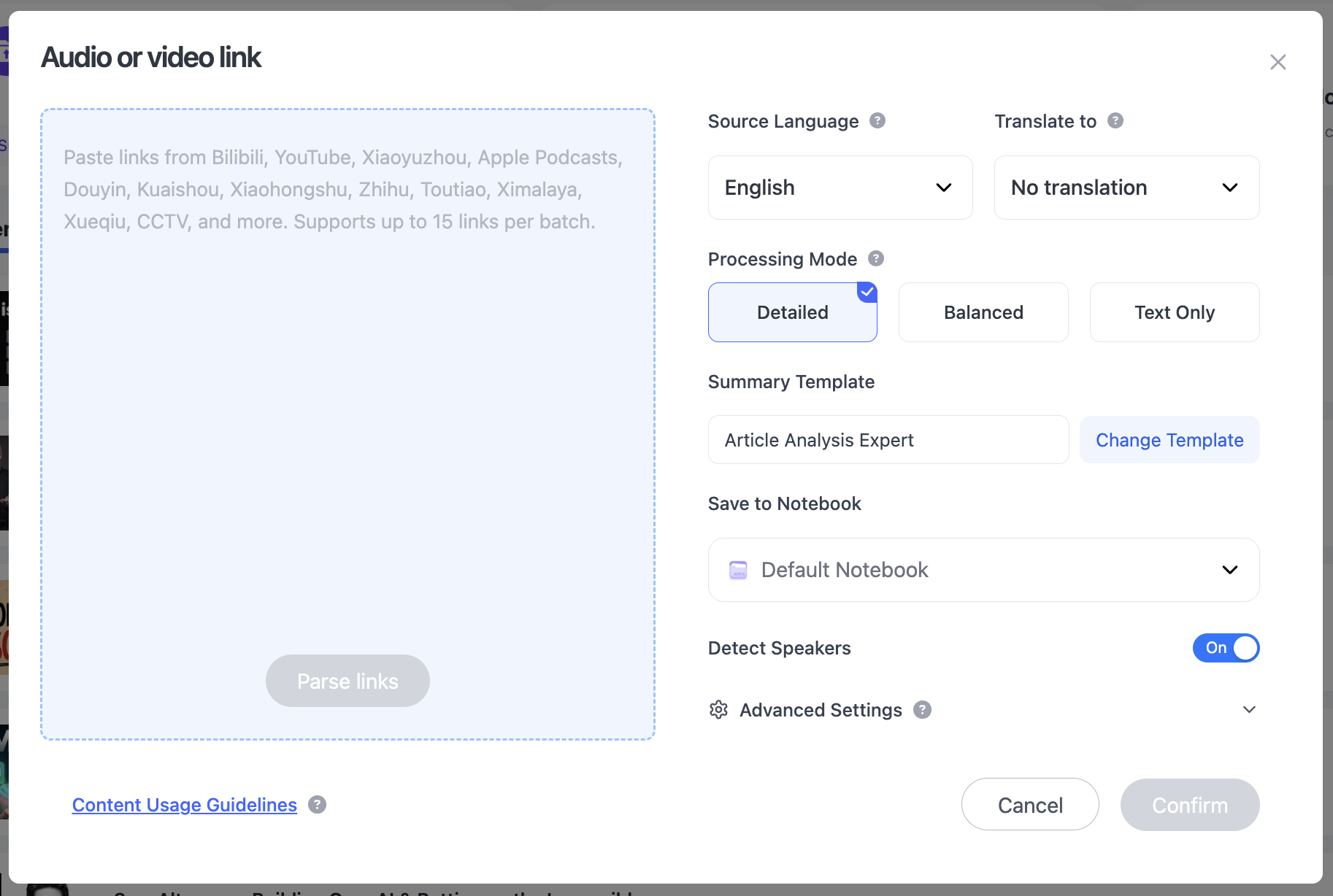
Use a video URL rather than a channel or search-results page. Give the note a title that identifies the source language and topic, such as:
Japanese — Robotics Lecture — Sensor Fusion
This matters once several translated notes are stored in the same knowledge base.
Step 2: Let NoteAi transcribe the video audio
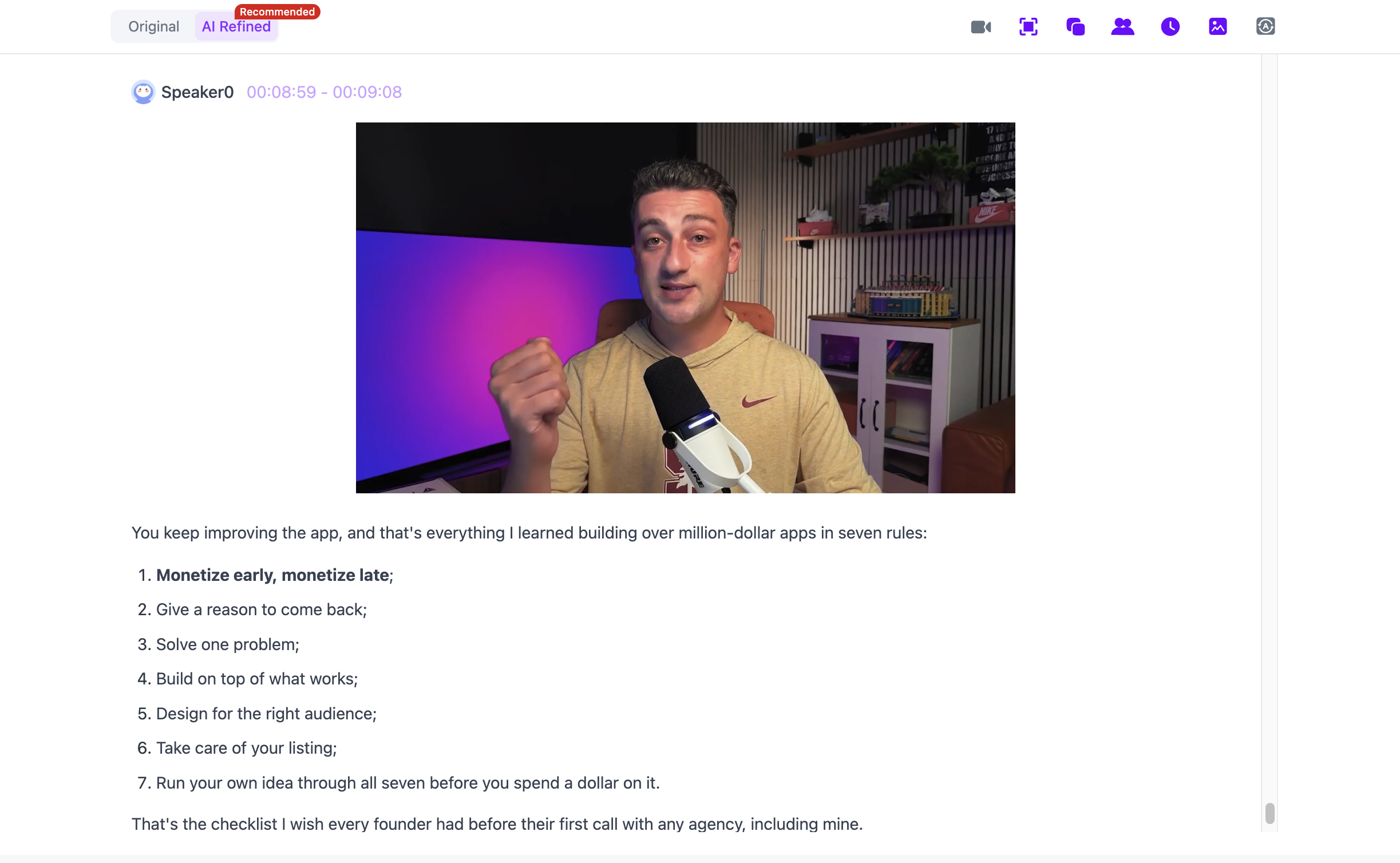
NoteAi turns the spoken audio into a timestamped transcript. This is an ASR process, so the workflow is not limited to videos that already have reliable YouTube captions.
Do not start translating individual sentences before the transcript is ready. A translation built on incorrect source text will carry the error forward.
Step 3: Compare the original and AI-polished transcript
Use the two transcript views for different jobs:
-
Original transcript: check the closest available record of the spoken wording.
-
AI-polished transcript: read a cleaner version with fewer fillers and repeated phrases.
The polished version is easier to study, but it is not a verbatim quotation. Use the original transcript and source playback when exact wording matters.
Step 4: Screen the video with Key Insights
Open Key Insights to understand the topic before reading the entire translation. Note the sections that match your goal and the terms that may need careful checking.
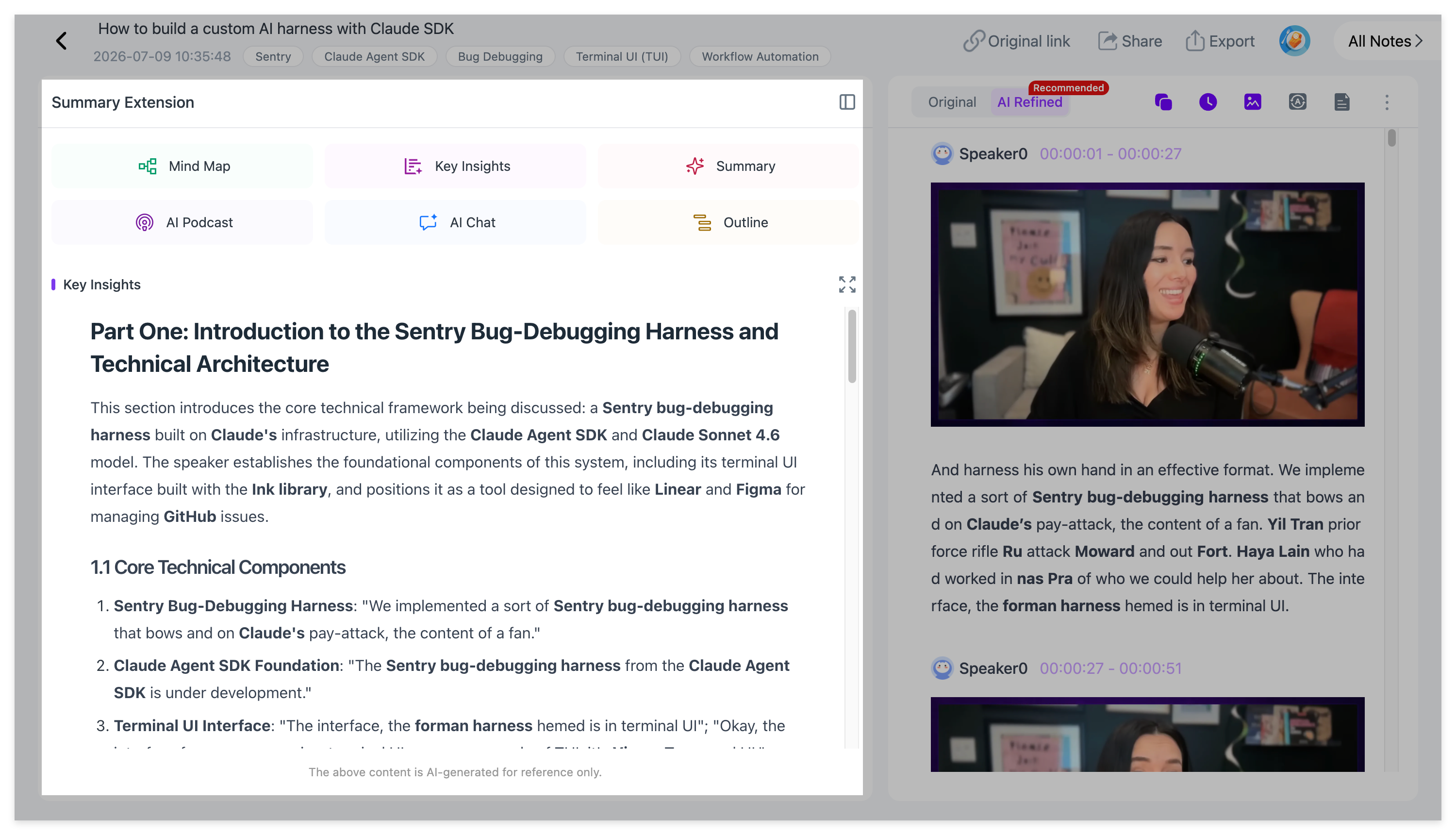
For a one-hour lecture, this prevents you from editing every translated paragraph with equal attention. Spend the most time on definitions, evidence, conclusions and difficult sections.
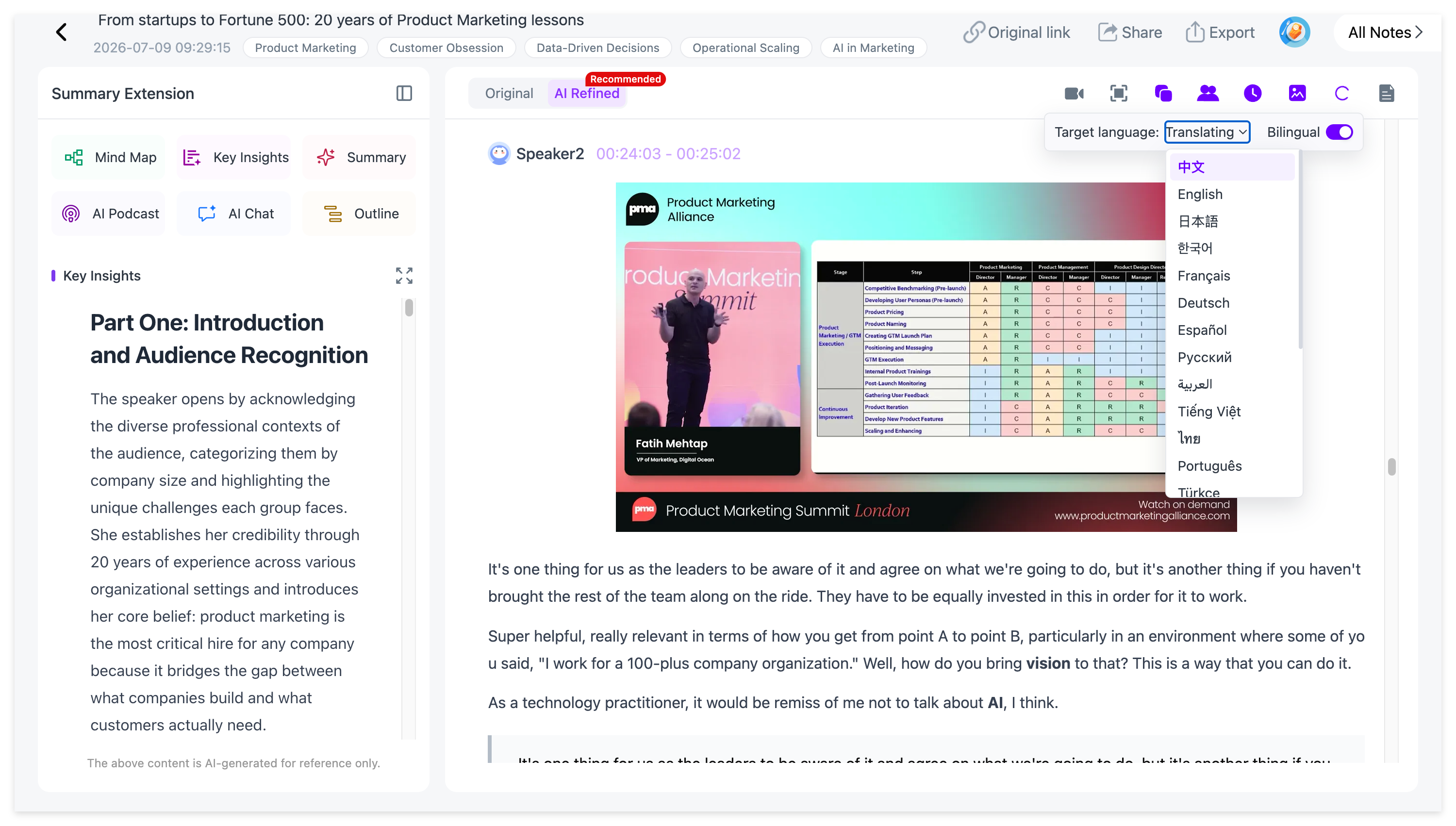
Step 5: Apply Smart Translation
Use Smart Translation to create the translated version in your target language. NoteAi supports translation across 22 languages and provides a bilingual view so the original remains available for comparison.
Read one short section first. Check whether the translation handles the title, main terminology and speaker names correctly before editing the full note.
Smart Translation translates the text generated from the source. It does not redub the video in another language.
Step 6: Check slides and key frames
Translation covers spoken language. It does not automatically explain every chart, equation, interface label or diagram shown on screen.
Visual Notes pair useful PPT pages and key frames with the nearby transcript and explanation.
For each important visual, add a short note that answers:
-
What does this image show?
-
Which term in the image should remain untranslated?
-
What does the speaker say about it?
-
Which timestamp should I revisit?
Visual Notes preserve useful frames; they do not recreate an editable slide deck or capture every frame in the video.
Step 7: Turn the transcript into structured bilingual notes
A full bilingual transcript can be long. Keep it as the reference layer, then create a shorter note for actual use.
Choose a suitable Summary Template or use a custom prompt. A practical prompt is:
Create structured bilingual study notes from this video. For each section, write a concise translated explanation, retain important original-language terms in parentheses, include the relevant timestamp, and flag any name, number or technical phrase that needs source review.
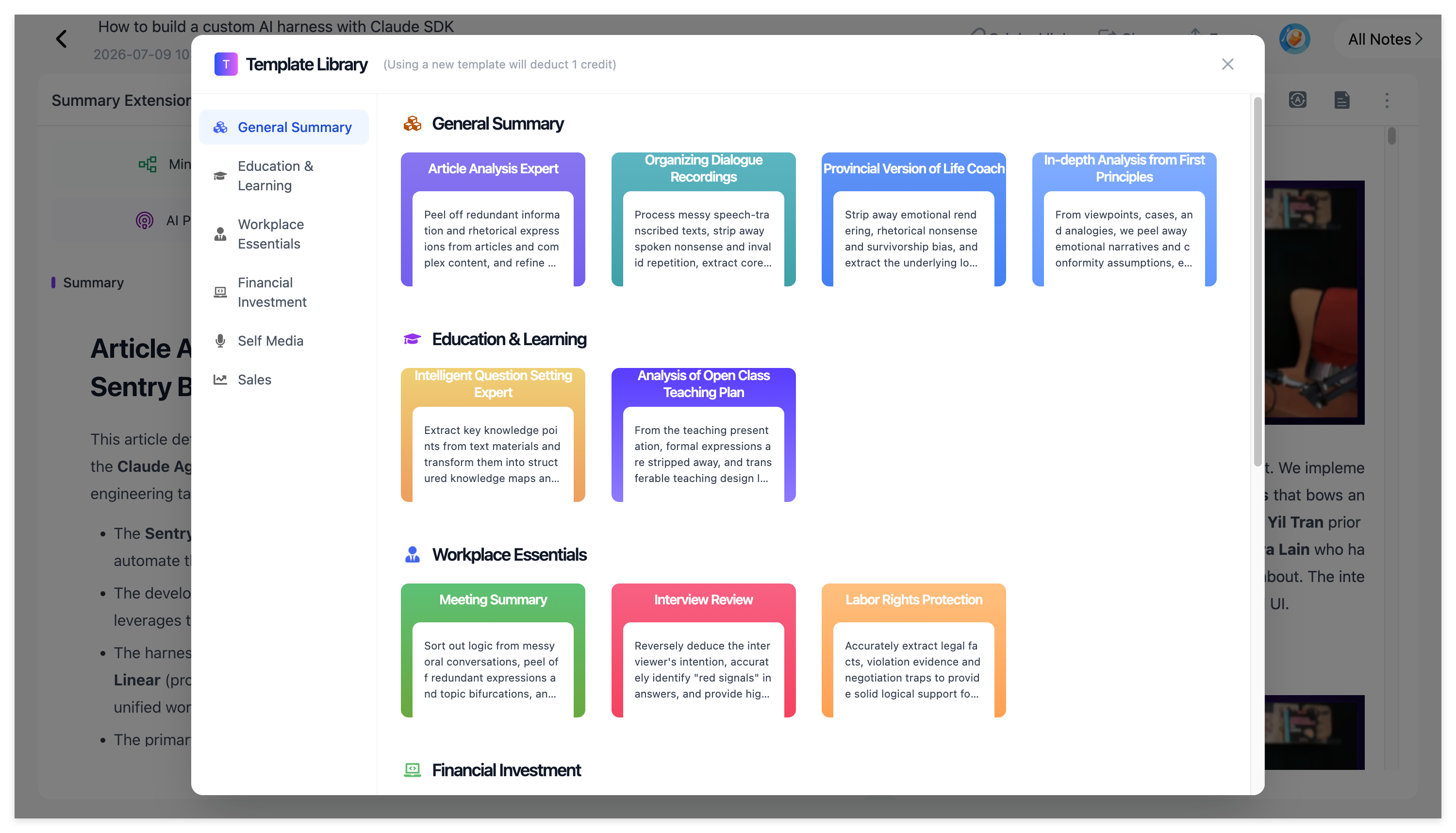
Do not request line-by-line duplication unless that is genuinely needed. For most lectures, a translated explanation plus selected source terms is more readable.
Step 8: Add your own annotations
Mark content that needs a second check, vocabulary you want to learn and ideas you plan to reuse.
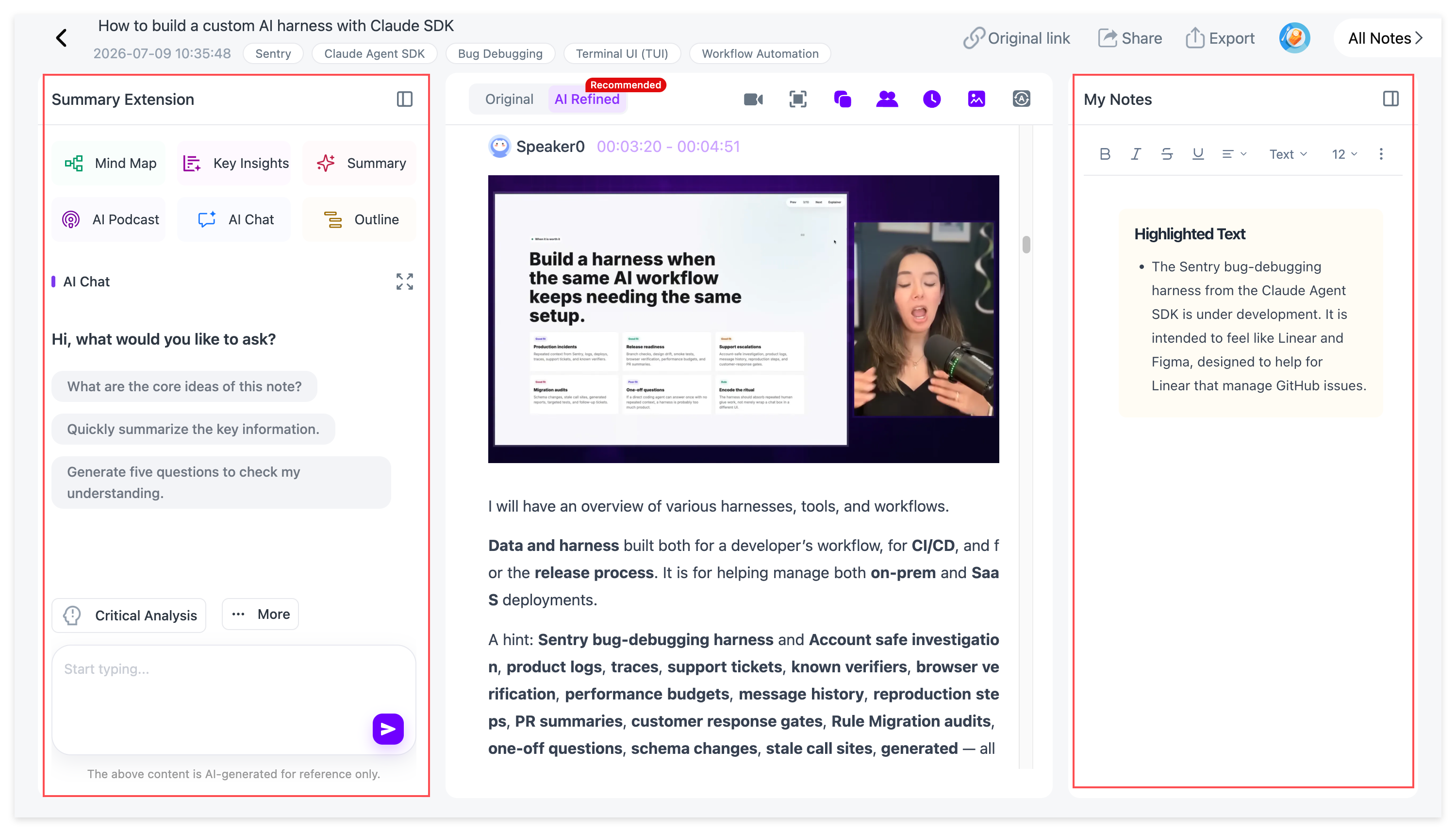
Use a small annotation system rather than highlighting everything:
-
Term: preserve the original spelling;
-
Check: verify translation or transcription;
-
Use: relevant to an assignment or project;
-
Question: still unclear after reading.
Step 9: Ask AI Chat questions about the source
AI Chat can help explain the current processed video. Ask it to work from the source rather than requesting general language advice.
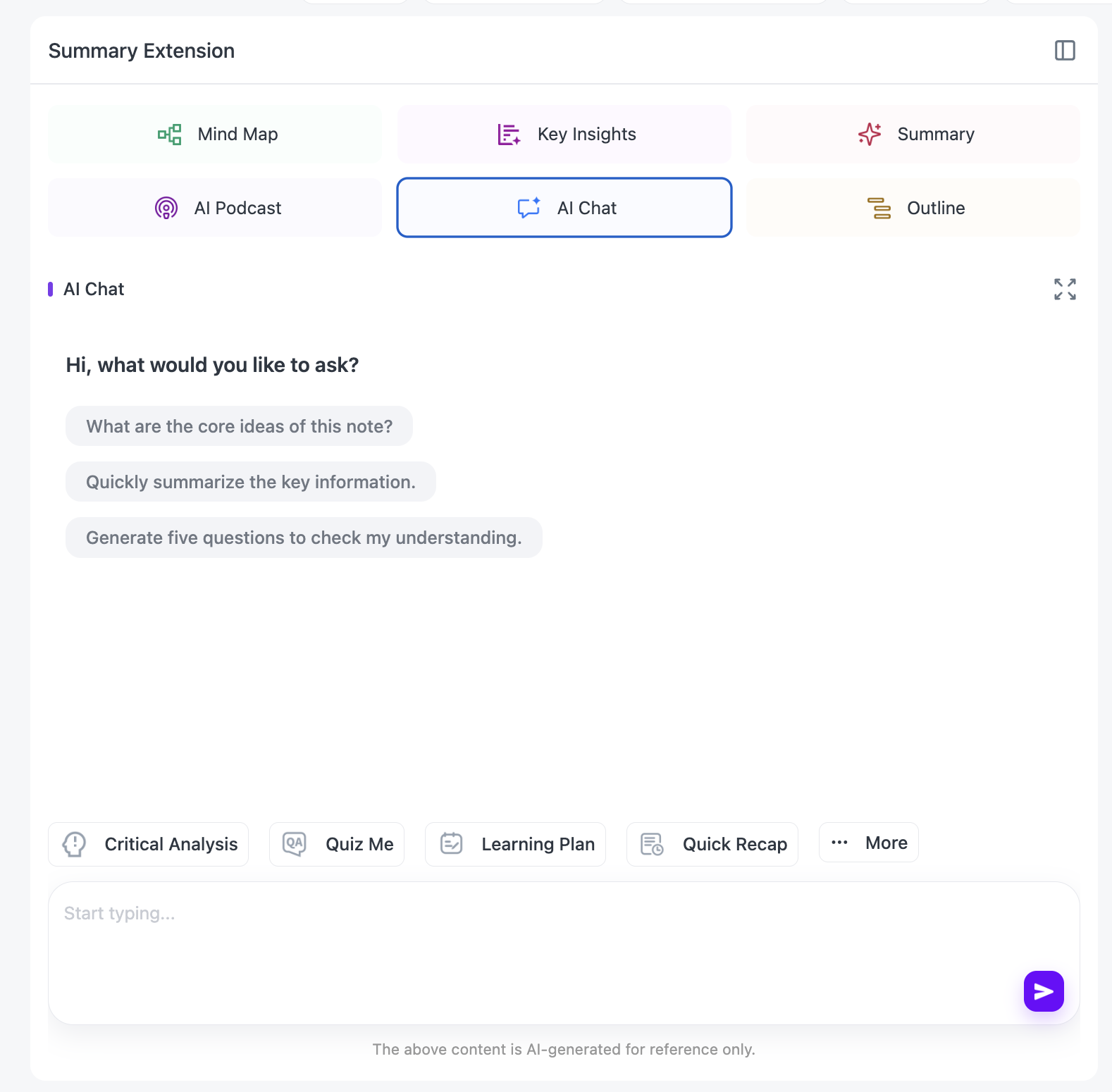
Useful prompts include:
List five technical terms whose meaning may change if translated without context. Show the source term and explain the meaning used in this video.
Compare the original and translated explanation of the main conclusion. Identify any change in certainty or scope.
Quiz me on the video in English, but keep the key source-language terms in parentheses.
Check important answers against the timestamped transcript. AI Chat is a reading aid, not an independent authority.
Step 10: Use the Mind Map to check relationships
Translation can make individual paragraphs understandable while leaving the overall structure unclear. Open the Mind Map to see how the video’s main topics connect.
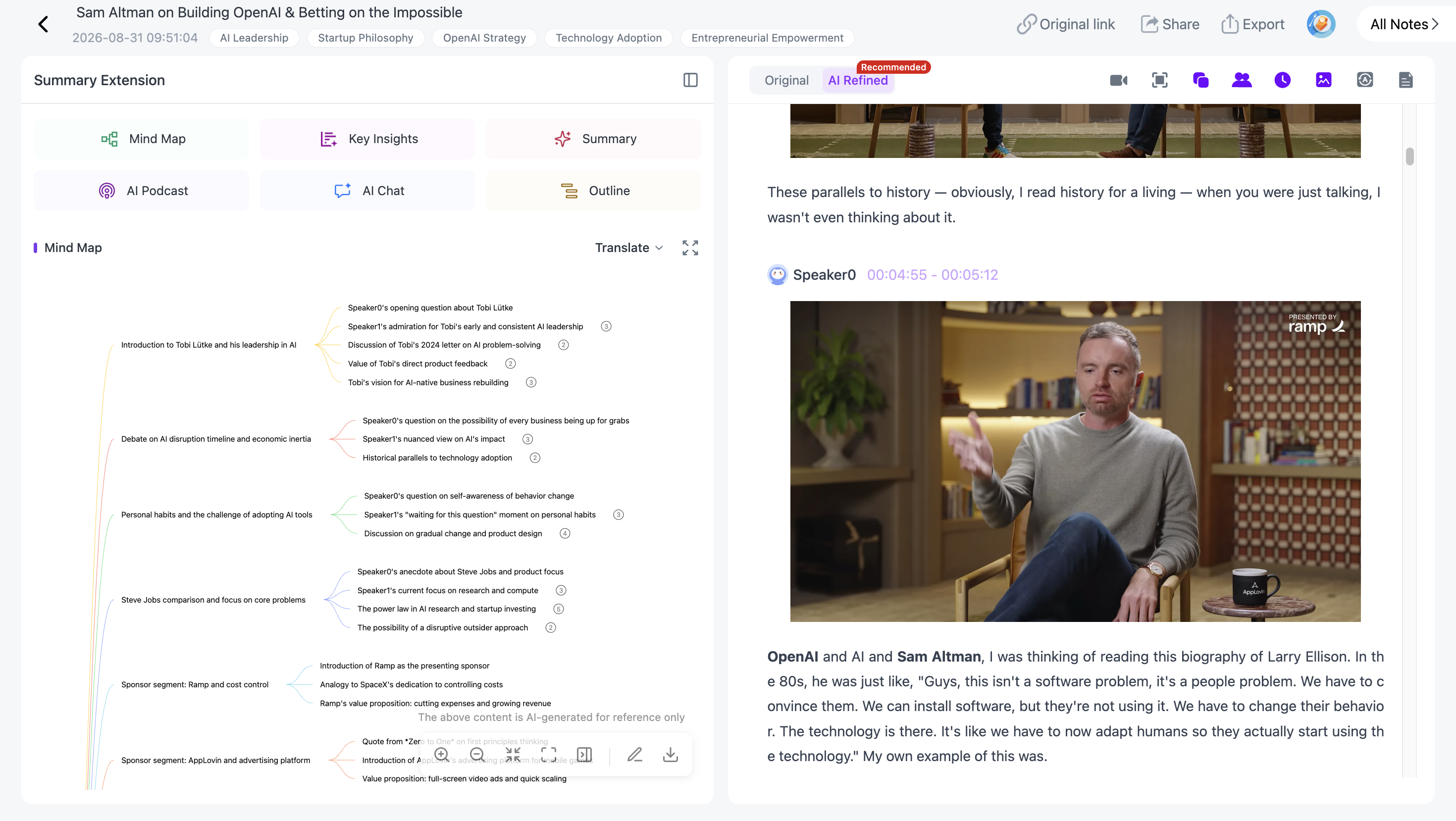
Keep original names or subject terms where translating them would create ambiguity. If a branch seems inconsistent with the note, use Smart Sync to return to the corresponding source moment.
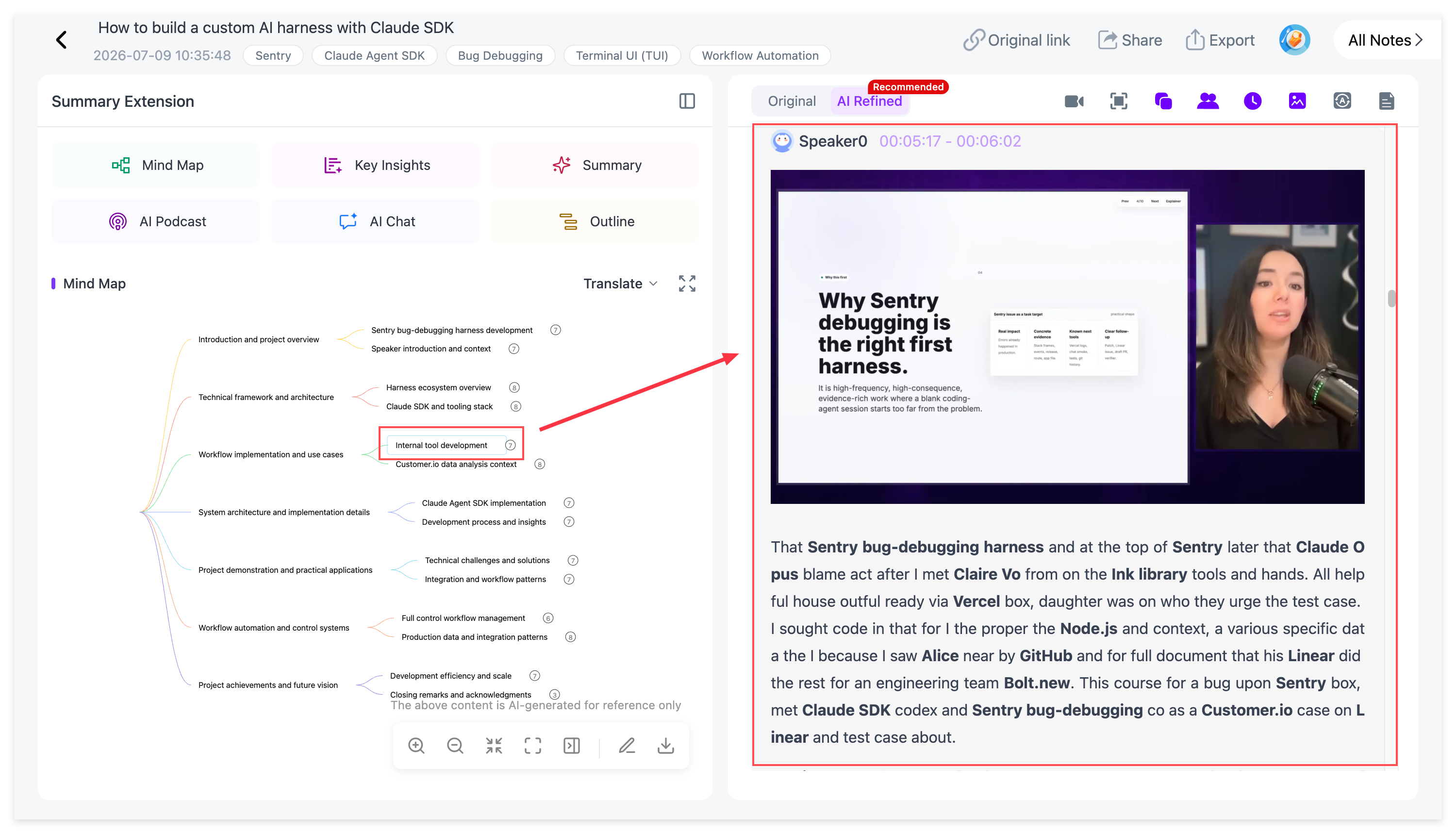
Step 11: Export the version you will use
NoteAi notes can be exported as Word, PDF, Markdown or HTML.
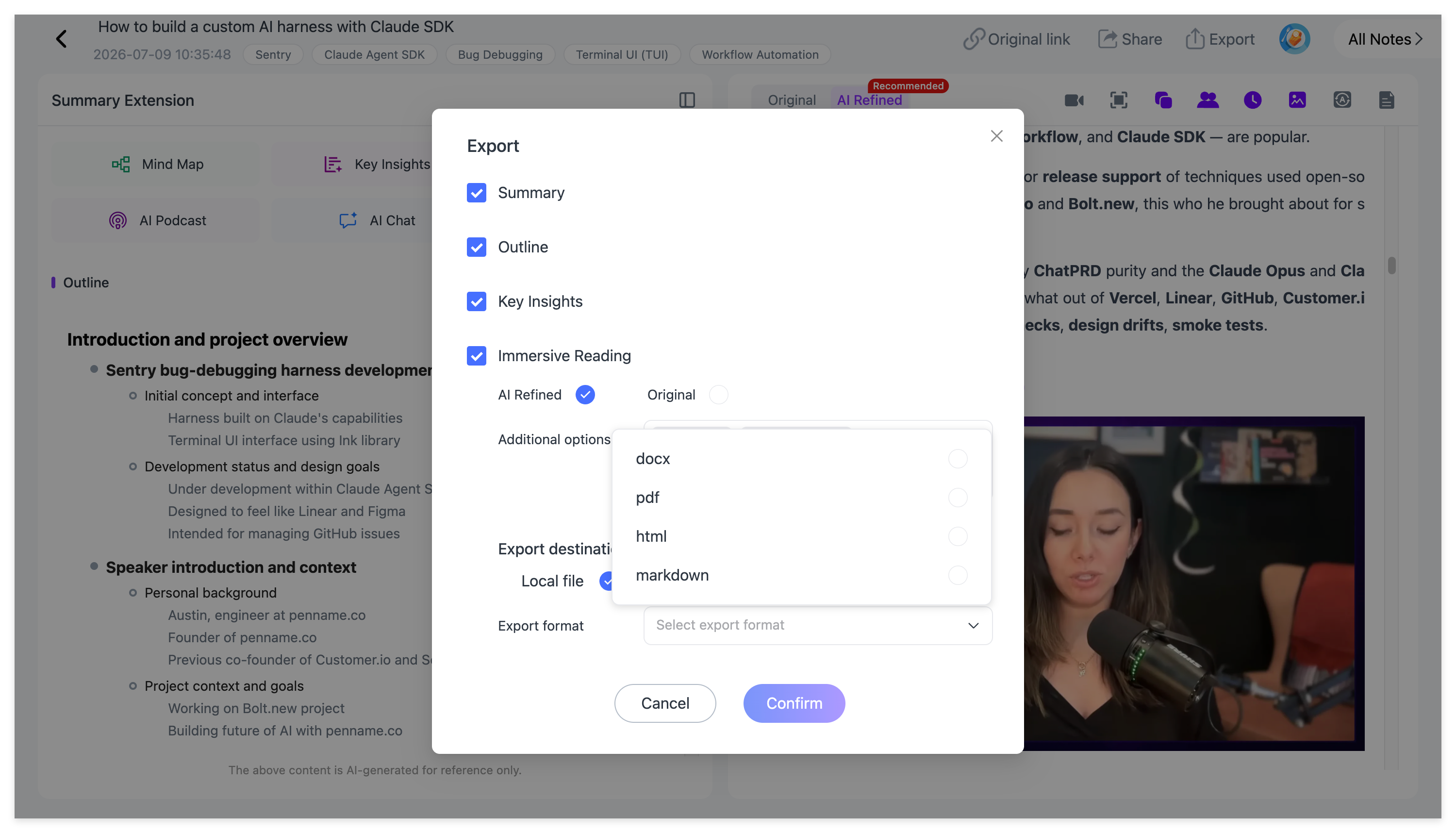
Choose the format based on the next step:
-
Word: edit or share the bilingual note as a document;
-
PDF: keep a fixed review copy;
-
Markdown: link terms and sources in a personal knowledge base;
-
HTML: open the exported material in a browser-readable format.
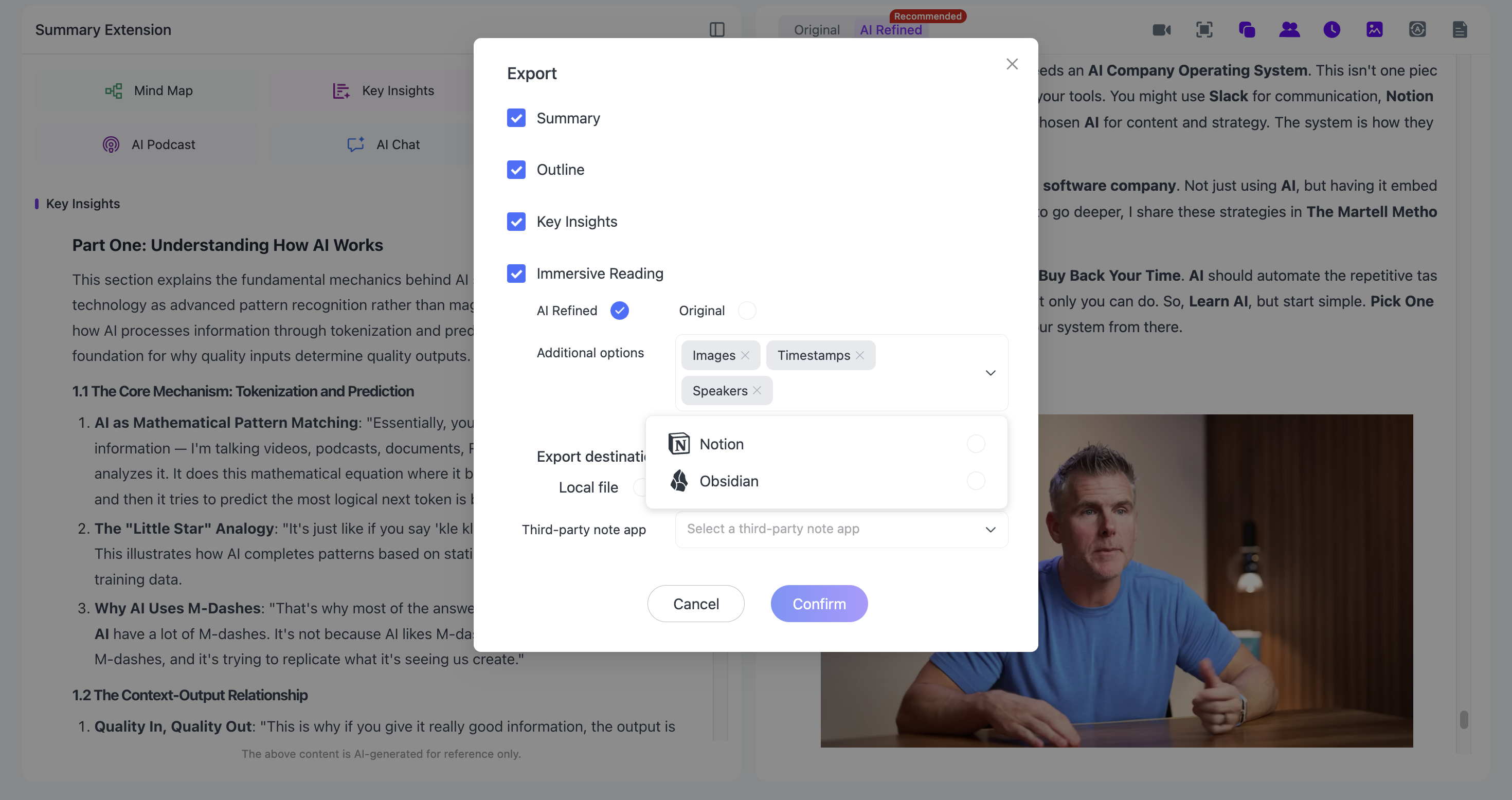
For a Markdown-based workflow, read How to Turn YouTube Videos Into Obsidian Notes With AI.
Worked Example: A Japanese Robotics Lecture in English Notes
Imagine a 45-minute Japanese lecture about sensor fusion. You need English study notes but want to retain the original technical terms.
Use this structure:
| English note | Original term or source check | Timestamp |
|---|---|---|
| Sensor fusion combines information from multiple sensors to improve state estimation. | センサフュージョン; confirm the lecturer’s definition | 04:18 |
| Camera data supplies visual features, while inertial measurements capture rapid motion. | Check the slide labels for the exact sensor names | 12:40 |
| The method must account for different sampling rates and accumulated error. | Verify whether the speaker says “drift” or a broader error term | 21:05 |
| The case study compares performance before and after fusion. | Keep the chart and units with the note | 33:16 |
The translated column is readable on its own. The source column preserves what should not be trusted to memory or translation alone.
This is an illustrative example, not a claimed transcription test.
A Five-Point Accuracy Check
1. Names and titles
Confirm people, institutions, books and products against the video description or on-screen text.
2. Numbers and units
Check dates, percentages, prices, measurements and formula values against the source moment.
3. Technical terminology
Keep the original term in parentheses when several translations are possible or the source term is standard in the field.
4. Negation and certainty
Review sentences containing “not,” “may,” “usually,” “only” or similar qualifiers. A small error can reverse the claim.
5. Visual evidence
Make sure the translated note agrees with the chart, slide or demonstration. Spoken text may refer to information that appears only on screen.
When Bilingual Notes Are Most Useful
This workflow works well for:
-
students taking foreign-language online courses;
-
researchers reviewing international talks and interviews;
-
language learners studying authentic long-form material;
-
professionals following overseas product demos or industry lectures;
-
creators researching source videos in another language.
It is less suitable when you need a certified legal translation, publication-ready subtitles, professional localization or a new translated audio track. Those jobs require specialist review and different output formats.
Save useful bilingual notes under a consistent course, language or research category so they remain searchable after the immediate task is finished.
Frequently Asked Questions
Can NoteAi transcribe a YouTube video without subtitles?
Yes. NoteAi can use ASR to recognize the video’s spoken audio. Clear sound still produces better results than noisy or overlapping speech.
How many languages does Smart Translation support?
NoteAi supports translation across 22 languages. The bilingual view keeps the source available for comparison.
Does it translate the video audio?
No. This workflow translates the transcript and note content. It does not create a dubbed version of the original video.
Is a translated transcript the same as translated subtitles?
No. A transcript is a readable text record. Subtitles are timed for on-screen playback and may require subtitle-specific file formats and line-length editing.
Should I translate the original or polished transcript?
Use the polished transcript for easier reading, but keep the original available for names, exact wording and uncertain passages. The bilingual note should remain traceable to the source.
Can I export the bilingual notes?
You can export NoteAi notes as Word, PDF, Markdown or HTML. Review the content before using it in an assignment, publication or professional document.
Keep Translation Connected to the Source
The useful part of a bilingual note is not simply having the same text twice. It is being able to read in your preferred language while keeping the original terms, timestamps and visual evidence close enough to check.
NoteAi brings transcription, Smart Translation, Visual Notes, AI Chat and export into one source-linked workflow. The final quality still depends on reviewing the details that matter.