

A transcript tells you what was said. A useful video note also remembers what was on screen.
That difference matters in a coding tutorial, a slide-heavy lecture or a software demo. If the transcript says “look at the graph on the right,” you have lost part of the lesson unless the graph comes with it.
That is why turning a video into useful visual notes is a bigger job than simply turning video into text.
What should a good video note keep?
A useful note should answer five questions:
- What was said?
- What was shown?
- What are the main ideas?
- Where did this come from in the source?
- What can I do with it next?
That means transcription, visual capture, structure, source navigation and reuse all belong in the workflow.
How NoteAi builds visual notes from video
Start With the Platform or File You Already Have
Paste supported links from YouTube, TikTok, Bilibili and other video platforms, upload local video/audio, or bring in recorded and screen-captured content.

You can add up to 15 links or files at once, and local media can be up to 7 hours and 4GB.
For a transcript-only workflow, see YouTube to Text. This article focuses on what happens when the screen matters too.
Keep the Original Words and a Cleaner Reading Version
The original transcript keeps timestamps and speaker-aware text.
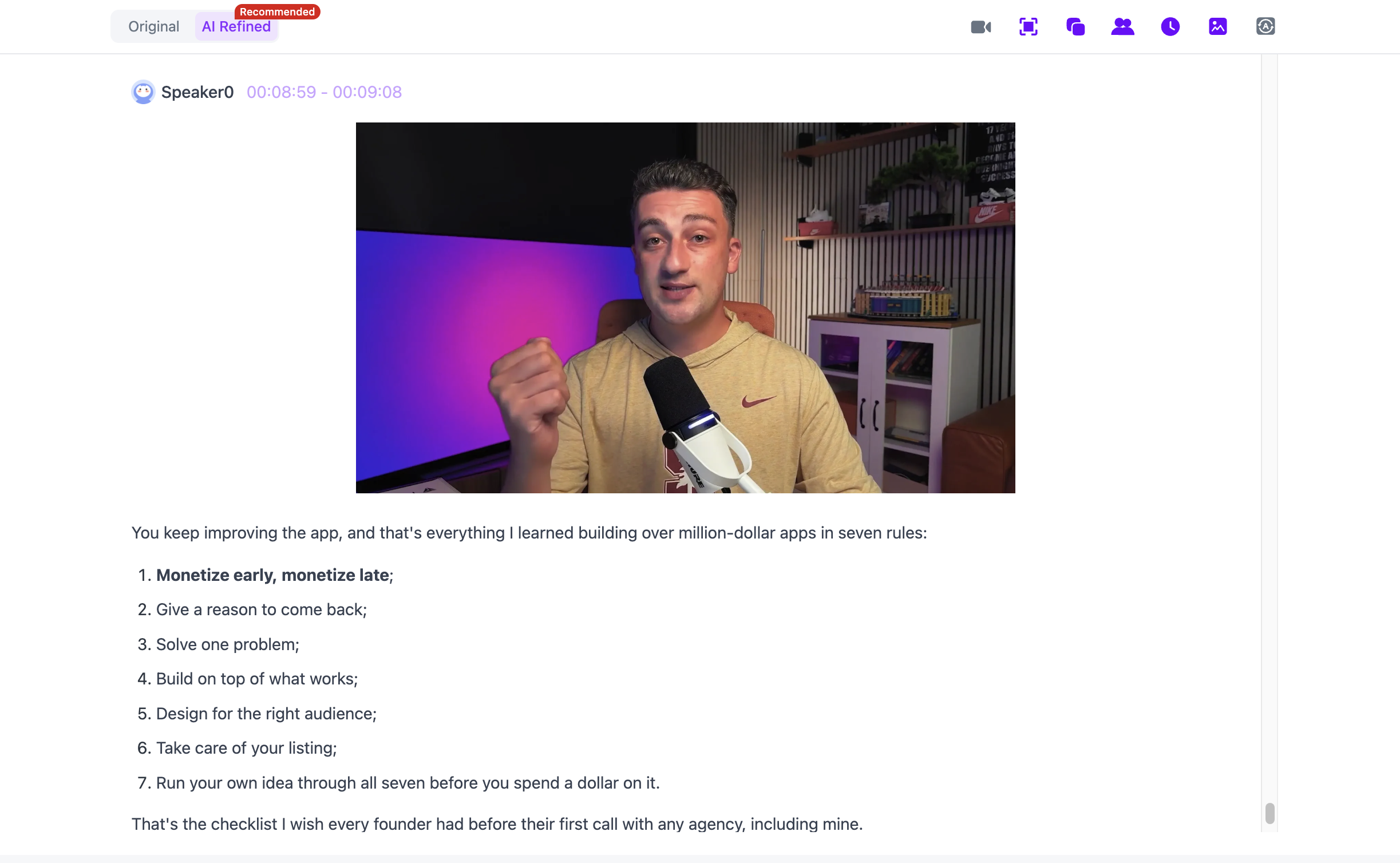
The AI-polished transcript removes filler words and repeated spoken phrasing while preserving the original version for checking.
On a long course, that means you do not have to choose between a messy verbatim transcript and a summary that has thrown away the detail.
Capture What Happened on Screen
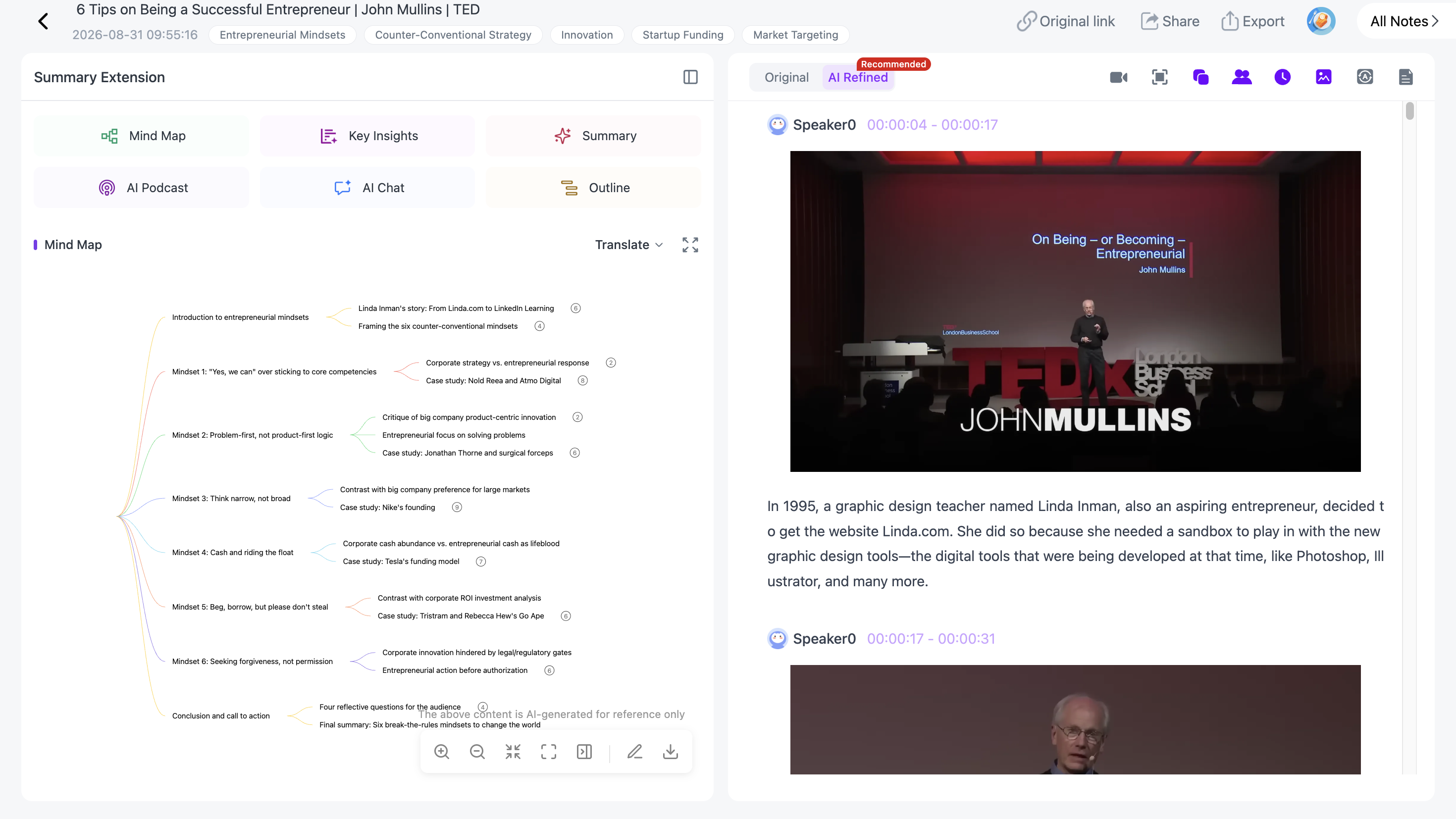
NoteAi can automatically capture useful:
- PPT slides;
- charts;
- diagrams;
- formulas;
- code;
- software interfaces;
- key video frames.
These are not meant to sit in a separate screenshot gallery.
Keep Each Visual With the Explanation It Belongs To
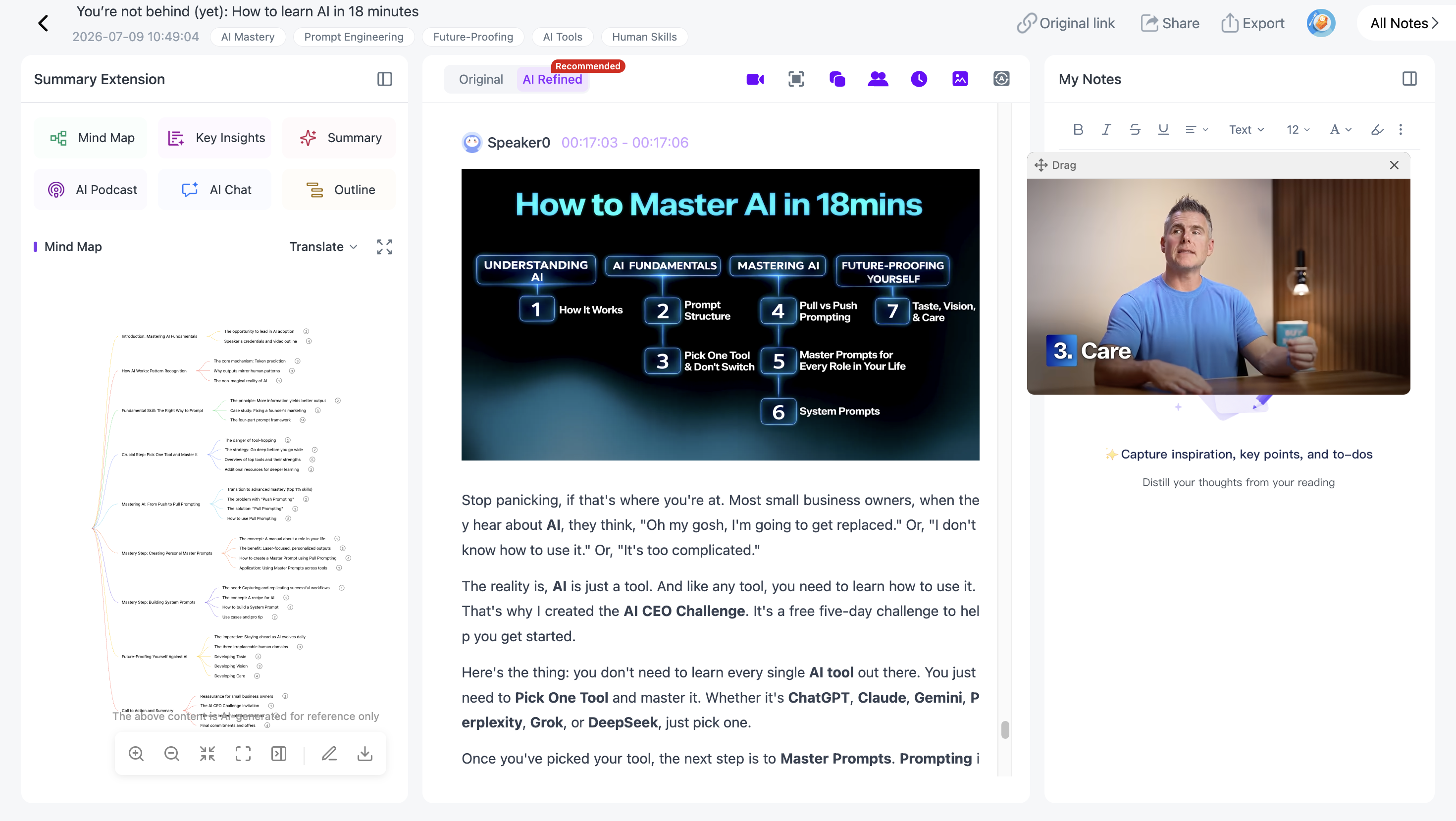
What makes the note useful is that the visual stays with the text it belongs to.
NoteAi places captured visuals beside the matching transcript or summary content, so a chart, formula or software screen stays connected to the explanation that gave it meaning.
That makes the final note much easier to understand after the video is closed.
Generate a Summary That Fits the Job
AI Summary / Insights gives you the first overview.
From there, Summary Templates and custom prompts can reshape the same source into key takeaways, Cornell notes, chapter notes, exam questions, arguments and evidence, a glossary or creator research.

The summary is one view of the source, not the only one.
Generate a Mind Map
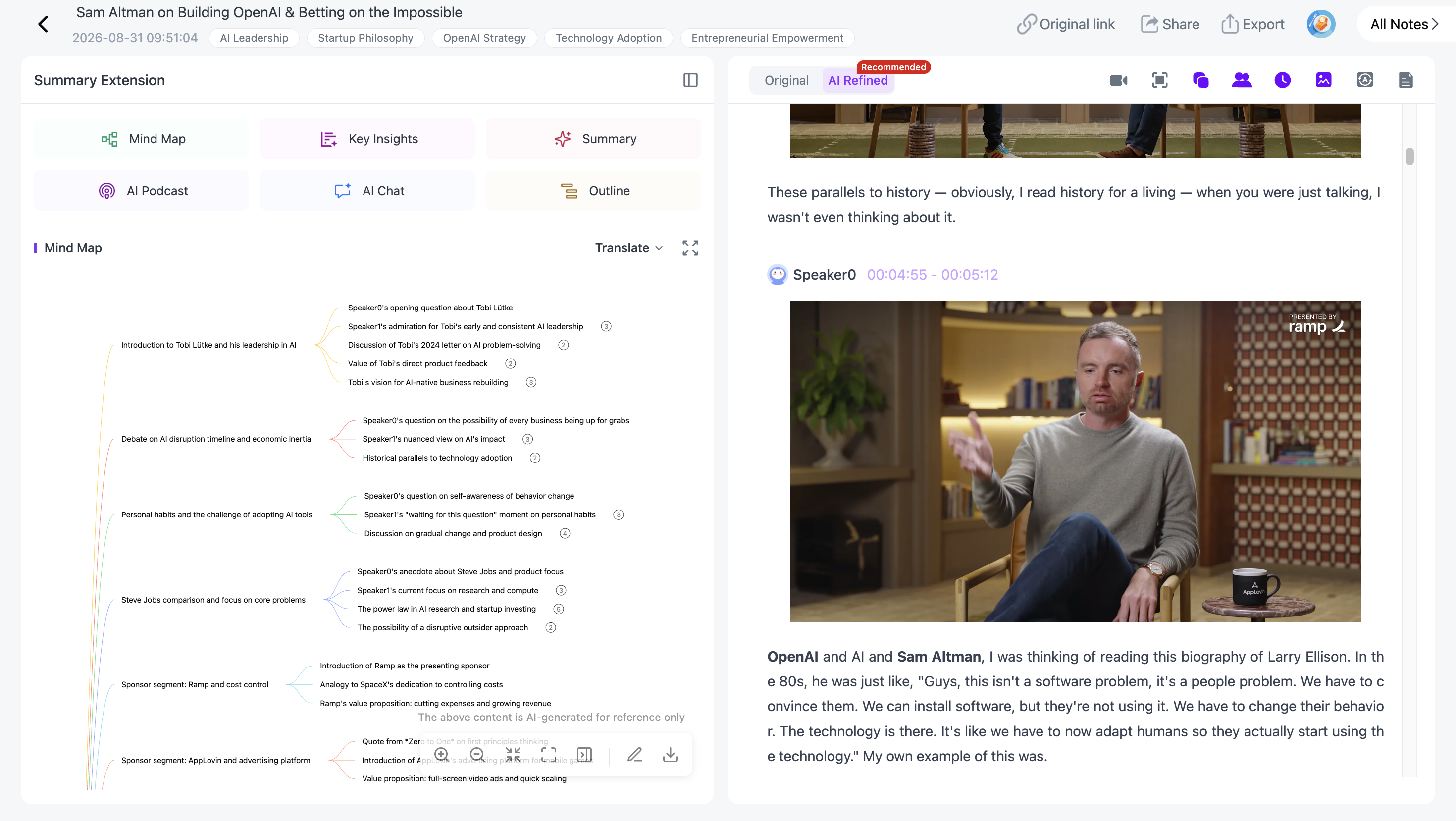
The Mind Map turns a linear video into a structure you can scan.
It is editable: rename branches, remove sections and reorganize the map around your own understanding.
Jump From the Note Back to the Exact Moment
Smart Sync keeps the Mind Map and outline tied to the source.
Click a node and NoteAi takes you back to the matching moment in the original video or recording.

That is useful when the note is enough to remind you what happened, but you want the full explanation before relying on it.
Mind Maps can be exported as XMind, PDF, SVG, Markdown, JSON or TXT.
Ask Questions With the Source Still Attached
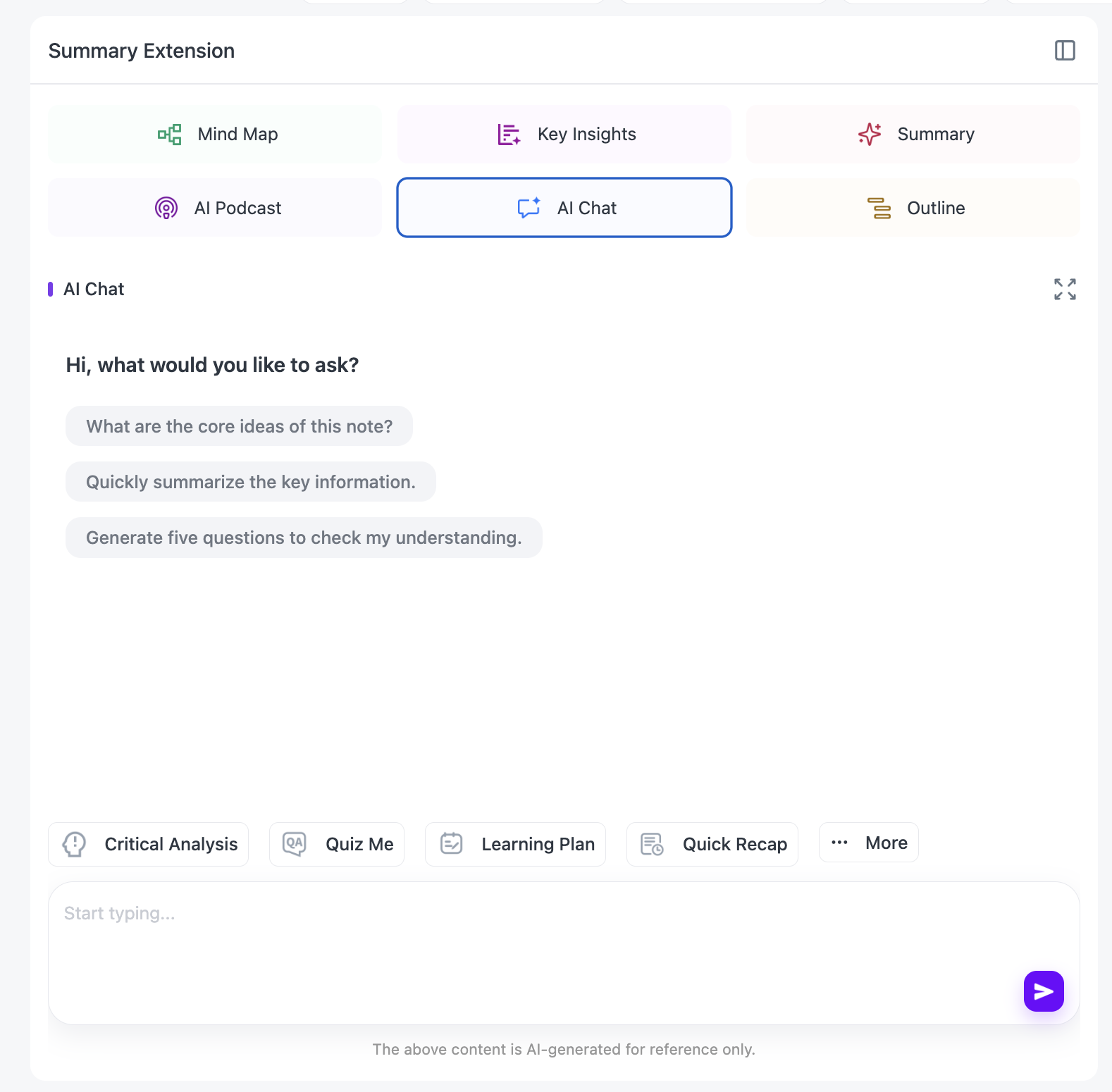
AI Chat / Personal AI Tutor can explain a diagram, compare two methods, generate a quiz, find the section worth rewatching or answer questions about the current video.
For multilingual courses, NoteAi supports translation across 22+ languages without separating the translation from the original note.
A structured note can also become a two-speaker AI Podcast, with customizable speaker names and voice styles. That gives you another way to review the same material during a commute, walk or language-learning session.
Export the Notes or Keep Them in Your Knowledge Base
General notes export as DOCX, PDF, HTML or Markdown, and can continue in Notion / Obsidian.

If you keep notes inside NoteAi, the knowledge base supports three-level organization, global search and batch note management.
A useful course, interview or tutorial can stay in a searchable library instead of becoming another forgotten download.
Who gets the most value from visual video notes?
Students and self-learners can keep course slides and explanations together.
Teachers and trainers can revisit slide-heavy recordings without replaying them linearly.
Researchers can preserve source wording and visual context.
Creators can collect reference clips, scripts, examples and visual material in the same note.
Language learners can combine transcript, bilingual translation, AI questions and audio review.
FAQ
Is a video note the same as a video summary?
No. A summary compresses the source. A video note keeps enough transcript, visuals, structure and source context to be useful later.
Can NoteAi capture PPT slides and other frames?
Yes. Visual Notes can keep useful PPT pages, charts, diagrams, code, software screens and other key frames beside the related text.
Can I edit the Mind Map in NoteAi?
Yes. The generated Mind Map is editable and supports several export formats.
Can NoteAi continue into Notion or Obsidian?
Yes. Notes can be exported or continued in those workflows.