

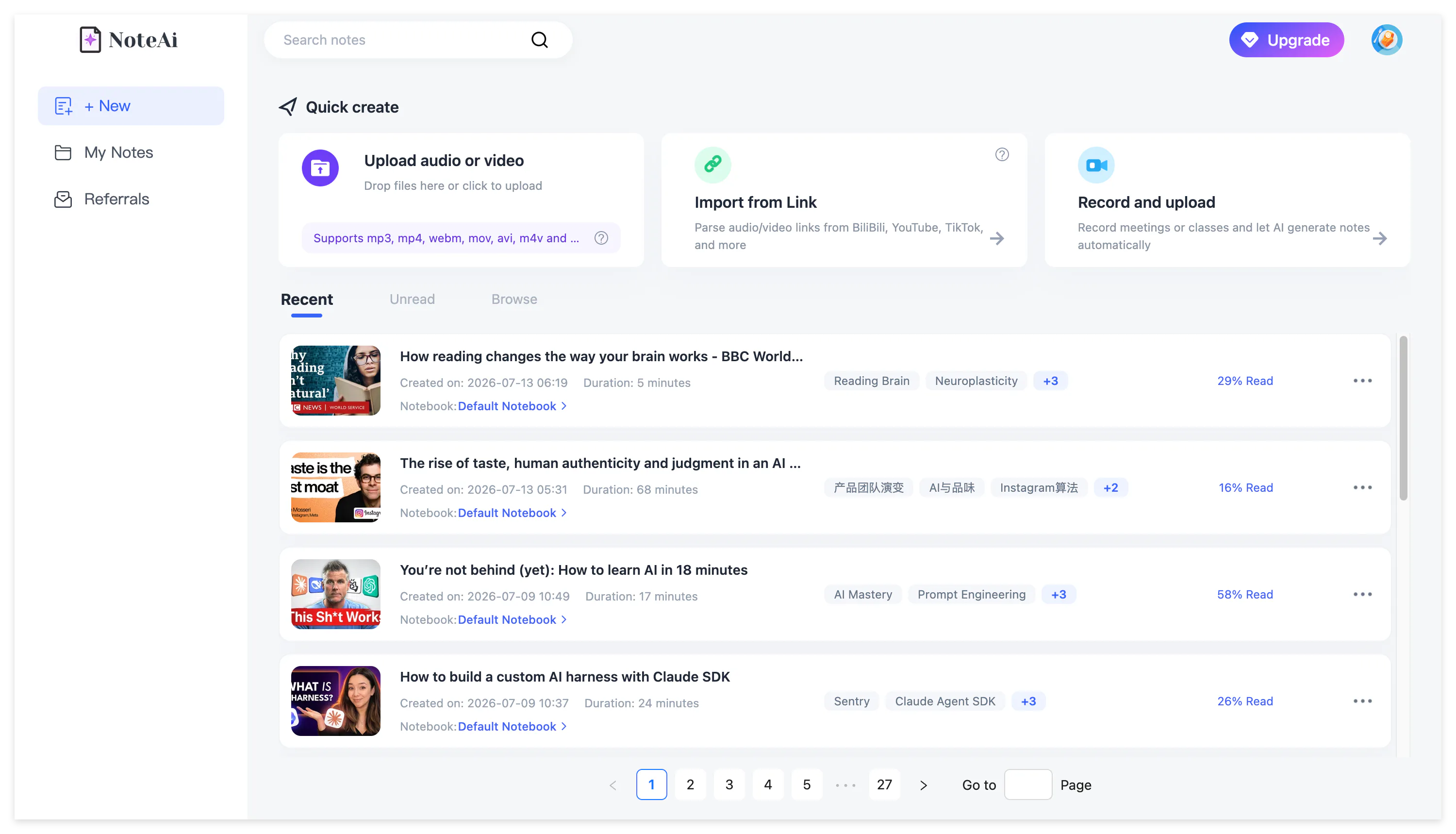
NoteAi is an AI note taker, AI video summarizer and personal AI knowledge base for people who learn or work with long video and audio.
Instead of leaving useful information inside a playback timeline, NoteAi turns YouTube, TikTok, Bilibili, local media files and recordings into structured notes that can be skimmed, edited, searched, questioned and exported.
A processed note can contain:
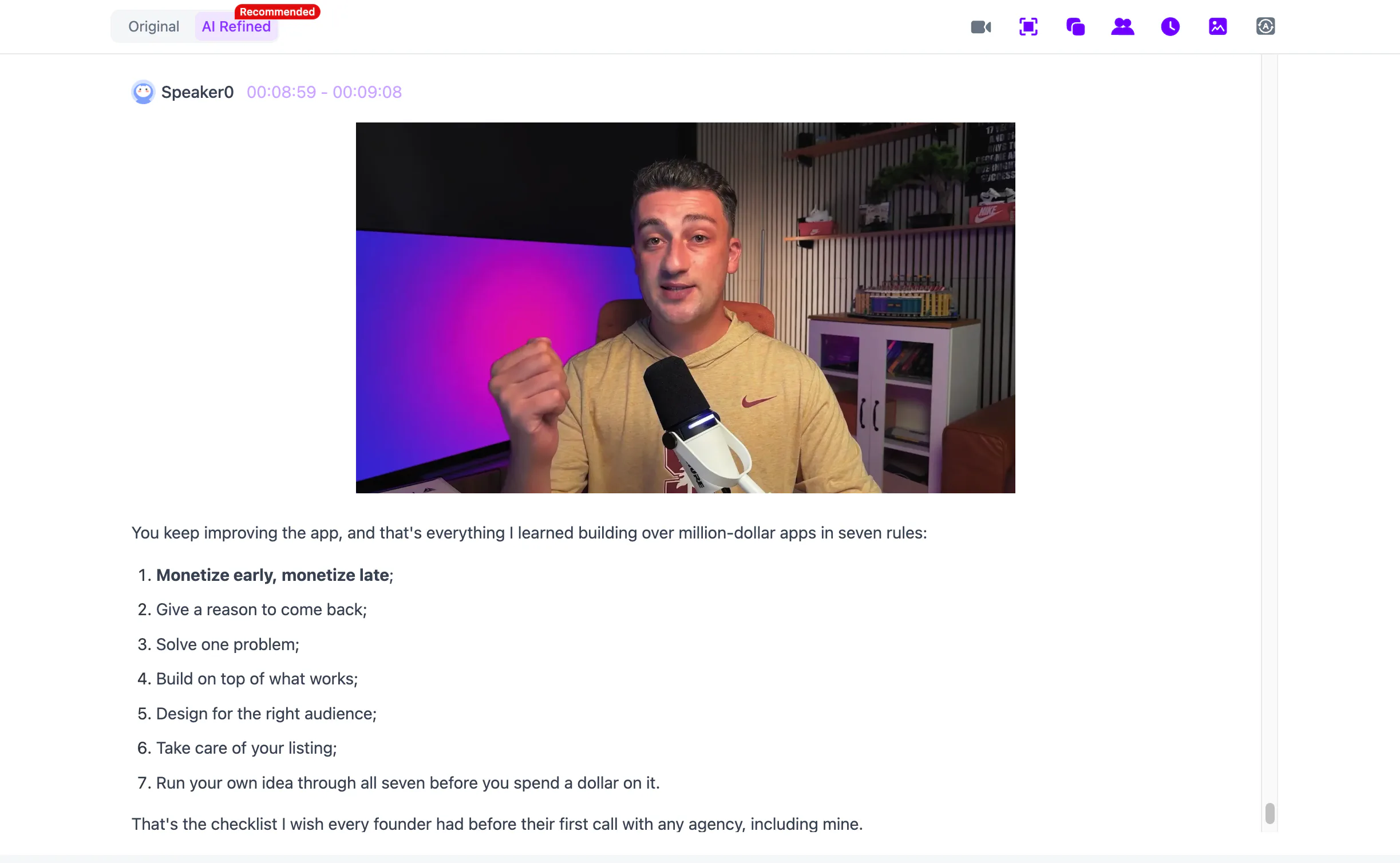
- an original and AI-polished transcript;
- timestamps and speaker identification;
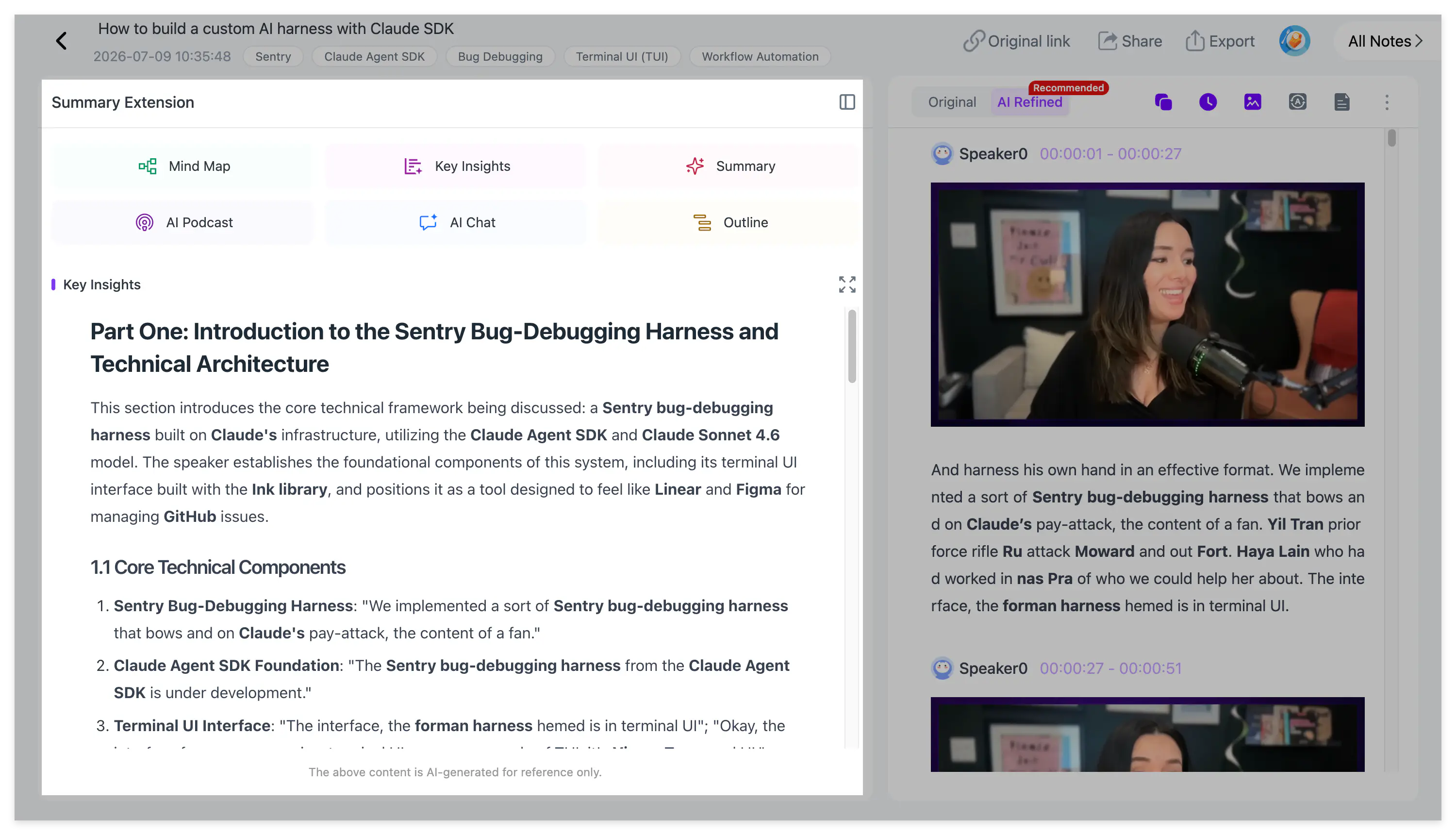
- a structured summary and Key Insights;
- extracted PPT pages or important video frames;
- an editable mind map linked to the source;
- AI questions and cross-note conversations;
- translation and bilingual reading;
- a two-host AI Podcast;
- Word, PDF, Markdown and HTML exports.
This makes NoteAi more suitable for long-term learning and knowledge management than a basic tool that only produces a short video summary.
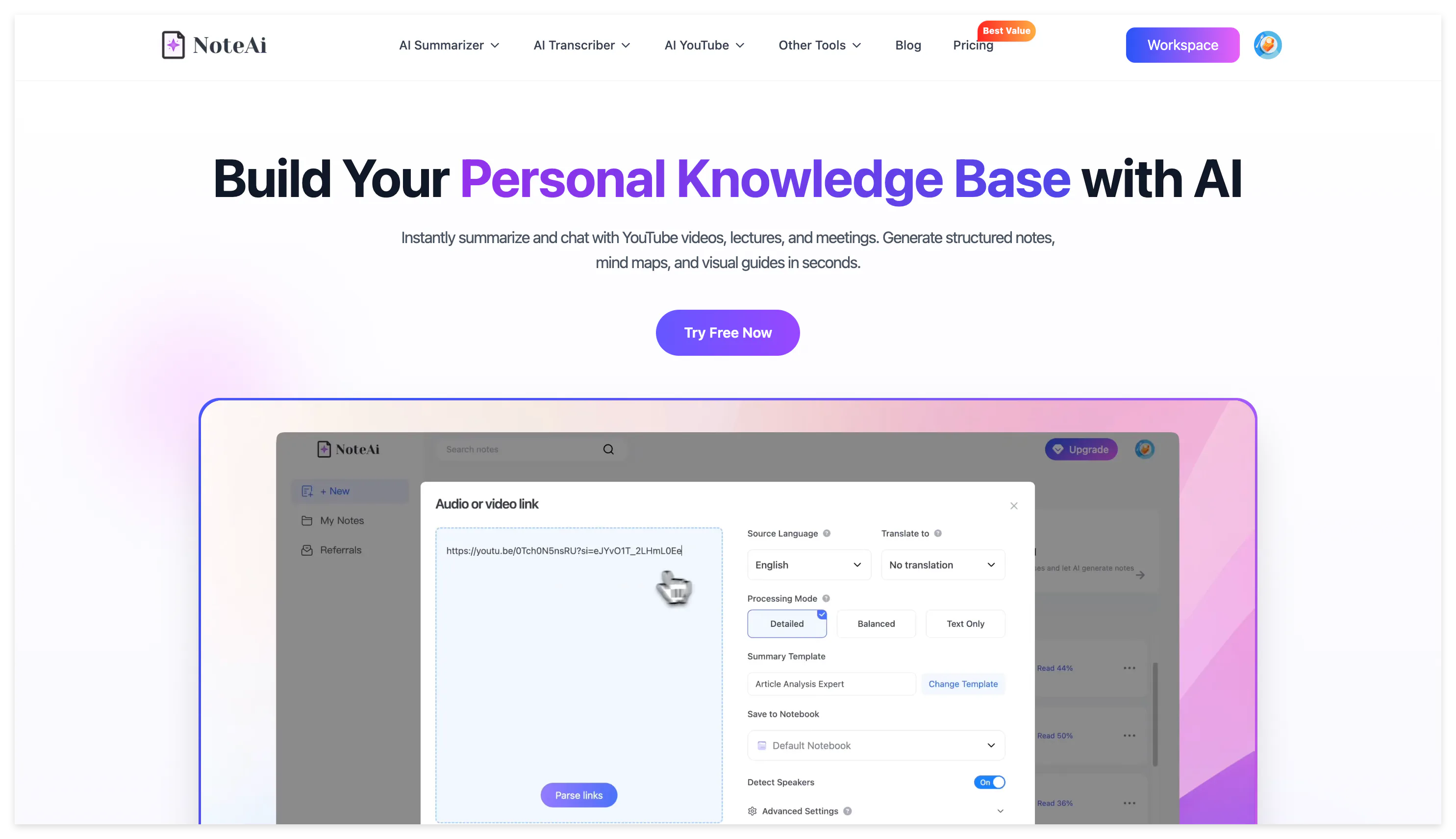
What Does NoteAi Do?
The simplest way to understand NoteAi is to follow what happens to one video.
You add a supported online video link, upload a local file or make a recording. NoteAi processes the spoken content, organizes it into a readable transcript and summary and retains a route back to the source through timestamps and synchronized playback.
If the video contains slides or meaningful screen changes, important frames can appear beside the related transcript. The same content can then be viewed as a mind map, explored through AI Chat, translated, converted into an AI Podcast or stored in a personal knowledge base.
The complete flow is:
Video or audio → transcript → structured summary → visual note → mind map and AI Q&A → export or knowledge base
Each stage serves a different reading need. Key Insights is suitable for a quick preview, the summary explains the overall structure, the transcript preserves detail and the source-linked tools help verify the result.
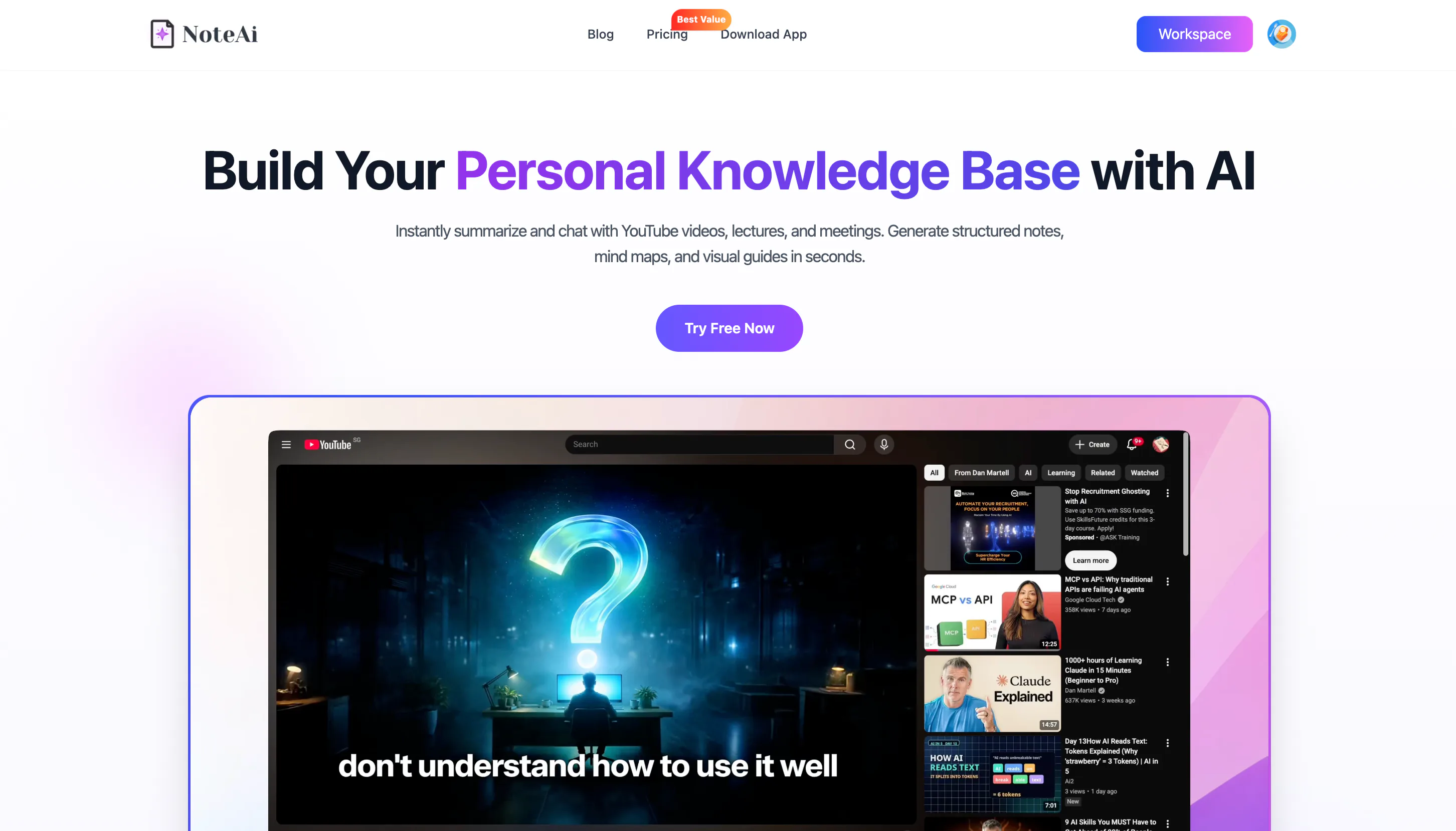
What Can You Import Into NoteAi?
NoteAi supports several ways to bring video and audio into the same note-taking workflow.
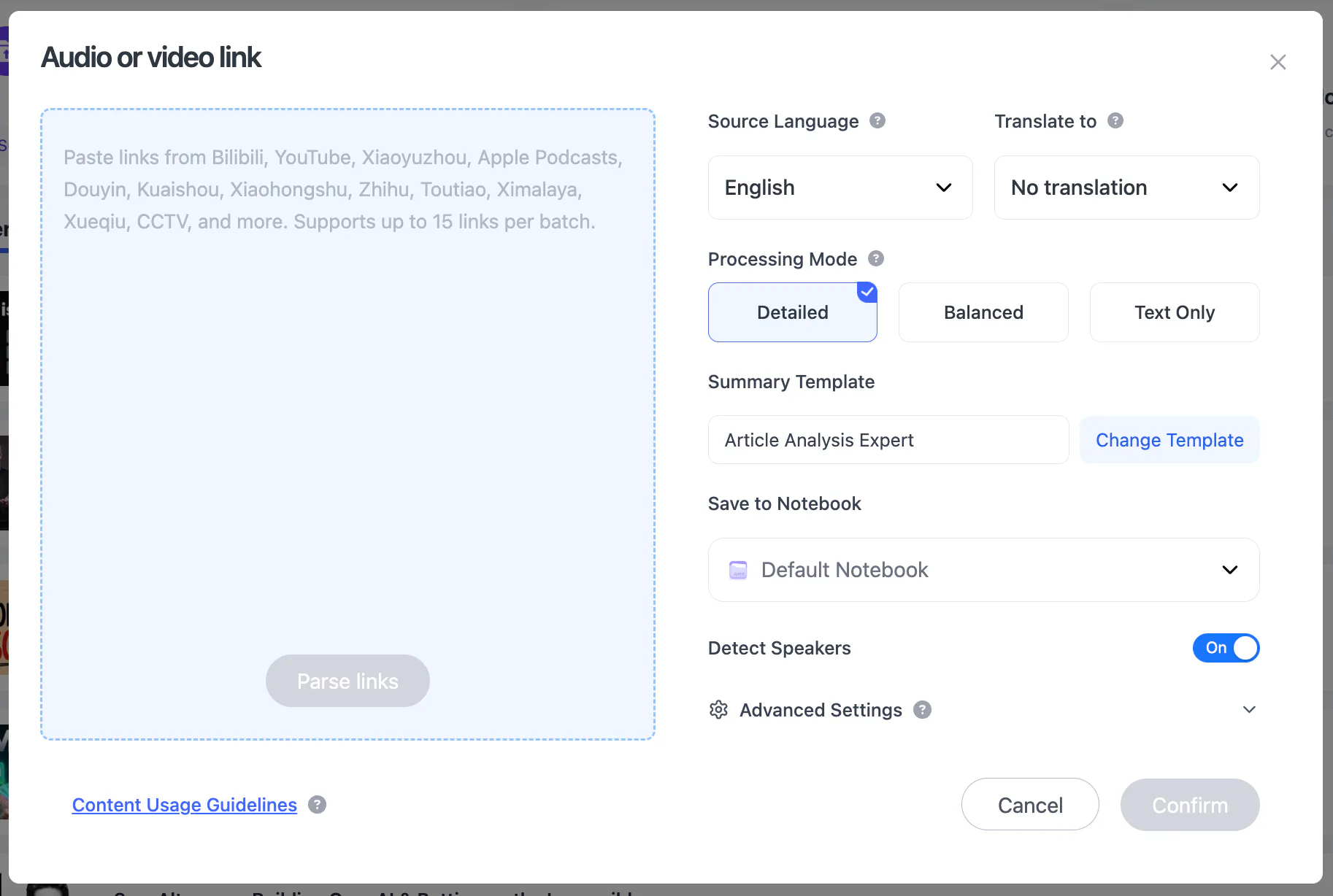
YouTube, TikTok and Bilibili Links
Copy a supported video URL and paste it into NoteAi. The platform processes the content without requiring the user to manually copy the transcript into a separate summarizer.
Support is not limited to YouTube. TikTok and Bilibili links can also be used, which is helpful for learners and researchers who collect information across different video platforms.
Local Video and Audio Files
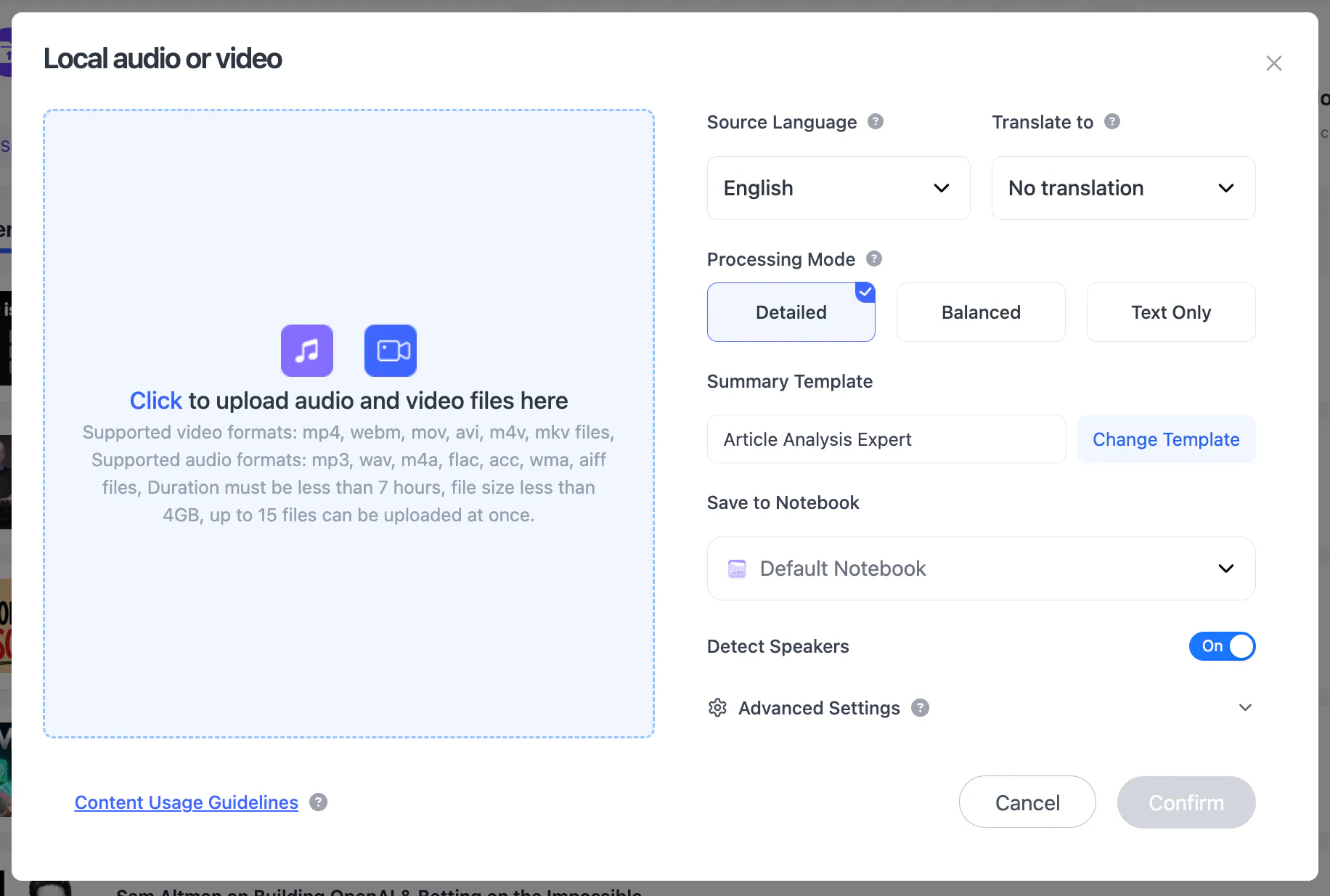
Existing lectures, interviews, podcasts, webinars and meeting recordings can be uploaded directly.
A single local file can be up to 7 hours or 4 GB. This accommodates long classes, workshops and extended interviews without requiring users to divide every recording into short clips first.
When several sources need to be processed, NoteAi supports batches of up to 15 items. Batch processing starts several notes together; it does not merge every source into one combined summary automatically.
Screen Recording and Voice Recording
Screen recording is useful when the content cannot be downloaded conveniently, such as a live webinar, internal presentation or software demonstration.
Voice recording can capture an in-person discussion, interview, lecture or personal idea. Once the recording ends, it enters the same transcription and note-generation workflow as an uploaded file.
NoteAi does not automatically join Zoom, Google Meet or Microsoft Teams meetings. Users who want meeting notes must record the conversation themselves or upload an existing recording after obtaining any required consent.
Direct cloud-drive import is not currently supported.
What Does NoteAi Generate?
Original and AI-Polished Transcripts
A transcript preserves the detail that a short summary necessarily removes.
NoteAi provides an original transcript and an AI-polished version. The original is useful for checking exact wording, while the polished version reduces some of the repetition and fragmented phrasing found in speech.
Timestamps help users return to the relevant part of the recording. Speaker identification separates different participants in interviews, discussions and recorded meetings.
Transcription quality still depends on the source. Background noise, overlapping voices, weak microphones, names and specialist vocabulary may require manual correction.
Structured Summary and Key Insights
The structured summary divides long content into logical sections instead of returning one undifferentiated paragraph.
Key Insights provides a shorter route into the material. A learner can first scan the main ideas, decide which sections deserve attention and then open the detailed transcript when necessary.
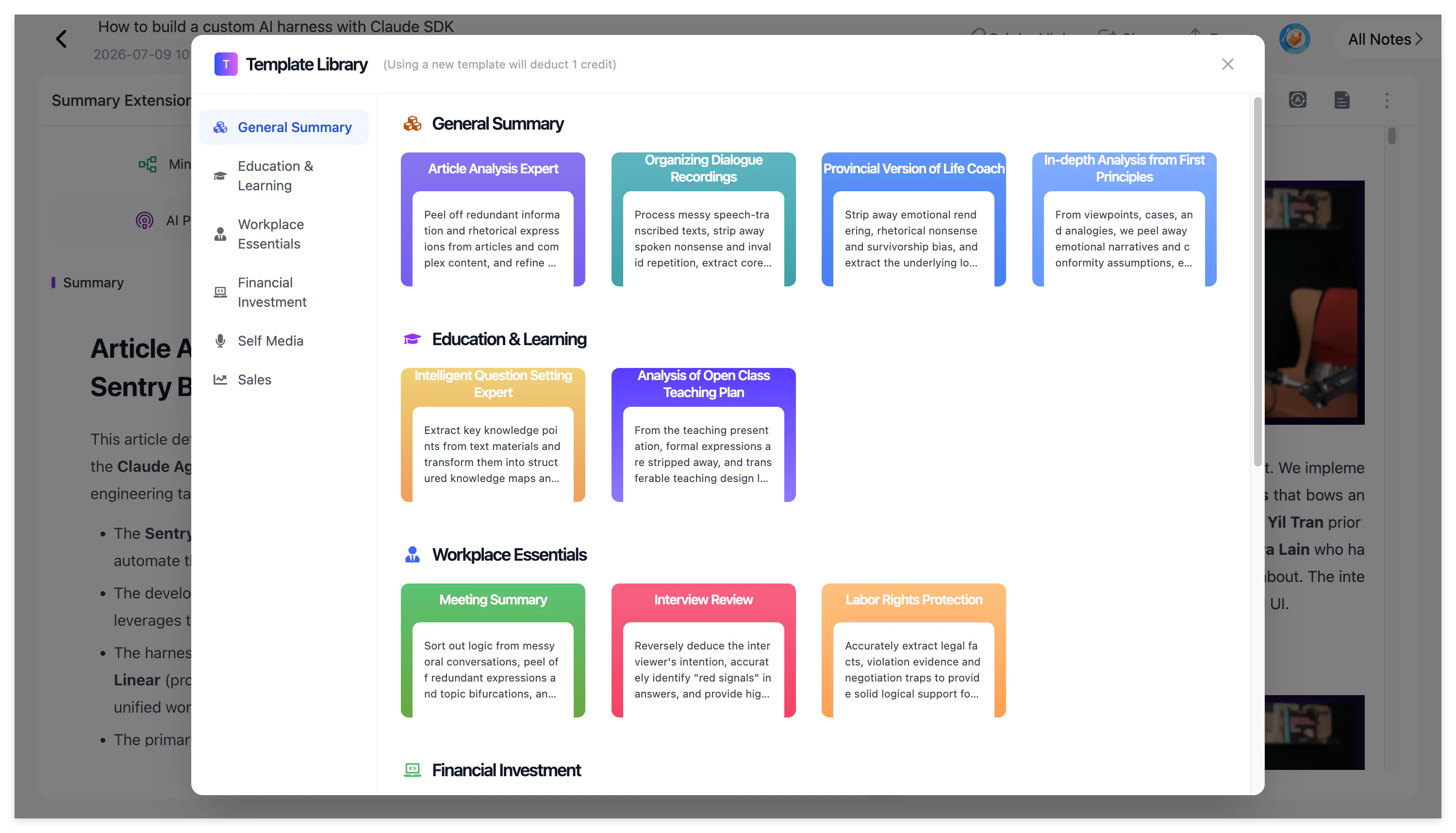
After processing, users can manually select a Summary Template or enter a custom prompt. Templates are not automatically applied to every newly processed source.
That matters because different materials require different structures:
- a lecture needs concepts, definitions and examples;
- a tutorial needs ordered actions and warnings;
- a meeting needs decisions, owners and next steps;
- an interview needs questions, answers and notable quotations.
A custom prompt can instruct NoteAi to preserve the information that matters for a specific task instead of forcing every source into a generic summary.
Visual Notes With Slides and Key Frames
Some videos cannot be understood from speech alone.
A software tutorial may depend on menus shown on screen. A lecture may contain a diagram that the presenter never describes in full. A webinar may display a chart while the speaker only discusses its conclusion.
NoteAi can extract PPT pages and important video frames, then place them beside the corresponding transcript. Picture-in-picture playback keeps the source video available while the note is being reviewed.
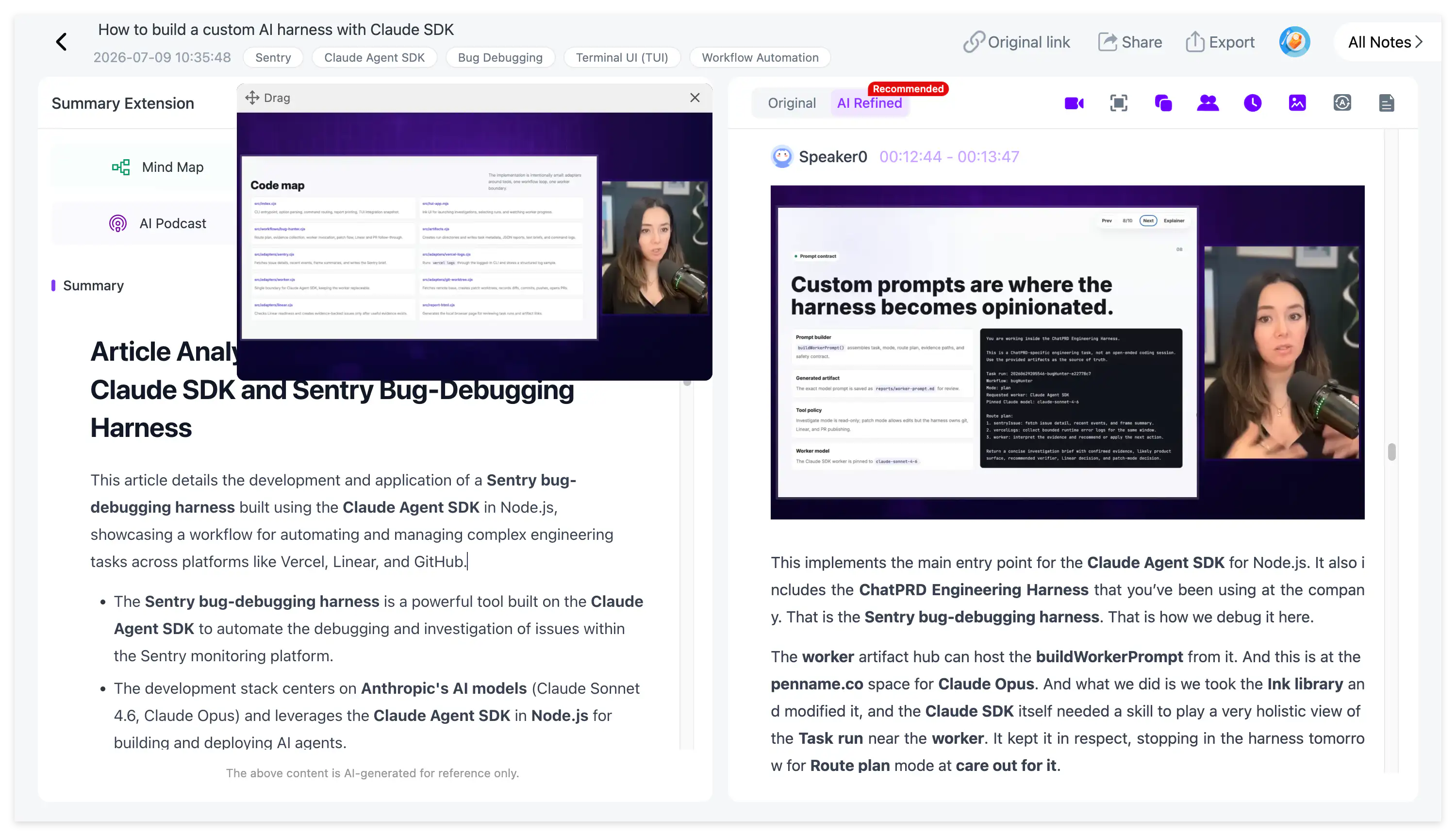
Key-frame extraction is not guaranteed OCR. NoteAi does not promise to recognize and reproduce every word shown in every video frame. Its purpose is to preserve useful visual context alongside the related explanation.
Editable Mind Maps With Smart Sync
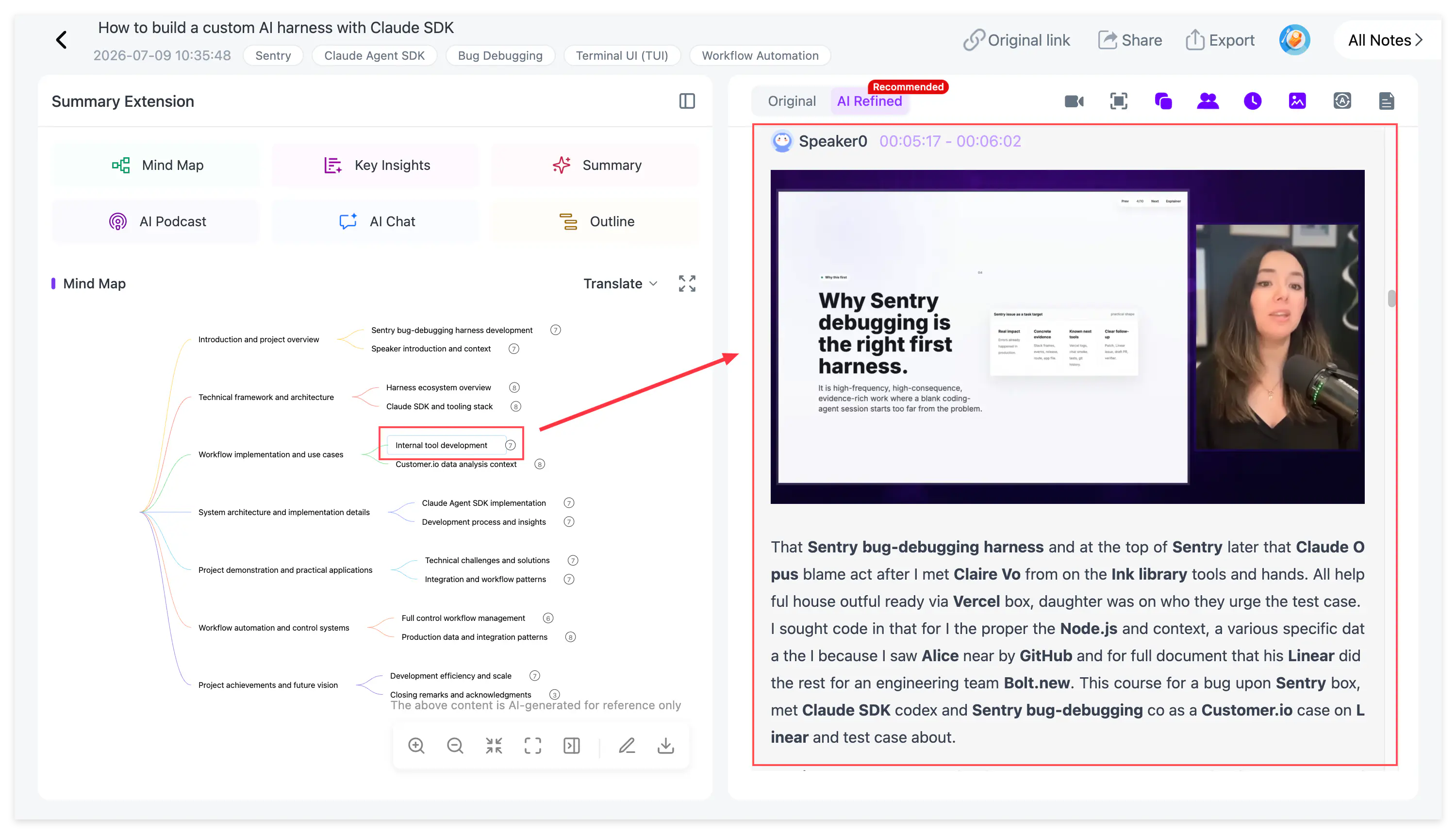
The generated mind map provides a branching view of the video’s structure.
Unlike a static image, the mind map in NoteAi can be edited. Smart Sync links a node to the corresponding playback position, allowing users to move from a topic in the map back to the explanation in the original video.
Mind maps can be exported as XMind, PDF, SVG, Markdown, JSON or TXT.
For a more detailed workflow, see How to Turn a YouTube Video Into a Mind Map for Faster Study.
How Does NoteAi Help You Learn From the Content?
Generating a note is only the first step. NoteAi also provides several ways to continue working with the material.
AI Chat and Cross-Note Questions
AI Chat can answer questions about the current note. Instead of searching manually through a long transcript, the learner can ask for an explanation, comparison or supporting example.
Cross-note Q&A extends this process across several saved notes. It is useful when a course contains multiple lessons or when a research project includes several interviews and videos.
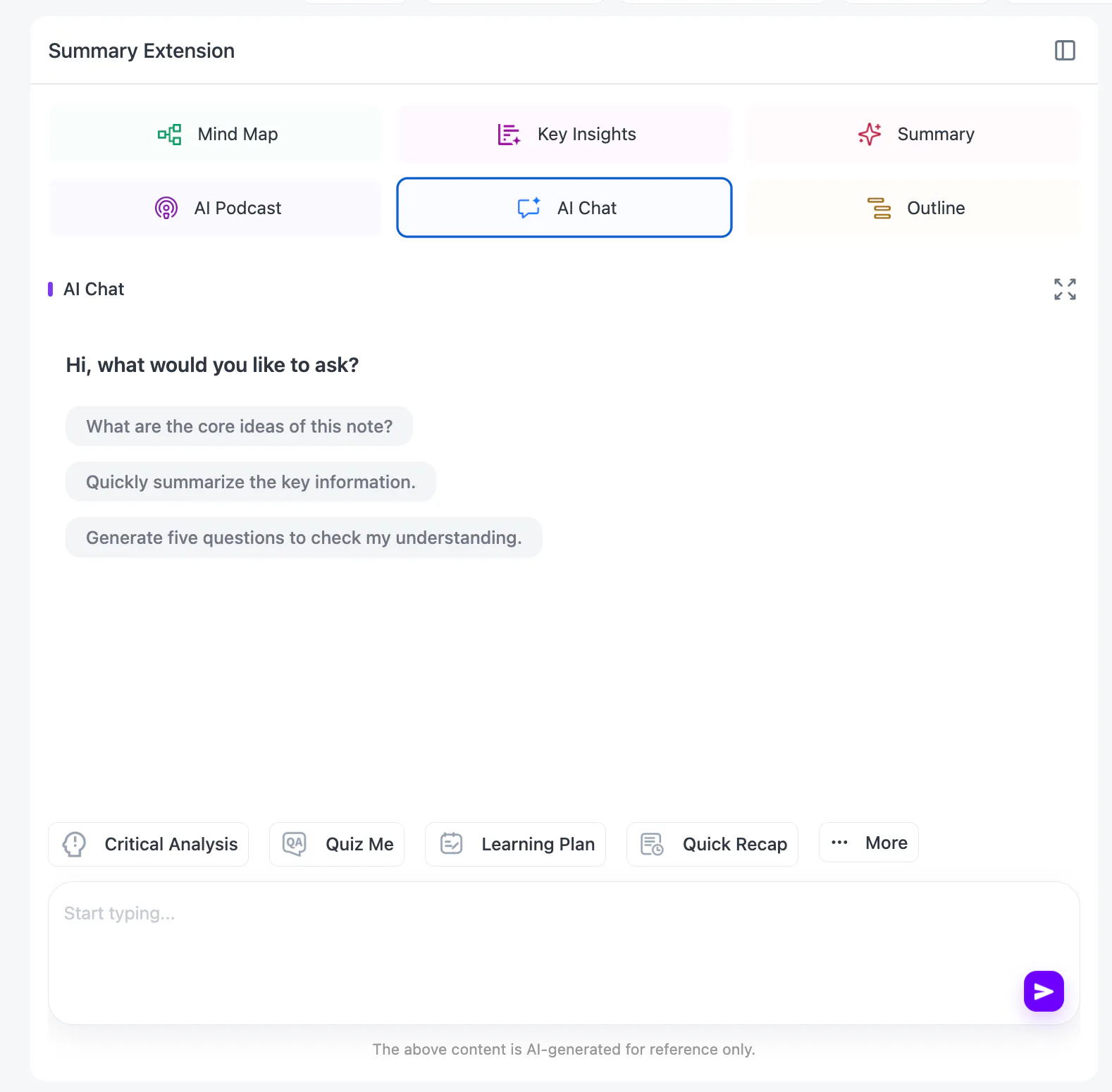
The answers are generated from the processed content, but important claims should still be checked against timestamps and the original transcript.
Translation and Bilingual Reading
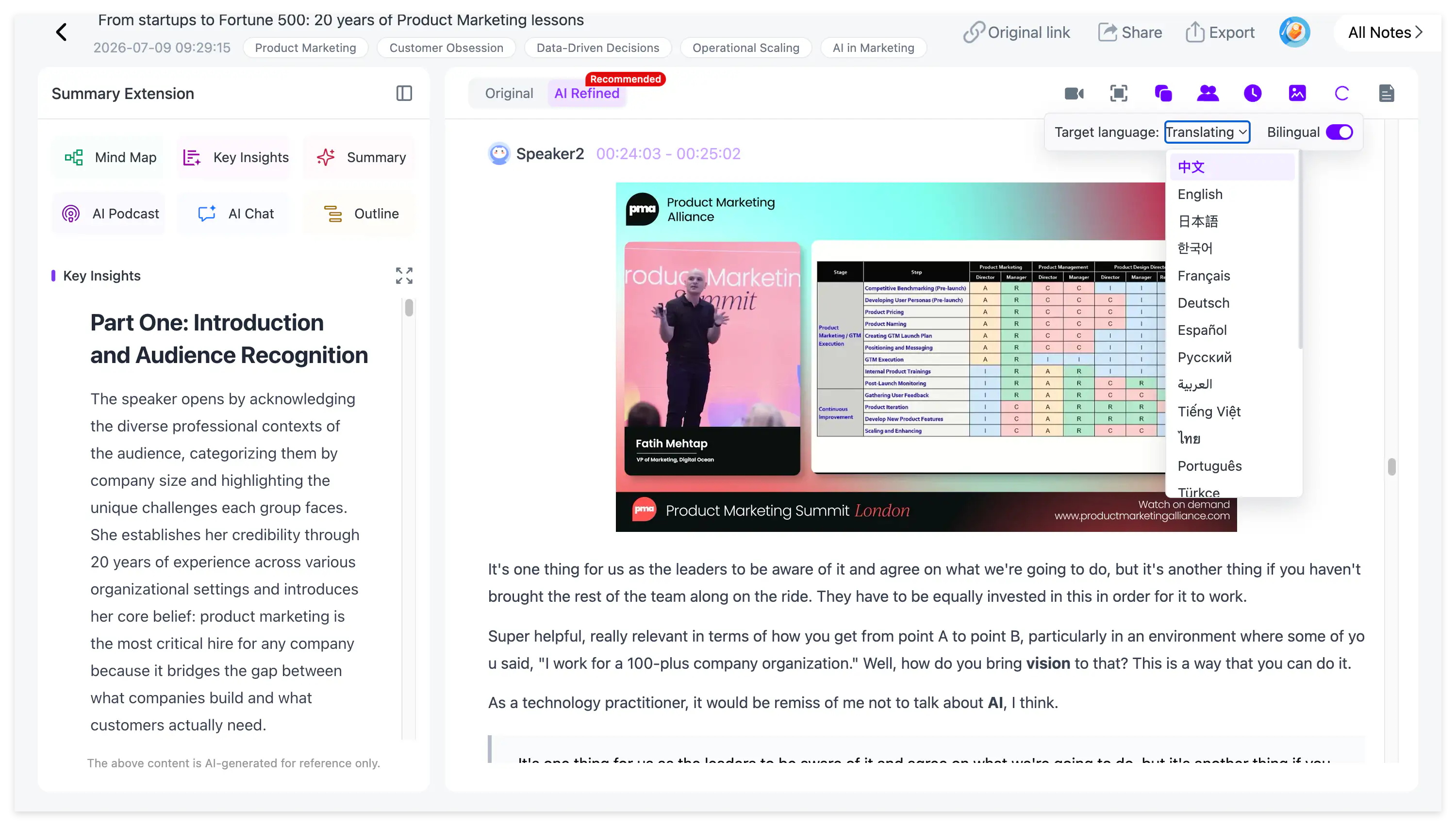
NoteAi supports translation across 22 languages. A bilingual view lets users compare the original content with the translated version.
This is useful for foreign-language lectures, international interviews and language study. It also preserves the original wording so learners can check whether a translated technical term matches the source.
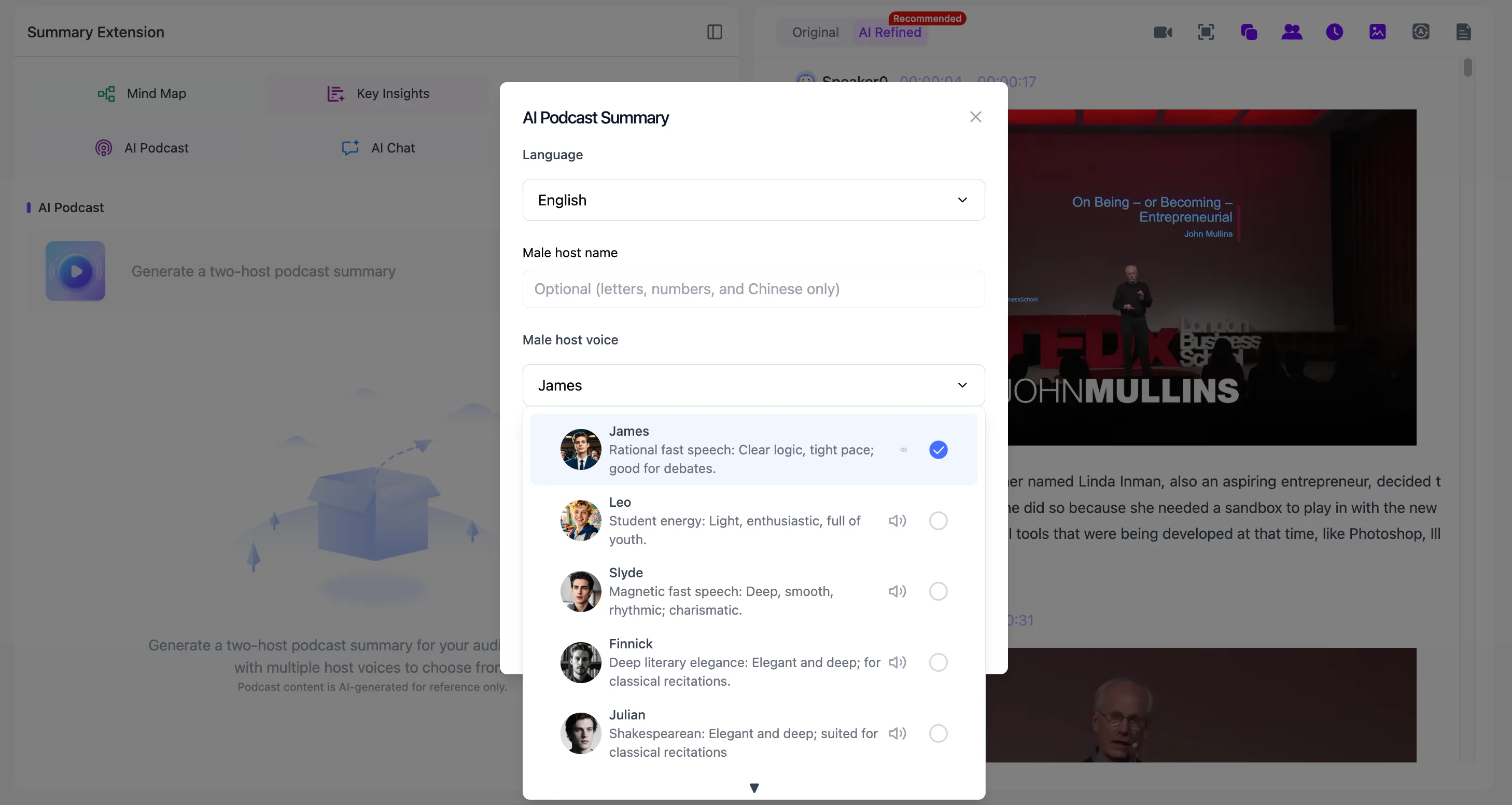
Two-Host AI Podcast
A processed note can be turned into a two-host AI Podcast.
Users can customize the name and voice style of each host and choose Chinese or English as the output language. The podcast offers another way to review the main ideas after reading the note.
It is generated from the source material and may simplify details, so it should be treated as a review format rather than a replacement for the transcript.
Blank Notes for Manually Written Content
Not every piece of knowledge begins as a video.
Blank notes allow users to create and save their own written content alongside AI-generated video and audio notes. A learner can add personal explanations, revision plans or conclusions without importing another source.
This keeps manually written notes and processed media inside the same organizational system.
How Does the NoteAi Knowledge Base Work?
Processed notes remain more valuable when they can be found again.
NoteAi provides multi-level categories for organizing courses, projects and topics. Global search helps retrieve information across the library, while batch management reduces the work involved in organizing several notes.
Sharing permissions make it possible to provide access to selected content without opening the entire knowledge base.
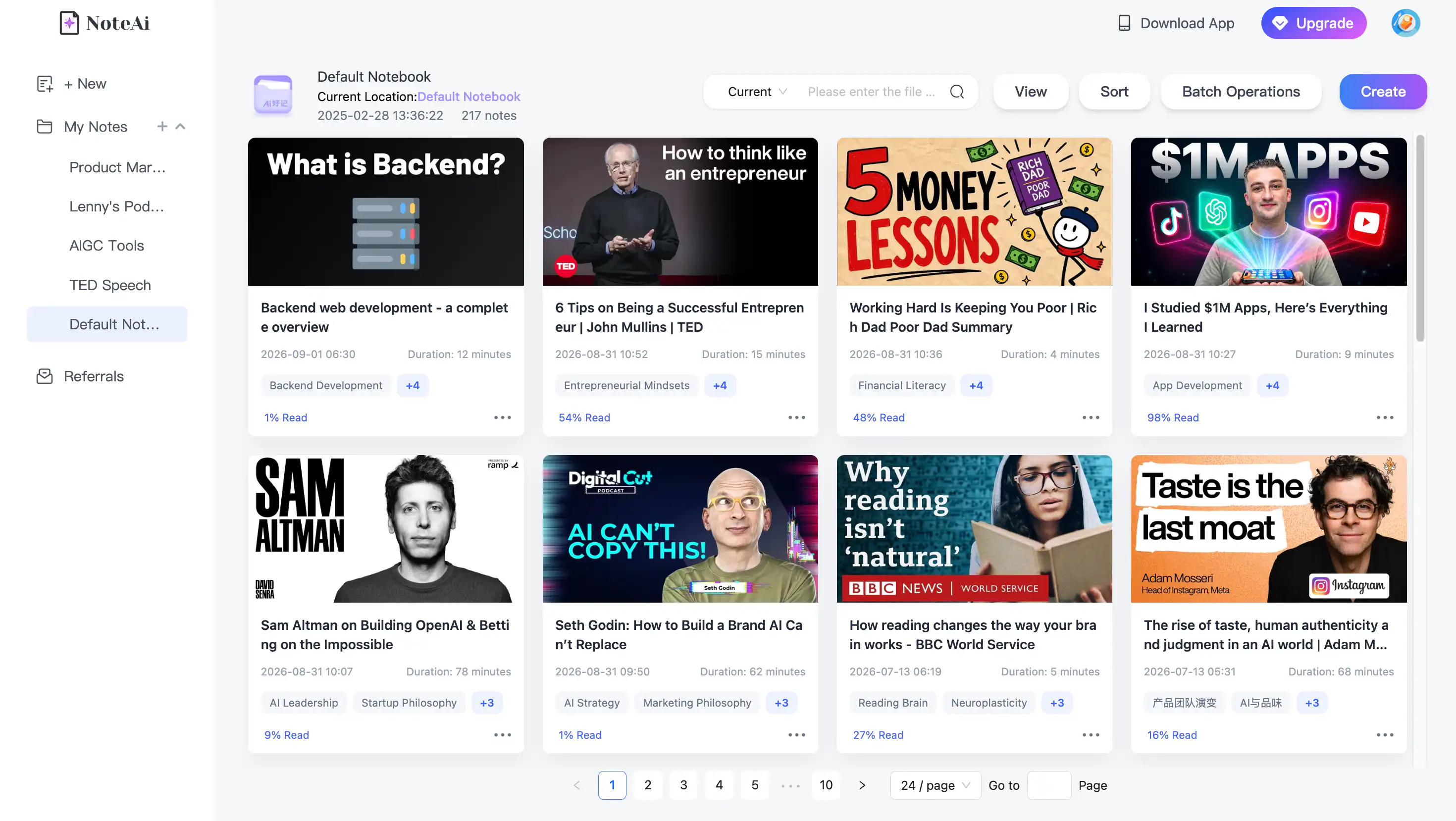
A practical course structure might look like this:
Data Science
↳ Statistics
↳ Python Tutorials
↳ Machine Learning Lectures
↳ Project Reviews
Each category can contain transcripts, summaries, visual notes and manually written notes. Cross-note AI questions can then search across related materials instead of treating every video as an isolated result.
This is the main difference between a video summarizer and a personal AI knowledge base. A summarizer helps once; a knowledge base helps users retrieve and connect the information later.
Who Should Use NoteAi?
Students and Self-Learners
Students who learn from YouTube lectures, recorded courses and tutorials can use NoteAi to shorten initial review without losing access to the source.
Key Insights reveals the overall direction, visual notes preserve slides, the mind map shows the structure and timestamps make targeted rewatching easier.
Read How to Take Notes From YouTube Videos for a complete study workflow.
Researchers
Researchers can process interviews, lectures and several related videos, then organize the resulting notes by topic.
Speaker identification and timestamps help preserve interview context, while cross-note Q&A can compare themes across multiple sources. AI-generated conclusions still need to be checked before they are used in formal research.
Teachers and Trainers
A teacher can process a lecture or demonstration and review its structure, examples and supporting visuals.
Training teams can turn recorded demonstrations into step-by-step reference notes and export approved versions for colleagues. NoteAi does not create a finished lesson plan automatically unless the user selects or writes an appropriate prompt and reviews the output.
Content Creators
Creators can analyze interviews, tutorials and long-form videos to identify the main argument, narrative structure, examples and notable sections.
The transcript provides reusable reference material, while visual notes make it easier to find moments where the screen or presentation changes.
Professionals With Recorded Meetings and Webinars
NoteAi can process existing meeting recordings, workshops and webinars. Speaker identification, structured summaries and custom prompts help separate discussion points, decisions and next steps.
It is not a live meeting bot. Users who need automatic attendance at every calendar call should choose a dedicated meeting assistant or record the meeting before importing it.
Podcast Listeners and Interviewers
Local audio and podcast recordings can be converted into searchable transcripts and summaries.
Interviewers can review answers by speaker and timestamp, while podcast listeners can store important episodes in topic-based categories instead of relying on playback history.
Who May Not Need NoteAi?
NoteAi may not be the right choice when:
- you only need a one-sentence summary of a short video;
- you need a bot that automatically joins every online meeting;
- direct import from a cloud-drive account is essential;
- your work is based mainly on PDFs and webpages rather than video or audio;
- you need guaranteed OCR of every item displayed on screen;
- you need AI Podcast output in a language other than Chinese or English.
For research centered on PDFs, webpages and documents, a multi-source research tool such as NotebookLM may fit better. See NoteAi vs NotebookLM: Which Is Better for YouTube Learning? for a more detailed comparison.
How to Export NoteAi Notes
NoteAi exports written notes as Word, PDF, Markdown or HTML.
Word is suitable for further editing, PDF for a stable reading copy, HTML for web-based reuse and Markdown for text-based knowledge-management systems.
Markdown can be imported into workflows involving Notion or Obsidian. The official Obsidian Markdown importer explains how Markdown files can be brought into an Obsidian vault, while Notion’s import guide covers supported import workflows.
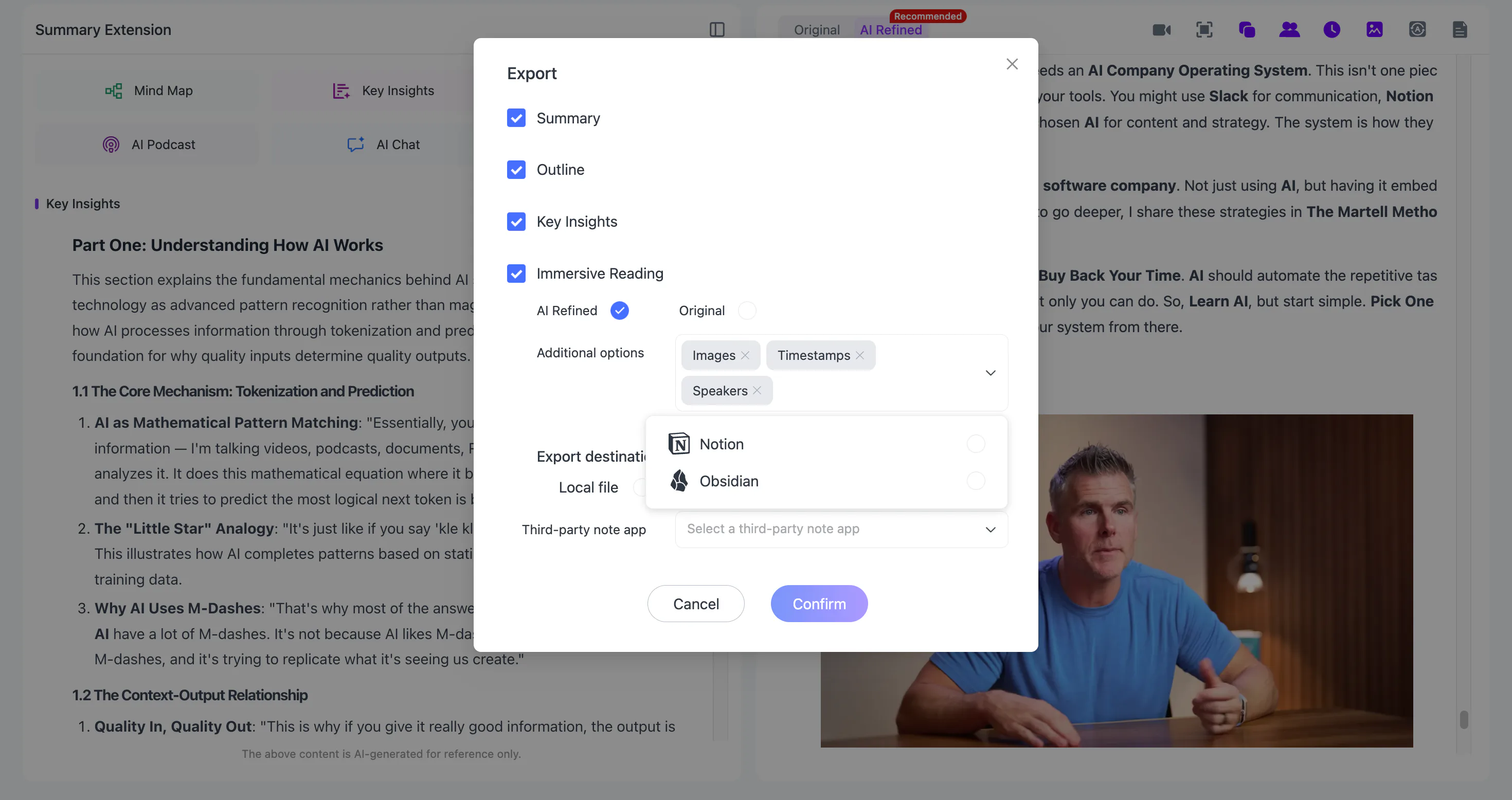
After importing into another platform, check headings, image paths and formatting. Export makes the note portable, but it does not guarantee that every platform will display the content identically.
Frequently Asked Questions
Is NoteAi a YouTube summarizer?
Yes, but NoteAi does more than generate a short YouTube summary. It can create a transcript, visual note, Key Insights, editable mind map, AI conversation and exportable knowledge-base entry.
Does NoteAi support TikTok and Bilibili?
Yes. NoteAi supports YouTube, TikTok and Bilibili links, as well as local audio/video, screen recording and voice recording.
Can NoteAi process a video without subtitles?
NoteAi generates a transcript as part of the processing workflow. Actual quality depends on the audio, language, background noise, overlapping speakers and specialist vocabulary.
What is the maximum file size in NoteAi?
A local file can be up to 7 hours or 4 GB. NoteAi also supports batches of up to 15 items.
Does NoteAi support cloud-drive imports?
No. NoteAi does not currently support direct cloud-drive import. Download the permitted file locally and upload it instead.
Does NoteAi automatically join meetings?
No. NoteAi is not an automatic meeting bot. Upload an existing recording or use screen or voice recording after obtaining the necessary consent.
Can NoteAi export notes to Obsidian or Notion?
NoteAi supports Markdown export for Notion and Obsidian workflows. It also supports Word, PDF and HTML exports. Formatting and image paths should be checked after import.
Does NoteAi generate infographics?
No. NoteAi does not currently support infographic generation.
Does NoteAi support Agent Skill or AI Earbuds?
No. Agent Skill and AI Earbuds are not supported NoteAi features.
Is NoteAi free?
NoteAi provides limited free credits so users can test the product. It should not be described as completely free or offering unlimited free processing.
Is NoteAi Worth Using?
NoteAi is worth considering when a large part of your work or learning happens through video and audio.
Its strongest capability is not any single summary format. It is the connection between the transcript, timestamps, speaker labels, visual frames, mind map, AI questions, export and long-term organization.
That connection makes a long recording easier to skim without cutting the learner off from the source. It also gives the finished note somewhere to go: into a course category, a research project, an Obsidian vault, a Notion workspace or a searchable personal knowledge base.
Use the limited free credits on NoteAi to test one representative video. A good result should answer three questions:
- Can you understand the main ideas without replaying the entire source?
- Can you return to the exact moment when a detail needs verification?
- Can you find and reuse the note after the video is no longer fresh in your memory?
If the answer to all three is yes, the video has become more than a summary. It has become usable knowledge.