

Choosing an AI meeting note taker starts with one practical question: how does the meeting enter the tool?
Some assistants automatically join Zoom, Google Meet or Microsoft Teams. Others record computer audio without adding a bot.
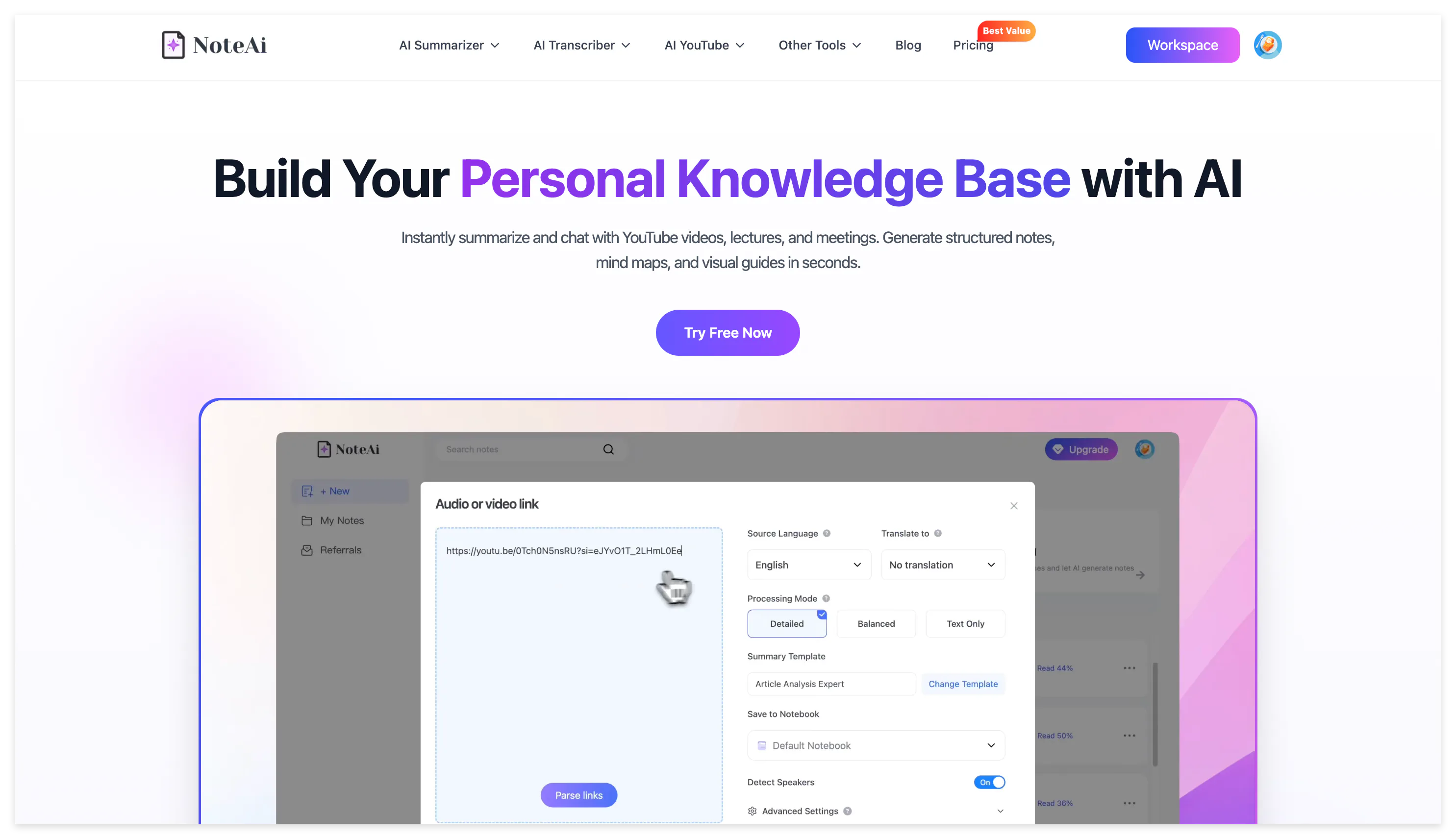
NoteAi takes a different route: it is especially useful when you already have a meeting video, screen recording or audio file and want to turn it into a complete meeting record.
Instead of stopping at speech-to-text, NoteAi keeps the transcript, timestamps, speaker labels, presentation screens and personal annotations together. After processing, you can generate meeting minutes, review decisions and action items, ask questions about the recording and save the result in a searchable knowledge base.
Best AI Meeting Note Takers in 2026
| Tool | Best for | Capture method | Main output |
|---|---|---|---|
| NoteAi | Recorded meetings with presentations or screen sharing | Upload, screen recording and voice recording | Visual meeting notes and reusable knowledge |
| Otter.ai | Recurring online meetings | Meeting agent, desktop and mobile recording | Live transcript, summary and action items |
| Fireflies.ai | Sales and customer conversations | Meeting bot, extension, apps and file upload | Custom notes, analytics and integrations |
| Fathom | Fast post-meeting follow-up | Bot or bot-free recording | Searchable transcript and follow-up content |
| Granola | Personal notes without a meeting bot | Computer audio | AI-enhanced personal meeting notes |
| Notta | Multilingual meetings | Online, in-person and imported files | Transcript, summary and visual deliverables |
| Krisp | Meetings with background noise | Bot or device-level capture | Clean audio, transcript and meeting summary |
1. NoteAi: Best for Recorded Meetings With Visual Context
NoteAi fits meetings that already exist as video or audio, particularly when the recording contains slides, dashboards, charts or software demonstrations.
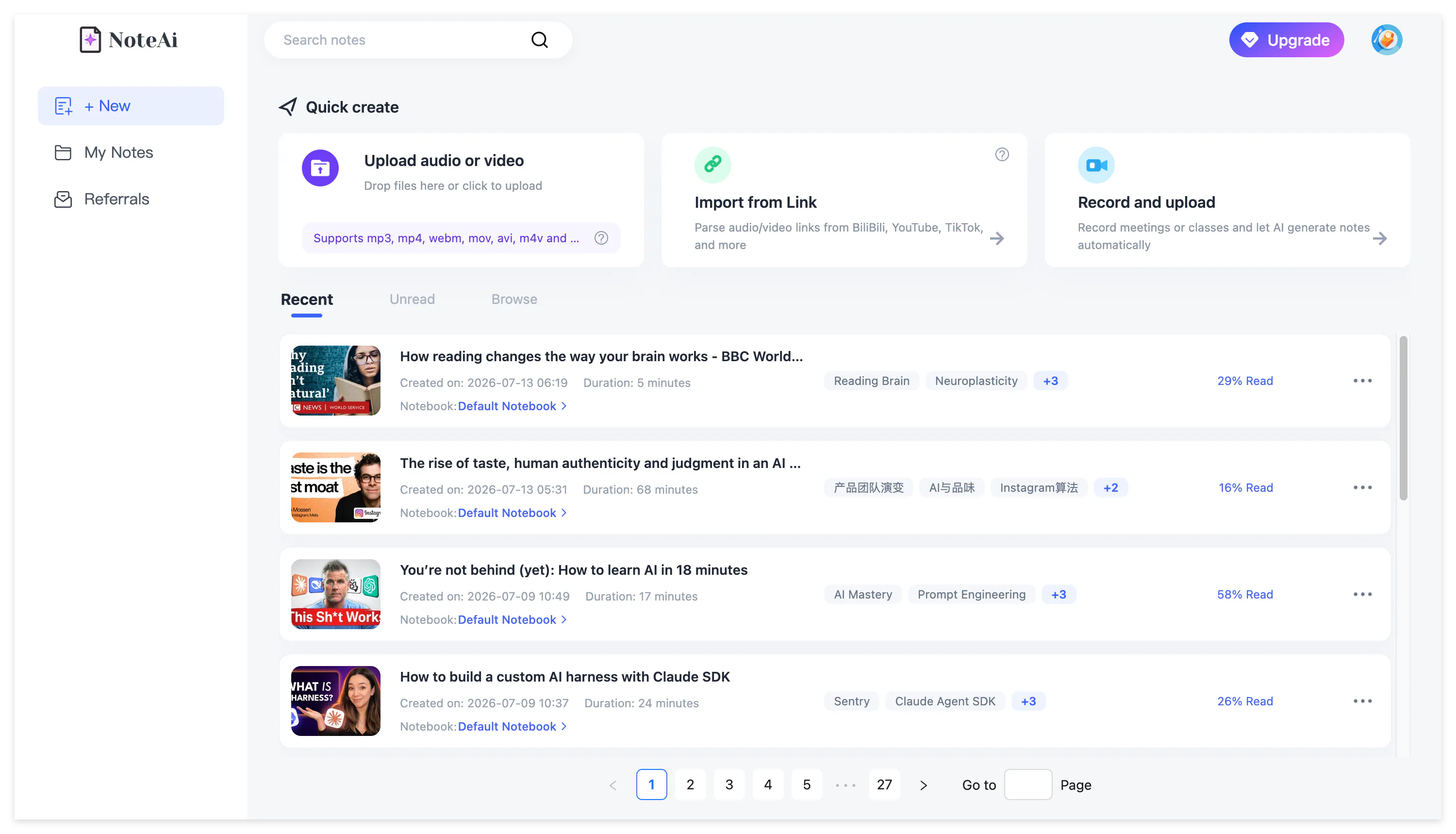
Upload a local meeting file or record the screen directly. A local file may be up to seven hours and 4 GB, and up to 15 recordings can be added in one batch. This makes the workflow suitable for multi-session workshops, recorded conferences, internal training and long project reviews.
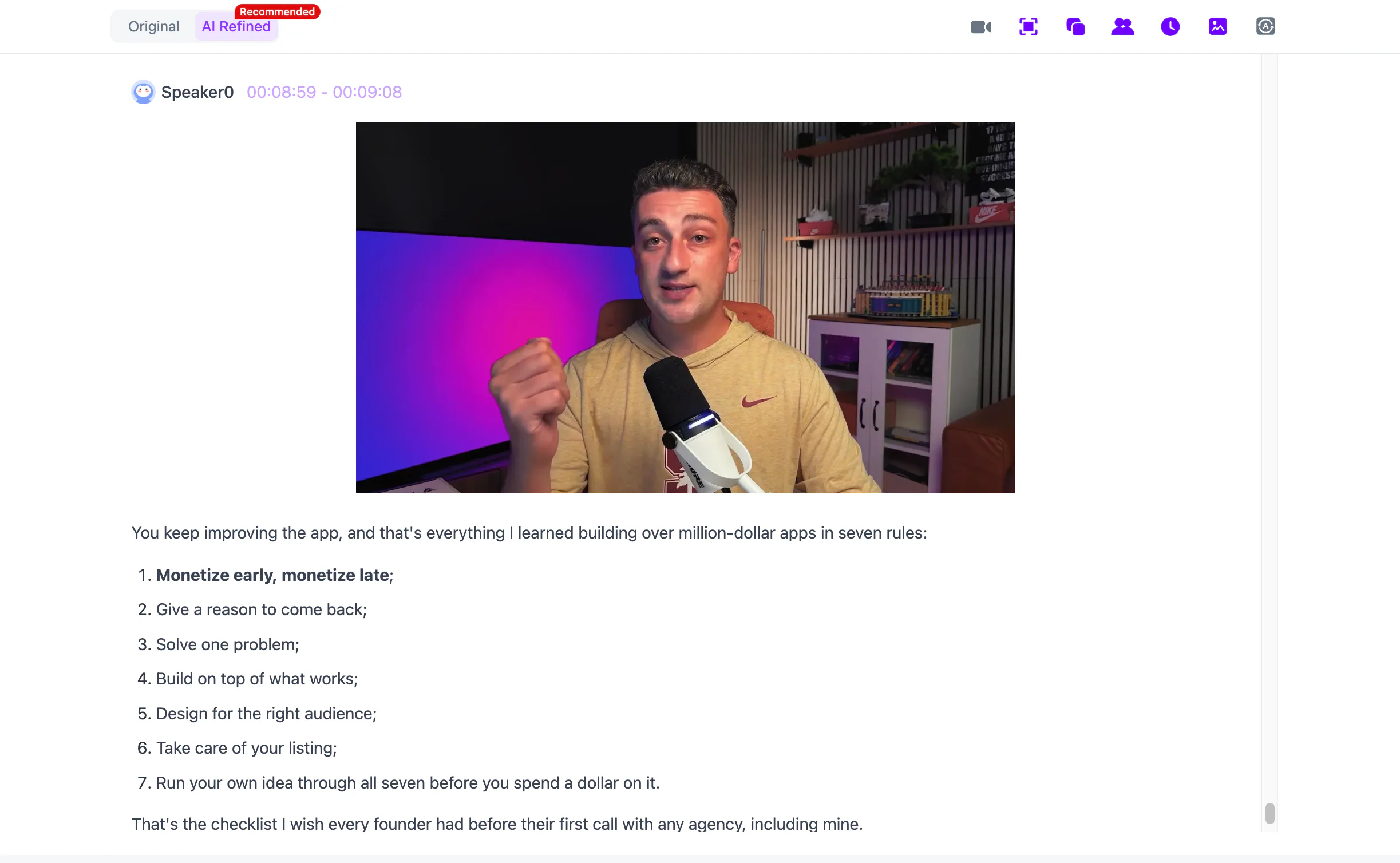
Once the recording has been processed, NoteAi provides an original transcript and an AI-polished version.
The original is useful for checking names, figures and commitments; the polished version removes repeated spoken phrases and is easier to read as meeting minutes.
Timestamps and speaker identification make it possible to return to the exact discussion instead of replaying the whole meeting.
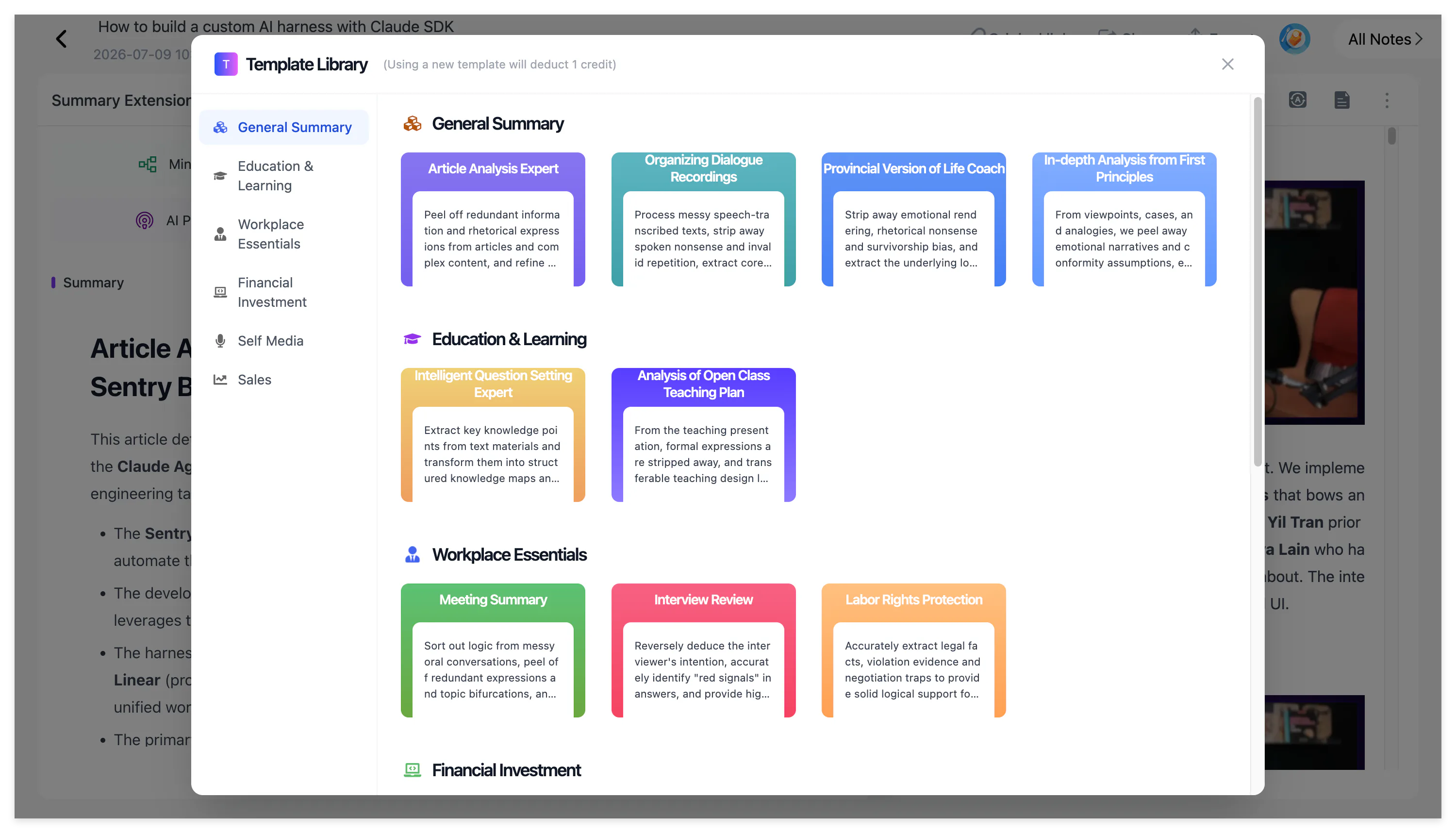
A meeting template is not forced onto every recording automatically. After processing, select an appropriate Summary Template or use a custom prompt to generate the format you need, such as a management meeting summary, project review, customer interview or training record.
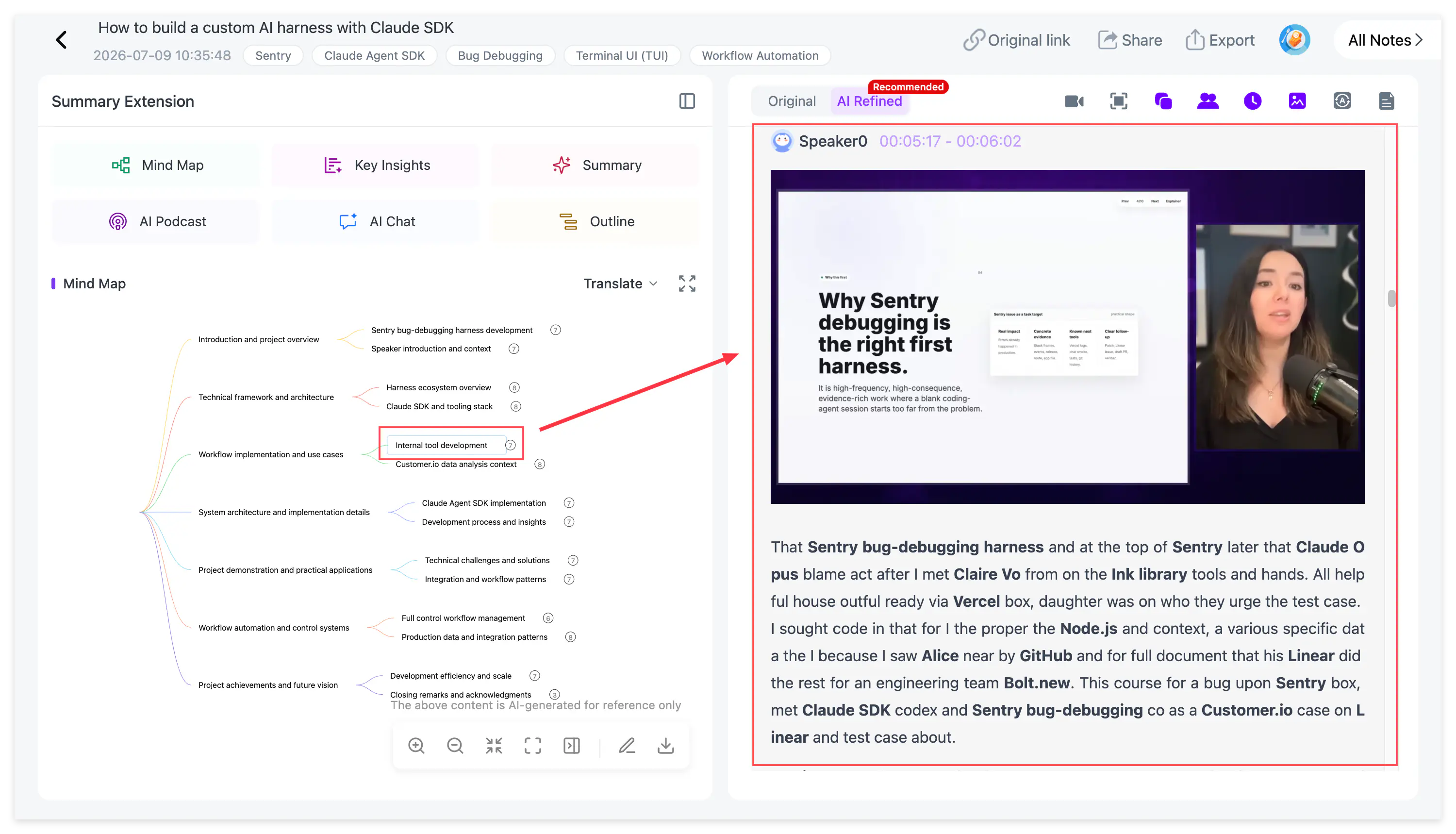
The most distinctive part is visual transcription. NoteAi automatically extracts important PPT slides and key video frames, then places each screen beside the corresponding explanation.
When someone says “the conversion rate shown here” or demonstrates a new product setting, the final note keeps the relevant chart or interface rather than leaving an incomplete sentence in the transcript.
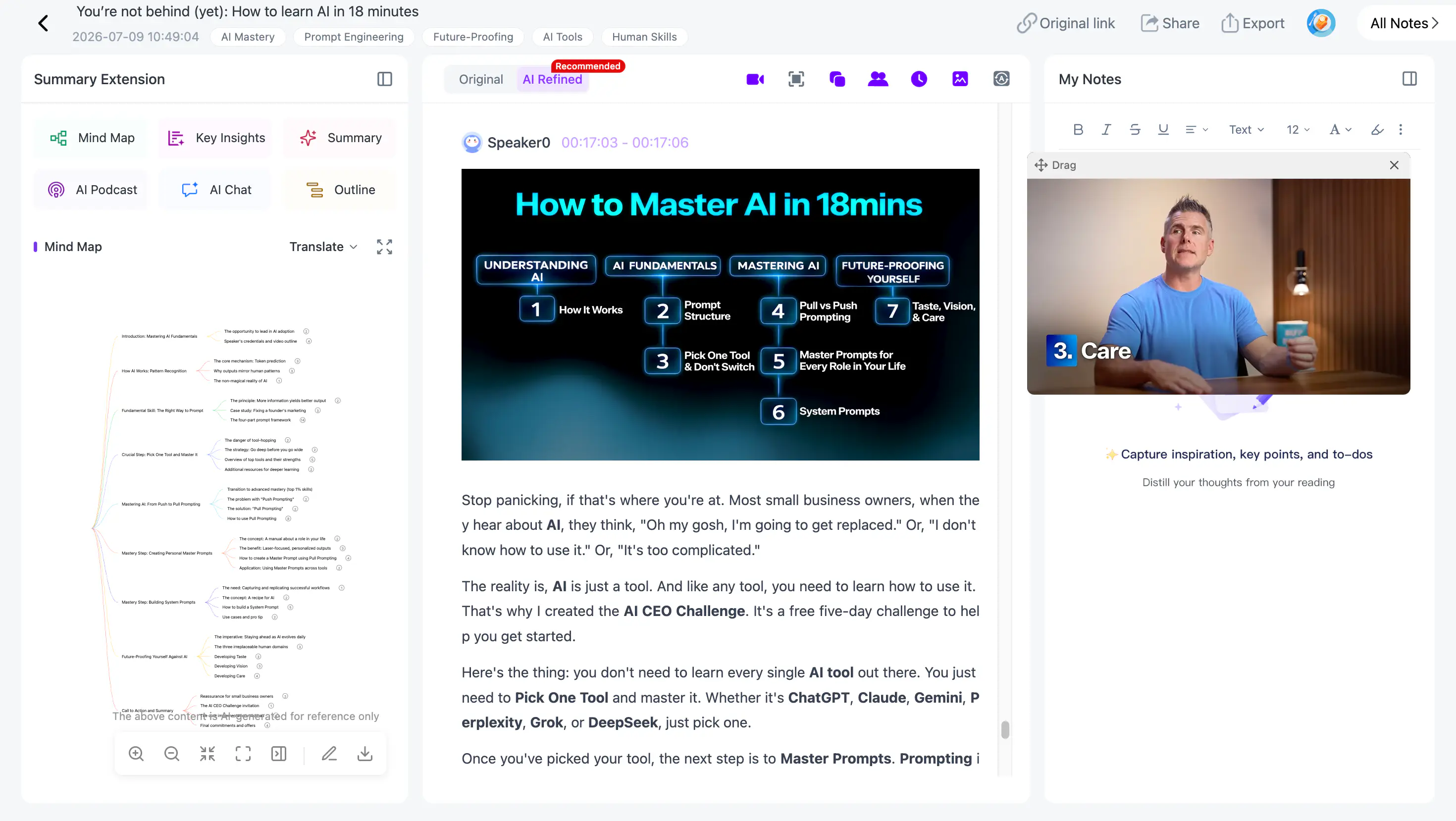
This makes NoteAi more than a recorded meeting transcription tool. The finished meeting can remain editable, searchable and connected to the original source.
Best for: recorded meetings, internal training, project reviews, workshops and presentation-heavy discussions.
Important limitation: NoteAi does not automatically join scheduled Zoom or Google Meet calls as a meeting bot. Record or upload the meeting first.
2. Otter.ai: Best for Live Transcription
Otter.ai is designed for live meetings. Its Meeting Agent can join scheduled Zoom, Google Meet and Microsoft Teams calls, while the desktop app supports bot-free capture.
During the call, Otter.ai produces a live transcript with speaker recognition. After the meeting, it generates a summary with decisions, insights and assigned action items.
Otter AI Chat searches previous conversations, while integrations move meeting information into tools such as Slack, Notion, Salesforce and HubSpot.
Otter.ai is a strong choice when automatic attendance and real-time transcription matter more than preserving presentation frames.
3. Fireflies.ai: Best for Conversation Intelligence
Fireflies.ai captures meetings through its bot, browser extension, desktop application, mobile application or uploaded media files.
The platform generates transcripts, summaries, custom notes and action items. AskFred searches previous conversations, while topic tracking, speaker talk-time data and AI Skills help teams analyse calls in more detail.
Its integrations are particularly useful for sales, recruiting and customer-success teams that need meeting information to move into a CRM, task manager or team channel.
4. Fathom: Best for Simple Meeting Follow-Up
Fathom works with Zoom, Google Meet and Microsoft Teams and offers both bot and bot-free capture.
It creates a searchable transcript, meeting summary, action items and follow-up content shortly after the call. Ask Fathom can retrieve information from previous conversations, while integrations connect meeting outputs with Slack, Salesforce, HubSpot, Notion and Asana.
Fathom suits people who want a straightforward path from meeting to follow-up without building a more complex conversation-intelligence system.
5. Granola: Best for Personal Bot-Free Notes
Granola listens to computer audio without adding another participant to the meeting. You can write a few observations during the call, and Granola uses the conversation context to expand them into clearer notes.
This approach works well for people who want to stay involved in deciding what matters. The AI enhances the user's notes rather than completely replacing the note-taking process.
Granola is particularly suitable for executives, researchers and professionals who prefer personal notes and do not want a visible meeting bot.
6. Notta: Best for Multilingual Meetings
Notta handles online calls, in-person recording and imported files. It generates searchable transcripts, meeting summaries, action plans and cross-meeting answers.
The platform also creates presentations and infographics from meeting content. Notta currently advertises transcription and translation across 58 languages, making it relevant for multilingual teams and international interviews.
Language support does not guarantee identical performance for every accent or specialist vocabulary, so test the terminology your team uses before choosing a paid plan.
7. Krisp: Best for Meetings With Poor Audio
Krisp combines meeting notes with noise, background-voice and echo cancellation.
It can record meetings without a visible bot or send a bot when the user cannot attend. The recording is connected to a searchable transcript, summary and action items.
Krisp is especially useful for remote workers, shared offices and customer calls where poor sound quality would otherwise affect both the conversation and the transcript.
How NoteAi Turns a Meeting Recording Into Meeting Minutes
After uploading or recording the meeting, begin with the transcript rather than relying immediately on the summary. The polished transcript is easier to read, while the original timestamped version remains available for checking names, numbers, deadlines and exact commitments.
Key Insights provides a shorter view of the meeting. It helps identify the main discussion, decisions and sections that require closer attention before generating the final meeting minutes.
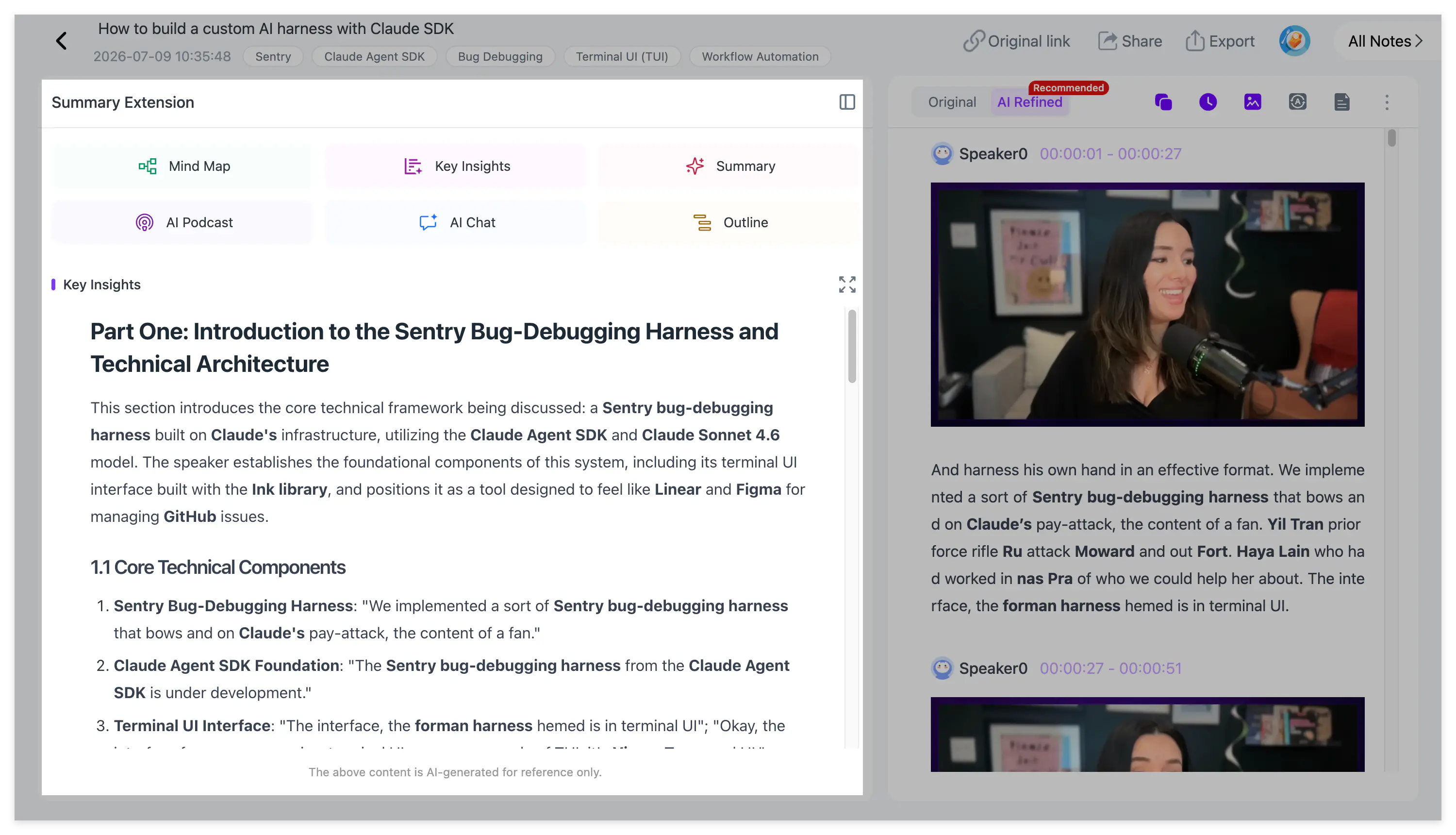
Next, select a meeting template or write a custom prompt. A useful meeting prompt asks for the purpose of the meeting, key discussion points, confirmed decisions, action items, responsible people, deadlines, unresolved questions and risks.
If an owner or deadline was not actually stated, the note should mark it as missing rather than inventing one.
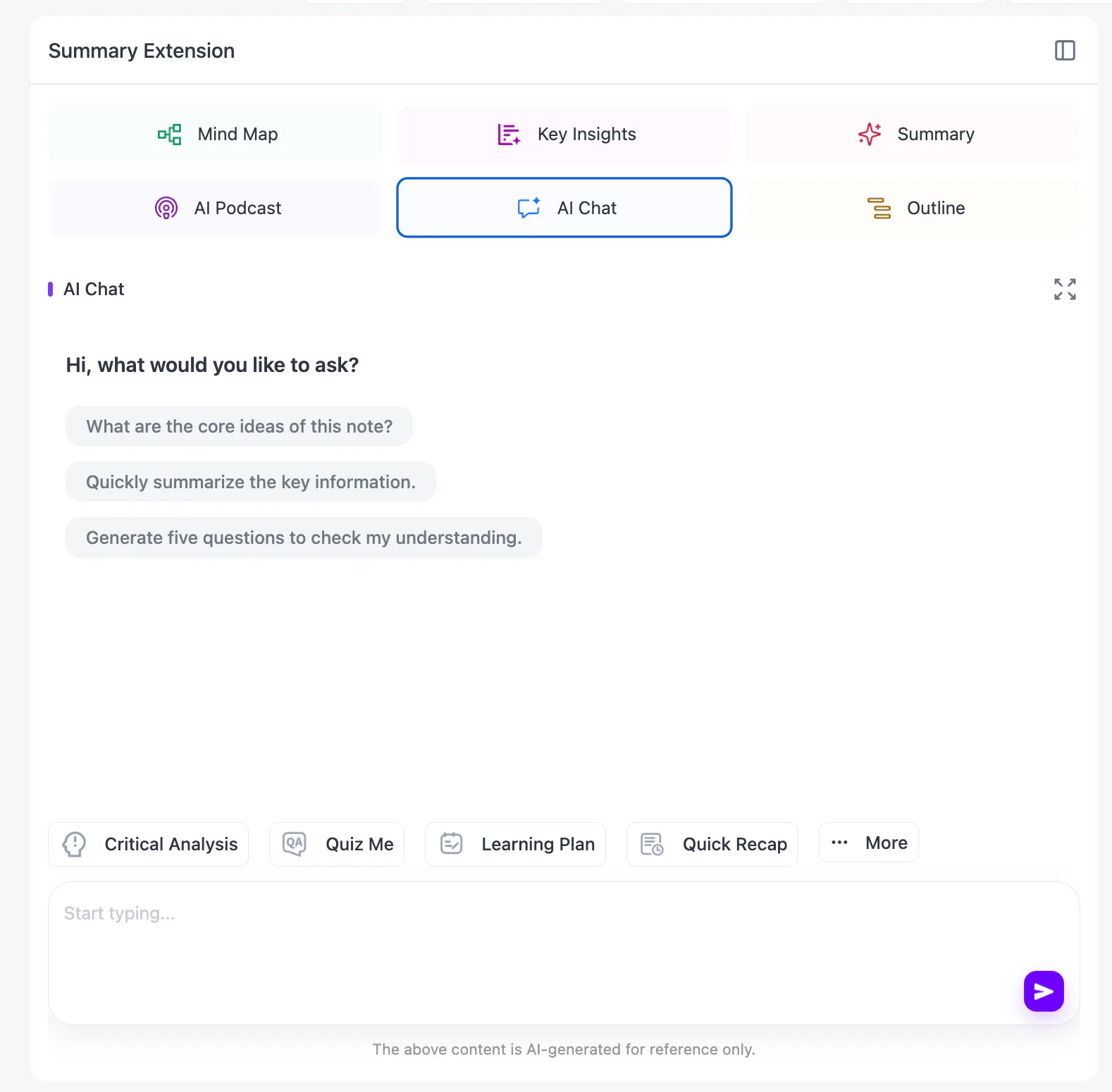
AI Chat makes it easier to review the recording. You might ask where a particular decision was made, which participant accepted a task or whether the team agreed on a delivery date. Every important answer should still be checked against the timestamped source.
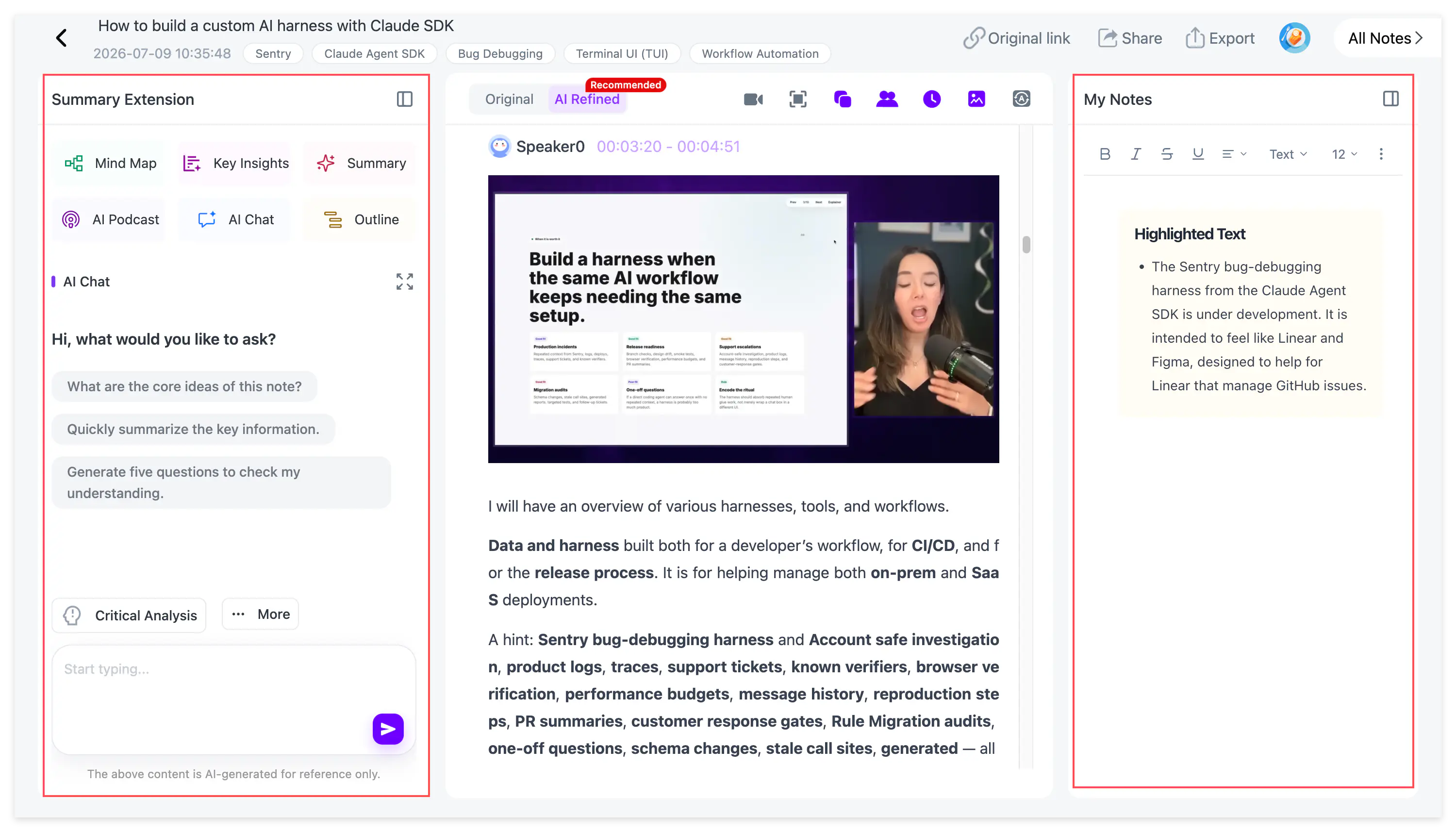
Personal annotations can be added beside the generated content. This is useful when the official record needs a corrected project name, a private follow-up note or a link to an internal document.
For a complex workshop or strategy session, an editable mind map provides a quicker view of topics and dependencies. Smart Sync connects a node to the matching moment in the recording, so reviewers can move from a decision branch directly back to the original discussion.
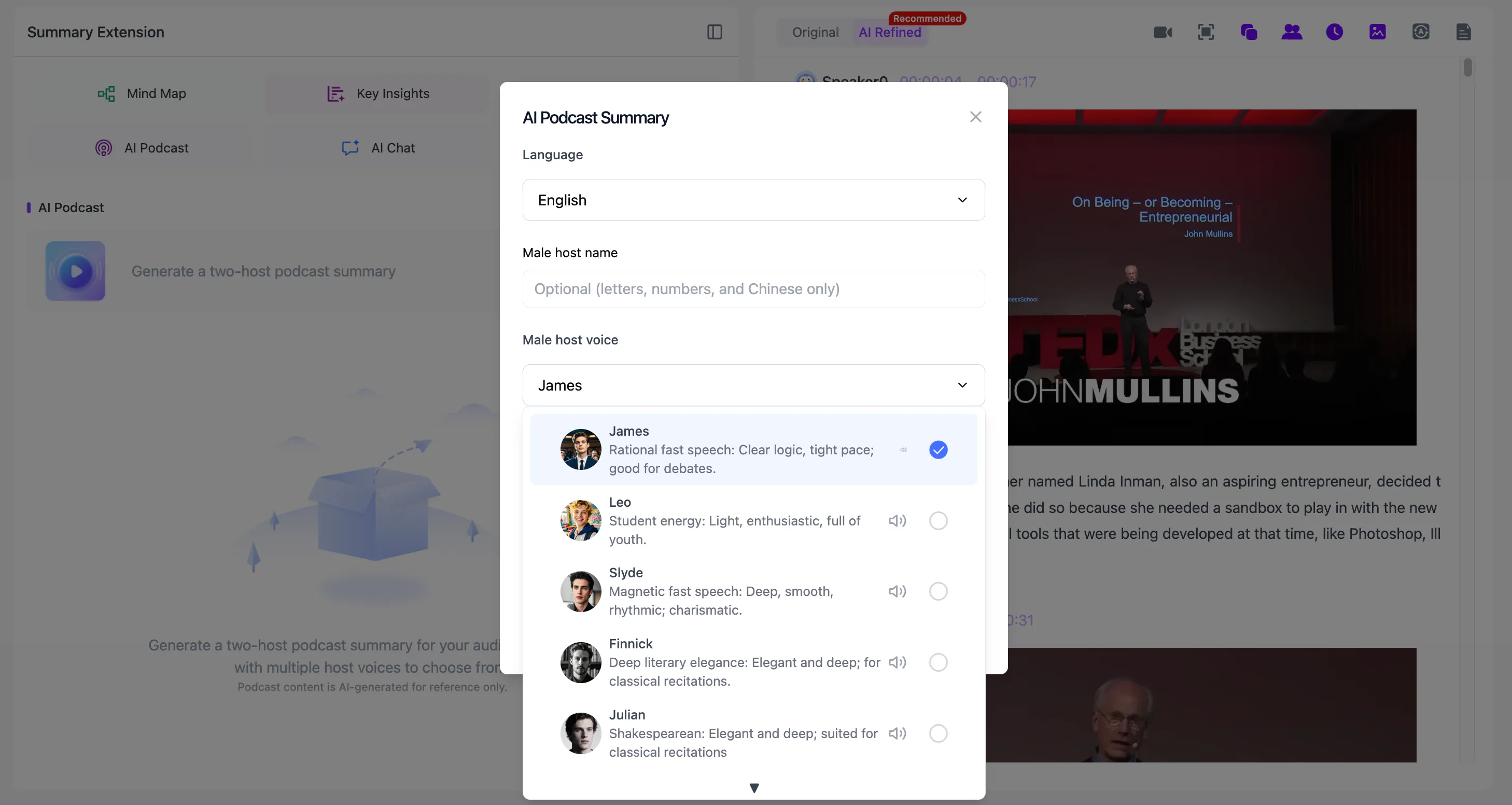
Long internal training sessions can also be converted into a two-host AI Podcast. NoteAi lets you customize the names and voice styles of both speakers and choose Chinese or English, giving employees an additional way to review the material away from the screen.
The final note can be exported as DOCX, PDF, HTML or Markdown. Mind maps support XMind, PDF, SVG, Markdown, JSON and TXT. Notes can also continue into Notion or Obsidian.

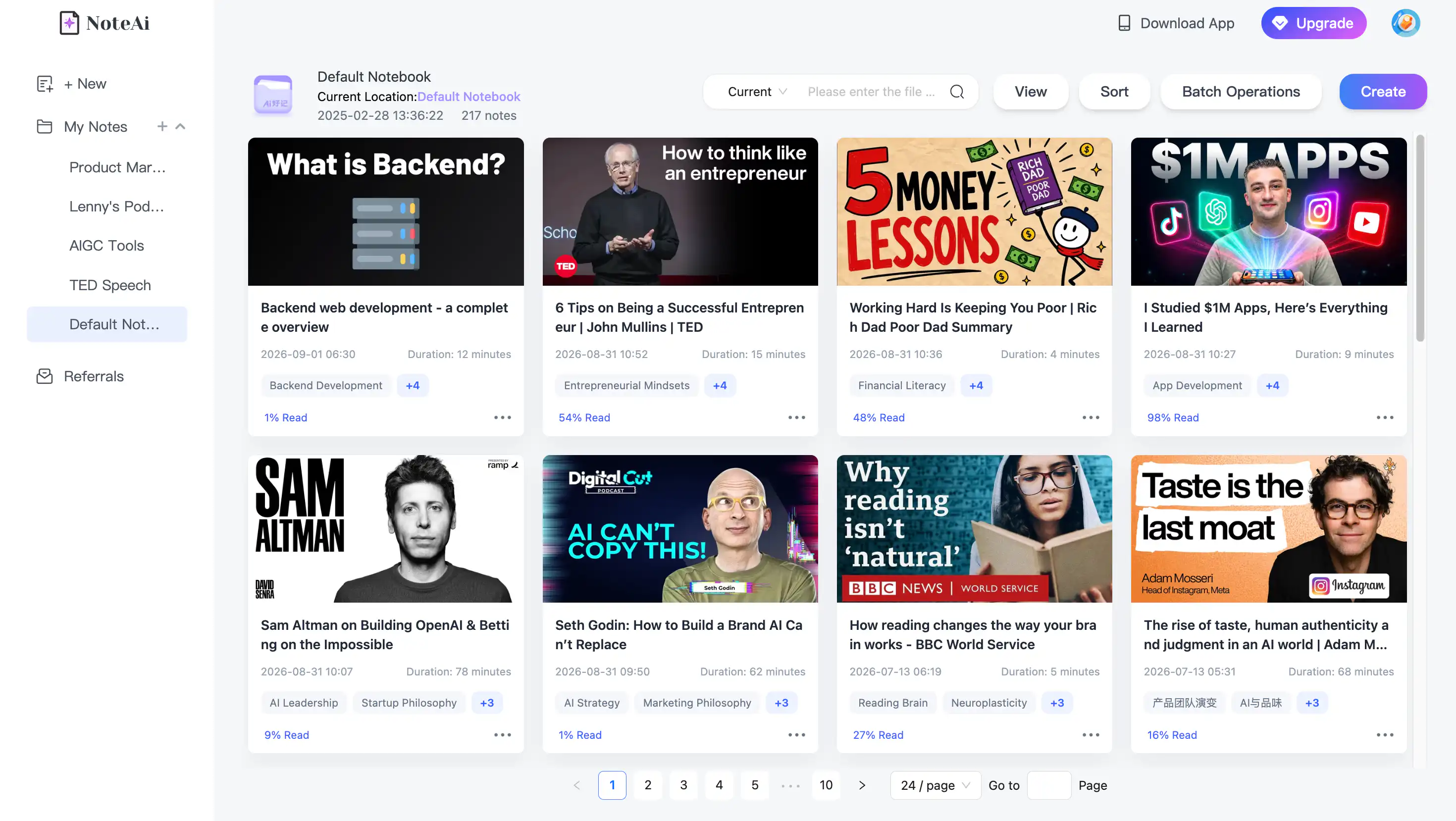
Meetings that stay in NoteAi can be organized with multi-level categories, batch management, global search and sharing permissions. Cross-note questions help locate decisions that appeared across several meetings instead of searching every recording separately.
Which Type of AI Meeting Note Taker Do You Need?
Choose an automatic meeting agent when the priority is unattended capture of scheduled calls. Otter.ai, Fireflies.ai and Fathom are designed around that workflow.
Choose a bot-free recorder when you do not want an additional participant visible in the meeting. Granola and Krisp are strong options, while several other meeting platforms now provide bot-free modes as well.
Choose NoteAi when the recording already exists, when slides and screen sharing need to remain visible, or when the meeting will become training material or long-term project knowledge. It is less necessary for a short call that only needs a basic transcript.
Frequently Asked Questions
What is the best AI meeting note taker in 2026?
The answer depends on the capture method. Otter.ai and Fireflies.ai are strong for automatic live-meeting capture. Granola and Krisp suit bot-free recording. NoteAi is better for turning existing meeting recordings into timestamped transcripts, visual meeting notes and reusable knowledge.
Can AI generate meeting minutes and action items?
Yes. After a recording has been processed, NoteAi can use a meeting template or custom prompt to organize the discussion into decisions, action items, owners and follow-up questions. Important details should be checked against the original recording.
Can an AI meeting note taker preserve presentation slides?
NoteAi extracts important PPT slides and key frames and combines them with the corresponding spoken explanation. This is useful for project reviews, training and product demonstrations.
Does NoteAi automatically join Zoom or Google Meet?
No. NoteAi focuses on processing a recording after it has been captured. Use a meeting bot when automatic calendar attendance is required.
Can recorded meeting notes be exported to Obsidian?
Yes. NoteAi exports Markdown for Obsidian workflows. Other options include DOCX, PDF, HTML and Notion-oriented export.
Is NoteAi completely free?
NoteAi provides limited free credits. It is not an unlimited free meeting transcription service.
Final Verdict
The best AI meeting note taker is the one that matches how your meetings are captured.
Use a meeting agent for automatically recorded calls, a bot-free tool for unobtrusive live capture and NoteAi when an existing meeting recording needs to become a complete, searchable record.
For recorded meetings with slides, screen sharing or training content, NoteAi keeps what was said, what was shown and where it happened in the same note.
Try NoteAi with your next recorded meeting.