

NotebookLM, now called Gemini Notebook, has grown far beyond a simple document research tool.
It can work with PDFs, websites, audio files, images, public YouTube videos, Google Workspace files, and other sources, then turn that material into grounded chat responses and generated outputs such as Mind Maps, Audio and Video Overviews, Flashcards, Quizzes, Infographics, Slide Decks, and Reports.
That makes the question in 2026 less about finding a tool that can simply “do what NotebookLM does” and more about choosing a research workflow that fits your sources.
A video researcher, academic researcher, web researcher, and long-term note-taker may all need very different alternatives.
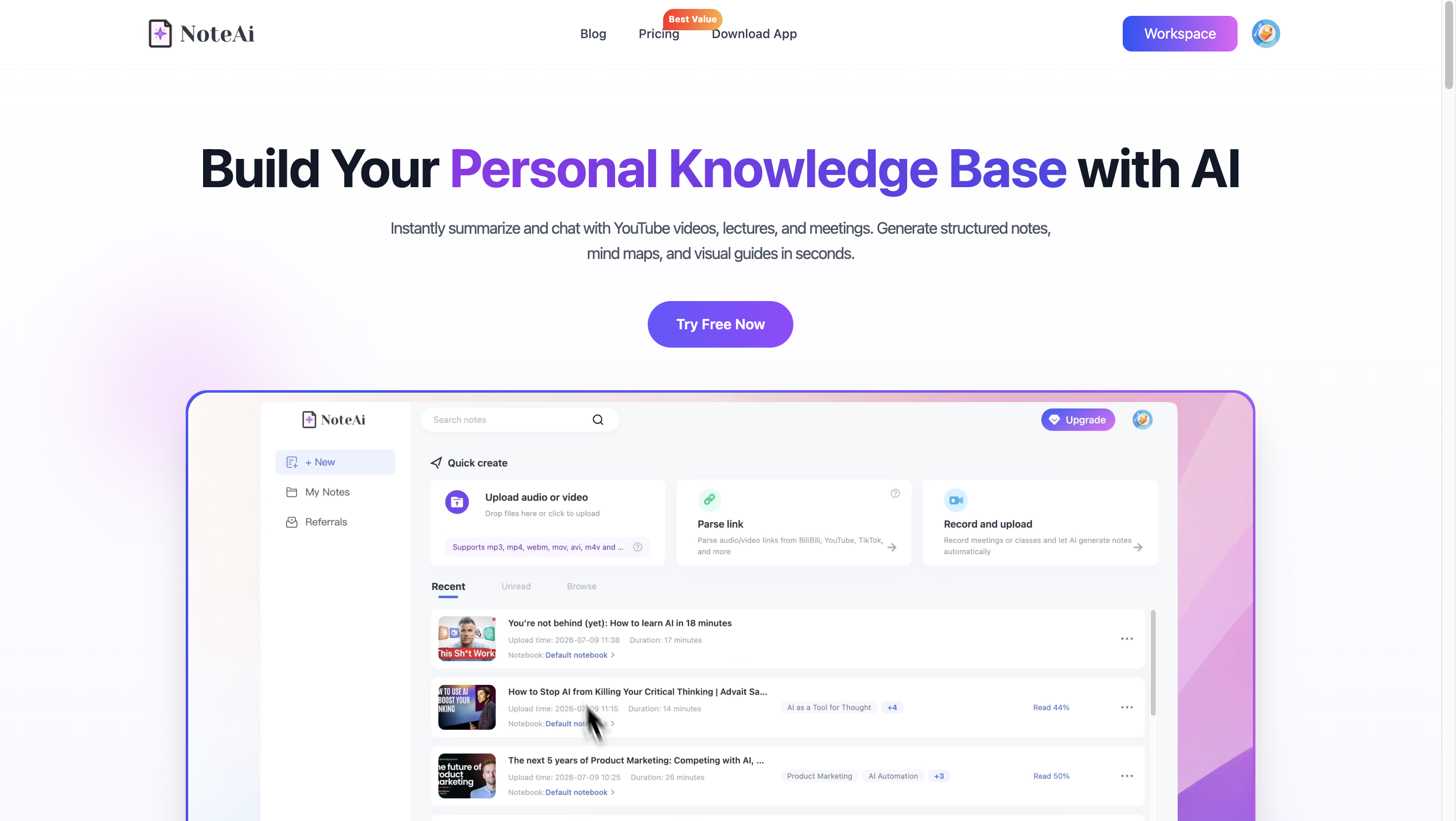
What Is NotebookLM, and Why Look for an Alternative?
Google's NotebookLM, now Gemini Notebook, is built around research grounded in a collection of sources.
Google's current documentation lists support for PDFs, websites, audio, images, Google Workspace files, Microsoft Word and PowerPoint files, CSV, ePub, and public YouTube videos with captions, among other source types.
So looking for a NotebookLM alternative in 2026 does not necessarily mean looking for another document summarizer.
The better question is: what kind of material do you research most often, and what do you want to do with it afterward?
- Someone working with research papers may care about literature discovery and evidence.
- Someone researching the web may want fast source discovery.
- A creator or student working with long videos may care more about transcripts, visuals, timestamps, and returning to the original recording.
- Someone building a personal knowledge system may prioritize connections between notes over automatic summaries.
The seven tools below approach those needs differently.
NotebookLM Alternatives at a Glance
| Tool & Best For | Main Research Workflow |
|---|---|
| NoteAi — Video & audio research | YouTube, TikTok, recordings → transcripts, Visual Notes, mind maps & AI Chat |
| Claude — Long-document analysis | Upload documents → conversational analysis & reasoning |
| ChatGPT — General research | Files & sources → research, analysis, writing & project work |
| Perplexity — Web research | Search the web → discover sources & synthesize answers |
| Notion AI — Workspace knowledge | Existing notes & databases → search, summarize & work in context |
| Elicit — Academic research | Research papers → literature discovery & evidence review |
| Obsidian — Personal knowledge management | Markdown notes → connect ideas & build a long-term knowledge base |
The biggest difference is not how many AI features each tool has, but where the research starts and what you want to do with the source afterward.
1. NoteAi — For Source-Connected Video and Audio Research
When research begins with a YouTube video, TikTok, lecture, podcast, interview, or local recording, NoteAi keeps the resulting notes and research material connected to the original media.
You can import YouTube, TikTok, Bilibili, local video and audio files, screen recordings, and audio recordings. NoteAi can then generate a full timestamped transcript, structured AI Notes, Visual Notes, Key Insights, an Outline, and a multi-level mind map.
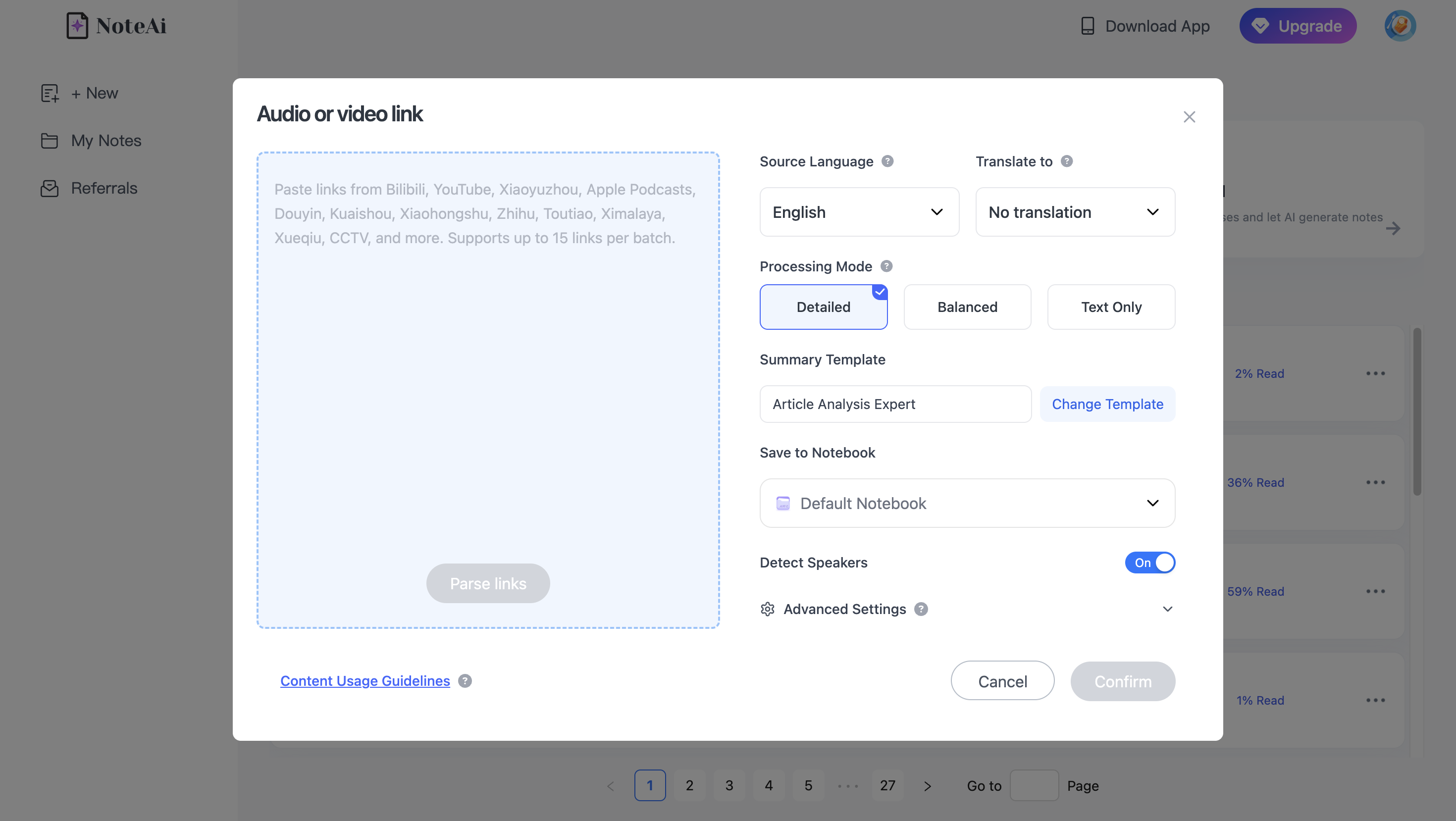
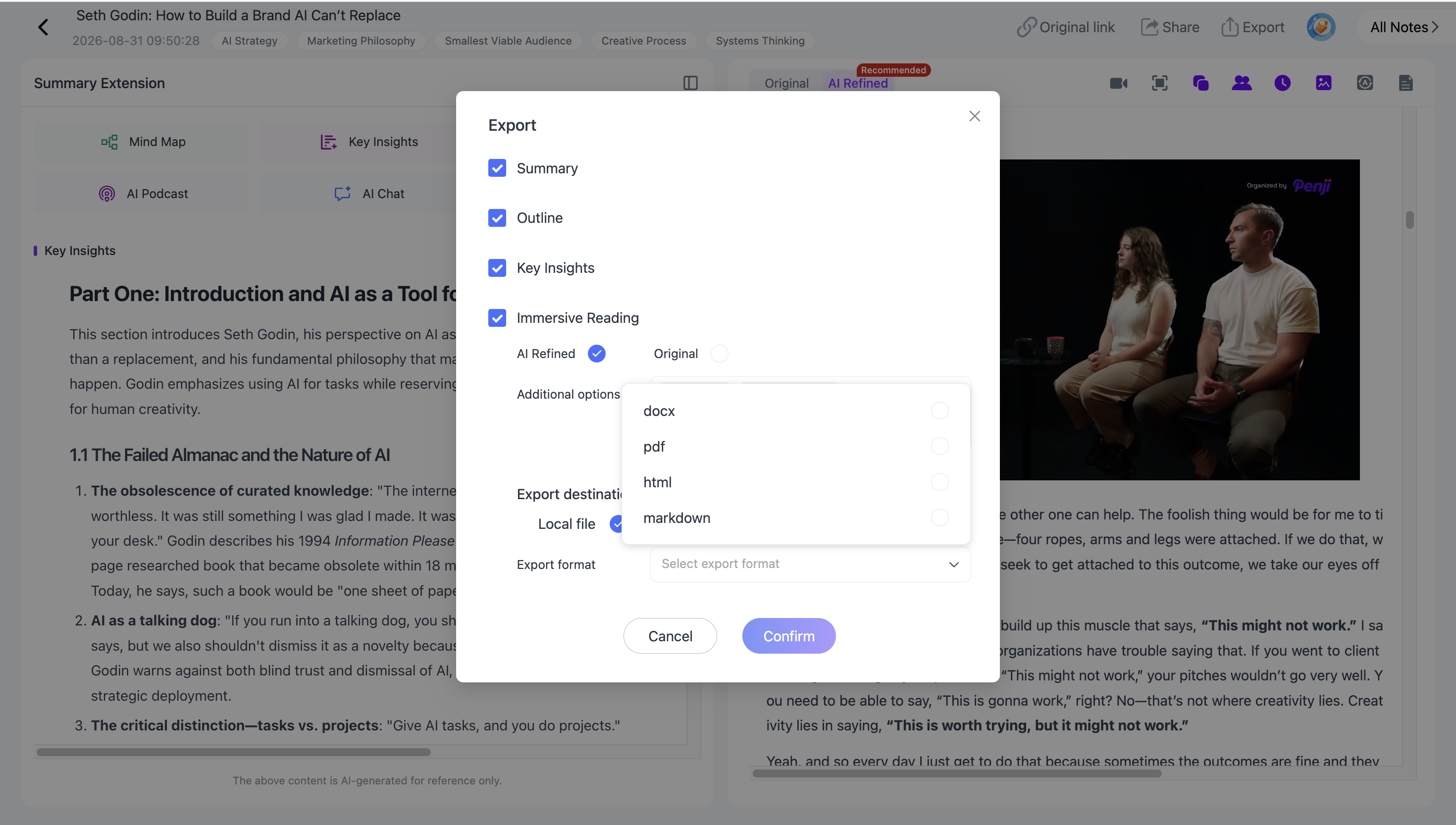
Scan a Long Source With Key Insights
A two-hour lecture or interview may contain only a few sections that matter to your research.
Instead of starting with every line of the transcript, Key Insights gives you a faster view of the important information across the full source. You can use that overview to decide which topics deserve closer reading or verification.
The complete transcript remains available when you need exact wording or more context.
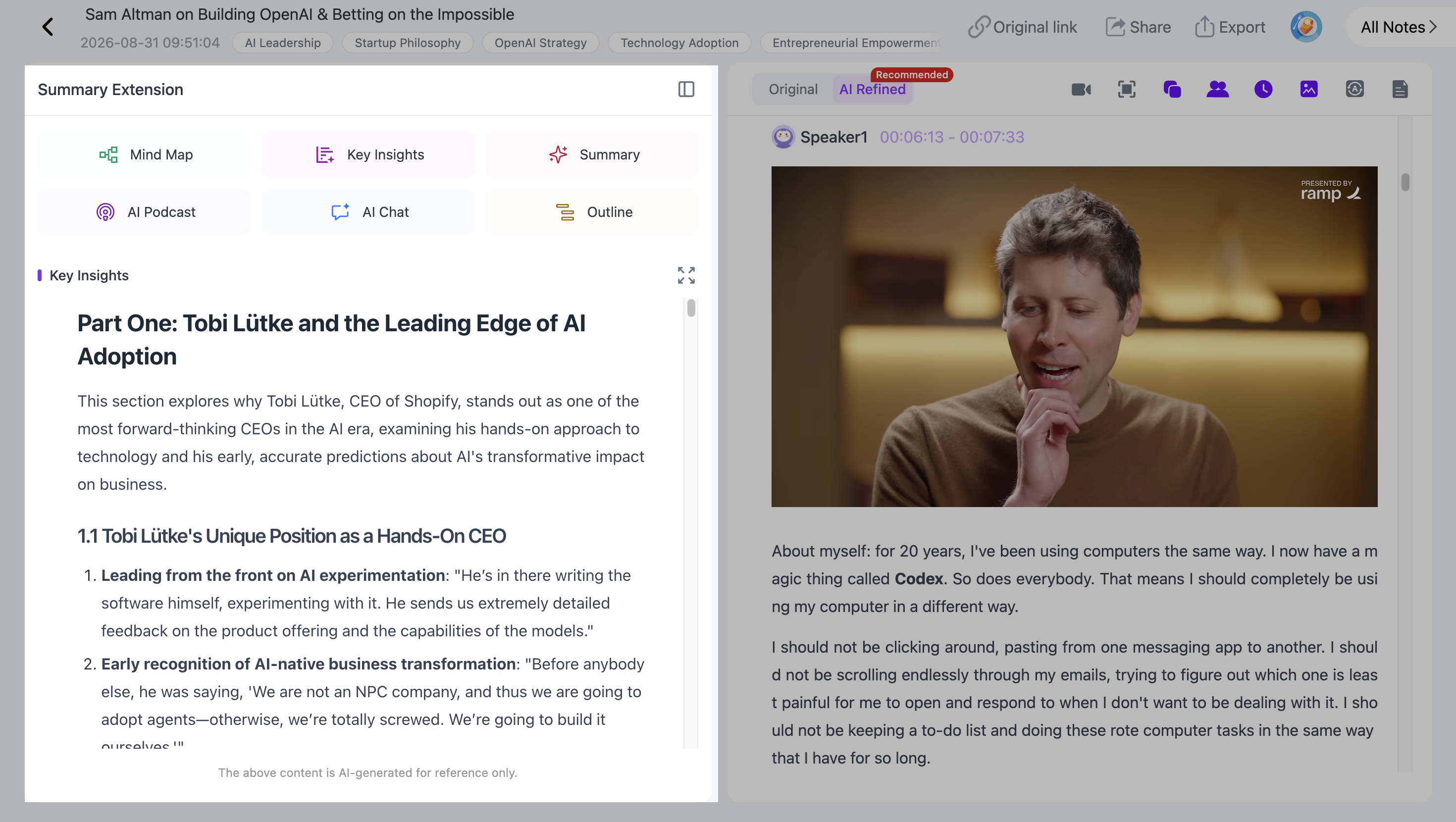
Choose a Summary Template or Write a Custom Prompt
Not every research source should be summarized in the same way.
NoteAi includes multiple Summary Templates for organizing different types of material. When a built-in template does not match the research question, Custom Prompts let you specify what the AI should focus on and how the result should be structured.
For example, when researching an interview, you might ask:
"Organize this interview by the guest's main arguments, supporting examples, disagreements, and unresolved questions."
For a lecture:
"Organize the source into core concepts, definitions, examples, and relationships between concepts."
A Custom Prompt changes how the source is organized. It does not prevent you from returning to the complete transcript later.
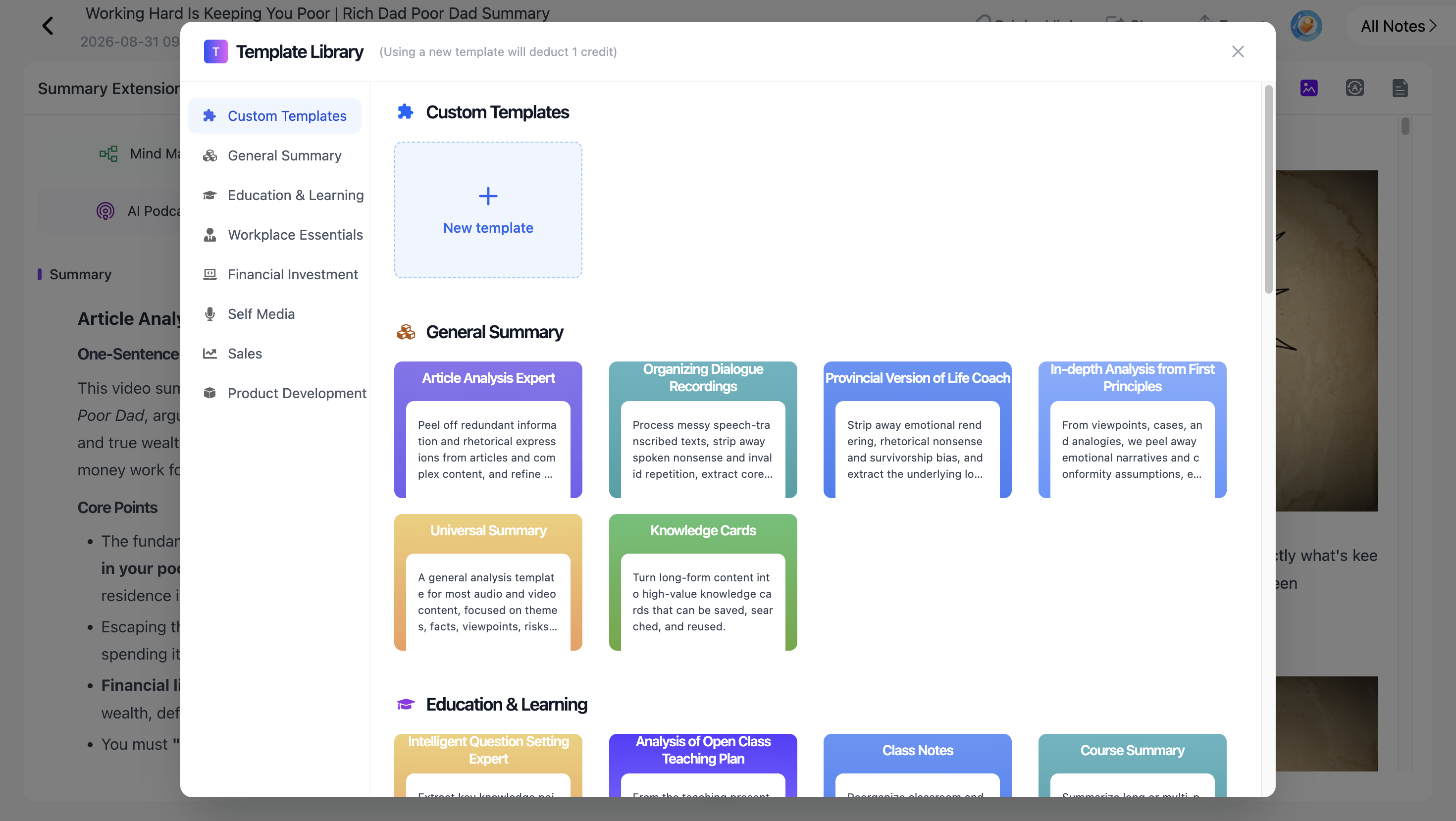
Search the Full Timestamped Transcript
For research, a summary is often only the starting point.
NoteAi keeps the full transcript with timestamps, so you can search for a term, person, claim, or example and return to the corresponding part of the source.
This is particularly useful with long interviews and lectures. Instead of replaying an entire recording to find one passage, you can search the transcript first and use the timestamp to locate it.
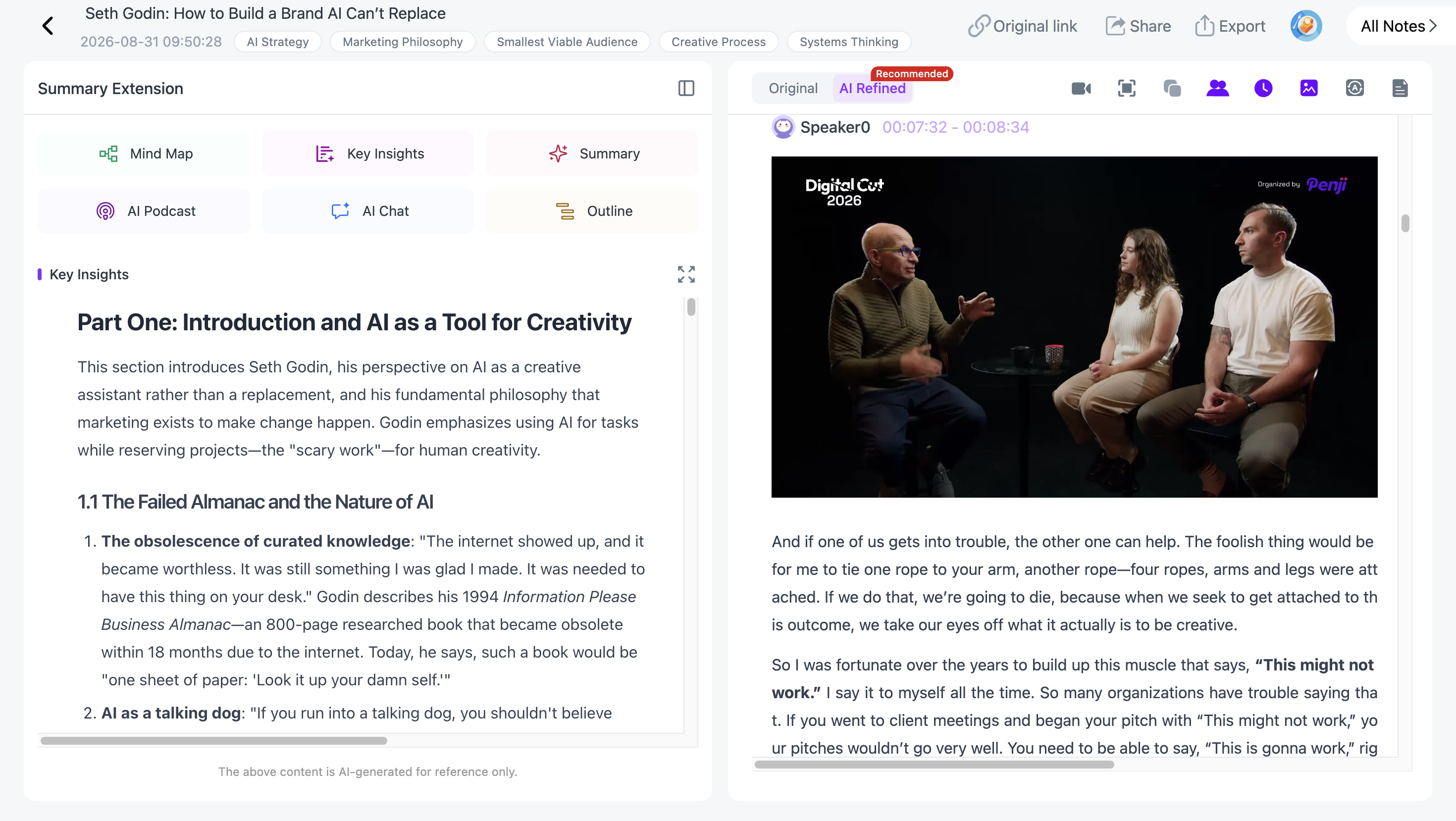
Keep Slides and Key Frames With Visual Notes
Speech is not always the whole source.
A lecture may contain a diagram that is never fully described aloud. A product demonstration may show an interface while the speaker talks about something else. A presentation may depend on charts and slides.
Visual Notes preserve useful frames alongside the written material, making visual information easier to revisit during research.
If visual material is important to your workflow, our guide to extracting slides from YouTube videos with AI goes deeper into this process.
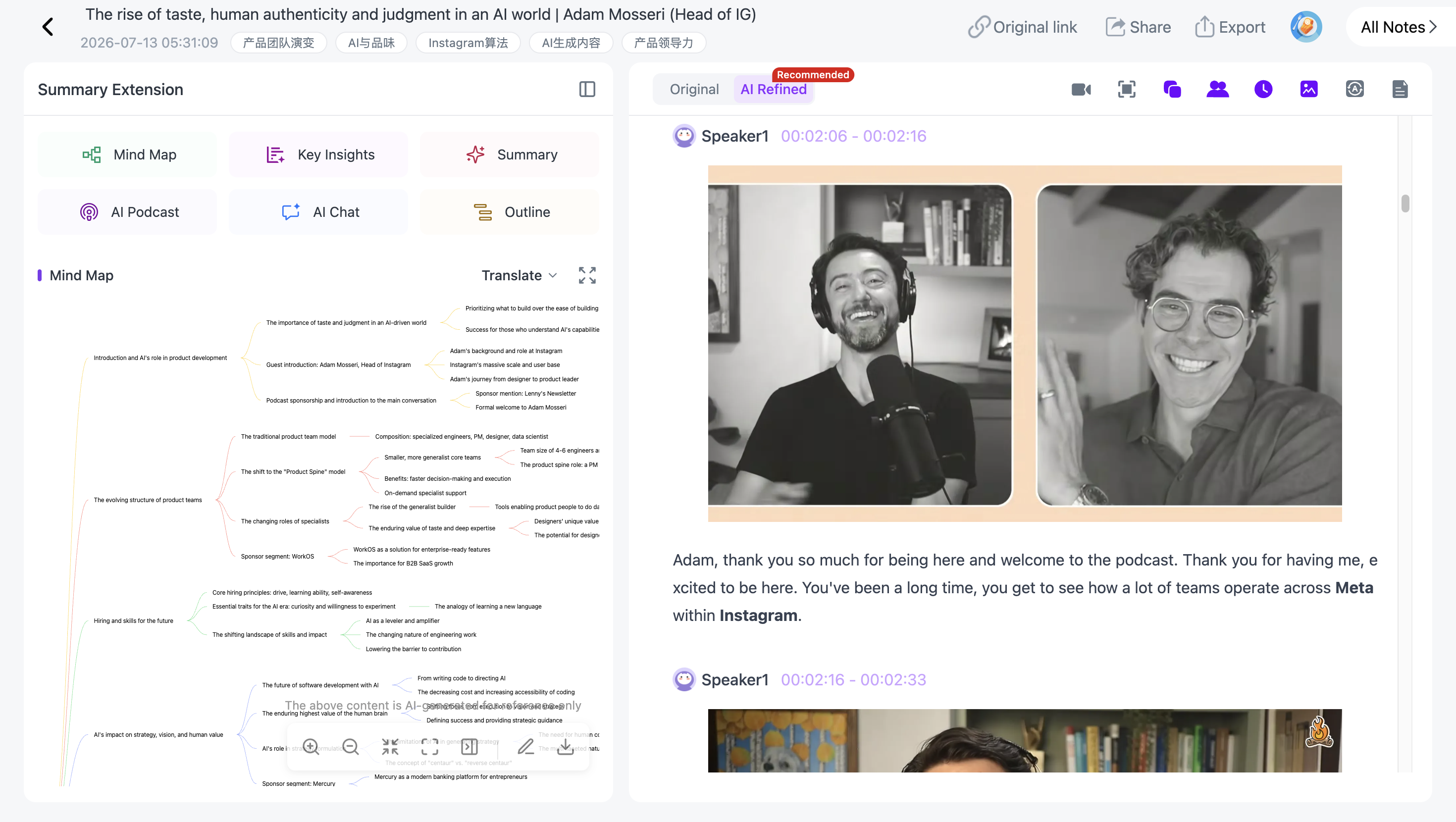
Turn the Source Into an Editable Mind Map
For concept-heavy material, NoteAi can organize the source into a multi-level mind map.
The map is not locked after generation. You can freely edit the structure, reorganize branches, and continue refining it around the way you understand the source.
More importantly, nodes remain connected to the underlying content. Clicking a node can take you back to the corresponding source material, so the mind map works as a visual navigation layer rather than a detached diagram.
The finished map can also be exported to XMind.
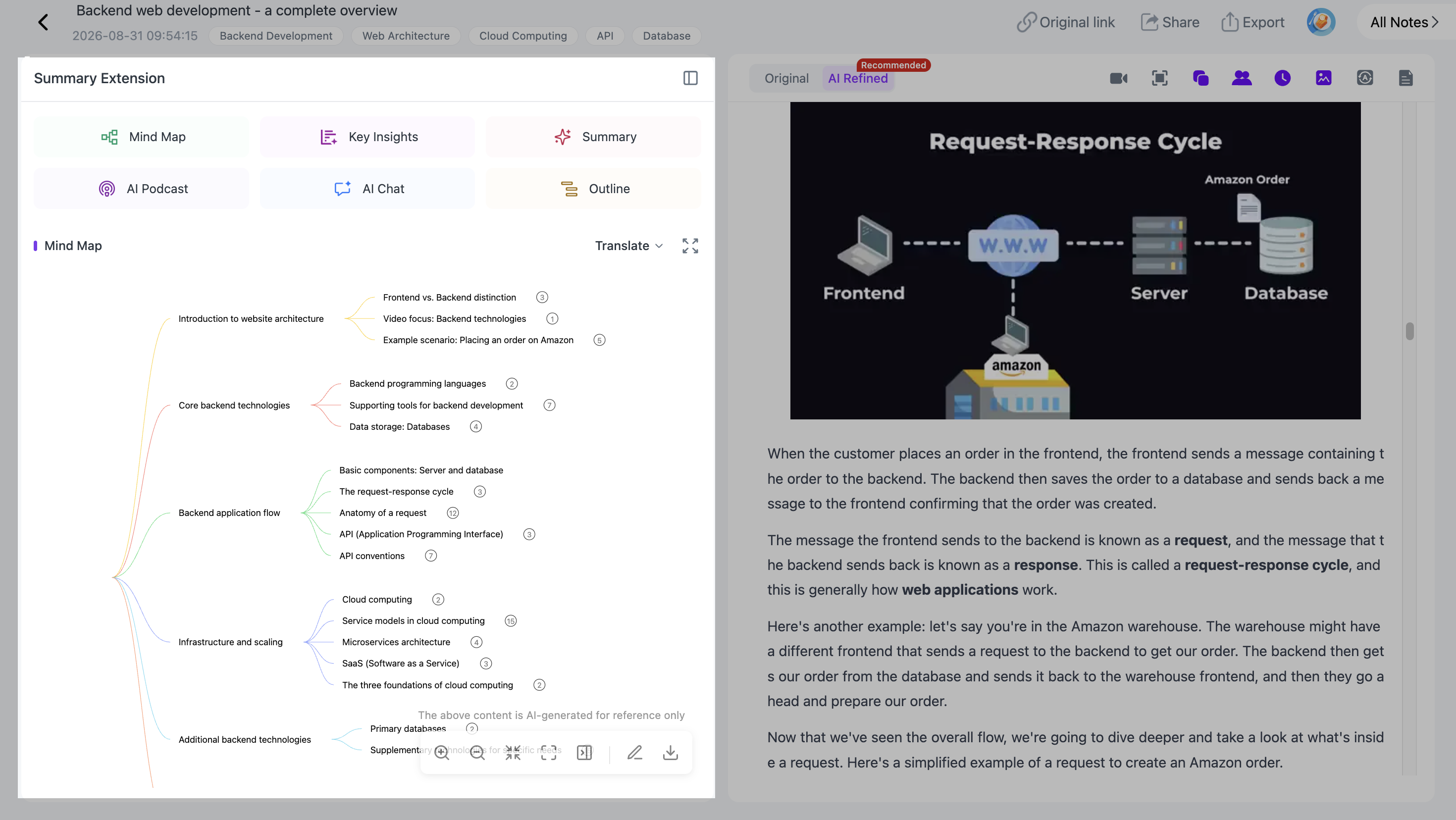
Keep the Original Video Available While You Work
Research sometimes requires checking what actually happened in the source rather than relying only on AI-generated text.
NoteAi can keep the original video available in a mini player while you review generated material and add your own notes.
That means a transcript, summary, or mind-map branch does not have to be the end of the trail. You can return to the video, check the surrounding context, and continue working without separating the original source from your notes.
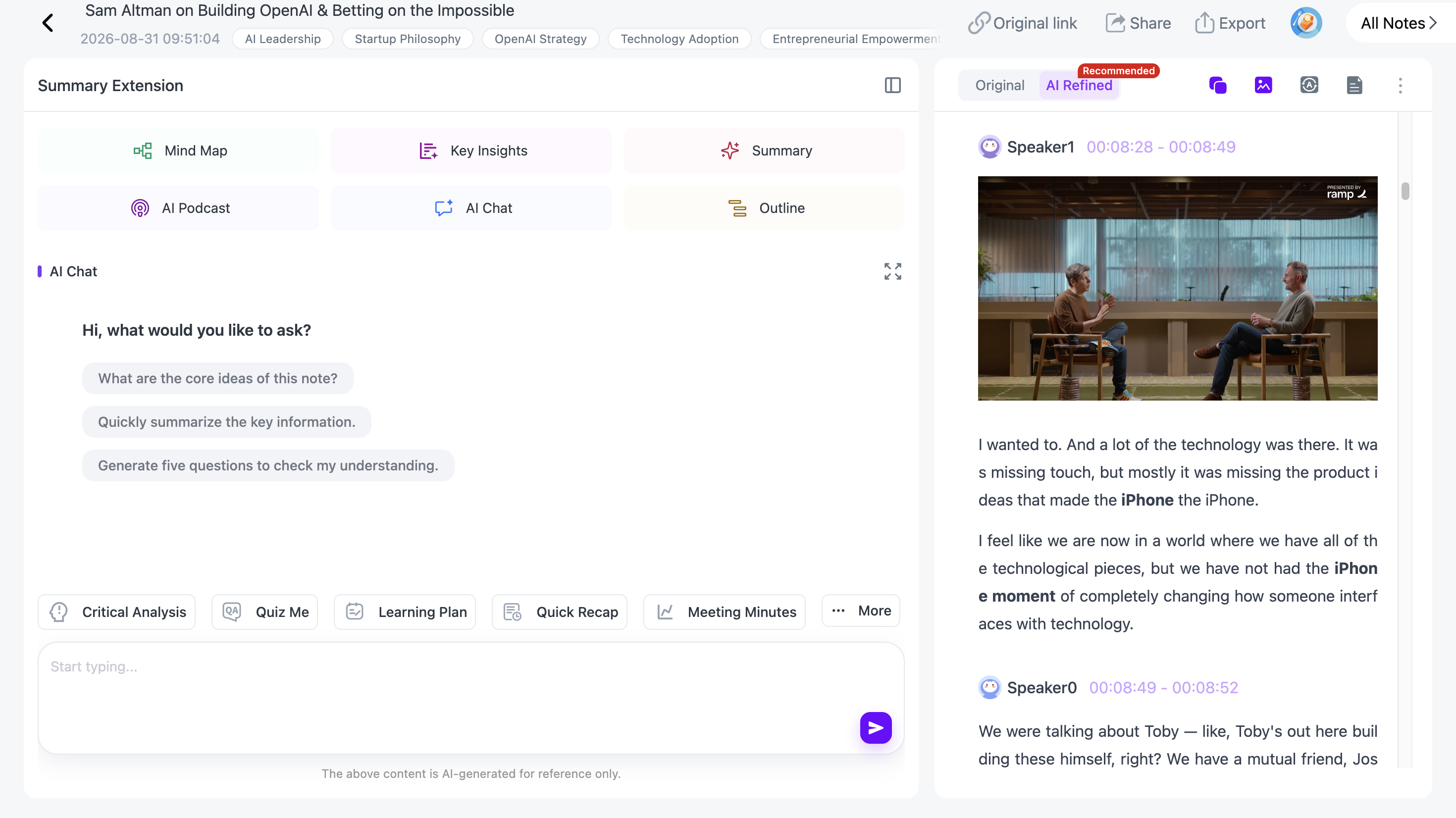
Ask Questions Freely With AI Chat
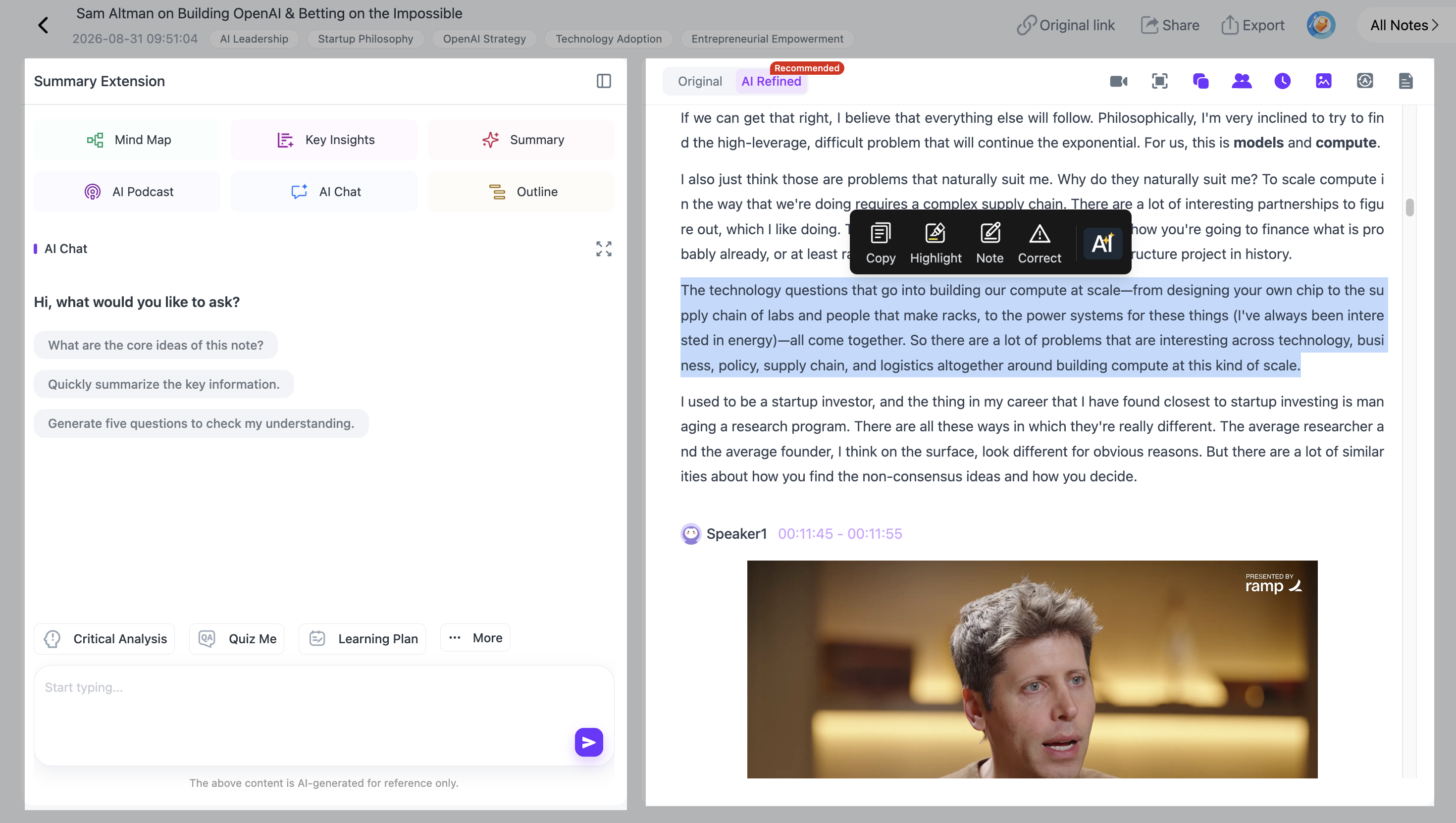
With NoteAi, AI Chat lets you freely ask questions about the processed source, get answers, and continue the conversation with follow-up questions.
You are not limited to a fixed set of suggested questions. You can ask about a concept you do not understand, look for information buried somewhere in a long recording, compare two ideas, or continue asking questions until the topic becomes clearer.
For example:
"What is the speaker's main argument?"
Then continue:
"What evidence do they use to support it?"
"Were any limitations mentioned?"
"How does that compare with the idea discussed earlier?"
This is different from a Custom Prompt. A Custom Prompt controls how the source is summarized or organized, while AI Chat lets you freely ask questions, receive answers, and continue exploring the source through a multi-turn conversation.
Research Several Sources Together
Research rarely stops at one video.
NoteAi supports batch processing of up to 15 items, making it possible to process several sources belonging to the same topic instead of handling them one at a time.
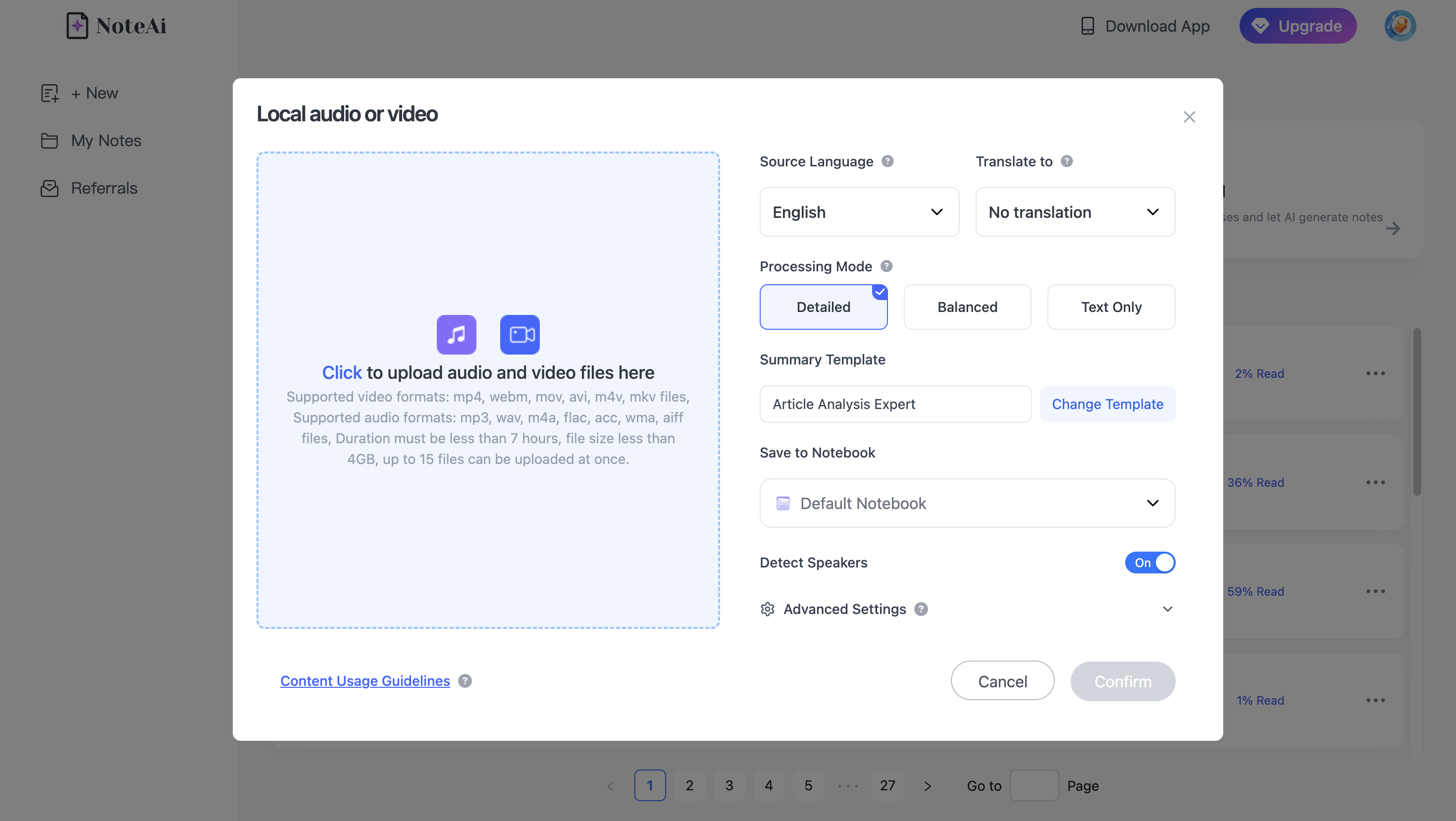
For a practical workflow, see how to summarize multiple YouTube videos at once with AI.
2. Claude — For Long-Document Analysis
Claude is useful when the research material is primarily document-based and the goal is to discuss, compare, transform, or reason over long written sources.
That makes it relevant for reports, papers, drafts, reference documents, and other text-heavy work where conversational analysis matters more than maintaining a close connection to an original video timeline.
For someone choosing a NotebookLM alternative primarily because they work with long written material, this is a different use case from NoteAi's media-centered workflow.
3. ChatGPT — For General Research and Project Work
ChatGPT covers a broader range of tasks than a dedicated research notebook.
A research task can continue into analysis, writing, brainstorming, coding, planning, data work, and other project activities. That makes it useful when understanding sources is only one part of a larger piece of work.
Users looking for a dedicated video-to-notes workflow may therefore value different capabilities from users who want one AI environment for many types of tasks.
4. Perplexity — For Web-First Research
Perplexity is oriented toward research that begins with finding information on the web.
Instead of starting primarily with a collection of material you already have, it is useful when the first question is:
What relevant information and sources are available online about this topic?
That makes it a different kind of NotebookLM alternative from tools centered on uploaded source libraries.
5. Notion AI — For Research Inside an Existing Workspace
Notion AI is relevant when your notes, databases, project documents, and team knowledge already live inside Notion.
Rather than building a separate research environment, AI capabilities can sit closer to an existing workspace.
This makes it especially relevant for people whose main problem is not importing another research source, but making better use of information that is already part of their work system.
6. Elicit — For Academic Literature Research
Elicit focuses more specifically on academic research and scientific literature.
Its workflows are designed around research papers and evidence, which makes it relevant to literature discovery, literature reviews, and questions where academic sources matter more than video or general web content.
If your main source type is peer-reviewed research rather than lectures, podcasts, or videos, that specialization matters.
7. Obsidian — For Long-Term Personal Knowledge Management
Obsidian approaches research from the perspective of a knowledge base that develops over time.
Its Markdown-based note system is useful when the goal is to create connections among ideas, maintain your own archive, and keep knowledge portable rather than treating every research task as an isolated session.
NoteAi and Obsidian can also sit at different stages of the same workflow: NoteAi can process long-form media first, while the resulting Markdown material can continue into a broader Obsidian knowledge base.
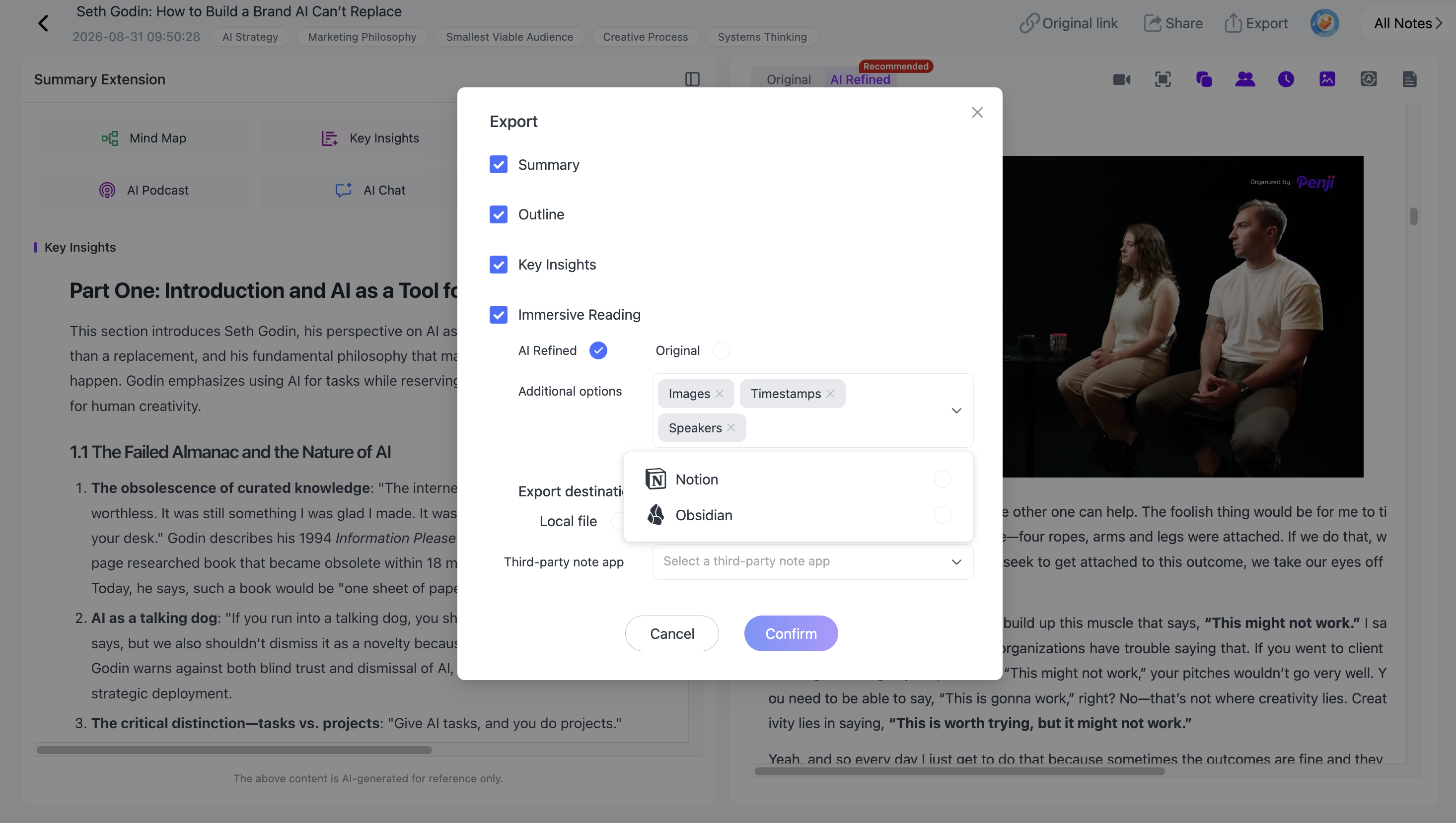
For a complete example, see how to turn YouTube videos into Obsidian notes with AI.
NoteAi vs. Gemini Notebook (NotebookLM) for Video Research
Both products can work with YouTube content, so the difference should not be reduced to “NotebookLM is for documents and NoteAi is for videos.”
Gemini Notebook supports eligible public YouTube videos with captions. When a supported YouTube URL is added as a source, its transcript can be used as source material inside the notebook.
NoteAi places more emphasis on keeping the original media connected to the transcript, Visual Notes, mind map, and AI Chat throughout the research workflow.
The same source can remain connected across:
Original Video → Timestamped Transcript → Key Insights → Visual Notes → Summary Templates / Custom Prompts → Editable Mind Map → AI Chat → Export
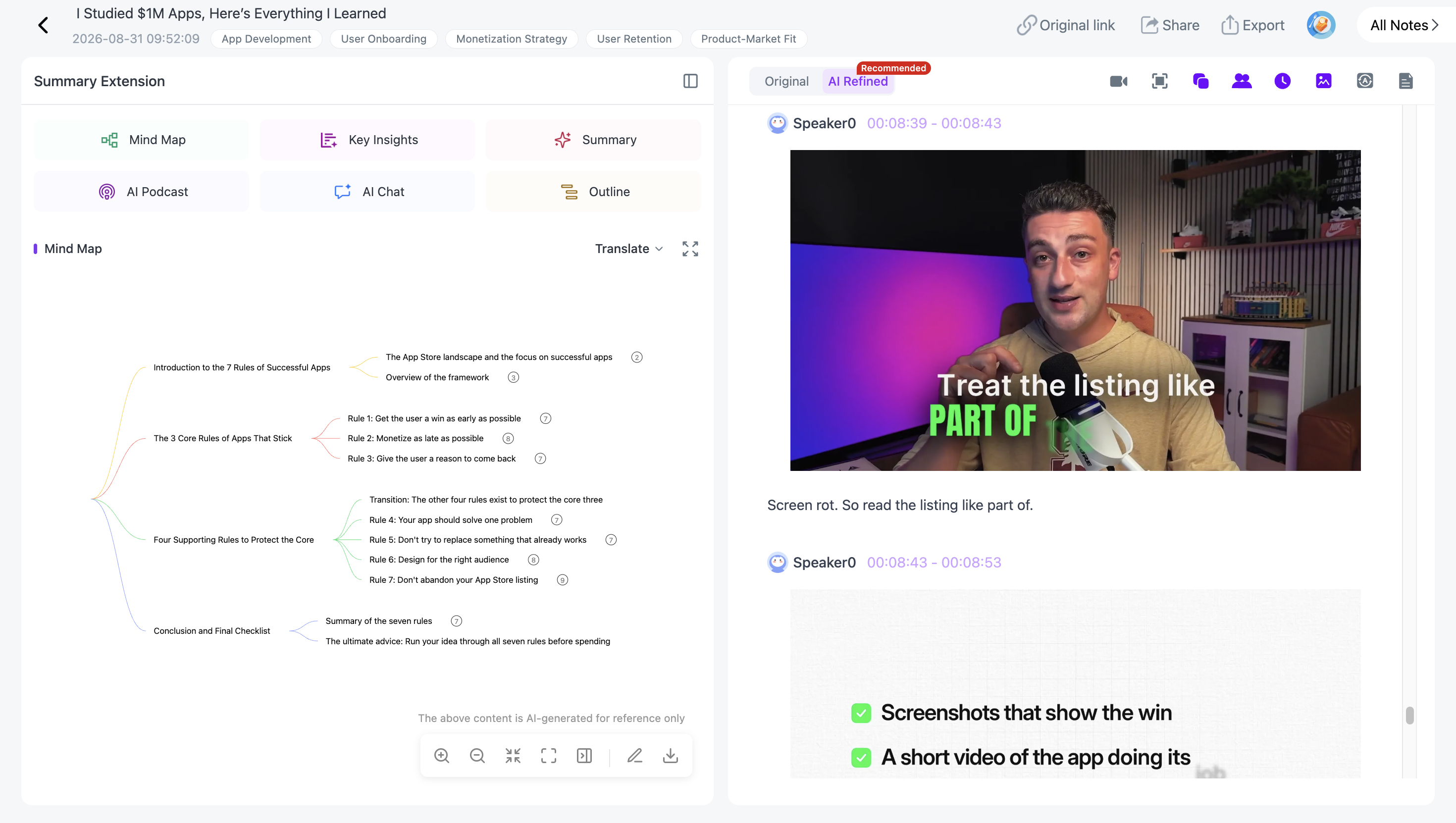
You can keep the original video available while reviewing the generated material, use timestamps and mind-map nodes to return to relevant source content, preserve useful visual frames, and freely ask questions about the processed material through AI Chat.
The choice therefore depends on the research workflow rather than a simple checklist of whether each product “supports video.”
Which NotebookLM Alternative Fits Your Workflow?
Start with the material you work with most often.
If the research begins on the open web, a web-first research product may make sense. If it revolves around academic literature, a specialized literature tool is more relevant. If your notes already live inside a workspace or personal knowledge system, integration with that environment may matter more than media processing.
For research centered on YouTube videos, TikToks, lectures, podcasts, interviews, and local recordings, NoteAi keeps the transcript, visuals, AI-generated structure, original media, and follow-up conversation within the same workflow.
Frequently Asked Questions
What is the best alternative to NotebookLM?
It depends on what you are researching. NoteAi is designed around video and audio research, Elicit focuses on academic literature, Perplexity is oriented toward web research, Obsidian toward long-term personal knowledge management, while tools such as Claude and ChatGPT support broader conversational research and analysis.
Is there a free alternative to NotebookLM?
Several NotebookLM alternatives offer some form of free access, but plan limits and included features can change. Check the current pricing and usage limits of the specific product before choosing it based on free access alone.
What is the best NotebookLM alternative for YouTube videos?
If you want to work closely with the original video, NoteAi combines timestamped transcripts, Key Insights, Visual Notes, Summary Templates, editable mind maps, source-connected review, and AI Chat in the same workflow.
Can NotebookLM summarize YouTube videos?
Gemini Notebook supports eligible public YouTube videos with captions. The video's transcript can be imported as source material and used within the notebook.
Which NotebookLM alternative is best for research papers?
Elicit is specialized around academic literature and research papers. Claude can also be useful when the task is conversational analysis of long documents. The appropriate choice depends on whether you need literature discovery or analysis of material you already have.
Can I use a NotebookLM alternative with my own files and notes?
Yes, but supported source types vary considerably between products. Before choosing an alternative, check whether it accepts the documents, media files, web sources, or note formats you actually use.