

Taking notes during class often means splitting your attention between listening and writing. AI can handle part of that work, but students usually need more than a transcript once the lecture is over.
A live seminar may need reliable recording. A two-hour video course may need timestamps, slides, and searchable notes. Before an exam, flashcards or cross-source review may matter more than transcription accuracy.
The 10 tools below solve different parts of that workflow.
Best AI Note Takers for Students at a Glance
1. NoteAi
Best for: Video lectures, recorded courses, and long-form audio/video learning
Inputs: YouTube, local audio/video, podcasts, recordings
Key features: Transcript, Visual Notes, Key Insights, editable Mind Map, AI Chat
Free access: Free credits available
2. CraftNote
Best for: Recording live lectures
Inputs: Live recording, audio/video files, YouTube
Key features: Transcript, AI notes, Q&A
Free access: Free plan
3. Otter.ai
Best for: Real-time lecture transcription
Inputs: Live classes, online meetings
Key features: Live transcript, notes, automated slide capture
Free access: Free plan
4. Granola
Best for: Students who still want to take their own notes
Inputs: Live lecture audio
Key features: Transcript + AI-enhanced notes
Free access: Student access available
5. RemNote
Best for: Flashcards and long-term review
Inputs: Notes, PDFs, YouTube, lecture recordings
Key features: Flashcards, quizzes, spaced repetition
Free access: Free plan
6. Mindgrasp
Best for: Turning lectures into ready-made study materials
Inputs: Lecture recordings, slides, YouTube, files
Key features: Notes, flashcards, quizzes, AI Tutor
Free access: Free access available
7. ScreenApp
Best for: Browser-based lecture capture
Inputs: Live recording, uploaded audio/video
Key features: Transcript, chapters, quizzes, flashcards
Free access: Free access available
8. Coconote
Best for: Automatic student study packs
Inputs: Lectures, PDFs, documents, videos, links
Key features: Notes, quizzes, flashcards, AI Chat
Free access: Free access available
9. Knowt
Best for: Active recall and exam preparation
Inputs: Lectures, YouTube, PDFs, notes
Key features: Notes, flashcards, quizzes, practice questions
Free access: Free plan
10. Gemini Notebook
Best for: Studying several course sources together
Inputs: Documents, videos, audio, notes, websites
Key features: Source-grounded research and study outputs
Free access: Free access available
1. NoteAi — Best for Video Lectures and Recorded Courses
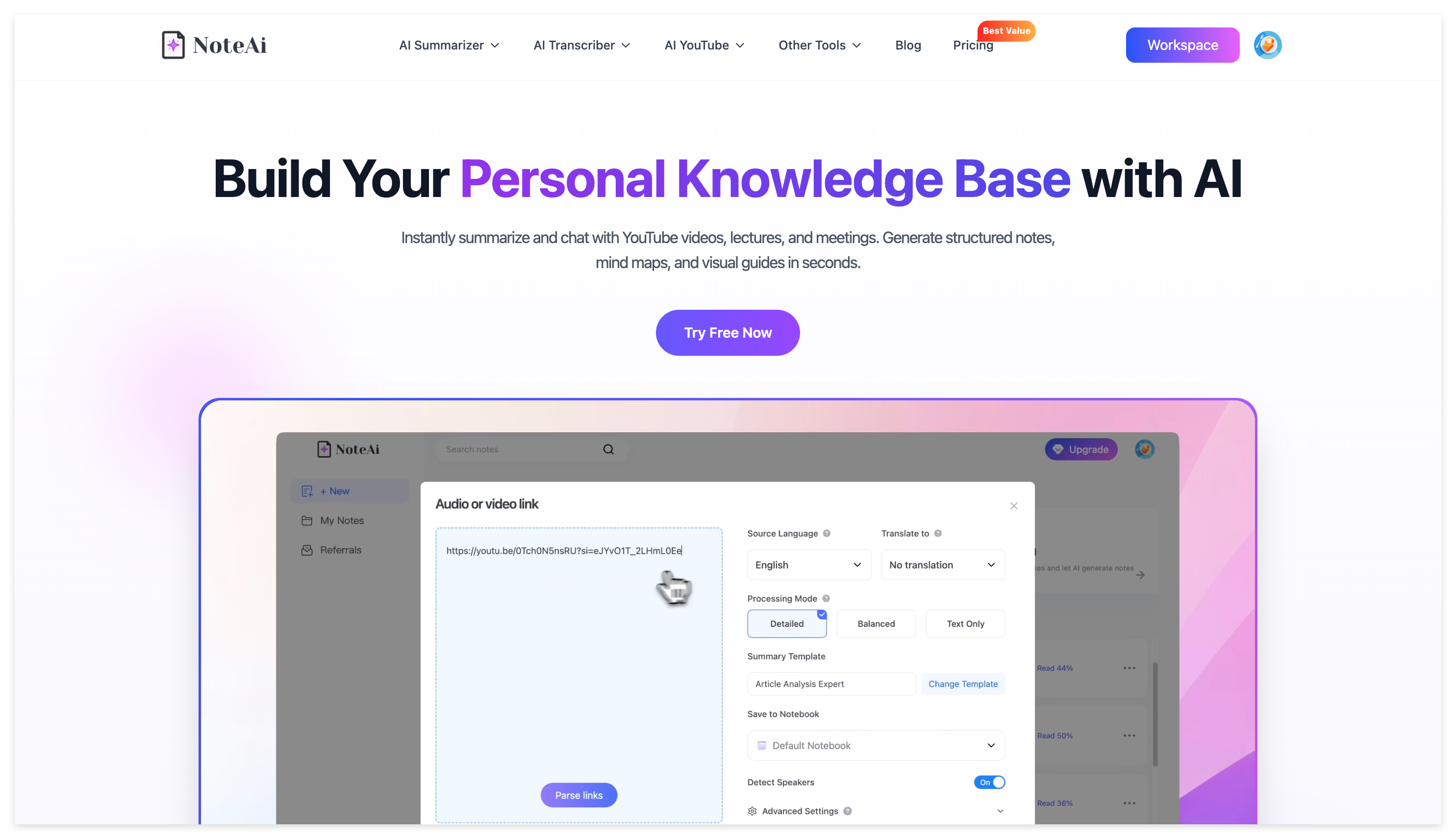
NoteAi is an AI note taker, video summarizer, and personal AI knowledge base for video and audio. It turns long-form media into searchable, reusable knowledge instead of stopping after transcription.
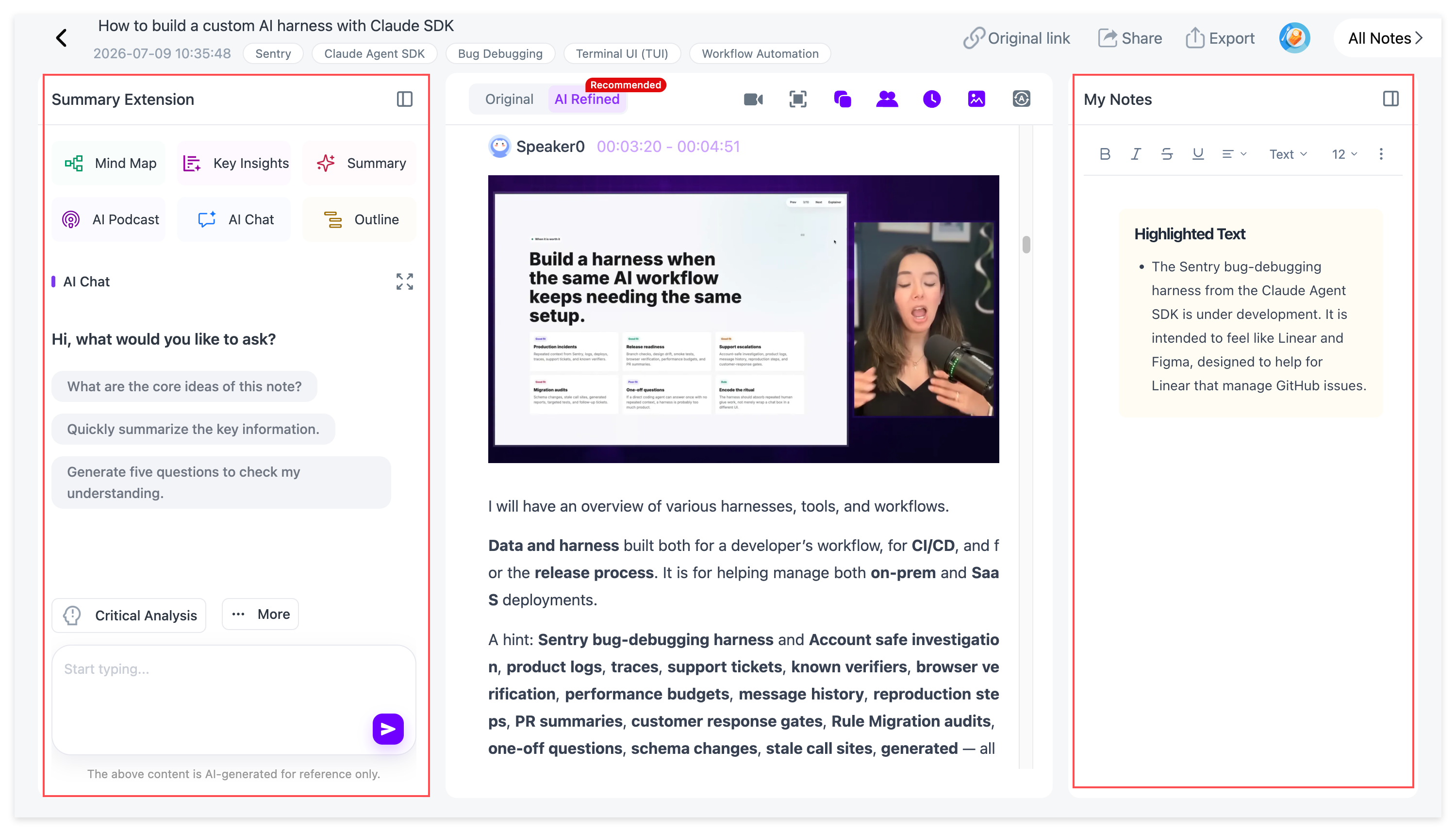
Students can add YouTube videos, local audio or video files, podcasts, and recordings. NoteAi then organizes the source into a timestamped transcript, structured notes, Key Insights, Visual Notes, and a Mind Map, while AI Chat lets you continue asking questions about the same material.
For students, NoteAi is particularly useful when the course itself is video-heavy. A normal transcript can tell you what the professor said, but many lectures also depend on PowerPoint slides, charts, formulas, diagrams, or software demonstrations.
NoteAi's Visual Notes preserve important visual information from the original video, so the notes retain both the spoken explanation and what appeared on screen.
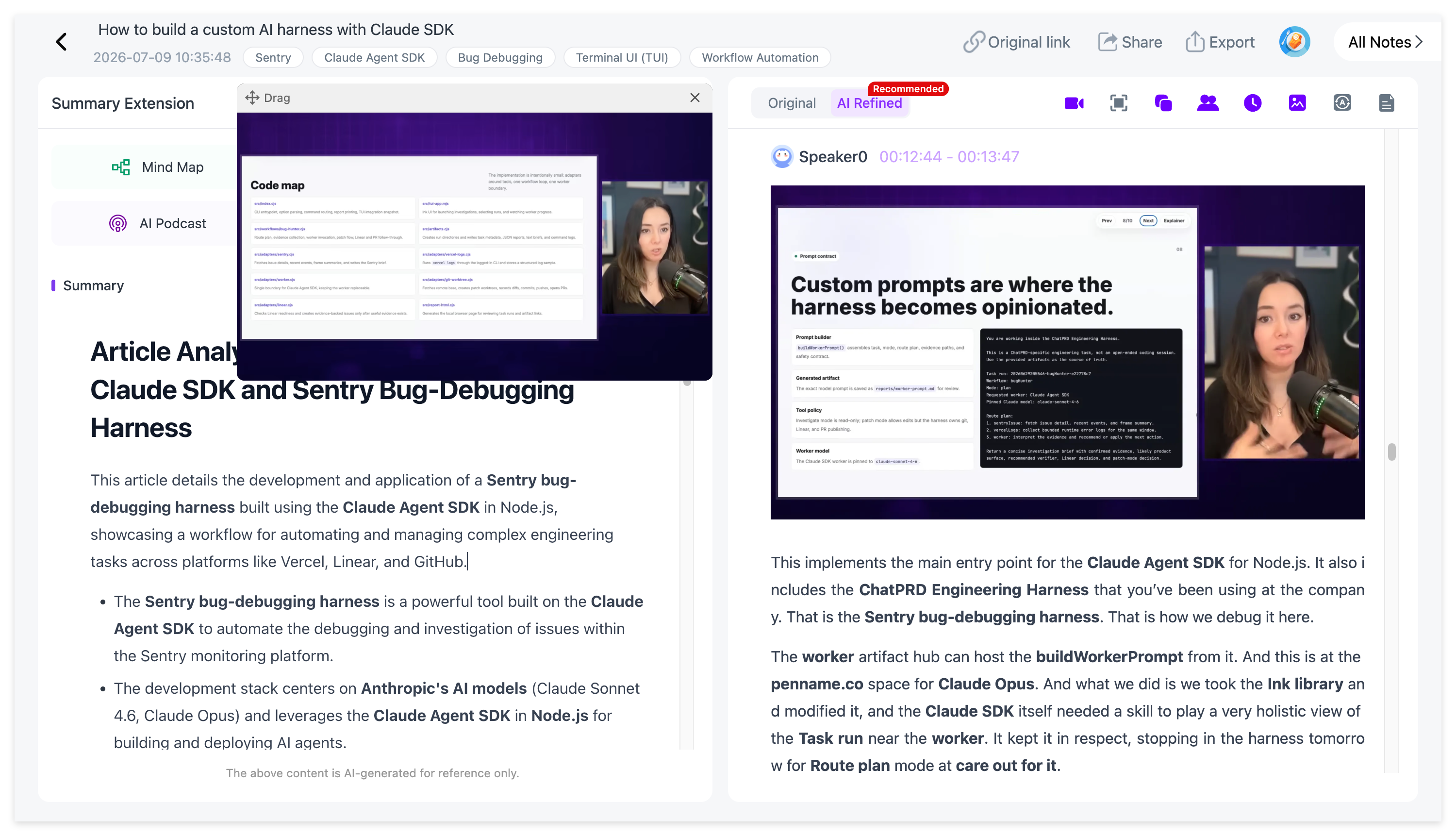
That matters when the lecturer says:
“You can see the difference between these two models in the diagram.”
A transcript may preserve that sentence perfectly, but it still does not tell you what the diagram looked like. Visual Notes keep the visual context with the course material, which makes them especially useful for engineering, medicine, economics, mathematics, computer science, design, and software tutorials.
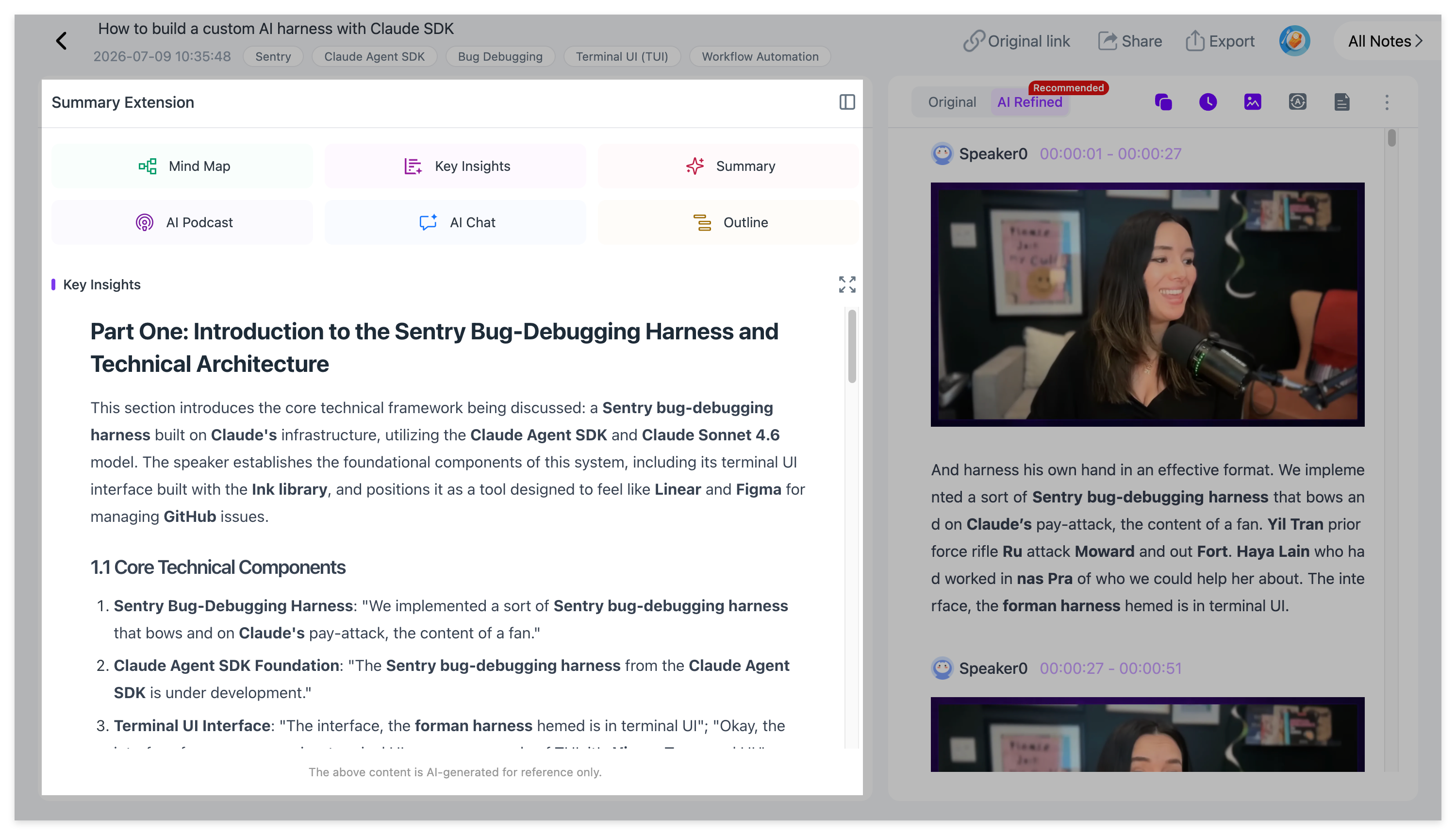
For long lectures, students can start with Key Insights instead of reading thousands of words of transcript from the beginning. The transcript remains available when exact wording, numbers, definitions, or context matter, and timestamps make it easier to return to the relevant section of the source.
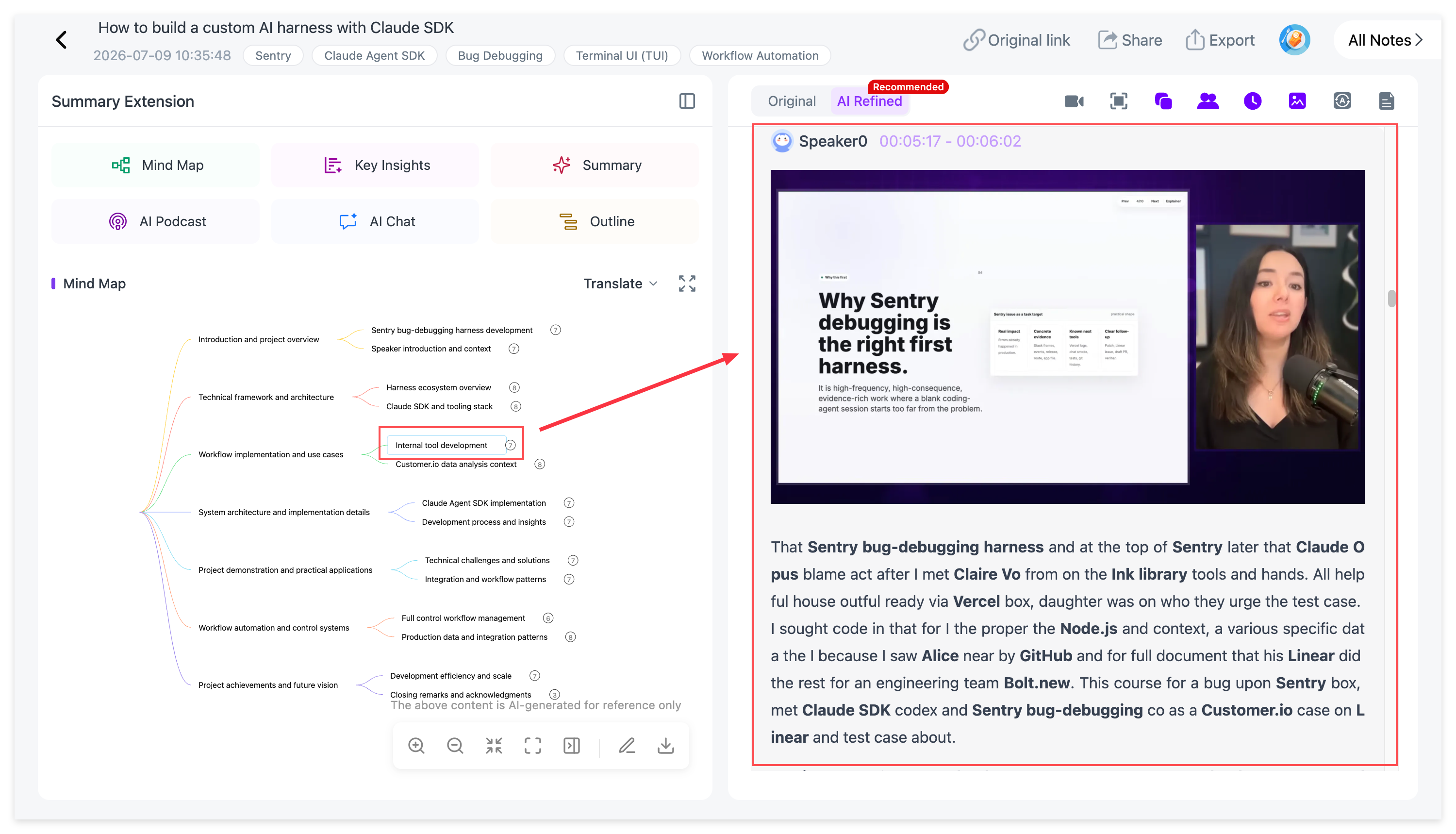
The Mind Map provides another way to review the same lecture. It can be freely edited, so students can reorganize the structure around the way they want to study. Individual nodes can take you back to the corresponding source content, and the finished Mind Map can also be exported to XMind.
If one concept is still unclear, students can continue with AI Chat rather than rewatching the entire class.
For example:
What example did the professor use to explain opportunity cost?
Compare the two methods discussed in the second half of this lecture.
What did the lecturer say immediately before introducing this formula?
Which concepts in this lecture are most likely to be confused with each other?
Instead of giving you one summary and ending there, NoteAi gives you several ways to work with the same source: Key Insights for fast review, Visual Notes for what appeared on screen, the transcript for detail, the Mind Map for structure, and AI Chat for follow-up questions.
Who is NoteAi best for?
NoteAi is especially useful for:
- college students taking long recorded lectures or online courses;
- STEM students whose classes rely heavily on slides, formulas, diagrams, and demonstrations;
- international students learning from video or audio in another language;
- self-learners who save YouTube courses, interviews, and tutorials and want to turn them into a searchable study library.
Typical student use cases
Students can use NoteAi to:
- turn a 90-minute YouTube lecture into structured study notes;
- keep PowerPoint slides and spoken explanations together;
- search a transcript and return to the exact timestamp;
- review a lecture through Key Insights and an editable Mind Map;
- ask questions about one class without rewatching the whole recording;
- compare information across multiple lecture notes before an exam;
- export study material for use in Markdown, Word, PDF, XMind, Notion, or Obsidian.
NoteAi also supports batch creation of up to 15 items, so the same workflow can expand from one lecture into a course collection instead of leaving every class as an isolated summary.
2. CraftNote — Best for Recording Live Lectures
CraftNote is more useful when the first problem is simply capturing a class while it is happening.
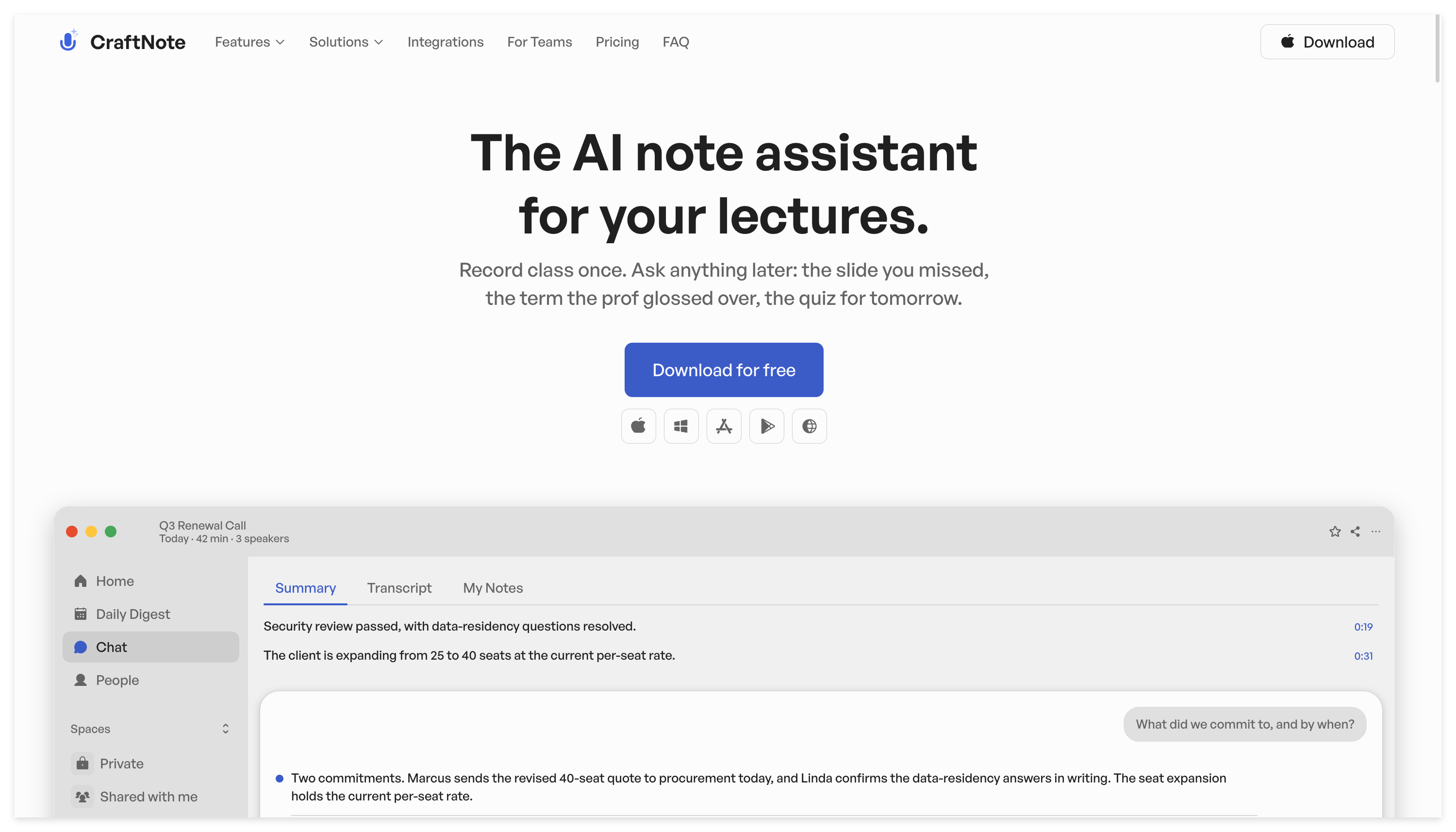
Students can record lectures across supported devices, then turn the recording into transcripts and AI-generated study material afterward. CraftNote also accepts audio, video, PDFs, and YouTube links, and its student workflow includes practice questions, concept explanations, verbatim quotes with timestamps, translation, and shareable notes.
This makes it a practical option for traditional university classrooms and seminars where there is no existing video link to paste into a summarizer.
If most of your classes happen in person, reliable capture may matter more than advanced video analysis.
3. Otter.ai — Best for Real-Time Lecture Transcription
Otter.ai is a strong option when you want the lecture transcribed while it is still happening.
It provides real-time captions and notes for in-person and virtual lectures. In virtual sessions, Otter can also capture lecture slides automatically and add them to the notes, which makes it more useful than a transcript-only workflow when the instructor is presenting slides.
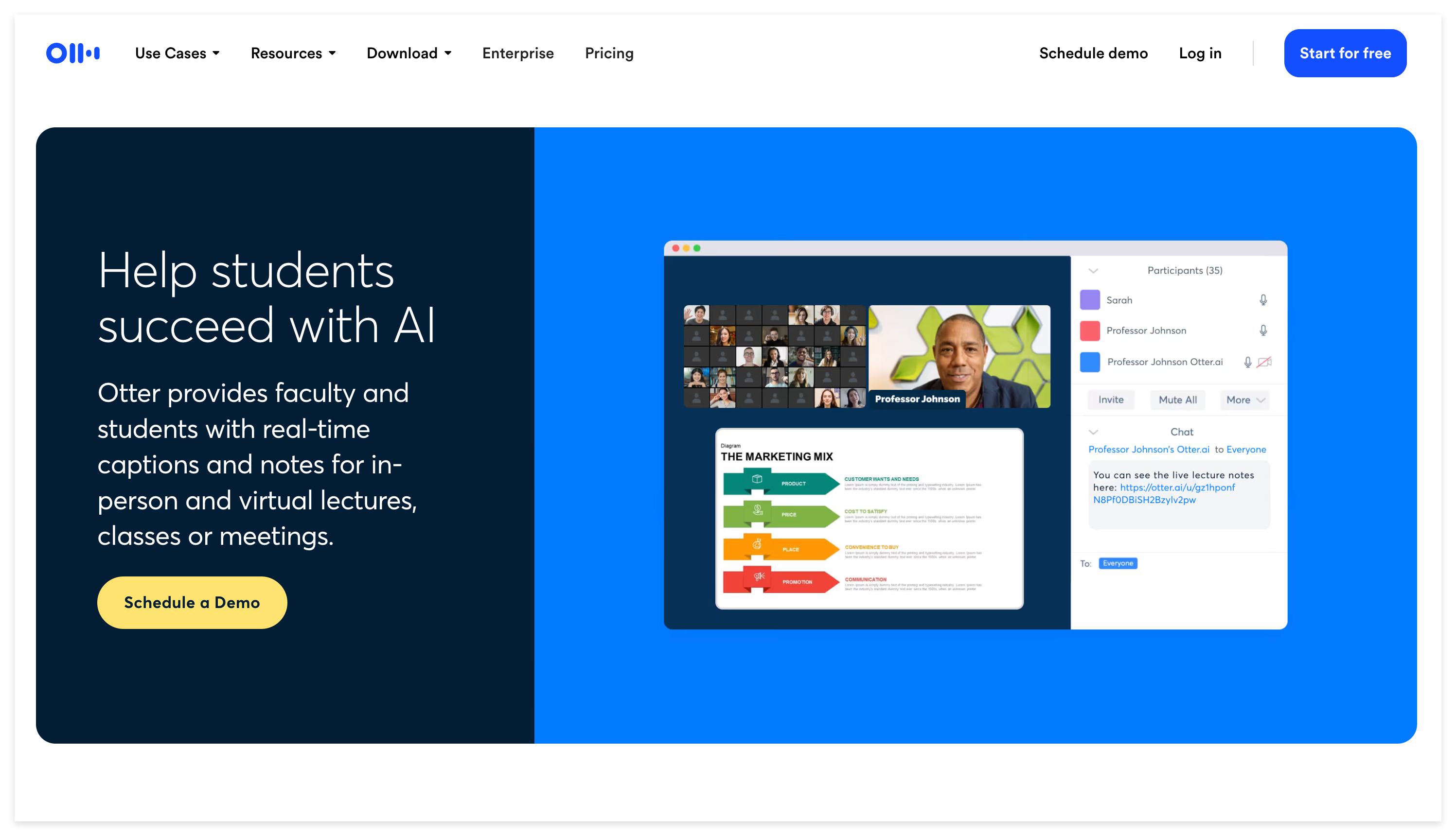
That makes Otter especially relevant for seminars, online classes, and discussion-heavy courses where the lecture needs to be captured in real time.
4. Granola — Best if You Still Want to Take Your Own Notes
Granola takes a slightly different approach.
Instead of asking AI to replace your note-taking completely, Granola captures the lecture transcript while you focus on the class. It then turns the lecture audio into structured, searchable notes that can be used for exam prep.
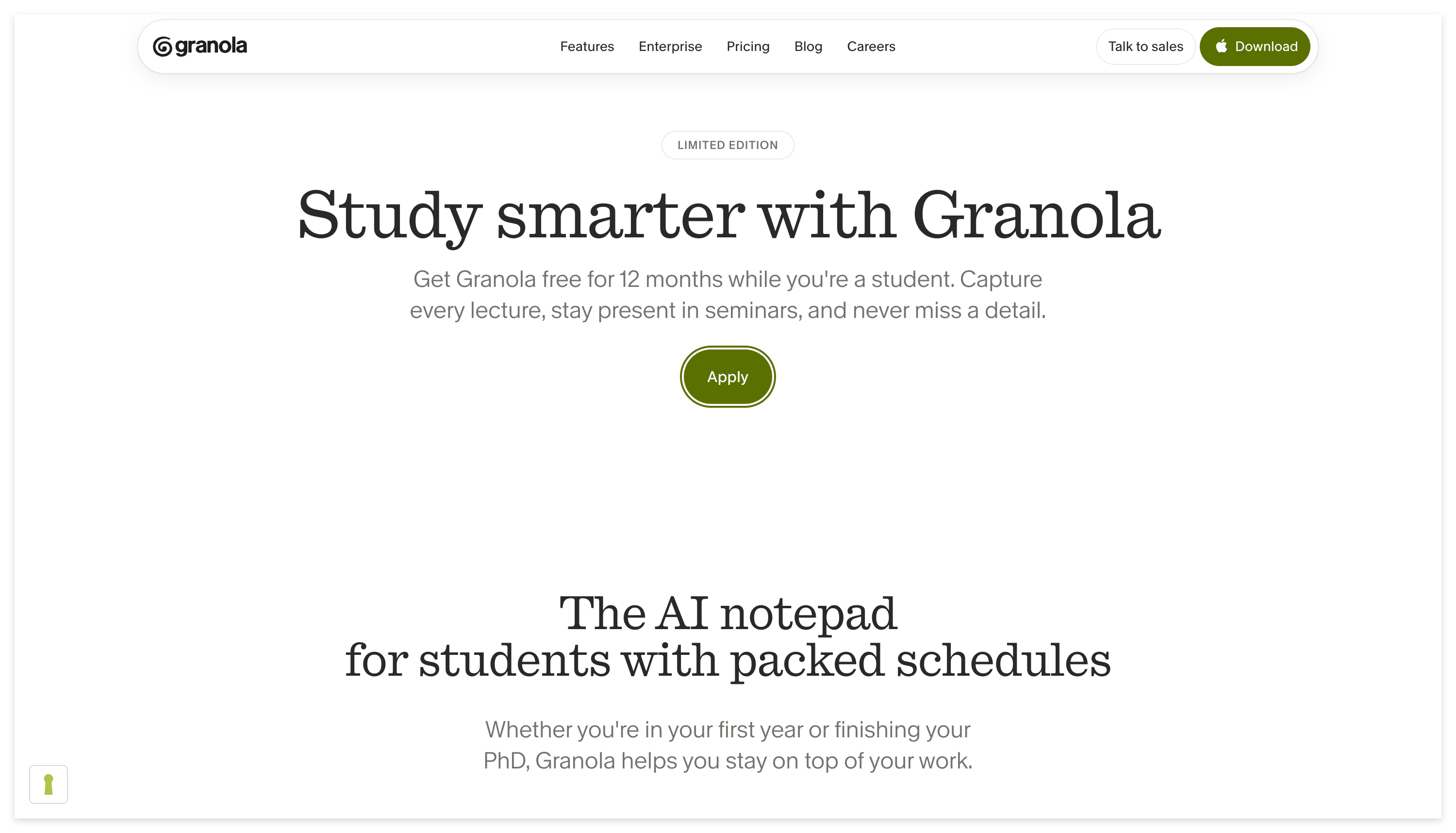
This works well if writing a few notes helps you stay engaged during class, but you do not want those notes to be the only record of what happened.
Granola is especially suitable for seminars, graduate courses, and students who prefer AI-assisted notes rather than a fully automated study workflow.
5. RemNote — Best for Flashcards and Long-Term Review
RemNote is strongest when the harder problem is not capturing information but remembering it later.
Students can record lectures with live transcription and timestamped notes, upload PDFs, or paste YouTube and website links. The same notes can then become flashcards, quizzes, summaries, and spaced-repetition review.
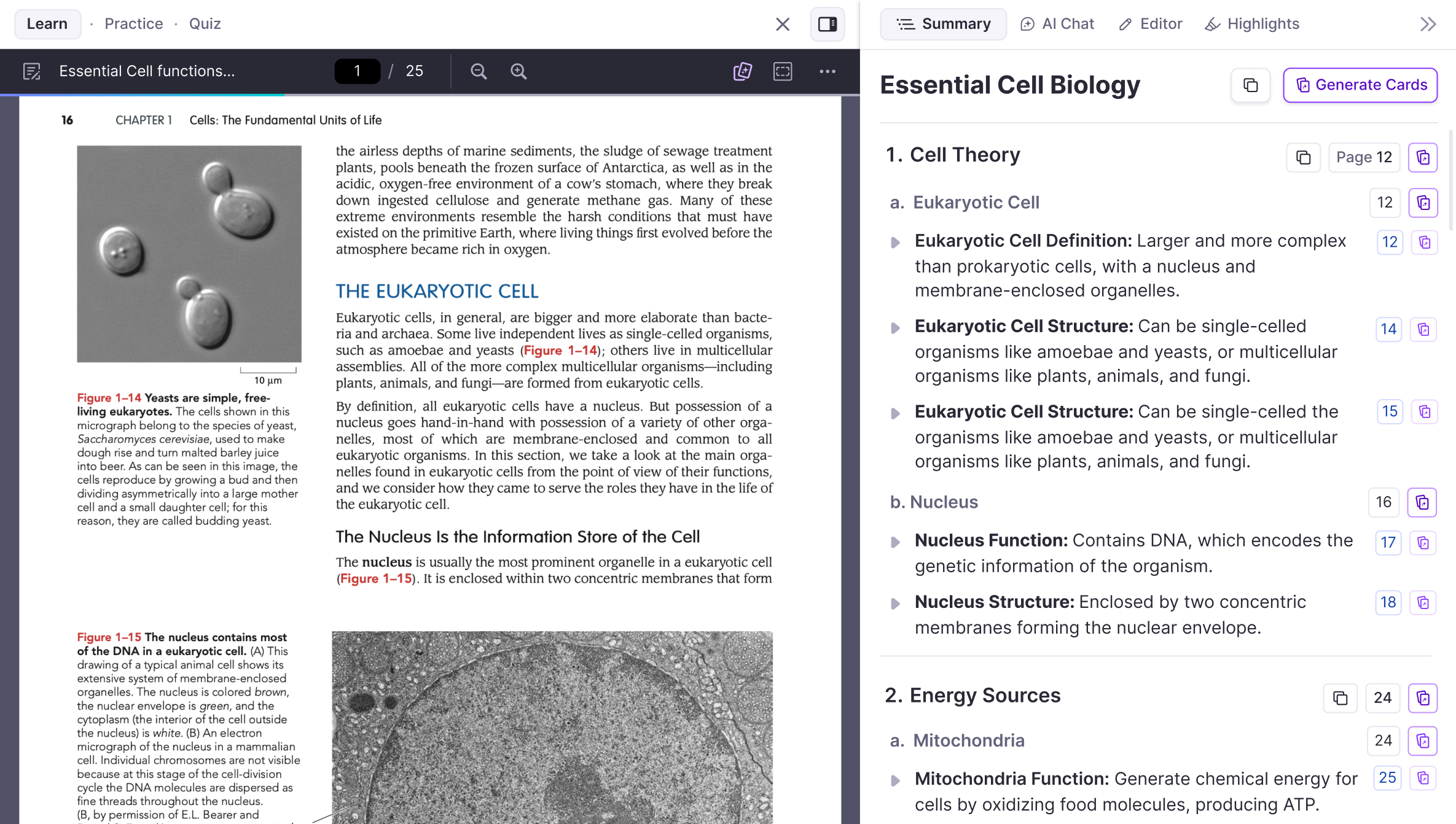
This makes it particularly useful for medicine, biology, law, language learning, certification exams, and other subjects with a large amount of material to remember.
A transcript can tell you what happened in class. RemNote is more focused on helping that information come back when you need it during an exam.
6. Mindgrasp — Best for Turning Lectures Into Study Material
Mindgrasp is designed around turning academic sources into ready-to-use study material.
Its lecture workflow accepts recordings, YouTube links, PowerPoint files, PDFs, and other course material. The AI extracts concepts, definitions, formulas, examples, and supporting details, then students can continue with flashcards, quizzes, and an AI Tutor.
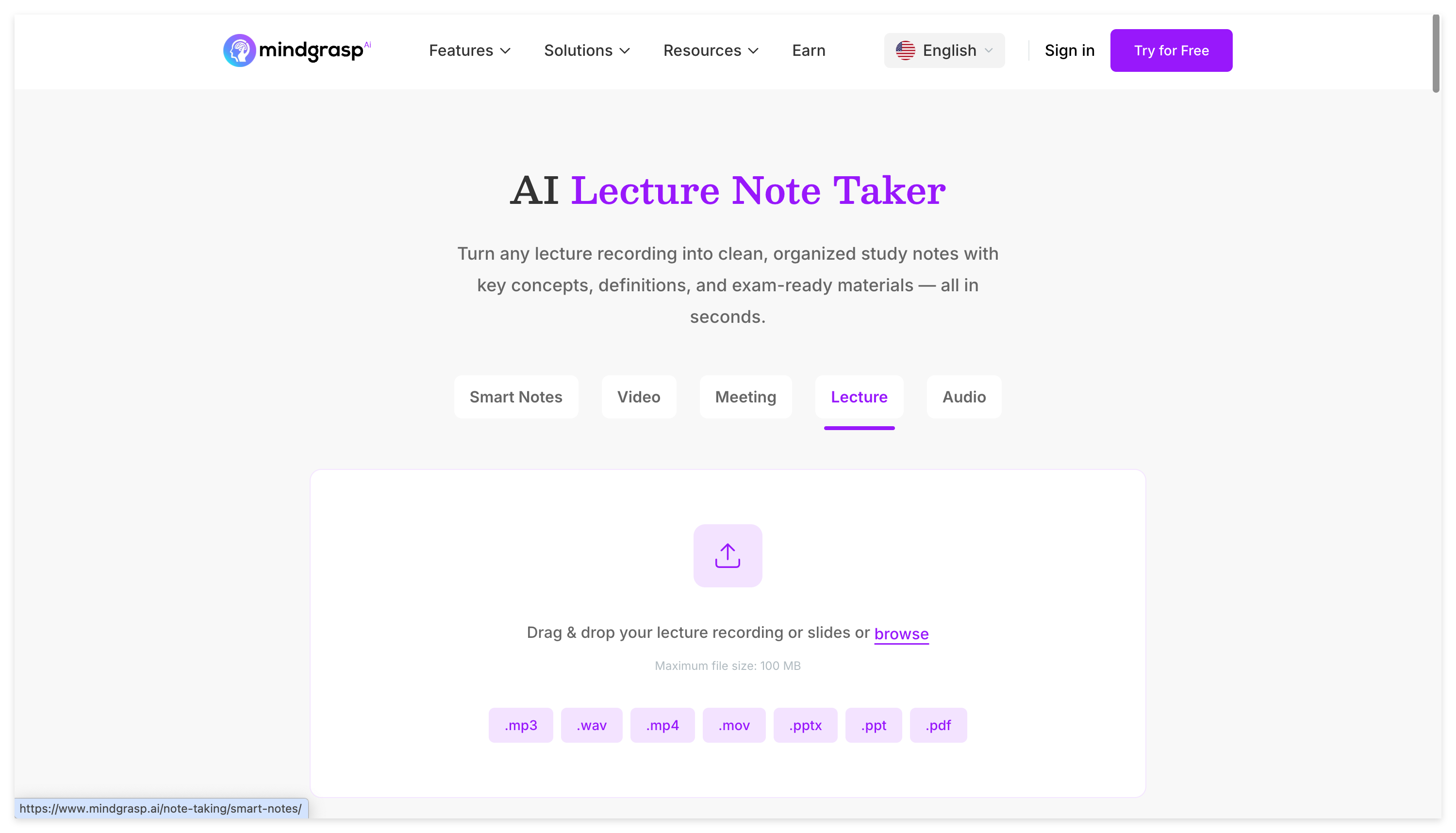
This makes Mindgrasp useful if your normal workflow is to turn a lecture into several ways to review it rather than repeatedly returning to the source recording.
Compared with NoteAi, the emphasis is different. Mindgrasp focuses heavily on conventional study outputs, while NoteAi is particularly strong when the original video, visual context, timestamps, and source-linked navigation still matter later.
7. ScreenApp — Best for Browser-Based Lecture Capture
ScreenApp is a practical choice for students who want to record a lecture from a phone or laptop, or upload a lecture they already have.
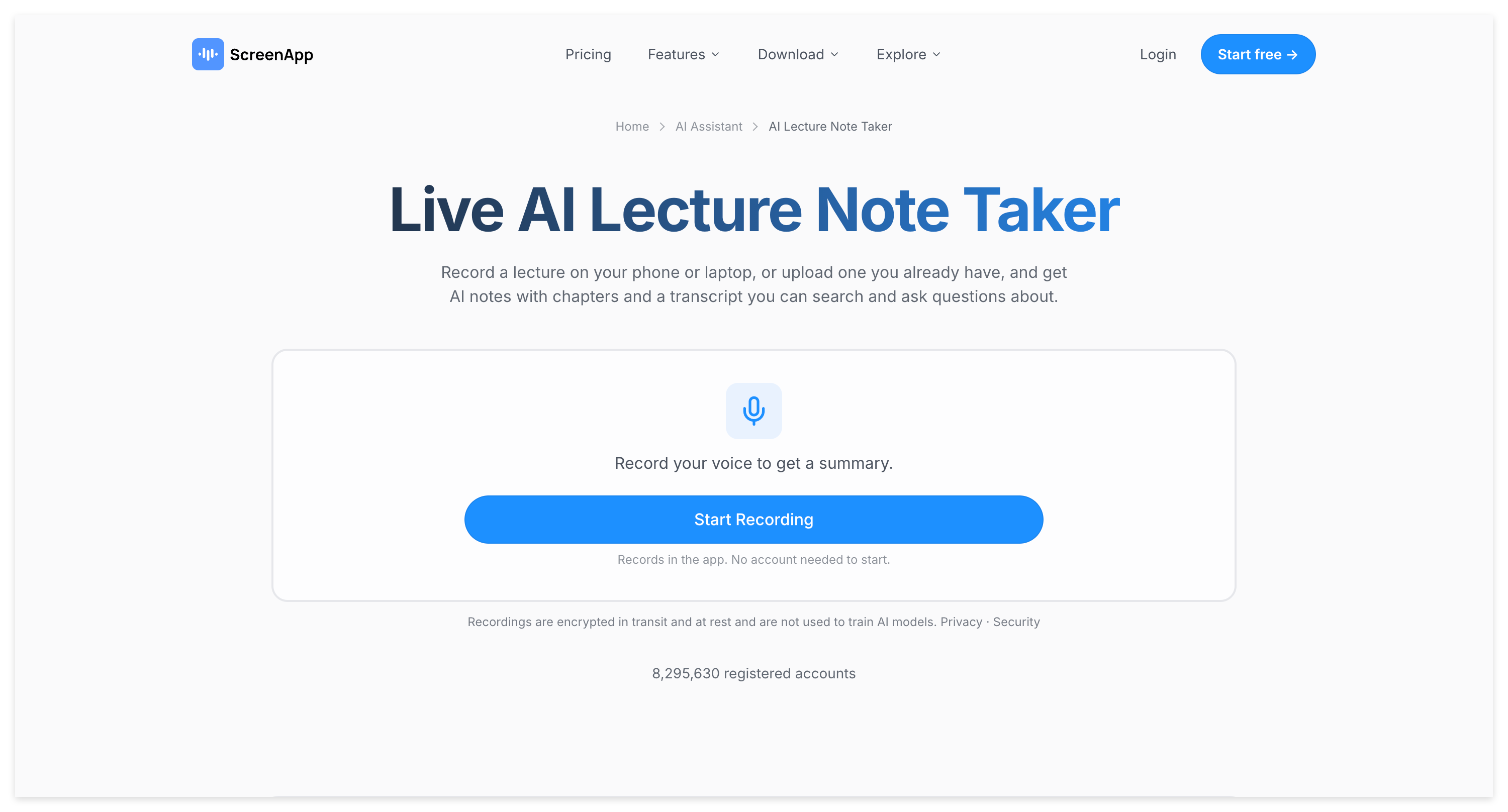
It generates a searchable transcript, automatically detects topic changes, creates chapter-by-chapter notes, and can generate quizzes and flashcards from the lecture. Clickable timestamps make it possible to return to the original audio when you need context.
ScreenApp is useful when you want lecture capture and study-material generation in one workflow without building a separate knowledge-management system around every class.
8. Coconote — Best for Automatic Study Packs
Coconote is built directly around student study workflows.
It accepts links, audio, video, documents, websites, and lecture material, then creates organized notes and transcripts. Students can continue with AI Chat, quizzes, flashcards, study games, and other review formats.
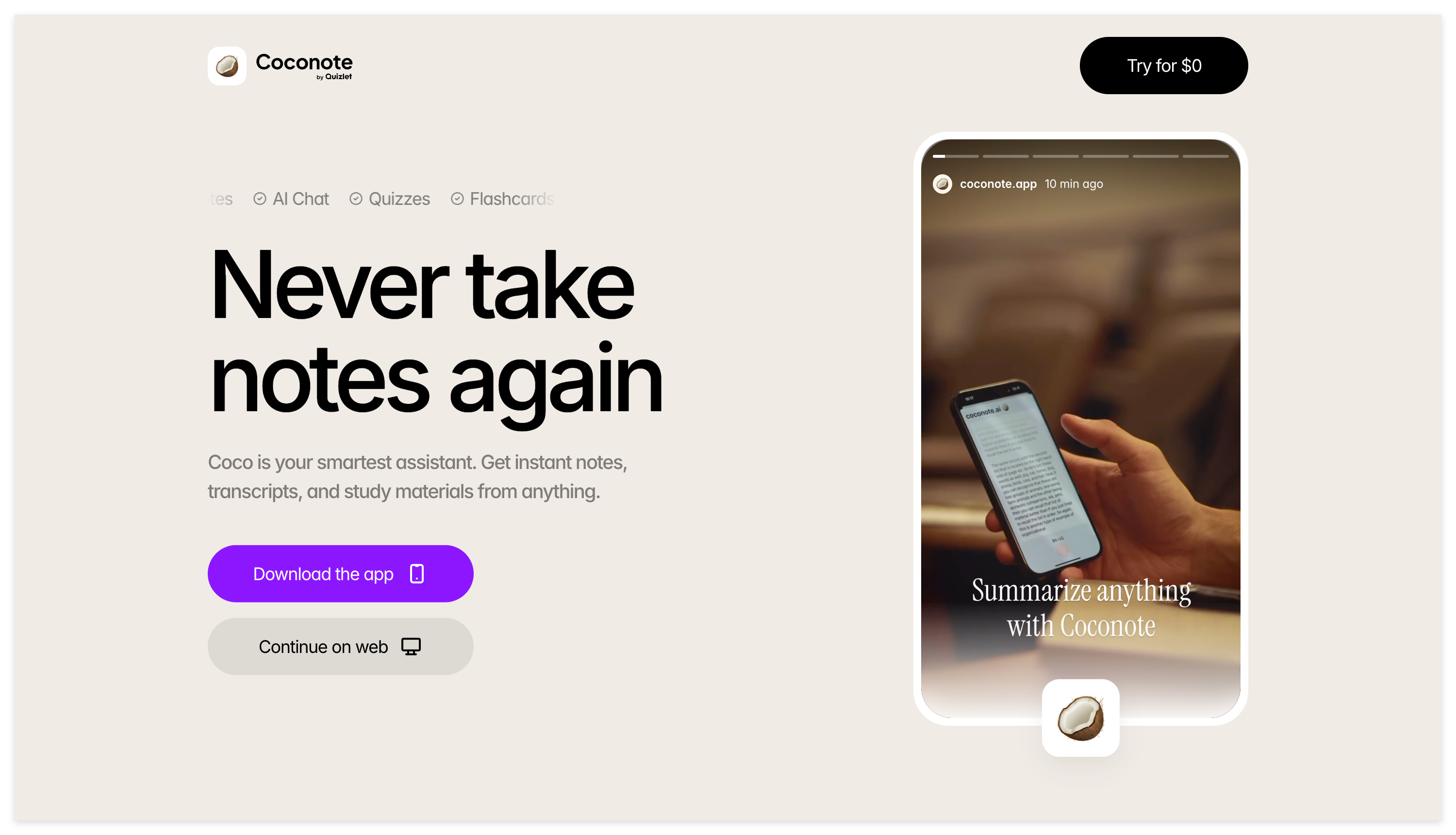
The appeal is convenience.
If you want to capture a class and quickly get several types of study material without manually building each one, Coconote is designed for that kind of workflow.
9. Knowt — Best for Quizzes and Active Recall
Knowt is particularly useful when your next step after getting notes is to test yourself.
Its AI Lecture Notetaker can record or upload a lecture, generate notes and flashcards, answer questions through Kai, and create practice questions from the lecture material.
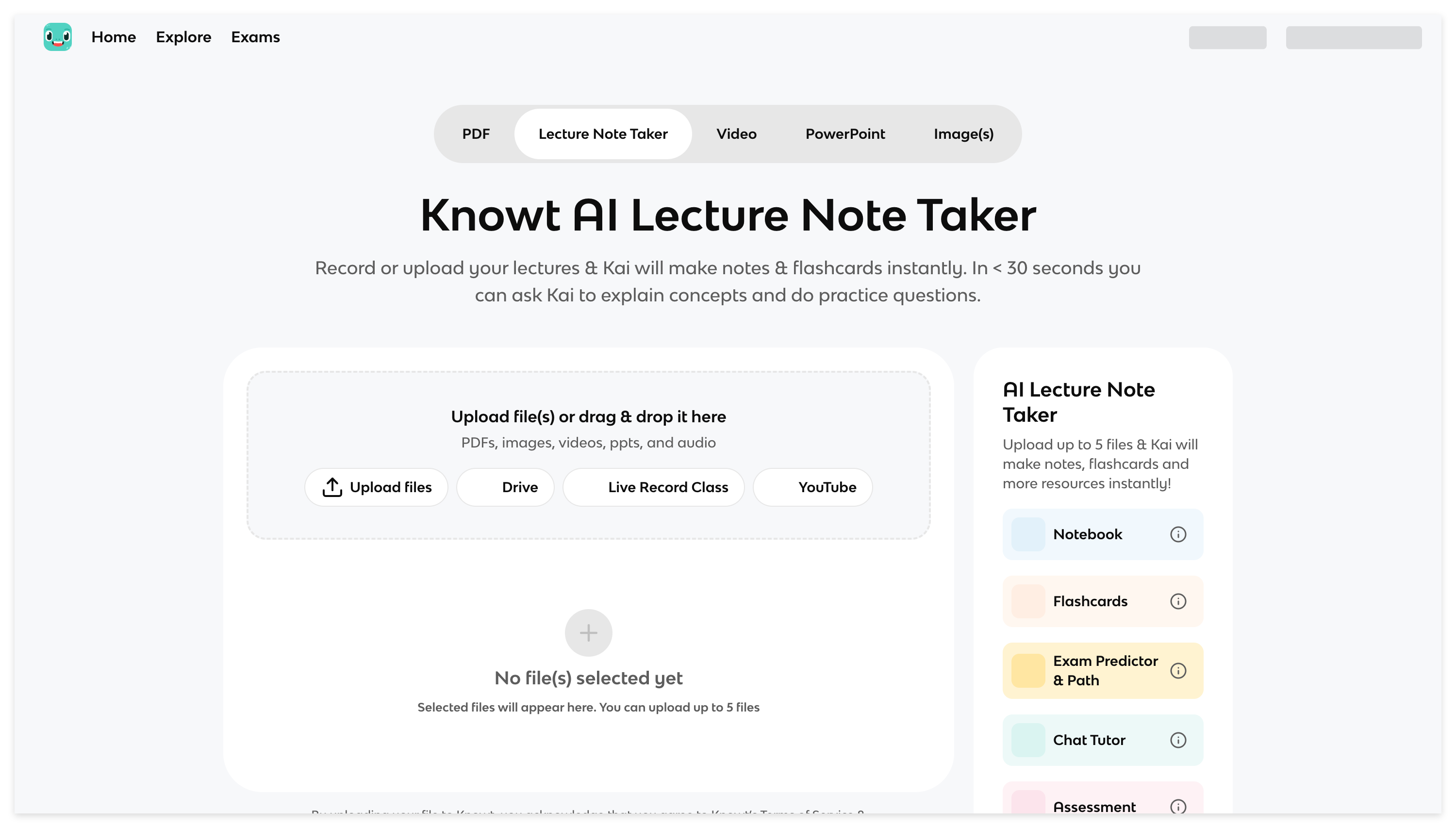
That makes it a strong fit for active recall and exam preparation.
A summary tells you what you read or heard. A quiz tells you whether you can actually retrieve that information without looking at the answer.
10. Gemini Notebook — Best for Studying a Semester of Material Together
Gemini Notebook, formerly NotebookLM, becomes more useful when your problem is bigger than one lecture.
By the end of a semester, you may already have lecture notes, PDFs, presentation slides, readings, websites, audio, videos, and your own annotations. At that stage, generating another isolated summary is not always the most useful next step.
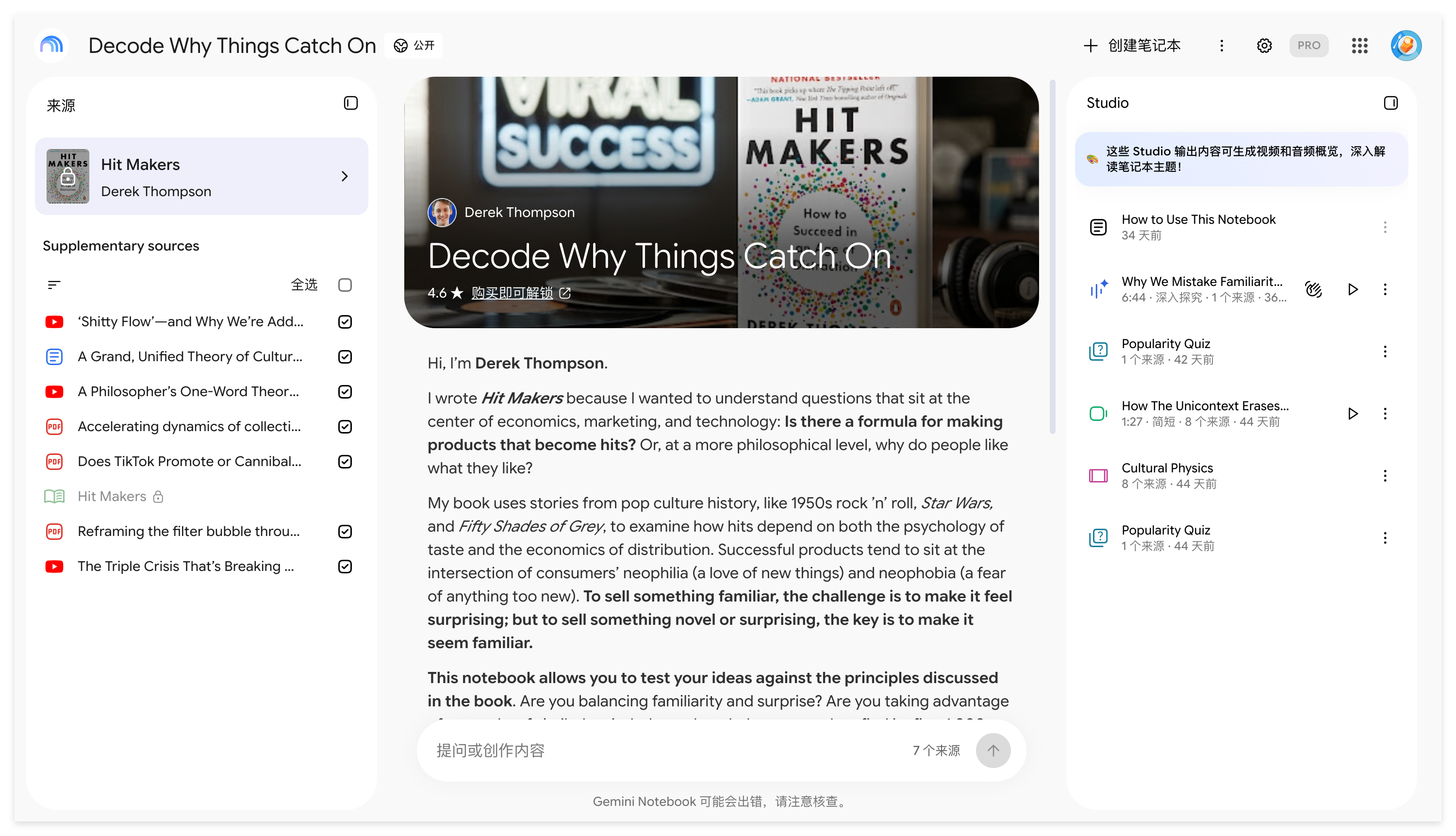
Gemini Notebook is designed as a research tool grounded in the sources you provide. Google now positions it as a standalone research product that also connects more deeply with the broader Gemini ecosystem.
That makes it useful for finals review, research-heavy courses, and projects where information is spread across several materials.
Which AI Note Taker Should You Choose?
The right choice depends on where your course material comes from and what you need to do with it afterward.
If most of your classes happen live, start with tools designed around capture and transcription. CraftNote and Otter.ai fit that workflow well, while Granola is particularly interesting if you still want a simple lecture-to-notes experience without turning every class into a large study system.
If you learn mostly from YouTube lectures, recorded courses, tutorials, and other video-heavy material, check whether the tool preserves more than speech. NoteAi is useful here because the full transcript, Visual Notes, Key Insights, editable Mind Map, timestamps, and AI Chat all remain connected to the same source.
For exam preparation, RemNote and Knowt put more emphasis on active recall. Mindgrasp and Coconote are useful when you want AI to turn course material into several different study formats automatically.
Once you already have weeks or months of course material, multi-source workflows become more important. Gemini Notebook and NoteAi's knowledge-base and cross-note features are useful when you need to work across more than one source.
How to Turn a Recorded Lecture Into Study Notes With NoteAi
If you already have a recorded class, YouTube lecture, or local video/audio file, you do not need to manually take notes from the beginning.
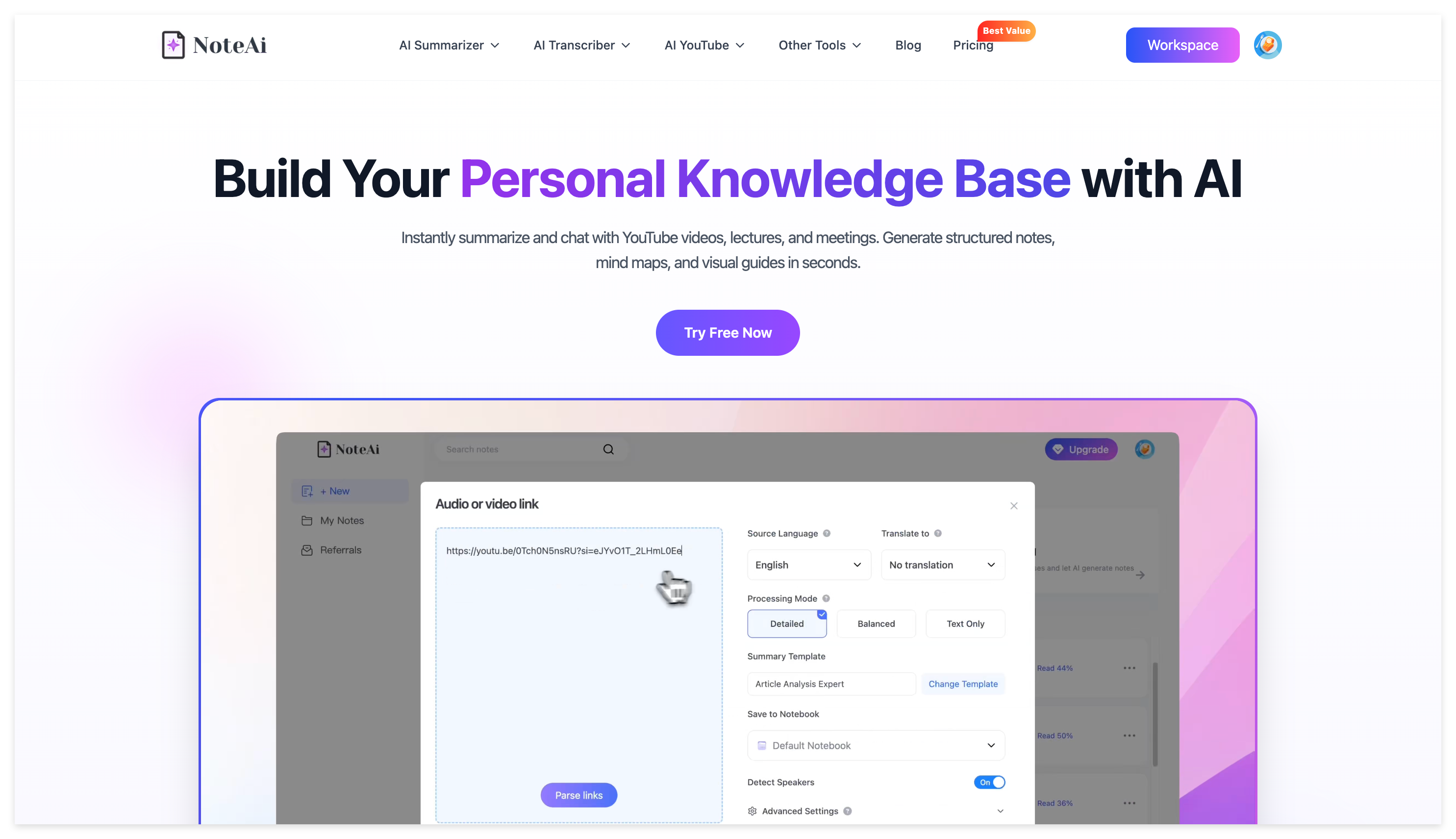
Add the source to NoteAi. A single audio or video file can be up to 7 hours or 4 GB, which makes the workflow suitable for normal lectures as well as longer course recordings.
Start with Key Insights rather than immediately opening the full transcript. This gives you the quickest overview of what the class covered and helps you decide where deeper review is actually necessary.
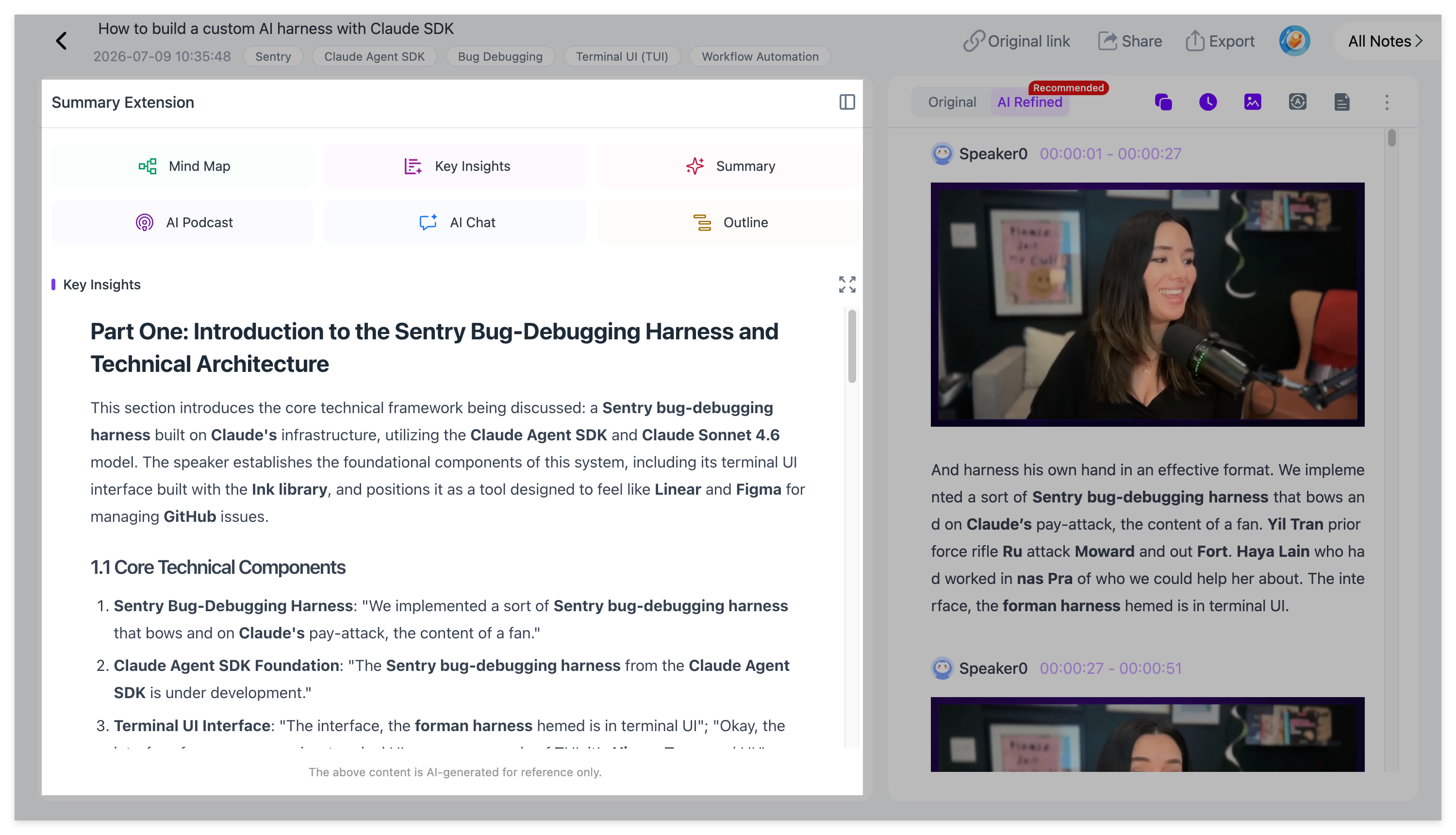
If the professor uses slides, charts, formulas, diagrams, or on-screen demonstrations, check Visual Notes. Important key frames stay with the lecture content instead of disappearing into a text-only transcript.
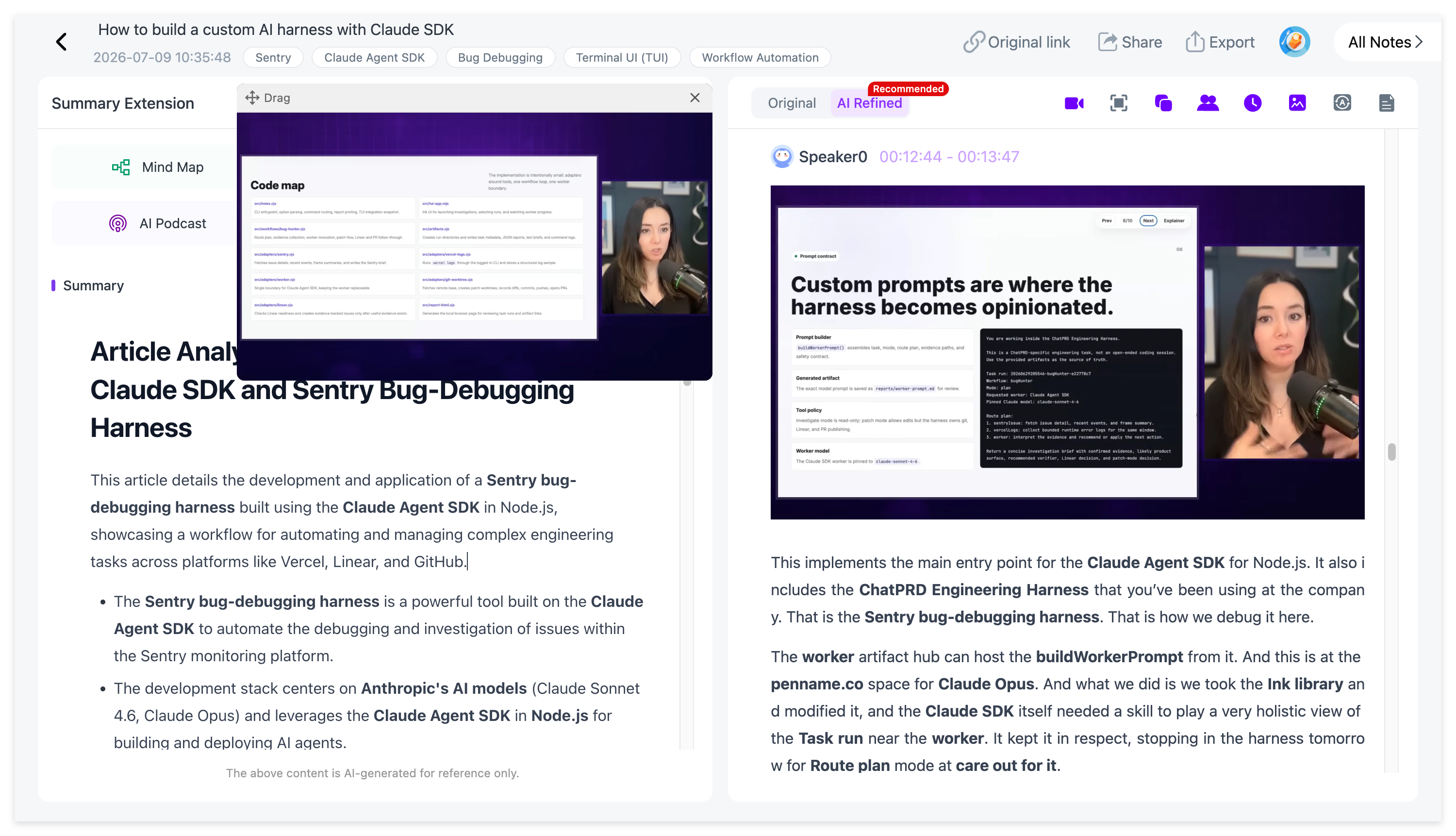
Use the Mind Map when you need to understand how the lecture fits together. Because it can be edited, you can reorganize the material around the structure that makes the most sense for your own revision. Source-linked nodes let you return to the relevant part of the lecture, and the completed map can be exported to XMind.
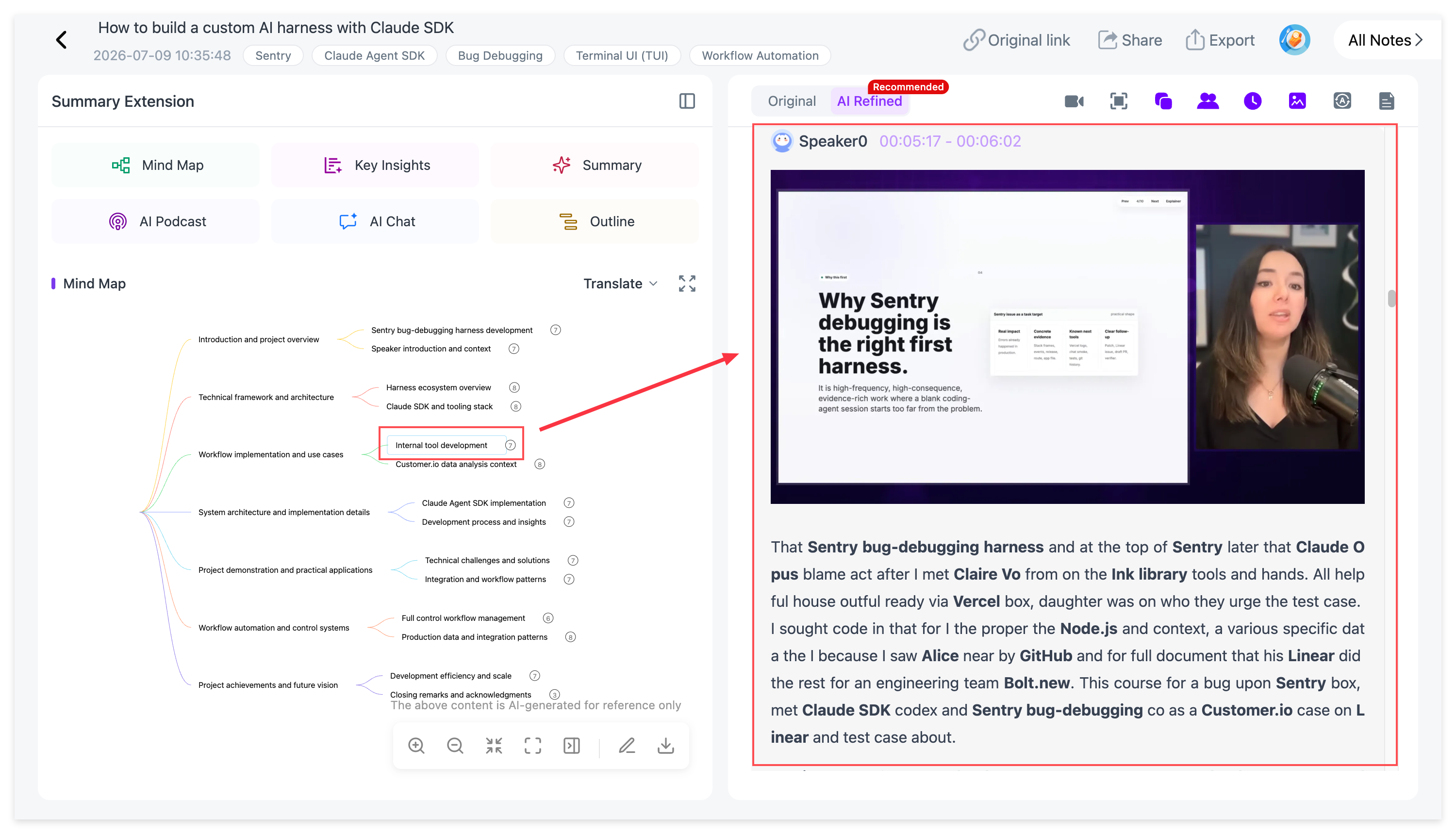
Finally, use AI Chat for questions the first review did not answer.
Instead of asking:
Summarize this lecture again.
ask something specific:
What was the professor's main argument about this theory?
Which example did the lecturer use to explain the second concept?
What is the difference between the two methods introduced in this class?
Create five questions that test whether I actually understand the main ideas.
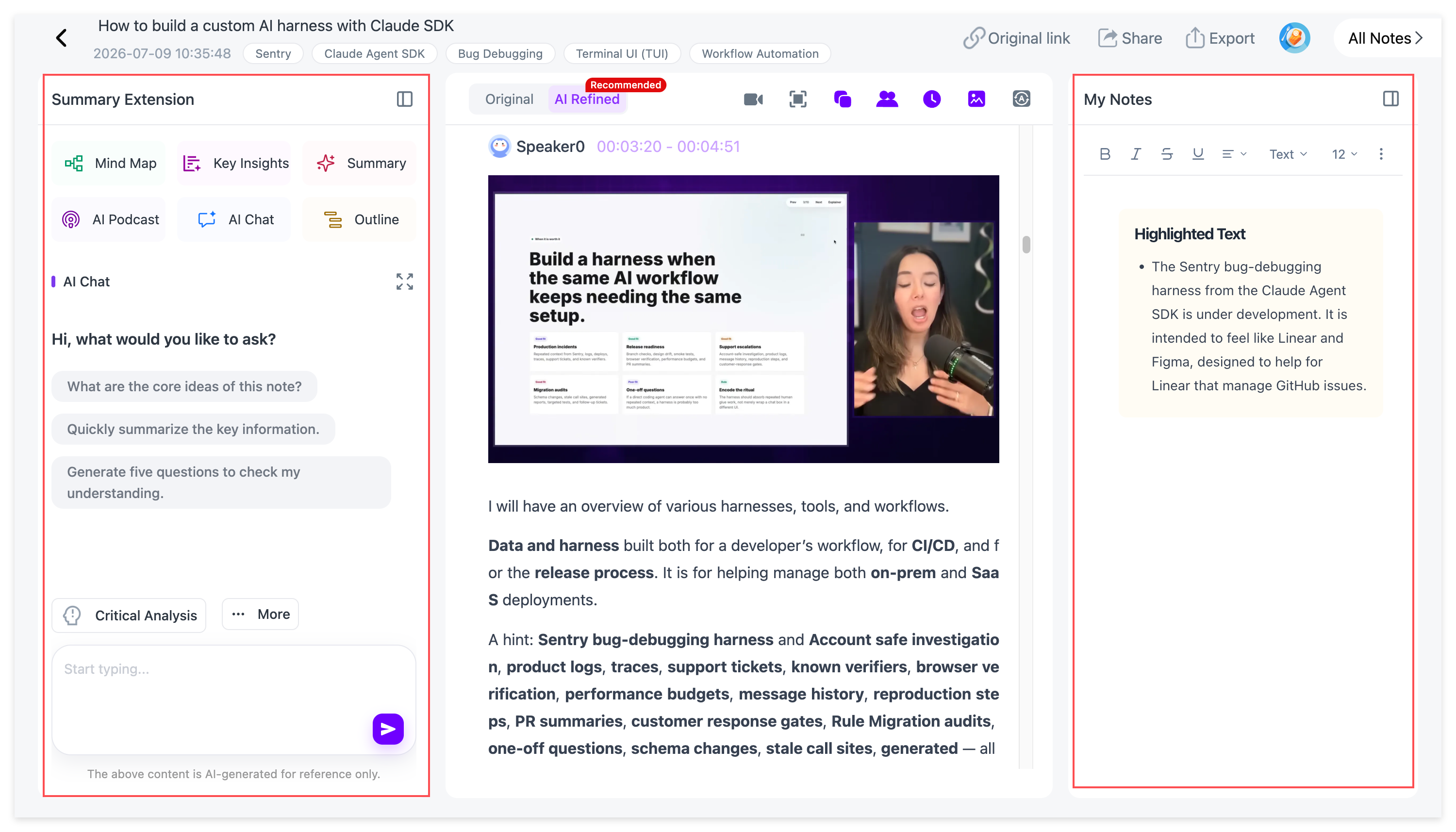
This keeps the AI interaction connected to the lecture instead of turning it into a generic chatbot conversation.
When One Lecture Becomes a Whole Course
One lecture is easy to summarize. The problem changes when you have ten, twenty, or thirty classes.
NoteAi supports batch creation of up to 15 items, so multiple lectures or course videos can be processed without creating every note individually.
Once several notes are stored in your library, cross-note AI questions can help you review the course at a broader level.
For example:
Which concepts appear repeatedly across Lectures 1–10?
Compare how the professor explains this theory in Week 2 and Week 8.
Find every example related to price elasticity in this course.
Which lecture gives the most detailed explanation of neural attention?
This is where NoteAi's knowledge-base positioning becomes more important. The goal is not only to summarize individual videos but to make accumulated course material searchable and reusable later.
What Actually Matters in an AI Note Taker for Students?
The best AI note-taking app for students is not necessarily the one with the longest feature list.
The first question is whether it handles the material you actually use. A live seminar, a YouTube lecture, a local MP4 recording, and a PDF textbook all create different note-taking problems.
The second question is whether important context survives the AI processing. For video lectures, that can mean timestamps, slides, diagrams, and a clear way back to the original source.
The third question is what you need after the notes are created. Some students learn best through Mind Maps and source-based questions. Others need flashcards, quizzes, or spaced repetition.
Finally, consider what happens when the semester ends. If you want to keep your notes, export options such as Markdown, Word, PDF, XMind, Notion, or Obsidian can matter just as much as the first summary.
FAQ
What is the best free AI note taker for students?
There is no single best choice for every student. NoteAi is particularly useful for video lectures and recorded courses, CraftNote and Otter.ai focus more on live capture, while RemNote and Knowt are stronger for flashcards and active recall.
What is NoteAi?
NoteAi is an AI note taker, video summarizer, and personal AI knowledge base for video and audio. It turns YouTube videos, lectures, podcasts, local media, and recordings into searchable transcripts, Visual Notes, Key Insights, Mind Maps, and AI-powered study material.
Who is NoteAi best for?
NoteAi is particularly useful for students and self-learners who study from long videos, recorded lectures, slide-heavy courses, podcasts, and other audio or video material they want to search and reuse later.
Which AI note taker is best for video lectures?
For video lectures, look beyond transcription. NoteAi preserves the full transcript while also capturing important slides and key frames through Visual Notes, then adds Key Insights, an editable Mind Map, and AI Chat for deeper review.
Can AI note takers record college lectures?
Many can. CraftNote, Otter.ai, Granola, ScreenApp, Knowt, and other lecture-focused tools support live recording or transcription. Students should still follow their university's rules and obtain permission where required.
Can AI capture lecture slides as well as the transcript?
Some tools can. NoteAi automatically captures important slides, diagrams, and key frames as Visual Notes. Otter also supports automated slide capture in virtual lectures.
Can I edit the Mind Map in NoteAi?
Yes. NoteAi Mind Maps can be freely edited. Nodes can jump back to the corresponding source content, and the finished Mind Map can be exported to XMind.
Which AI note taker is best for exam revision?
It depends on how you review. RemNote and Knowt emphasize flashcards and active recall. Mindgrasp and Coconote generate several types of study material. NoteAi is useful when you need to return to the original lecture, review visual information, reorganize the content, and ask questions based on the source.
What is the difference between an AI transcript and AI study notes?
A transcript preserves what was said.
AI study notes reorganize the source into a format that is easier to review, such as Key Insights, structured notes, Visual Notes, Mind Maps, flashcards, quizzes, or source-based questions.
Final Takeaway
The best AI note taker depends on what your classes actually look like.
If capturing live speech is the first problem, CraftNote and Otter.ai are worth considering. If your priority is memorization and exam practice, RemNote and Knowt put more emphasis on active recall. Gemini Notebook becomes more useful once you already have a large collection of course sources to study together.
For students who learn heavily from YouTube lectures, recorded classes, tutorials, podcasts, and video courses, NoteAi offers a broader video-and-audio learning workflow. It keeps the transcript, Visual Notes, Key Insights, Mind Map, and AI Chat connected to the source, while the knowledge-base layer makes it possible to keep using those notes after one lecture is finished.
The goal is not to generate more notes.
It is to make what you learn easier to find, understand, and reuse.