

NoteAi and NotebookLM both help people learn with AI, but they start from different kinds of source material.
NoteAi is built around video and audio. Paste a YouTube, TikTok or Bilibili link, or upload a local recording, and it turns the content into a timestamped transcript, visual notes, a structured summary and reusable knowledge.
NotebookLM is built around a collection of sources. It is better suited to projects that combine a YouTube transcript with PDFs, webpages, Google Docs, presentations and other research material.
For a visual YouTube lecture or tutorial, NoteAi is usually the more direct choice. For research involving several different source types, NotebookLM has the advantage.
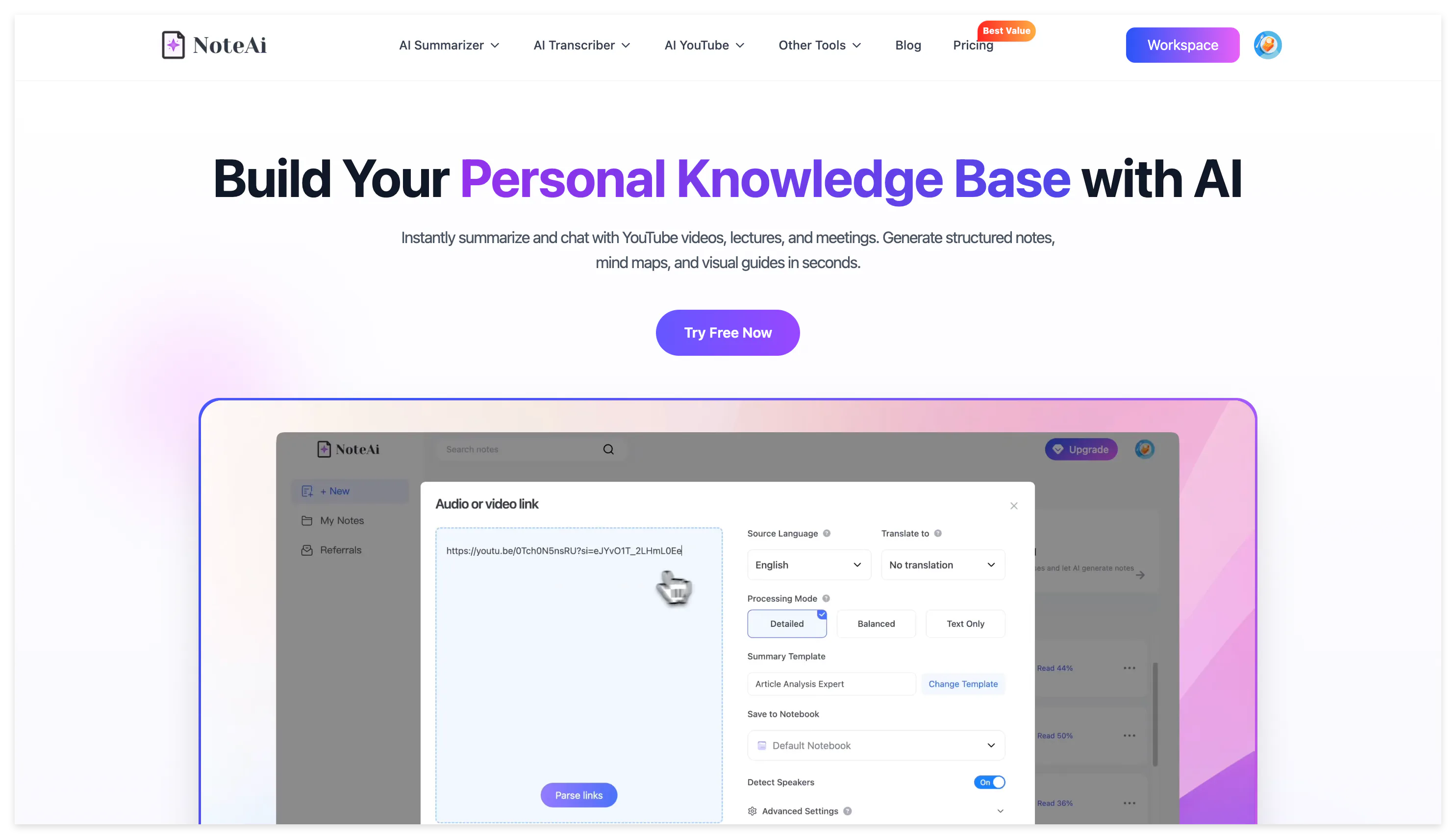
Google's official help center now uses the product name Gemini Notebook, but this article keeps “NotebookLM” because it remains the more familiar search term.
NoteAi vs NotebookLM: The Main Differences
| Feature | NoteAi | NotebookLM |
|---|---|---|
| Main purpose | Turn video and audio into structured, searchable knowledge | Research and ask questions across mixed sources |
| YouTube import | Processes supported videos into transcripts and visual notes | Imports the transcript from public videos with captions |
| Other video sources | TikTok, Bilibili, local video and screen recording | No dedicated TikTok or Bilibili URL import |
| Video without usable captions | Transcribes the audio | YouTube URL import requires captions |
| Original video frames | Extracts slides and key frames | YouTube URL import uses the text transcript |
| Transcript | Original and AI-polished versions with timestamps and speakers | Imported transcript becomes a notebook source |
| AI summary | Key Insights, structured notes, templates and custom prompts | Source Guide, chat and generated Studio outputs |
| Mind map | Editable with Smart Sync to the original video | Interactive map connected to source-grounded chat |
| AI questions | Video Q&A and cross-note Q&A | Cited questions across selected sources |
| AI podcast | Two hosts with customizable names, voices and Chinese or English output | Several Audio Overview formats and broader language coverage |
| Export | DOCX, PDF, HTML, Markdown, XMind and more | Google Docs, Sheets and experimental downloadable formats |
| Knowledge management | Multi-level categories, batch management and global search | Notebooks, source labels and collaboration |
One Treats YouTube as a Video, the Other as a Source
The clearest difference appears as soon as a YouTube link is added.
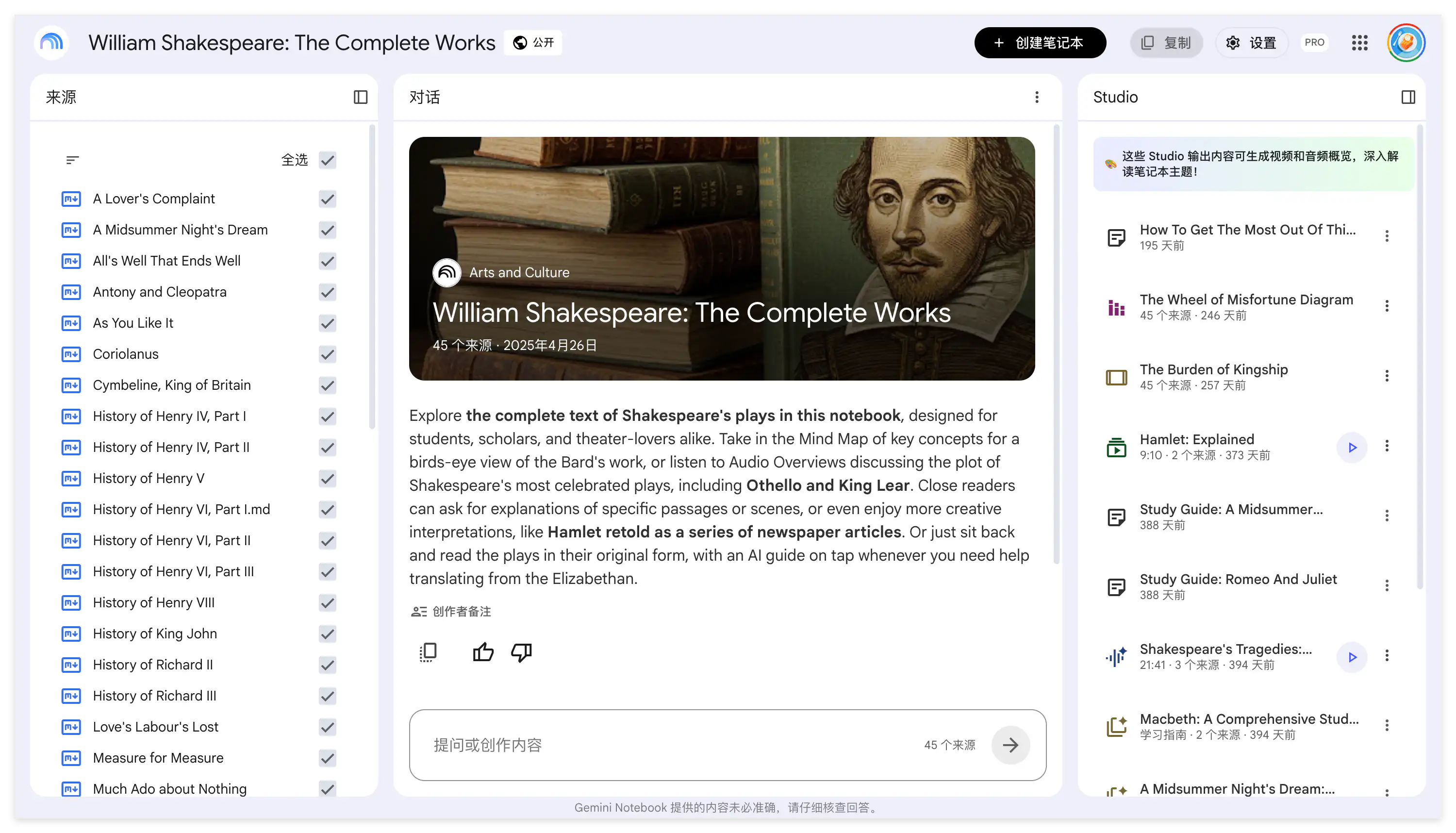
According to Google's official NotebookLM source documentation, its YouTube import supports public videos with user-uploaded or automatically generated captions. Only the text transcript is imported into the notebook.
This approach works well when the transcript needs to be compared with other material. A student can place a lecture transcript beside a research paper and course slides, then ask NotebookLM where the sources agree or disagree.
The limitation is that the imported YouTube source no longer contains the complete visual sequence of the original video. If the instructor points to a chart, writes a formula or demonstrates an interface without describing every detail, the transcript may preserve only part of the lesson.
NoteAi processes the video and audio as the source. It generates a new transcript and keeps relevant slides, diagrams and key frames connected to the spoken explanation.
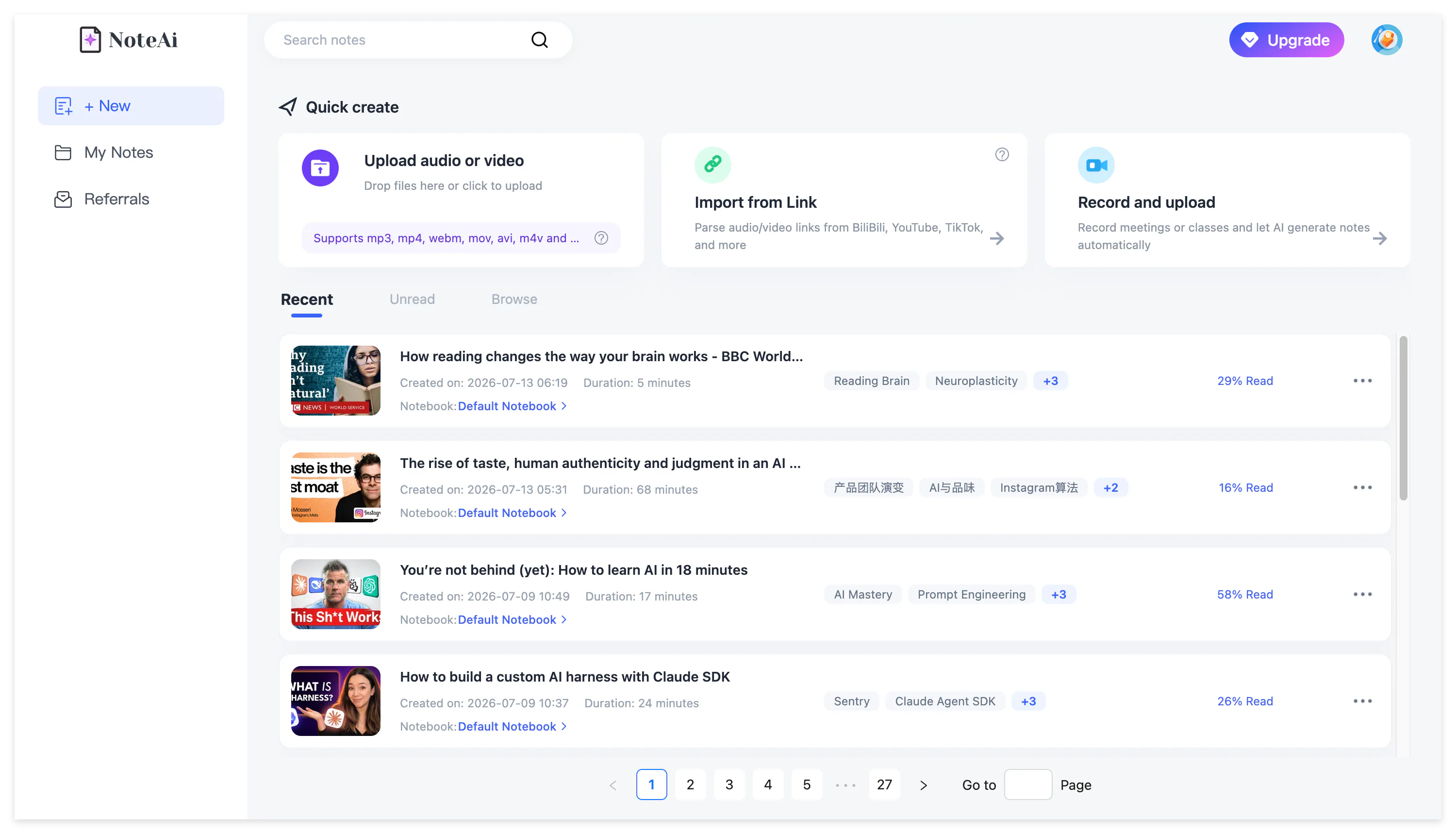
The same workspace accepts local video and audio, screen recordings and voice recordings. Up to 15 links or files can be added in one batch, while a local file may be up to seven hours and 4 GB.
This makes NoteAi useful for recorded courses and private training videos that do not exist as public YouTube sources.
What Happens After You Paste a YouTube Link?
After NoteAi processes the video, Key Insights provides a quick view of the main topics and chapters. It helps the learner decide which sections deserve closer attention before opening the complete transcript.
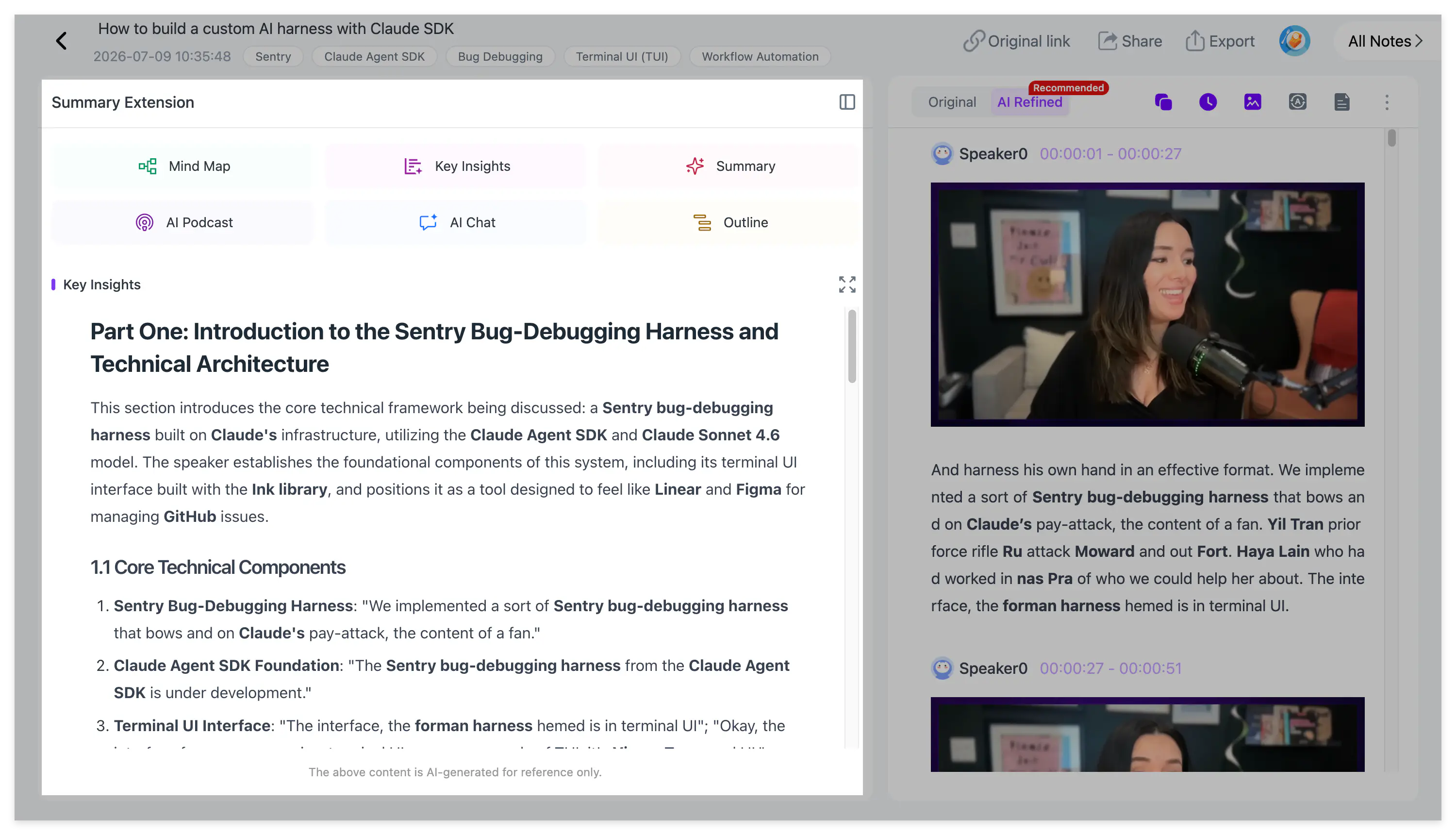
The transcript is available in two forms. The original keeps the wording used by the speaker, while the AI-polished version removes repeated spoken phrases and is easier to read. Timestamps connect both versions to the source, and speaker identification separates participants in interviews, discussions and podcasts.
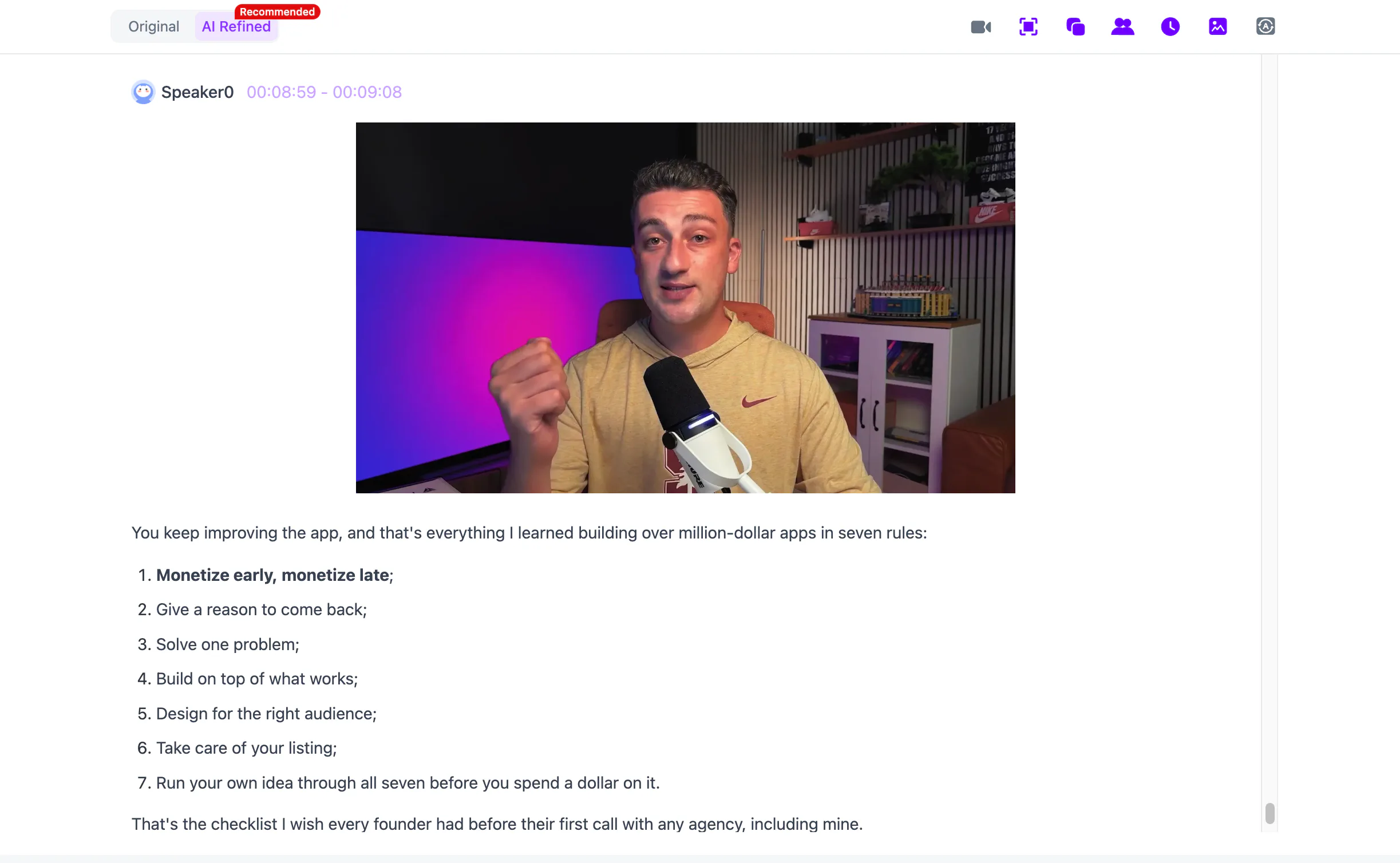
For a spoken interview, the transcript may be enough. For a lecture, coding lesson or product tutorial, NoteAi also extracts useful visual content and places it beside the relevant explanation.
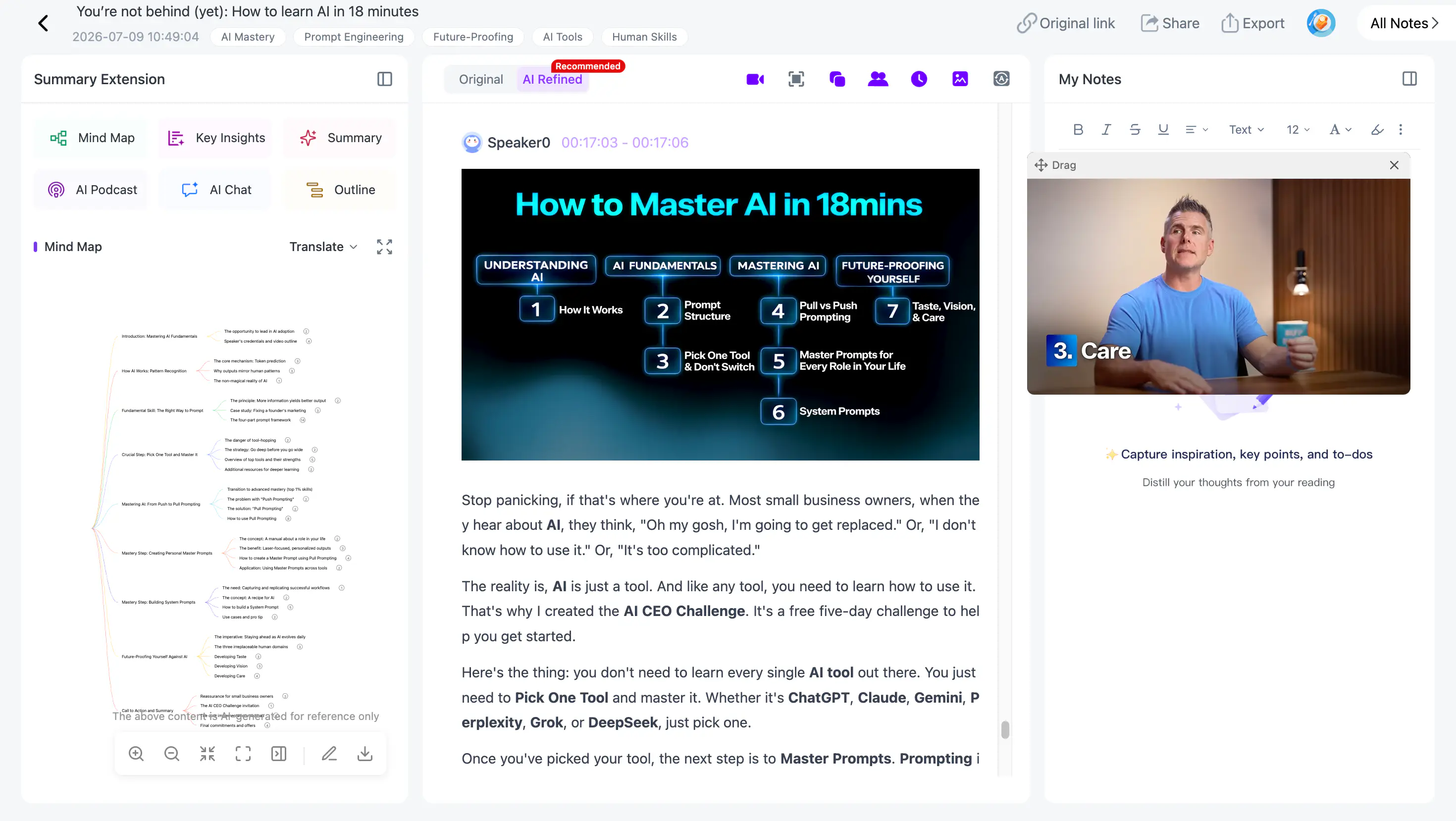
Picture-in-picture playback keeps the source video available while the learner reads or edits. A statement such as “the second line in this chart is the important one” remains understandable because the chart and the explanation appear together.
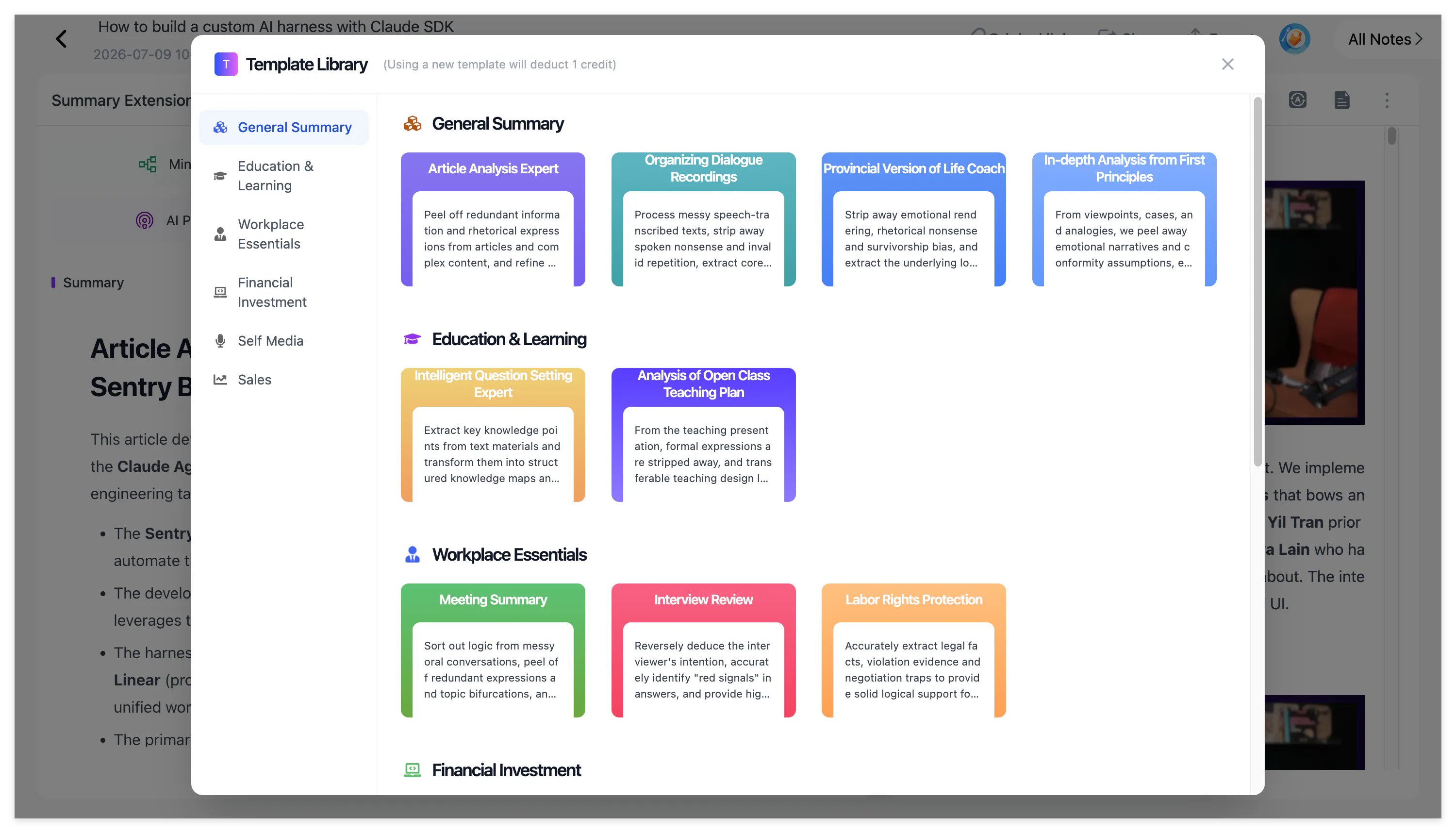
A Summary Template can then reshape the same source for a specific task. Instead of using one generic summary for every video, the learner can create lecture notes, a research brief, Cornell notes, a glossary or an exam review. A custom prompt provides more control when a course has its own note structure.
NotebookLM approaches the same video through its imported transcript. The Source Guide provides an overview, while chat answers questions about the selected sources. Its strength becomes clearer when the notebook contains more than the YouTube transcript.
For example, NotebookLM can compare the lecturer's argument with an uploaded paper or identify which claims are supported by several documents. Google's official NotebookLM chat guide explains that responses include citations linked to the relevant source context.
How the Two Tools Support Learning
Both tools offer more than summaries, but the features connect to the source in different ways.
The editable mind map in NoteAi reorganizes a long video around concepts. Smart Sync connects a node to the corresponding moment in the source, so the learner can return directly to the explanation instead of replaying from the beginning.
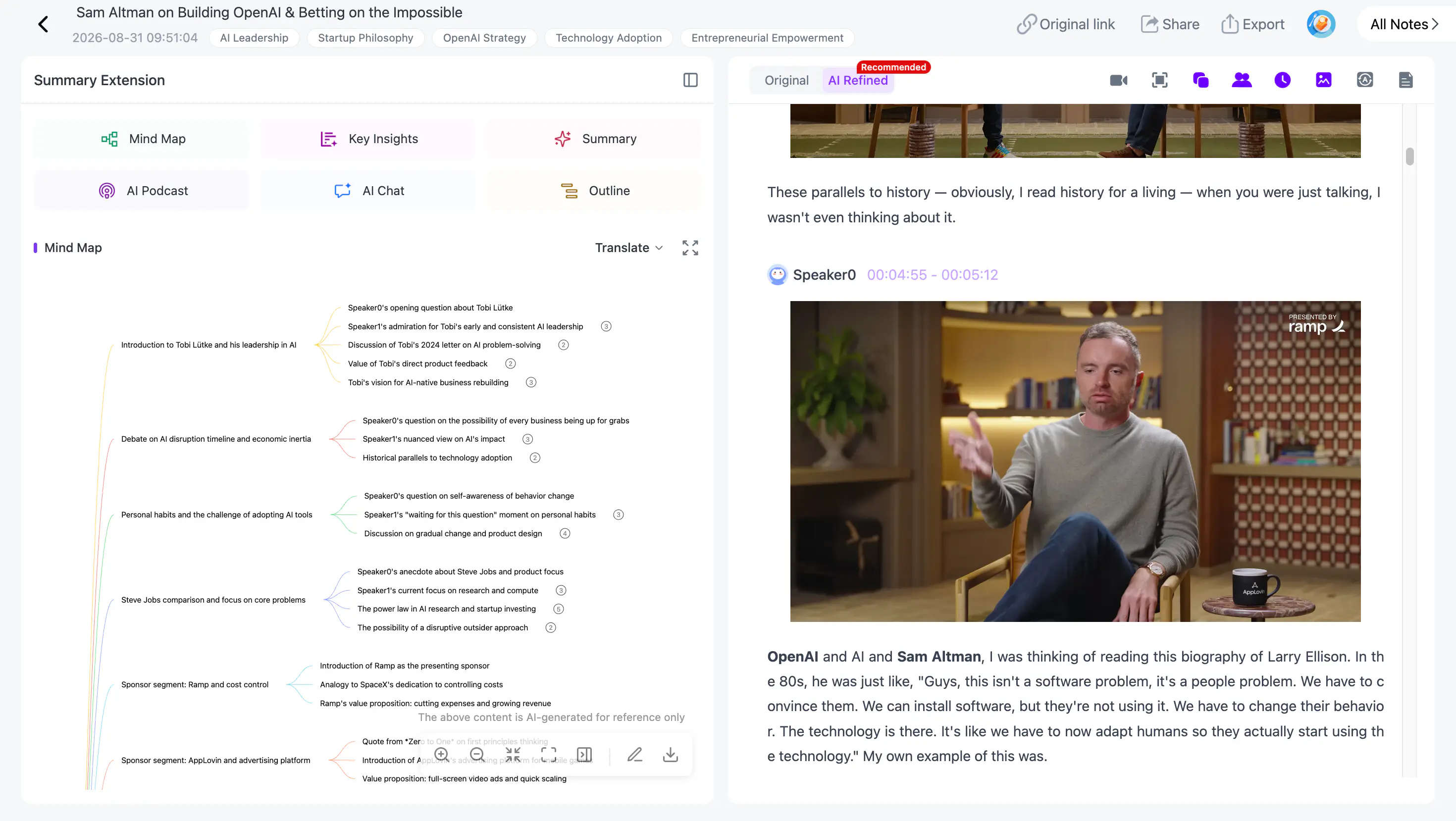
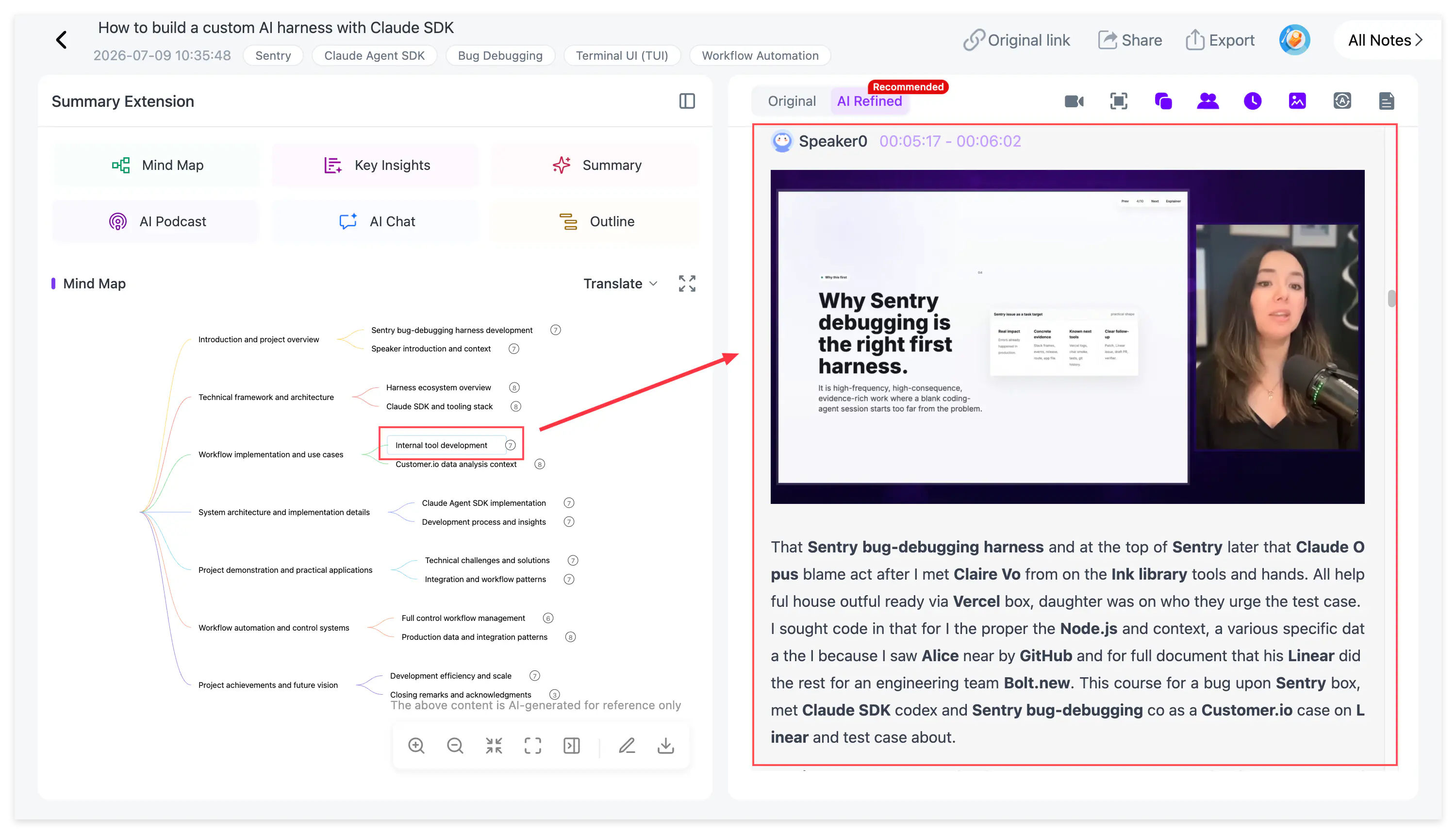
The map can be edited and exported as XMind, PDF, SVG, Markdown, JSON or TXT. This makes it useful both as a review tool and as a starting point for another knowledge-management system.
NotebookLM also generates mind maps. Its maps show the main topics and relationships across notebook sources, and selecting a node opens a related question in chat. Google's NotebookLM Mind Map guide describes the feature as a way to explore themes and connections in uploaded material.
AI Chat in NoteAi is designed around the processed video and saved notes. A learner can ask where the instructor defined a term, which example was used, what happened in a specific chapter or which section should be reviewed before an exam.
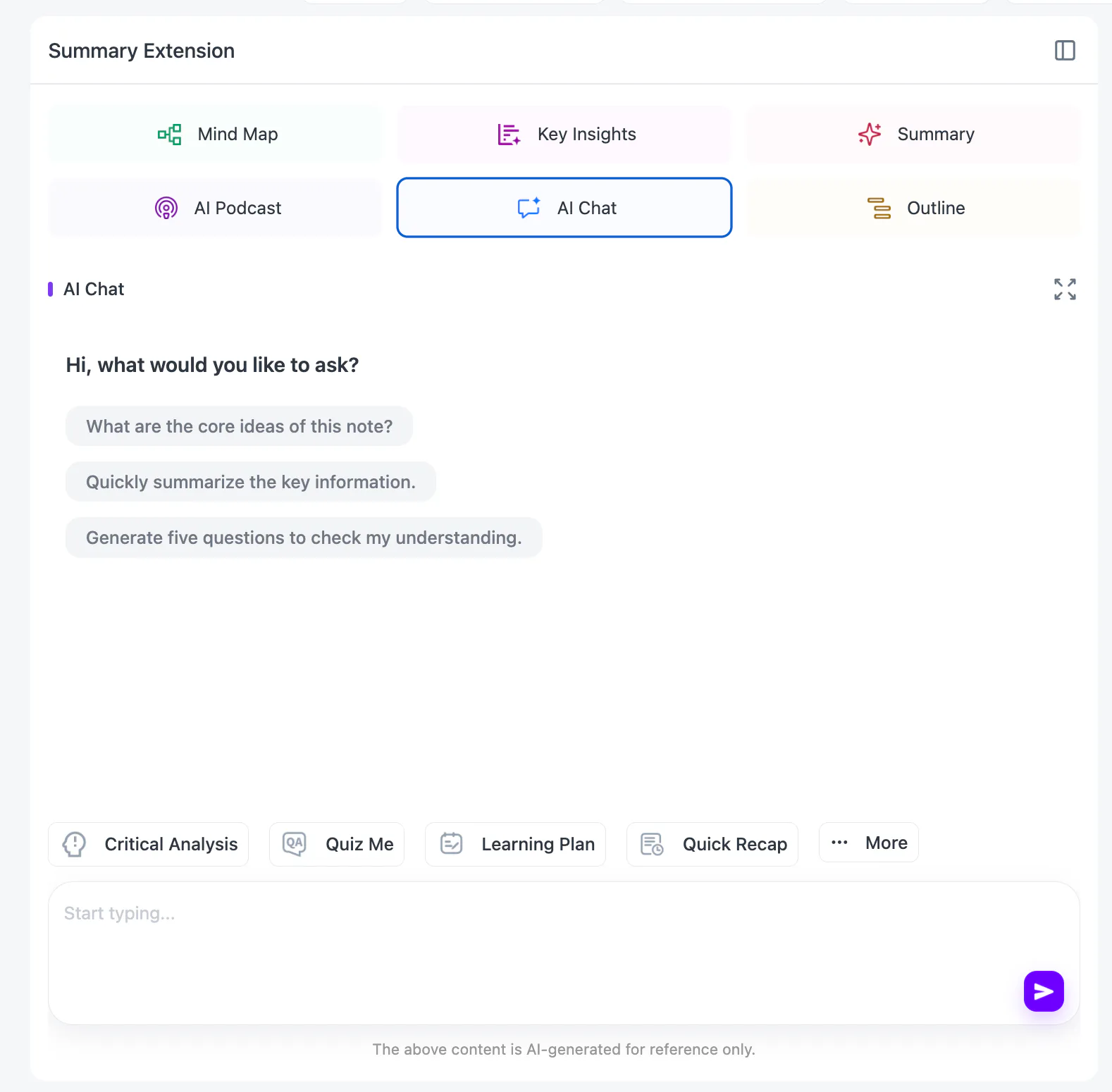
Cross-note questions extend this beyond one video. If several lectures have been saved under the same topic, NoteAi can help compare their explanations or locate where a concept appeared.
NotebookLM remains stronger when the question crosses different source formats. Its citations make it easier to see whether an answer came from the YouTube transcript, PDF or webpage.
For foreign-language videos, NoteAi supports 22 languages and presents the original and translated text together. This helps learners check names, quotations and technical terminology without losing the source wording.
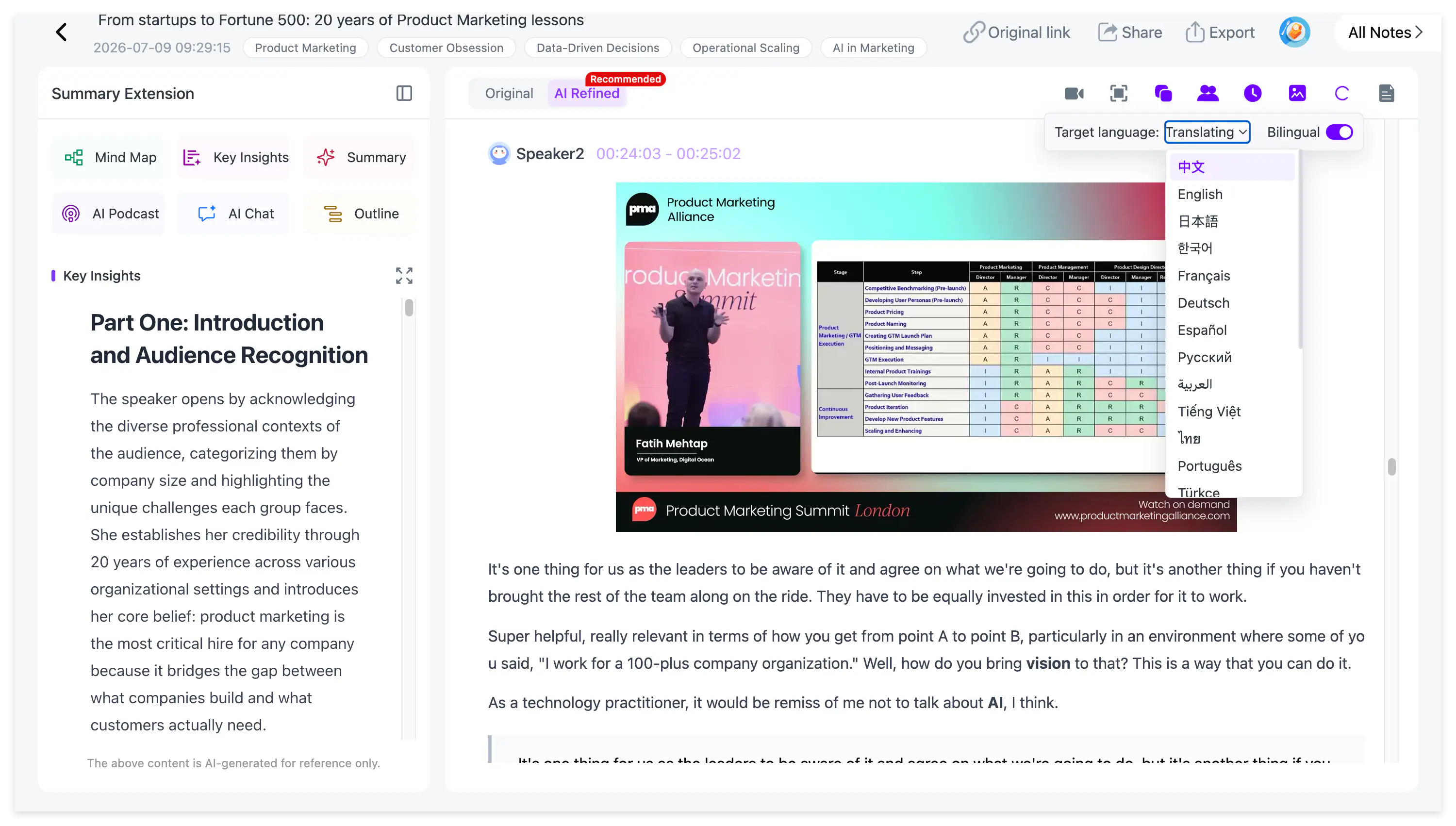
NotebookLM also supports multilingual questions and generated outputs. Its YouTube import, however, still depends on a supported caption file.
Both products can turn source material into conversational audio. NotebookLM's Audio Overview currently offers formats such as Deep Dive, Brief, Critique and Debate, with broader output-language coverage documented in Google's Audio Overview guide.
NoteAi generates a two-host AI Podcast from a processed video or note. Before generating, you can customize the name and voice style of each speaker and choose Chinese or English.
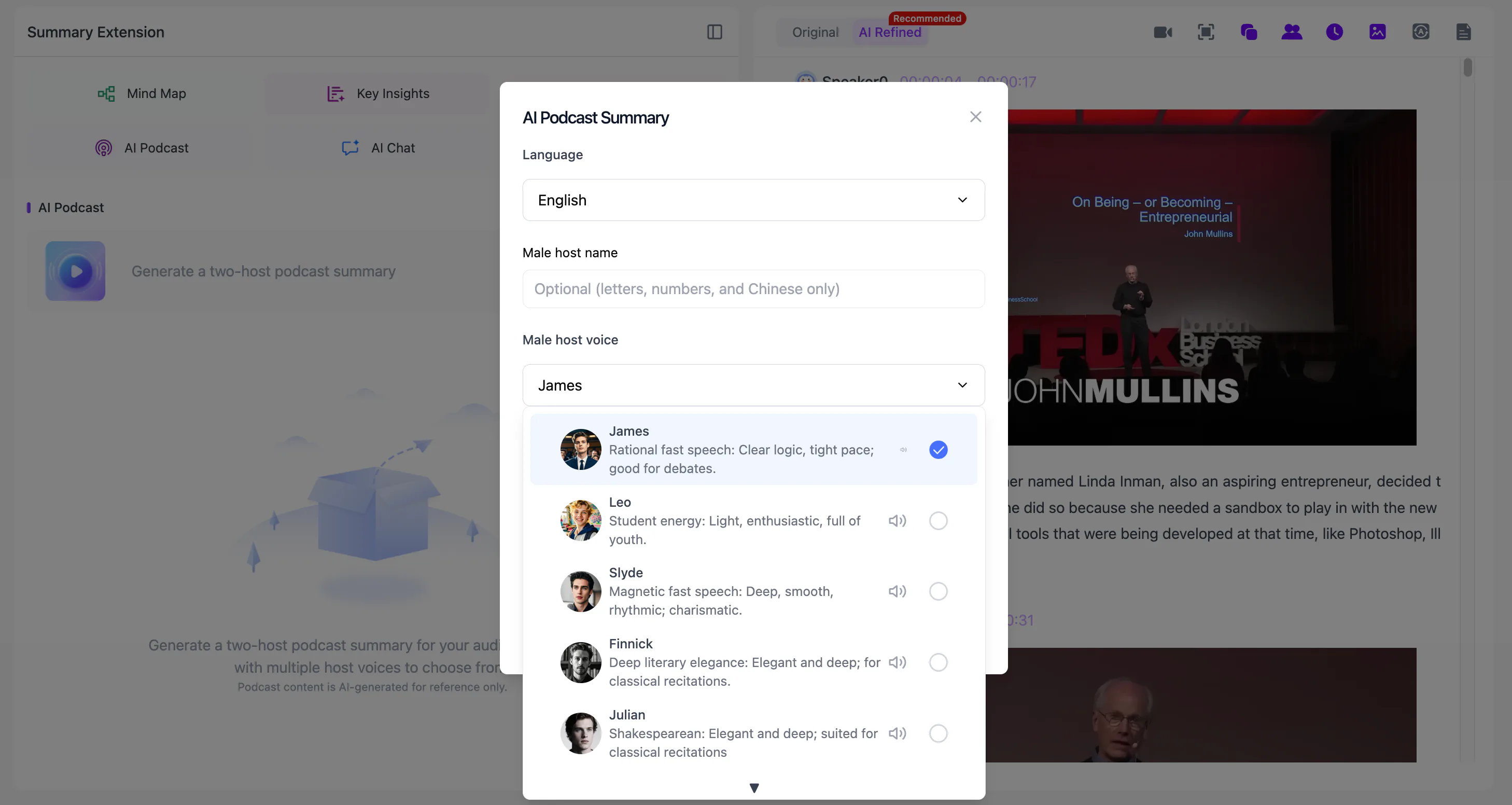
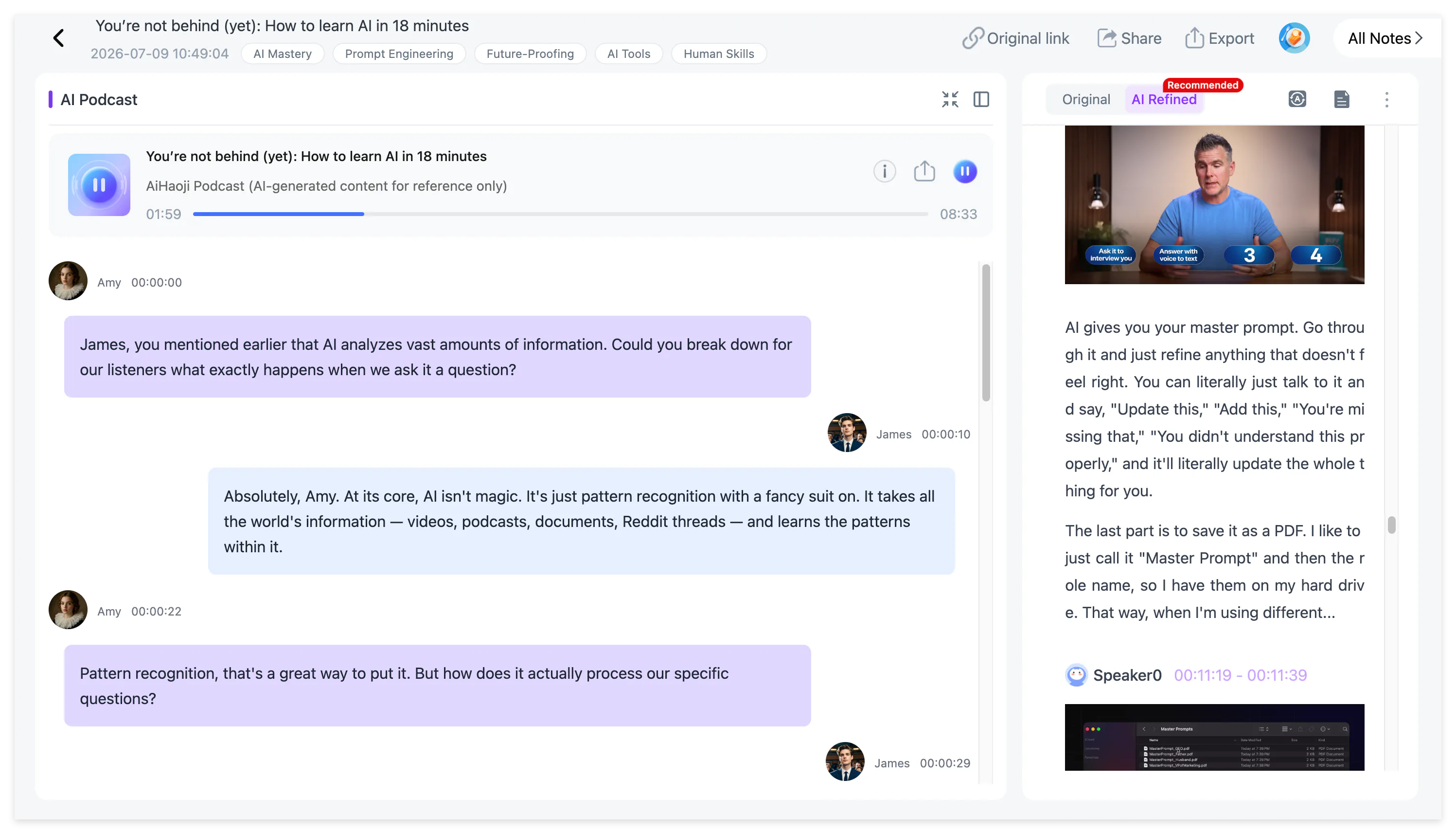
The generated conversation is useful for reviewing a lecture while commuting or walking, but exact quotations should still be checked in the transcript.
Where the Notes Go After Learning
NotebookLM organizes projects into notebooks containing sources, notes and generated Studio materials. It works well with Google Drive and supports collaboration around a shared collection of research.
Regular NotebookLM notes can be exported to Google Docs or Google Sheets. Its newer experimental chat functions can also create downloadable documents in formats such as Word, PDF and Markdown, although Google notes that experimental functions may change.
NoteAi is designed to keep a growing video and audio library searchable. Notes can be arranged in multi-level categories, managed in batches and found through global search. Sharing permissions allow selected notes to be sent to other people without opening the entire library.
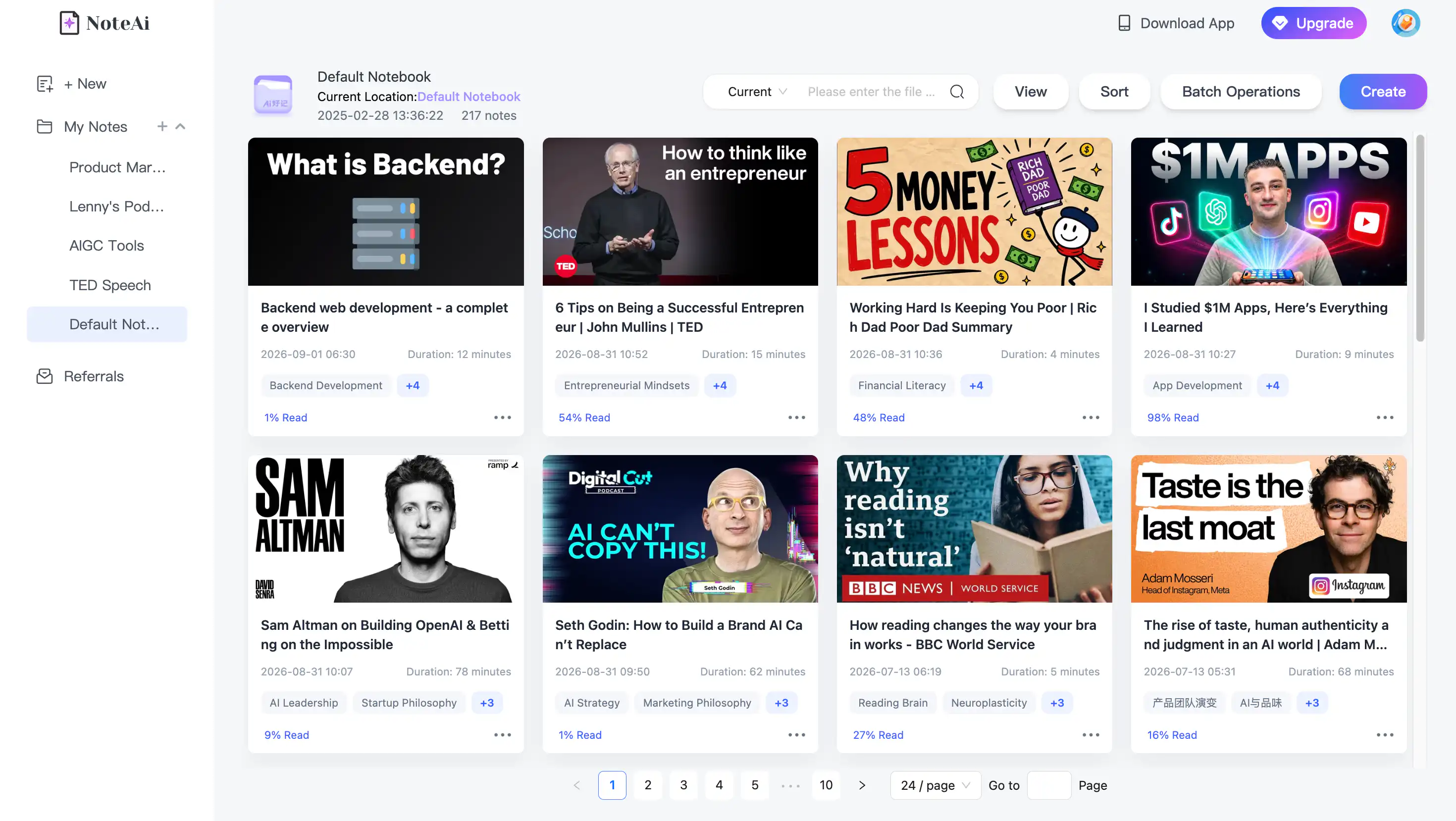
The finished note can be exported as DOCX, PDF, HTML or Markdown. Notes can continue into Notion or Obsidian, while mind maps support XMind and several additional formats.

This makes NoteAi suitable for people who want to keep learning material connected to the original video while still having the option to move the cleaned result into another knowledge system.
Which One Should You Choose?
Choose NoteAi when you mainly learn from YouTube videos, recorded courses and visual tutorials. It is particularly useful when the video contains slides, code, charts or demonstrations, when an existing caption track is unavailable, or when you want to return from a note or mind-map node to the source.
Choose NotebookLM when the project combines YouTube transcripts with PDFs, webpages, Google Docs and other materials. Its cited cross-source answers make it a better fit for literature reviews and document-heavy research.
The two tools can also work together. Process a visual YouTube lecture in NoteAi, check the transcript and key frames, then export the structured note as Markdown or PDF. That cleaner source can be added to NotebookLM beside the related papers and webpages.
Frequently Asked Questions
Is NoteAi better than NotebookLM for YouTube videos?
NoteAi is more suitable when the original video matters because it keeps transcripts, timestamps, speakers and key frames connected. NotebookLM is more suitable when the YouTube transcript needs to be compared with other documents.
Does NotebookLM watch the complete YouTube video?
Google's official documentation says that its YouTube URL workflow imports only the text transcript from supported public videos with captions.
Can NotebookLM summarize a YouTube video without captions?
Not through the standard YouTube URL import. That workflow requires a public video with a user-uploaded or automatically generated caption track.
Can NoteAi process a YouTube video without subtitles?
NoteAi transcribes the video's audio rather than depending entirely on an existing YouTube caption file.
Which tool is better for YouTube lectures with slides?
NoteAi is the stronger fit because it extracts relevant slides and key frames and keeps them beside the corresponding spoken explanation.
Is NoteAi a NotebookLM alternative?
NoteAi is a NotebookLM alternative for video-first learning. It is not intended to replace NotebookLM's broader PDF, webpage and Google Drive research workflow.
Do both tools generate AI podcasts?
Yes. NotebookLM provides several Audio Overview formats. NoteAi creates a two-host AI Podcast and lets users customize both speakers' names and voices and choose Chinese or English.
Are both products free?
Both provide a free starting option with limits. NoteAi offers limited free credits rather than unlimited free video processing.
Final Verdict
The decision is not simply about which product has more AI features.
If the source is a YouTube video you need to understand, verify and revisit, NoteAi provides the more complete video-learning workflow. If the video transcript is one part of a larger research project, NotebookLM is the better source-comparison tool.
For lectures, tutorials and recorded courses, NoteAi keeps what was said, what was shown and where it appeared connected in the same note.
Try NoteAi with a YouTube lecture or visual tutorial.